Private check-in: two questions about how the week felt, for you alone
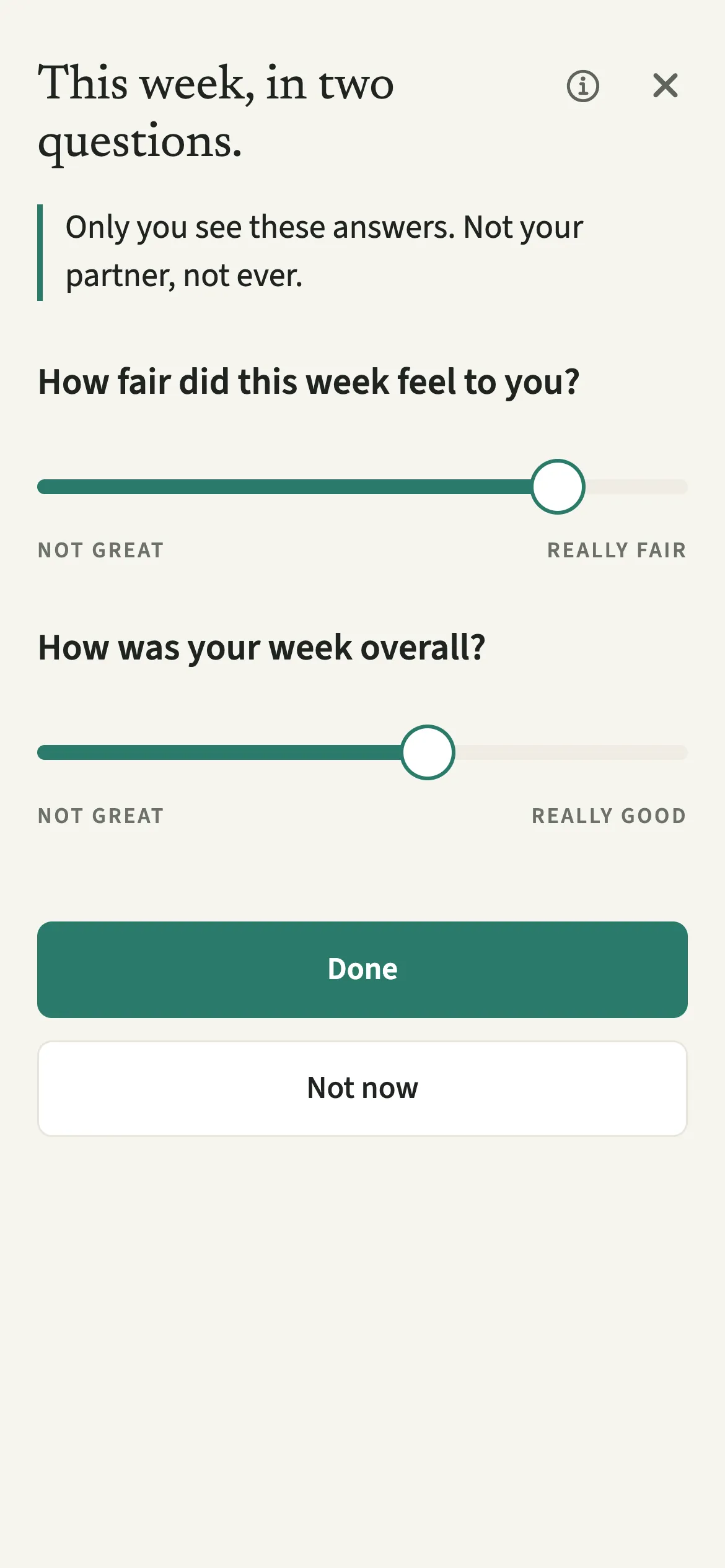
The private check-in in EvenUS is two quick questions you answer once a week: how fair the week felt to you, and how your week was overall. You answer with two sliders that show no numbers. Only you ever see your answers. Your partner cannot read them, and the server's security rules enforce that, not only the app.
What does the private check-in do?
It gives you a place to say how the week really felt, without it turning into a conversation. The rest of EvenUS measures what happened: hours logged, money shared, who holds the planning. None of that says whether a week felt fair, and two weeks with the same numbers can feel completely different from the inside.
The check-in asks just that, privately, so you can record how the week felt, for yourself. Your answers are yours alone: they are not used in any score or weekly suggestion, and they never appear in the household balance, on your partner's screen, or in anything shared between you.
Who is the private check-in for?
Anyone who wants to be honest about a week without having to manage how it lands. It suits the partner who tends to say “fine” when asked directly. Your partner can check in too, on their own phone, with the same privacy.
How do you do the private check-in?
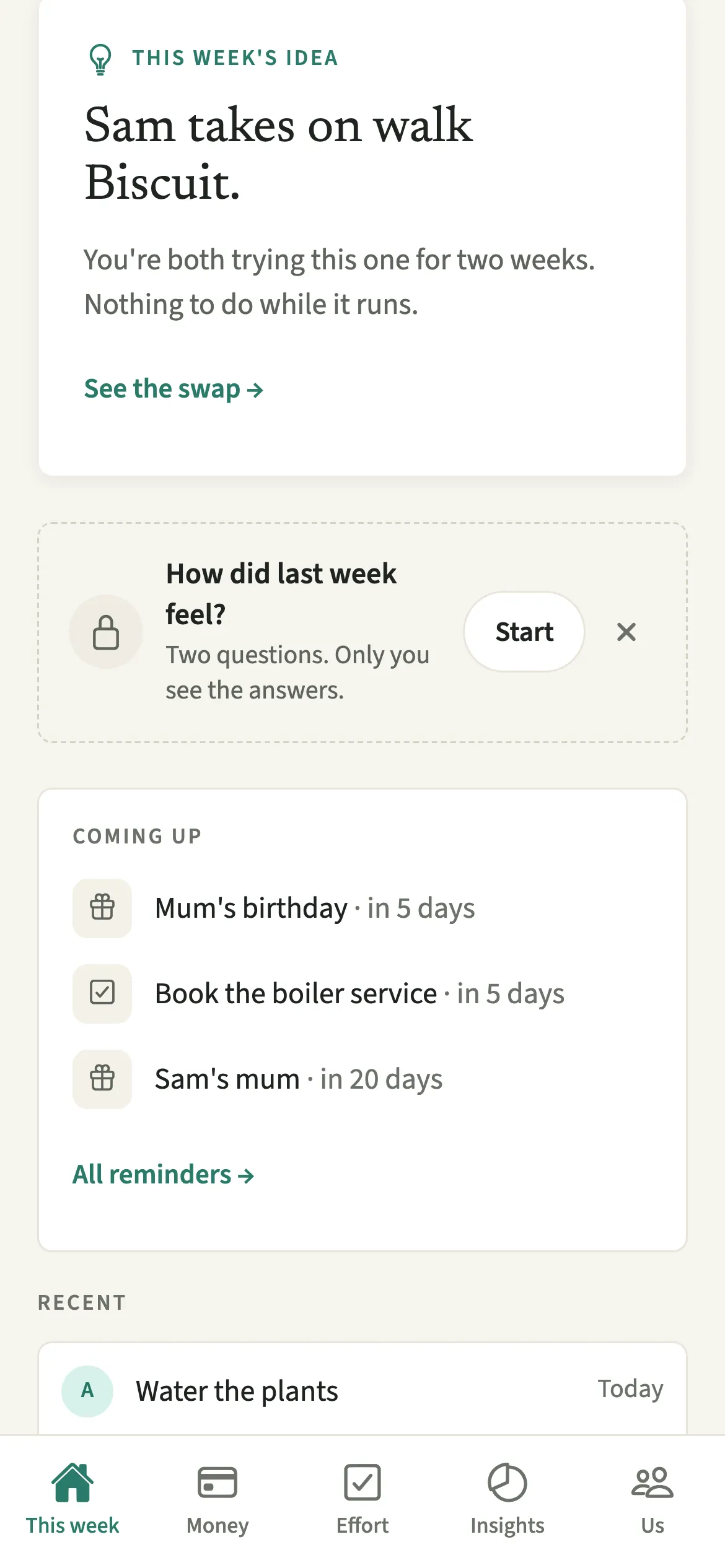
Tap Start on the “How did last week feel?” card, move both sliders and tap Done.
- Open the check-inOn the This week tab, find “How did last week feel?” and tap Start.
- Answer the fairness questionMove the first slider for “How fair did this week feel to you?”, between Not great and Really fair. It starts unset, with no thumb and no number.
- Answer the overall questionMove the second slider for “How was your week overall?”, between Not great and Really good.
- Save it or leave itTap Done to keep your answers, or Not now to leave it for another time. Done waits until both sliders have been moved, and until then the screen says “Move both sliders to answer, or choose Not now.”
What does your partner see?
Nothing. Your partner can never read your answers, and that is enforced by the server's rules, not only by the app hiding them. There is no indicator telling them whether you checked in this week, and your answers aren't in your partner's data export either. Your own export includes them, for you alone.
If you leave the household, your check-ins leave with you rather than staying with the household's history. More on how EvenUS handles private records is on the privacy page.
Tips for the private check-in
- Answer for the week as it felt, not as the numbers looked.
- Once saved, an answer can’t be edited or deleted, even by you. The next check-in opens on Monday.
- Skipping is an ordinary answer. Nothing counts the weeks you answer, and there is no streak to keep.
- The Sunday evening reminder can be switched off in Us, then Preferences, under “Check-in reminder”.
Why are there no numbers on the sliders?
A number invites you to score the week rather than describe it, and to compare this week's 6 with last week's 7. The question is how the week felt, so the sliders show only words at each end. Both start unset, with nothing filled in, because starting at either end, or even in the middle, would put a suggestion in your mouth about your own week. An untouched slider is never saved as an answer: a screen reader hears “Not answered yet” until you move it, then a description such as “around the middle” rather than a value.
Why can't you change an answer afterwards?
The check-in is only useful if it is a true record of how each week felt at the time. If past answers could be revised, a hard week could quietly be smoothed over later, and the pattern across weeks would mean nothing. So each week's answer stands once you tap Done. If you open the check-in again the same week, it opens on “This week is already answered.”
That is also why it is private: if either of you believed the other could read it, the answers would become diplomatic. For the conversation itself, Sunday talk is the shared space, and Seen differently shows where your readings of the planning differ.
Is Private check-in free?
Private check-in is part of EvenUS Pro. Every household starts with a 7-day free week inside the app, with no card needed and nothing charged when it ends. After that, EvenUS Pro is $9.99 a month or $79.99 a year, and one subscription covers both of you, whoever pays. Subscribing during the free week ends the free days, and billing starts that day.
Without a subscription, nothing you have recorded is locked away: you can still read it all, add expenses, tick chores off, export your data and delete your account.
Questions about Private check-in
Can my partner see my check-in answers?
No. Your partner can never read your check-in answers. The server's security rules allow only you to read them, so they are private even if someone tried to read the data directly, and they are not in your partner's data export.
Can I edit or delete a check-in?
No. Once you tap Done, that week's answer is saved and cannot be edited or deleted, even by you. This keeps it an honest record of how the week felt at the time. The next check-in opens on Monday.
What happens if I skip a week?
Nothing. Skipping is an ordinary answer and nothing counts the weeks you answer. Tap Not now, or close the card, and the check-in will be there whenever you feel like it.
When does EvenUS remind me to check in?
A reminder comes on Sunday evening, and the Sunday recap mentions that your check-in is open. You get one Sunday push, not several. You can switch the reminder off in Us, then Preferences, under Check-in reminder.
Is the private check-in part of EvenUS Pro?
Yes. It is included in the 7-day free week and then part of EvenUS Pro. Anything you have already recorded stays readable and exportable with or without a subscription.
Related features
Other parts of EvenUS that work alongside Private check-in.
Related reading
Articles on the questions behind this feature.