Export your data: a full copy of your household as files you can open
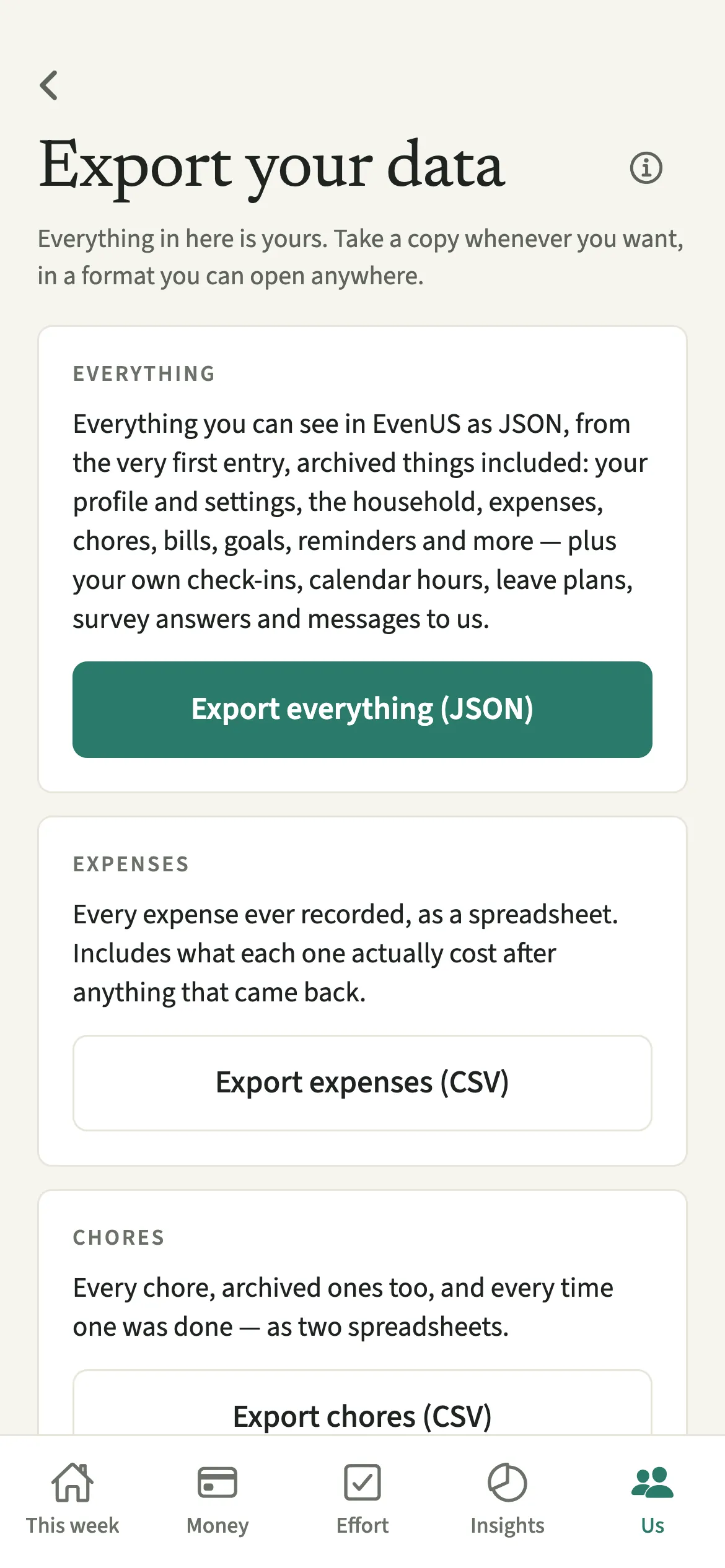
Export your data is how you take a copy of everything in your EvenUS household as files you can open anywhere. Export everything (JSON) gives the full picture, from the very first entry, archived things included, plus your own private records. Separate spreadsheets cover expenses, chores, the chore log and bills. Your partner’s private records are never in your file.
What does Export your data do?
It gives you your household’s records as ordinary files, whenever you want them, with nothing cut off by date. You might want them in a spreadsheet to plan a budget, in your own files before a move or a tax return, or simply as a copy you control.
There are two kinds of file. Export everything (JSON) holds everything you can see in the app: your profile and settings, the household, expenses, chores, bills, goals, reminders and the full Activity history, plus your own check-ins, calendar hours, leave plans, survey answers and messages to the EvenUS team. It also includes any Previous household kept for you. The CSV spreadsheets are narrower: expenses, chores, the chore log, and regular bills.
The files are built on your phone and handed to your phone’s share sheet, so you choose where they go. If some kind of record could not be read just then, the screen says so, for example “1 kind of record couldn’t be read just now, so it isn’t in this file”, and you can try again later to include it.
Who is Export your data for?
Anyone who wants their own copy: the partner who keeps the budget in a spreadsheet, a couple gathering a year’s spending for a tax-year summary or an accountant, or someone keeping a record before they delete their account.
How do you export your data from EvenUS?
Open Us, tap Export, then Export my data, choose the file you want and pick where to send it from your phone’s share sheet.
- Open the export screenOpen the Us tab, tap Export, then tap Export my data.
- Choose the full pictureFor everything, tap Export everything (JSON). With a long history it can take a moment to gather.
- Or choose a spreadsheetFor one kind of record, tap Export expenses (CSV), Export chores (CSV), Export chore log (CSV) or Export bills (CSV).
- Send or save itPick where to send or save the file from your phone’s share sheet: your email, a files app, or anywhere else your phone offers.
What does your partner see when you export?
Nothing: they aren’t told. Exporting is between you and your phone, and no notice or Activity line is created.
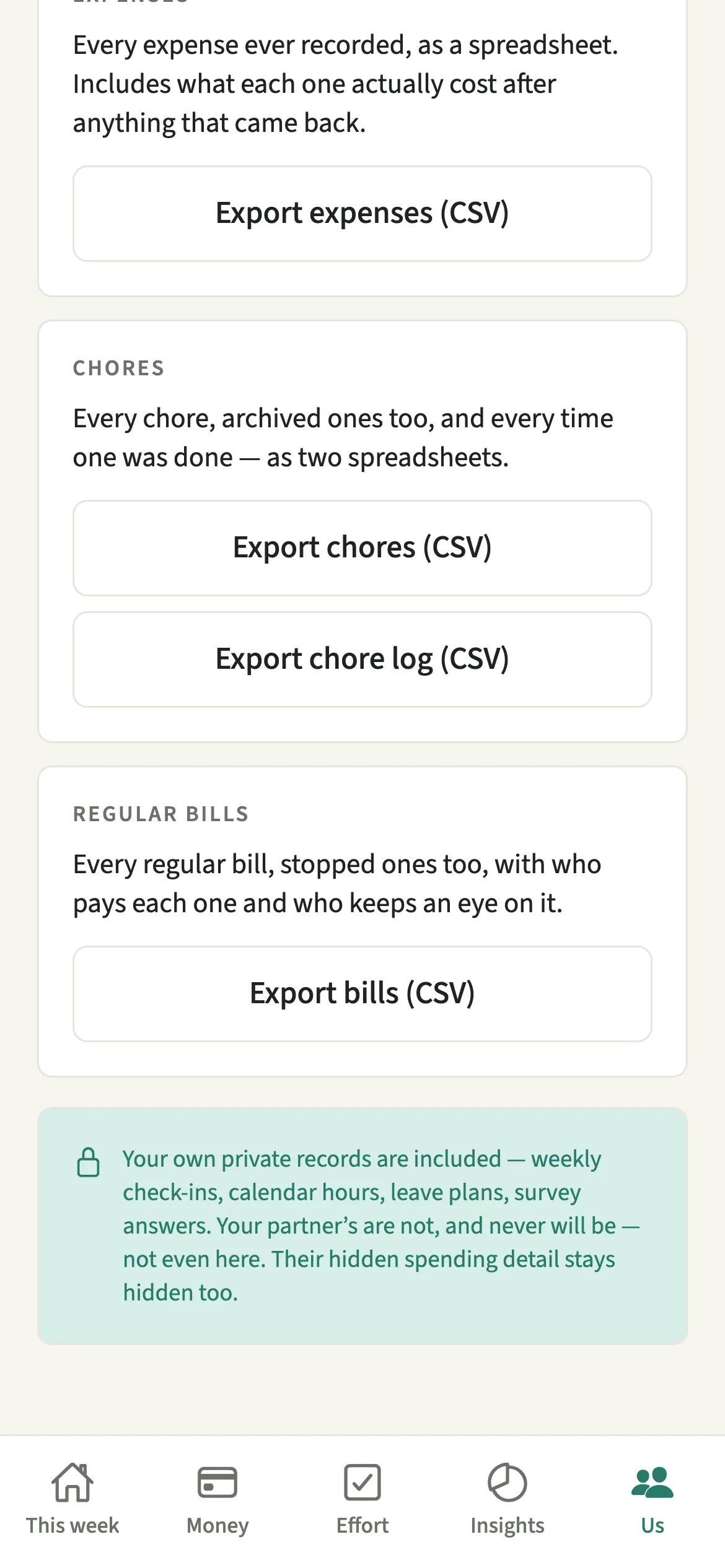
Your file has the shared household data, but never your partner’s private records: their private check-ins, calendar hours, leave plans, survey answers, or their payment details. If they keep their personal spending detail private, their personal expenses appear only as “A personal expense”, with no title, notes or receipt. Their export leaves out your private records in the same way, so neither file can be used to read the other person’s private answers.
Tips for exporting your data
- Open the expenses CSV in any spreadsheet. Next to each amount it shows anything that came back and what the expense actually cost after that, so refunds and work claims are already accounted for.
- Nothing is cut off by date: the files go back to the very first entry, and include archived chores, stopped bills and finished goals.
- Take a copy before you delete your account. The JSON file includes the private records about to be removed, and any Previous household, which is deleted with your account.
- Treat the file like any personal document. It holds your household’s spending, so send it only to places you trust.
What is in each export file?
- Expenses (CSV): every expense ever recorded, oldest first, with the date, title, category, amount, anything paid back, the effective cost, who paid, how it split and any part that was just for one of you.
- Chores (CSV): every chore, archived ones too.
- Chore log (CSV): every time a chore was done.
- Bills (CSV): every regular bill, stopped ones too, with who pays each one and who keeps an eye on it.
- Everything (JSON): all of the above and the rest of what you can see, in one structured file.
The household’s join code and your phone’s notification token are left out, because someone holding the file could misuse them.
Is Export your data free?
Export your data keeps working after the 7-day free week, whether or not you subscribe. The computed views, such as the household balance and this week’s idea, are part of EvenUS Pro: $9.99 a month or $79.99 a year, with one subscription covering both partners. The free week needs no card, and nothing is charged when it ends.
Questions about Export your data
Can I export my EvenUS data to a spreadsheet?
Yes. Open Us, tap Export, then Export my data, and choose Export expenses (CSV), Export chores (CSV), Export chore log (CSV) or Export bills (CSV). Each file opens in any spreadsheet app.
Does my partner get told when I export our data?
No. Your partner is not notified and nothing is added to the Activity feed. Your file includes the shared household data but none of their private records, and the same is true of their export.
Will my export include my partner’s private check-ins?
No, never. Your partner’s check-ins, calendar hours, leave plans, survey answers and payment details stay out of your file, and their hidden personal spending appears only as “A personal expense”. Your own private records are included.
Can I export my data after the free week ends?
Yes. Exporting all of your data is always available, whether or not you subscribe to EvenUS Pro, along with reading what you have already recorded and deleting your account.
Does the export include my Previous household?
Yes. Export everything (JSON) includes any Previous household kept for you. You can also export one on its own, as JSON or CSV files, from Us, then Previous household.
Related features
Other parts of EvenUS that work alongside Export your data.
Related reading
Articles on the questions behind this feature.