This week's idea: one thing to move between you, tried for two weeks
This week's idea is a weekly suggestion in EvenUS for one chore or planning job to move from the partner with less free time to the partner with more. It explains why this job and why now, and starts only if you both say yes. After a two-week trial, each of you chooses to keep it or swap back, and it stays only if you both keep it.
What does This week's idea do?
It turns what the household balance shows into one small, specific change you can try without committing to it.
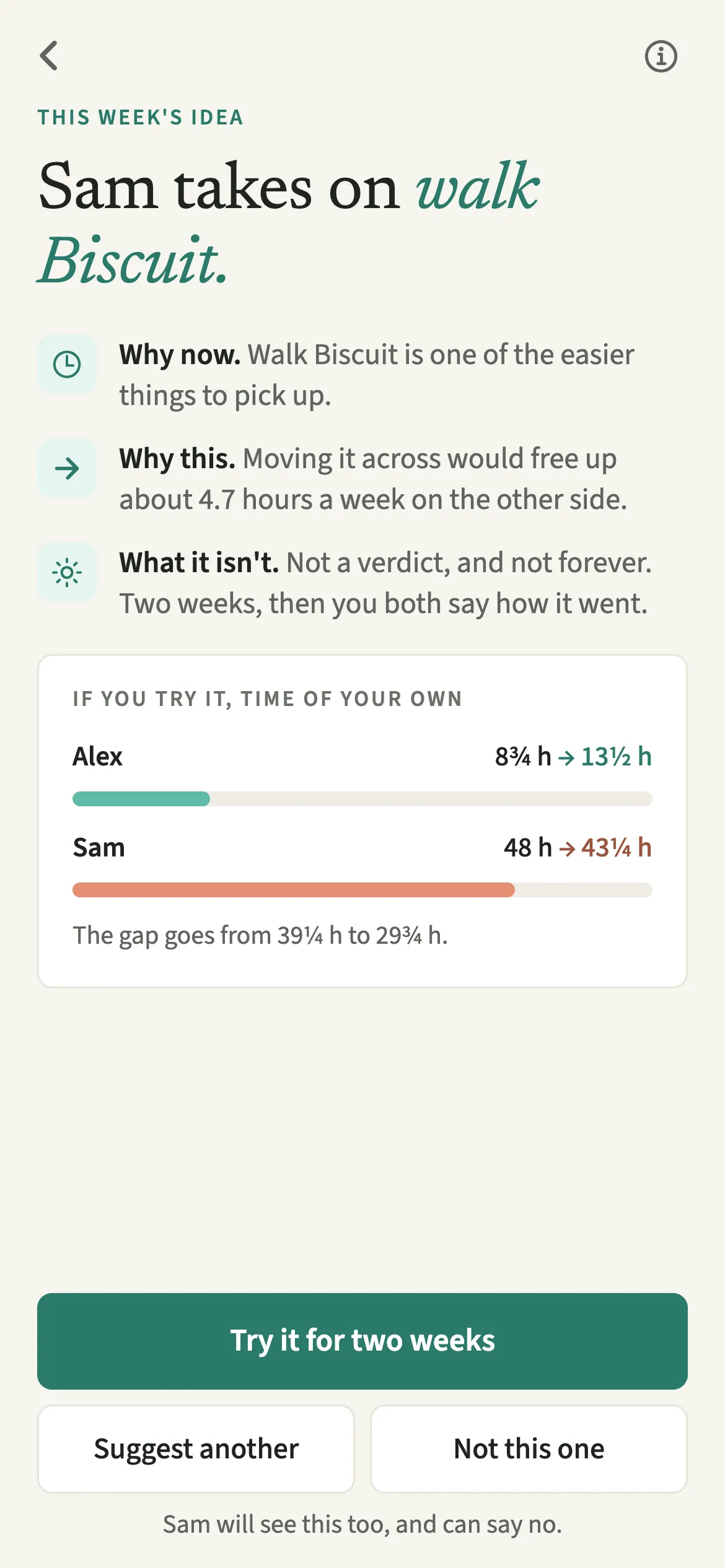
Each week EvenUS looks at the same time figures that feed the household balance and picks the one thing that would help most: a chore, or a planning area from Who keeps track of what, that would move to whoever has more time of their own. It is a question, never an instruction.
Who is This week's idea for?
For the partner who wants to help and isn't sure where to start, and for the one who would rather not have to ask. It suits couples whose talks about chores go round in circles.
How do you use This week's idea?
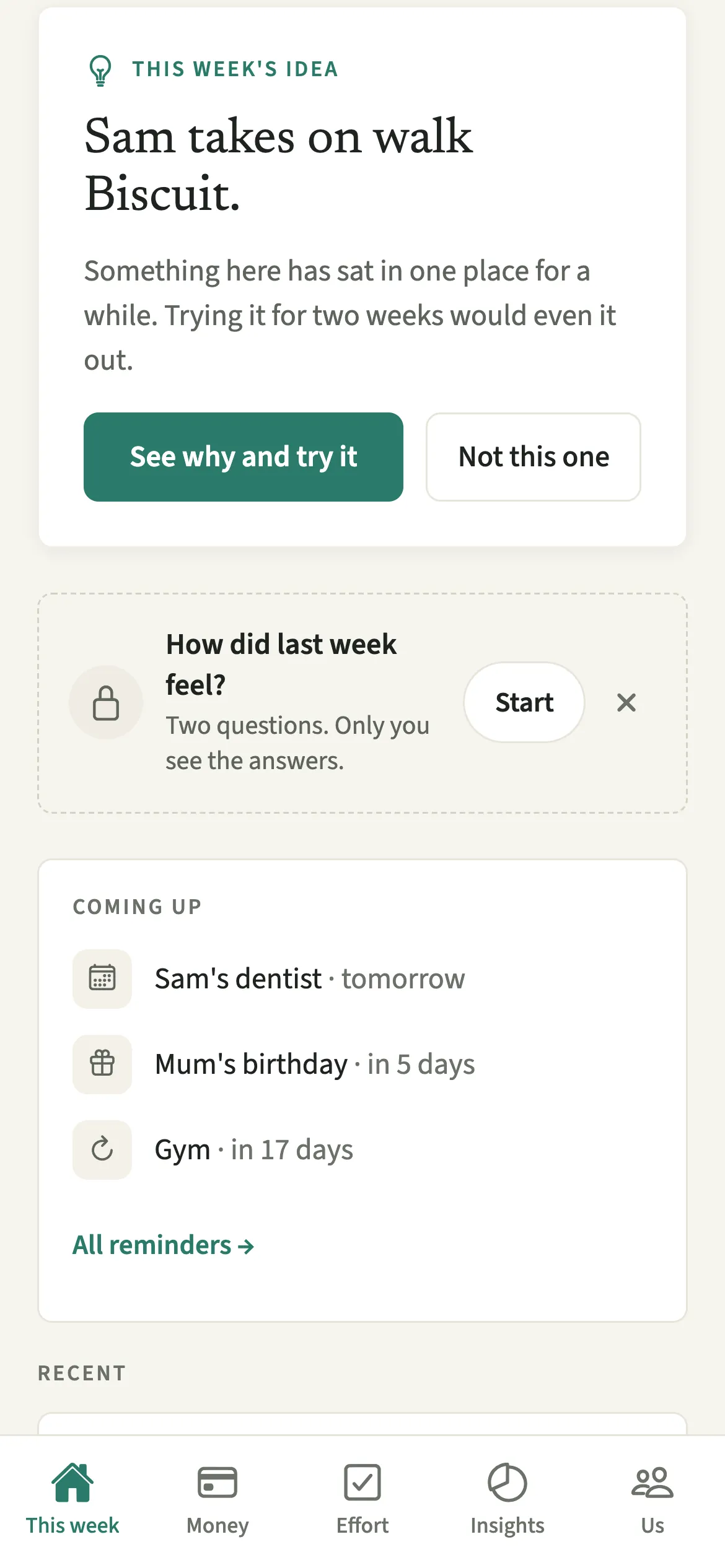
Tap “See why and try it” on the This week tab, read the reasons, and choose “Try it for two weeks” or “Not this one”.
- Open the ideaOn the This week tab, find the “This week’s idea” card and tap “See why and try it”.
- Read the reasonsRead why this, why now, and how the gap between your free hours would change.
- Answer itTap “Try it for two weeks” or “Not this one”. “Suggest another” shows the next option when there is one. It starts only once both of you say yes.
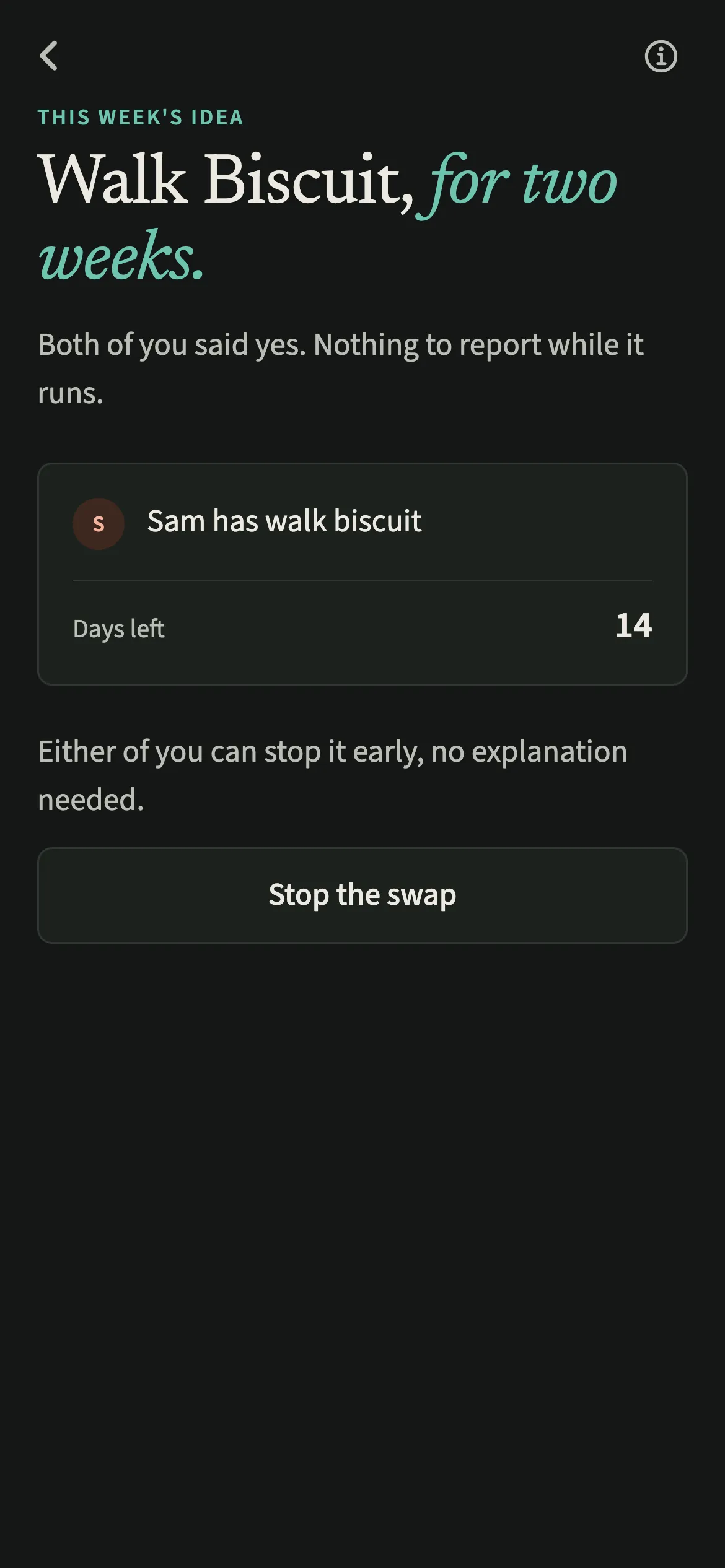
- Live with it for two weeksWhile it runs, the screen shows the days left. Either of you can tap “Stop the swap” at any point.
- Decide togetherWhen the two weeks are up, each of you chooses “Keep it this way” or “Swap back”. It stays only if you both keep it. A planning area is a two-week try only, with no keep at the end.
What does your partner see?
The same idea on their phone, with the same two choices. If you say yes first, your screen says you are waiting to hear from them, and that no is a perfectly good answer. There is no button for chasing an answer and no reminder sent on your behalf. Keeping it works the same way: it stays only once you both choose it.
If either of you taps “Not this one”, the idea is set aside and nobody is told who declined.
Tips for getting the most from the weekly idea
- “Not this one” sets the idea aside for good, so save it for things that shouldn't move.
- “Hand this over” on a chore opens straight on that chore when it is one of this week's ideas.
- Add Calendar busy time if your weeks vary. Nothing is suggested for a day your calendar says is busy.
- Talk it over in Sunday talk, where the idea has its own step.
How does EvenUS choose the idea?
It starts from free time, and looks only at chores and planning areas held by whoever has fewer hours of their own this week. It leaves out anything under half an hour a week, anything marked as hard to hand over, and anything you have already set aside. The rest are ranked by how much they would close the gap and how easy they are to pass on.
For example, if Alex has 39 free hours and Sam 46.5, moving a 2-hour weekly laundry job from Alex to Sam would bring the gap from 7.5 hours to 3.5. The screen shows that under “If you try it, time of your own” before you decide.
Why is there sometimes no idea?
Ideas come from comparing your time, so there is none until you have both been home for two days and logged an hour of household work between you. Days one of you spends Away are left out of that comparison. When things look reasonably even, the screen says “Nothing worth suggesting” rather than inventing a change.
Is This week’s idea free?
This week’s idea is part of EvenUS Pro. Every household starts with a 7-day free week inside the app, with no card needed and nothing charged when it ends. After that, EvenUS Pro is $9.99 a month or $79.99 a year, and one subscription covers both of you, whoever pays. Subscribing during the free week ends the free days, and billing starts that day.
Without a subscription, nothing you have recorded is locked away: you can still read it all, add expenses, tick chores off, export your data and delete your account.
Questions about This week’s idea
Does the swap start as soon as I say yes?
No. It starts only once both of you tap “Try it for two weeks”. Until then your screen says you are waiting to hear from them, and they can say no without any note coming back.
Can we stop a swap before the two weeks are up?
Yes. Either of you can tap “Stop the swap” at any time while it runs, with no explanation asked for. The job goes back to whoever had it before.
What if only one of us wants to keep the swap?
Then it goes back. A swap stays only if you both choose “Keep it this way”; otherwise the job returns to whoever had it before the trial. A planning area never changes hands in the app: it is a two-week try with no keep at the end.
How often does EvenUS suggest something?
At most once a week. A new idea comes on Sunday, and in weeks where your free time looks reasonably even, or time is not compared yet, there is no idea at all.
Is This week's idea part of EvenUS Pro?
Yes. It is included in the 7-day free week and then part of EvenUS Pro. Chores, logging and everything already recorded keep working without a subscription.
Related features
Other parts of EvenUS that work alongside This week’s idea.
Related reading
Articles on the questions behind this feature.