Calendar busy time: let a busy week count, using hours only
Calendar busy time in EvenUS lets a busy week count. With your permission, the app reads when the calendars you choose are busy, works out how many hours of each day are taken, and shares only those totals. A busy week then counts as less free time in the household balance. No event title, place, guest or note ever leaves your phone.
What does Calendar busy time do?
It lets EvenUS see that a week was full even when your paid work hours look ordinary. The household balance (the fairness score) starts from the free time each of you has left after paid work, chores and planning. An evening course or a weekend of family commitments takes real hours, but none of it shows up in a figure for paid work.
With Calendar busy time on, your phone reads only the start and end of each event in the calendars you pick, for this week and the next seven days. It turns those into hours per day and uploads seven numbers a week, plus how many of those hours fell outside usual working hours. The events themselves are never kept or sent.
Those hours feed the household balance as less free time that week, and help the weekly idea avoid a day that is already full.
Who is Calendar busy time for?
Anyone whose evenings, weekends or long meetings fill a week in ways paid work hours do not show: people studying alongside a job, volunteers, carers with regular appointments. It stays off until you switch it on, and each of you decides for your own calendar.
How do you connect your calendar's busy time?
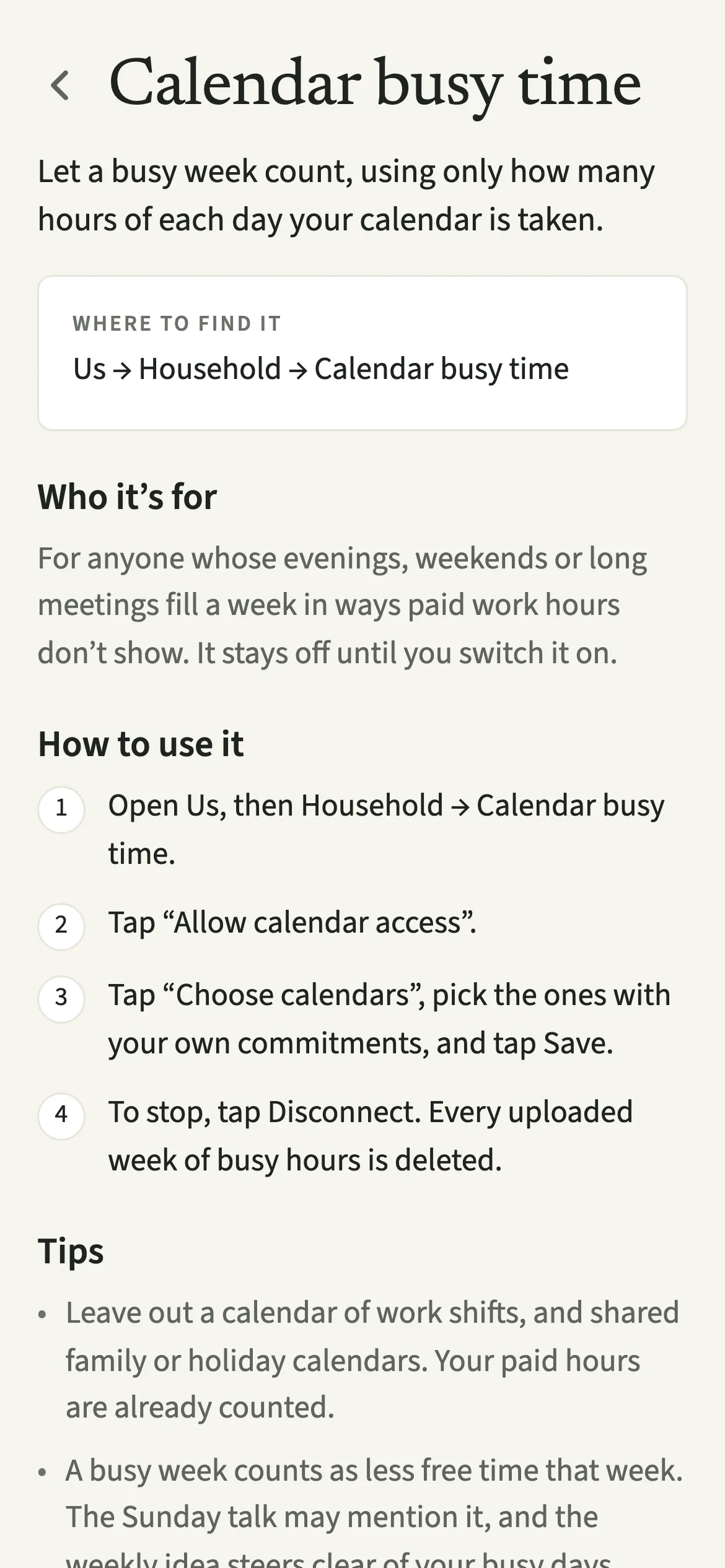
Open Calendar busy time from the Us tab, tap “Allow calendar access”, choose which calendars count and tap Save.
- Open the screenOpen Us, then Household → Calendar busy time. It sits under Connected.
- Allow accessTap “Allow calendar access” and accept your phone's permission prompt. If access was turned off before, use Open Settings to switch it back on.
- Choose the calendars that countTap “Choose calendars”, pick the ones with your own commitments, and tap Save. The screen then shows On, with your busy hours for This week and Next week.
- Stop whenever you likeTo stop, tap Disconnect, then “Disconnect and delete”. Every uploaded week of busy hours is deleted, and your calendar itself is not touched.
What does your partner see?
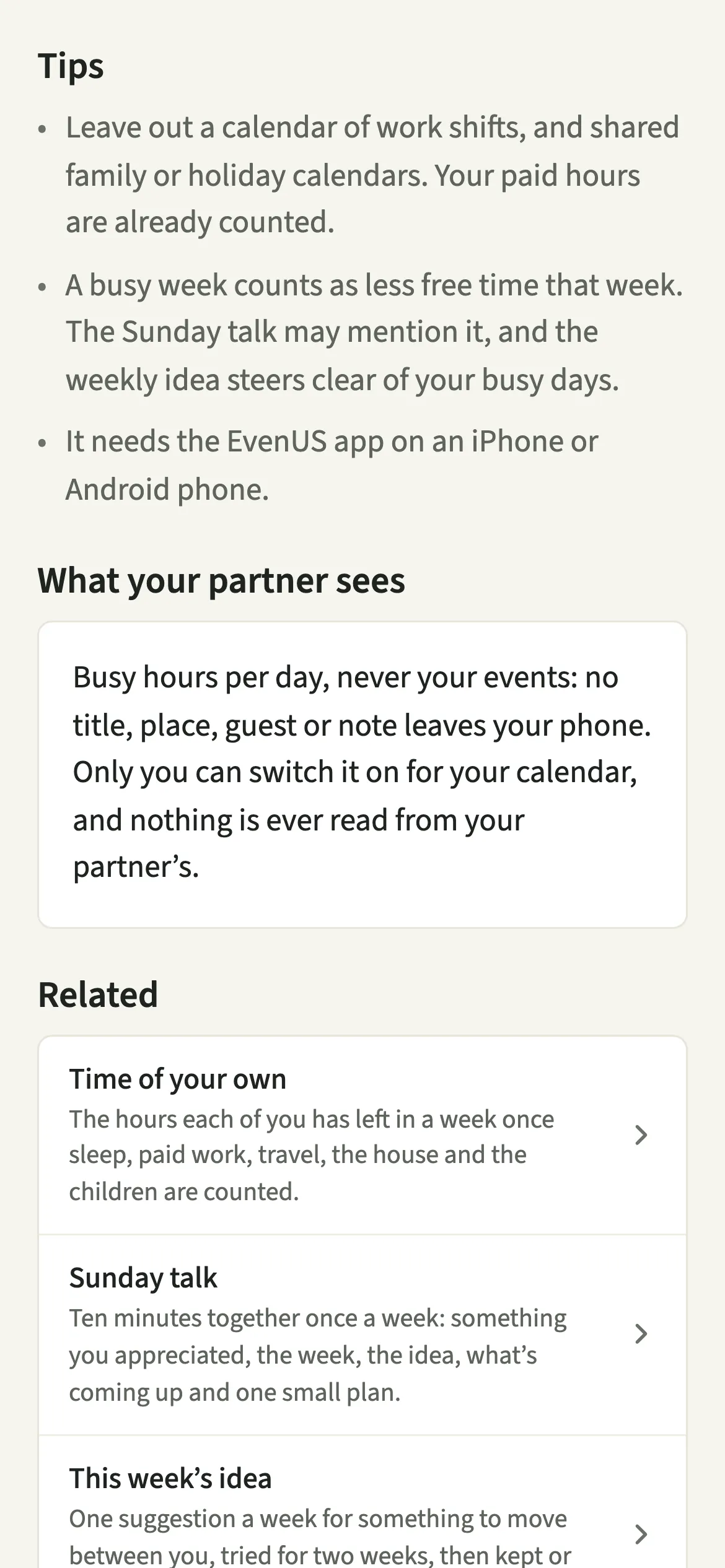
Busy hours per day, never your events. No title, place, guest or note leaves your phone, so the household knows that Thursday had five busy hours, not what filled them.
Only you can switch it on for your calendar, and nothing is ever read from your partner's. The choice of calendars is kept on your phone alone, so a new phone starts with it off. The Sunday talk may mention a busy week in neutral words.
Tips for counting the right hours
- Leave out a calendar of work shifts, and shared family or holiday calendars. Your paid hours are already counted.
- If you work nights or shifts, switch on “My paid work is mostly outside 8am–6pm” in Edit your details, so your shifts are not counted twice.
- A busy week counts as less free time that week. The Sunday talk may mention it, and the weekly idea steers clear of your busy days.
- It needs the EvenUS app on an iPhone or Android phone. If the screen says “No calendars on this phone”, add one in your phone’s own calendar app first.
How are calendar hours counted?
Calendar time outside the usual working window, weekdays 8 am to 6 pm and all of the weekend, counts in full. Time inside that window counts only where it goes beyond the paid hours you already entered, so a working day of meetings is never counted twice. Under an hour a week counts as nothing, and at most 12 hours a week are added.
The hours added show on their own line, “Busy calendar, beyond usual work”, in the hour-by-hour sum behind the Time card on Insights and in Where the hours go, so every hour taken off your free time is on a row and the column adds up.
A worked example: Alex has 40 hours of paid work and a calendar full of 9 to 5 meetings. That adds nothing. A three-hour Tuesday evening class and five hours on Saturday add 8 hours, so the busy calendar row reads 8 and the week shows 8 fewer free hours for Alex. Six or more extra hours, or three busy days, make it a busy week. The method sits alongside time of your own.
Is Calendar busy time free?
Calendar busy time keeps working after the 7-day free week, whether or not you subscribe. The computed views, such as the household balance and this week’s idea, are part of EvenUS Pro: $9.99 a month or $79.99 a year, with one subscription covering both partners. The free week needs no card, and nothing is charged when it ends.
Questions about Calendar busy time
Can EvenUS see what is in my calendar?
No. Your phone reads only when each event starts and ends, works out hours per day, and uploads those totals. Titles, places, guests and notes never leave your phone, so EvenUS staff cannot see them.
Which calendars work with Calendar busy time?
Any calendar already on your phone, such as iCloud, Google, Outlook or Exchange. There is no separate sign-in: EvenUS reads the phone's own calendar store, and you choose which of its calendars count.
Can my partner connect my calendar?
No. Only you can switch Calendar busy time on for your own calendar, from your own phone. Nothing is ever read from your partner's calendar unless they connect it themselves.
What happens when I disconnect?
EvenUS stops reading your calendar and deletes every week of busy hours it uploaded. Your calendar and its events are not touched, and you can connect again later.
Is Calendar busy time part of EvenUS Pro?
Connecting your calendar keeps working after the free week with or without a subscription. The views that use the hours, such as the household balance, the weekly idea and the Sunday talk, are part of EvenUS Pro.
Related features
Other parts of EvenUS that work alongside Calendar busy time.
Related reading
Articles on the questions behind this feature.