Time of your own: the hours each of you has left in a week
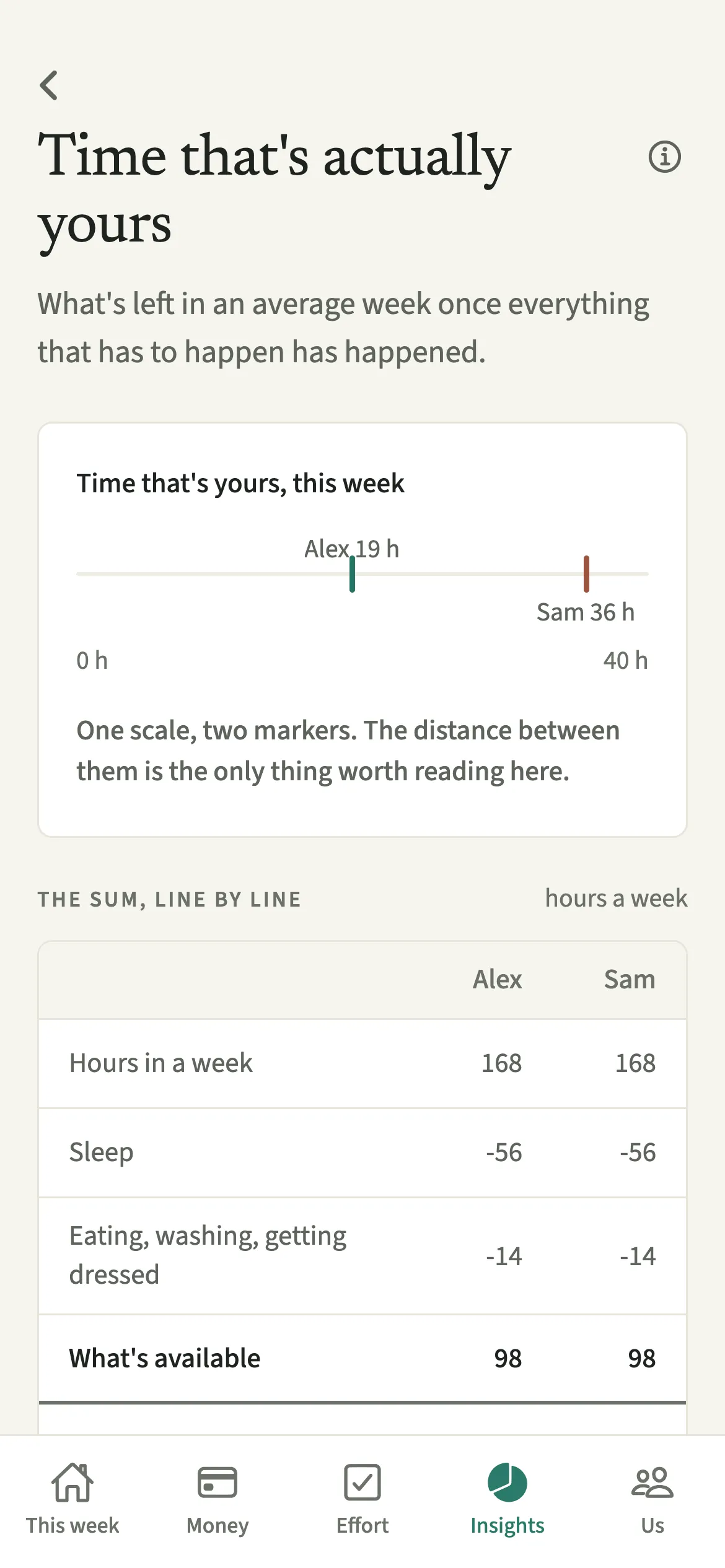
Time of your own is the EvenUS view of free time. It starts from the 168 hours in a week, takes away sleep, eating and washing, paid work, travel, the household work each of you logged, looking after children, the planning you hold and any busy calendar time, and shows what is left for each of you, in real clock hours, line by line.
What does Time of your own do?
It shows how many hours in a week are genuinely yours, side by side with your partner’s, once everything that has to happen has happened. Counting chores alone can make a week look even when it does not feel even. If one of you works 50 hours and the other 25, splitting the washing up down the middle leaves very different evenings.
Time of your own looks at the whole week instead, and compares the hours left over. That figure is the time half of the household balance, which reads “Time 60%, money 40%” by default.
Pay never enters this view. An hour is an hour, whoever earns more.
Who is Time of your own for?
For couples who suspect the housework split looks even but the weeks do not feel it, common when one of you works long hours, does most of the school runs, or travels further each day. It also helps during parental leave, when paid work and travel drop for one of you and the care hours rise.
How do you use Time of your own?
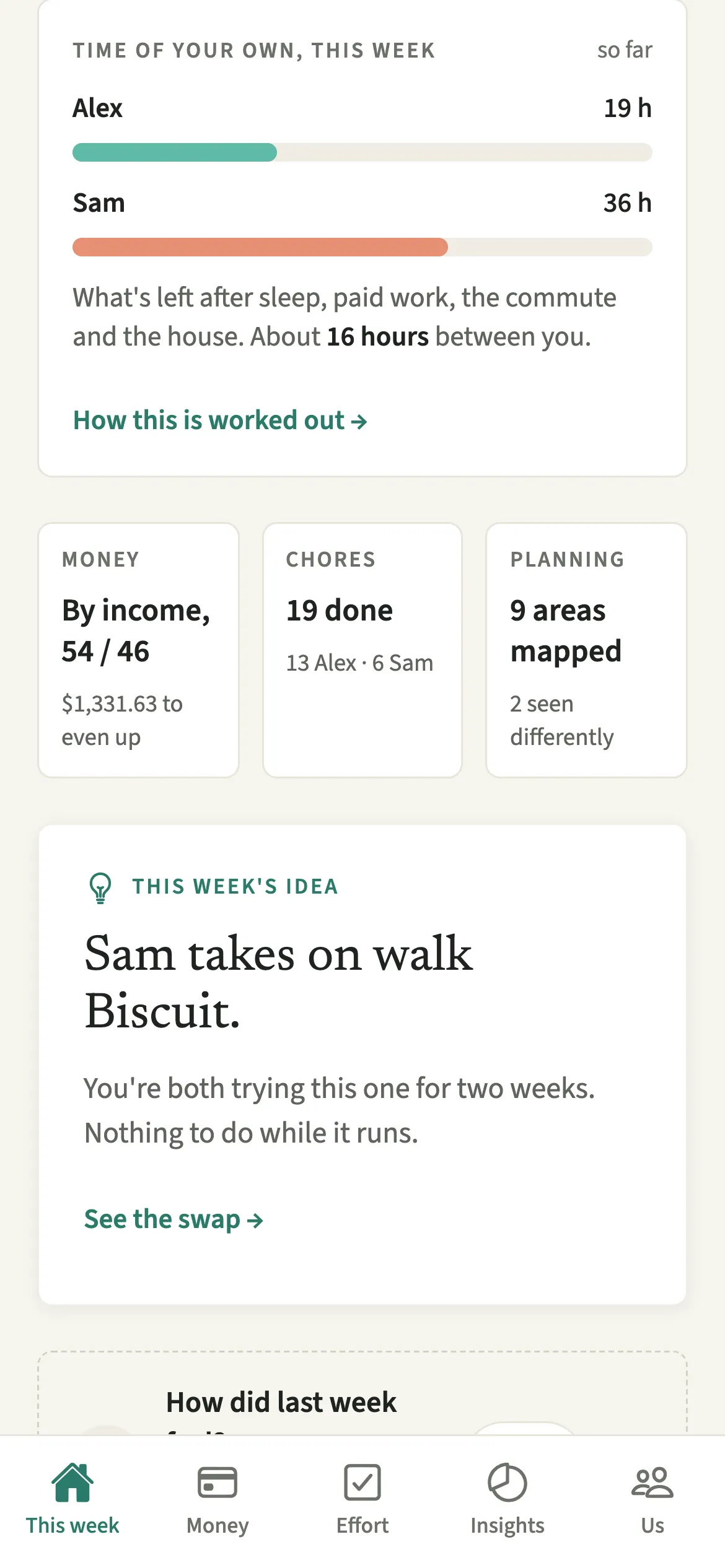
Look at Time of your own, this week on the This week tab, or open Insights, then Time, and tap “How this is worked out” to see the sum.
- Find the figureOn the This week tab, look at the Time of your own, this week card. For the full view, open Insights, then Time.
- Read the sumTap “How this is worked out” to see the sum, line by line: hours in a week, sleep, eating and washing, paid work, getting there and back, household work, looking after children, planning and remembering, “Busy calendar, beyond usual work”, and the time that is yours.
- Fix a line that looks wrongIf your paid work or travel is off, tap “Change your hours” and update them. Each of you changes only your own hours.
- Keep loggingHousehold work counts only what you have logged in Effort, so ticking off chores as you go keeps the figure honest.
What does your partner see?
You both see the same numbers for both of you, and the same sum underneath. If a line looks surprising to either of you, you can both open the sum and see where it came from.
Each of you changes only your own hours. Pay never appears here, so seeing each other’s free time reveals nothing about income. If one of you is on leave for part of the week, a note under the sum says so by name.
Tips for a figure you both trust
- Every number is real clock hours. An hour is an hour, whatever anyone earns.
- Household work counts what each of you logged and nothing else. Log chores as you do them, or add one you forgot up to 31 days back.
- The time part waits while there is less than an hour logged between you, or fewer than two days at home together.
- If your hours change a lot from week to week, calendar busy time adds the extra hours above your usual paid work. They now have their own line in the sum, so the column always adds up.
What does a worked example look like?
Take Alex and Sam. Both start from 168 hours. Sleep at 8 hours a night and 2 hours a day for eating, washing and getting dressed use the same figures for both, which leaves 98 hours available each.
Alex has 45 hours of paid work, 5 of travel, 8 of logged housework, 6 looking after children and 4 of planning: 30 hours left. Sam has 35 of paid work, 3 of travel, 14 of housework, 12 with the children and 7 of planning: 27 hours left. About 3 hours between them, and nobody’s salary came into it.
What can the sum not see?
The screen lists its own limits under “What this sum can’t see”. An hour on duty at home with a sleeping child is not the same as an hour alone in a café. Two people can have the same twelve free hours and only one of them chose theirs. The figure is a starting point for a conversation, not a verdict.
Is Time of your own free?
Time of your own keeps working after the 7-day free week, whether or not you subscribe. The computed views, such as the household balance and this week’s idea, are part of EvenUS Pro: $9.99 a month or $79.99 a year, with one subscription covering both partners. The free week needs no card, and nothing is charged when it ends.
Questions about Time of your own
Does earning more count as time in EvenUS?
No. Time of your own counts clock hours only, and pay never enters it. Money is compared separately on the Money tab, so a long week of paid work counts as hours whatever it earns.
Why does my household work show as zero?
Household work counts only what you have logged in Effort, never a chore’s estimate. If you have not ticked anything off yet this week, it shows nothing. You can add a chore you did up to 31 days back.
Can my partner change my hours?
No. Each of you changes only your own paid work and travel, through Change your hours. You both see the same sum, so either of you can spot a line that looks wrong.
How does parental leave change the sum?
While one of you is on leave, paid work and getting there and back count only for the part of the week at work, and a note under the sum names who is on leave. Care hours still count for whoever is at home.
Related features
Other parts of EvenUS that work alongside Time of your own.
Related reading
Articles on the questions behind this feature.