Parental leave: your leave dates, so the week is counted as it really is
Parental leave in EvenUS is where each partner adds their own leave: the first and last day, how much they are still working and how much pay continues. During those dates, EvenUS counts paid work as what you actually do and counts the children’s care where each of you is at home, so a week at home with a baby is never read as a free week.
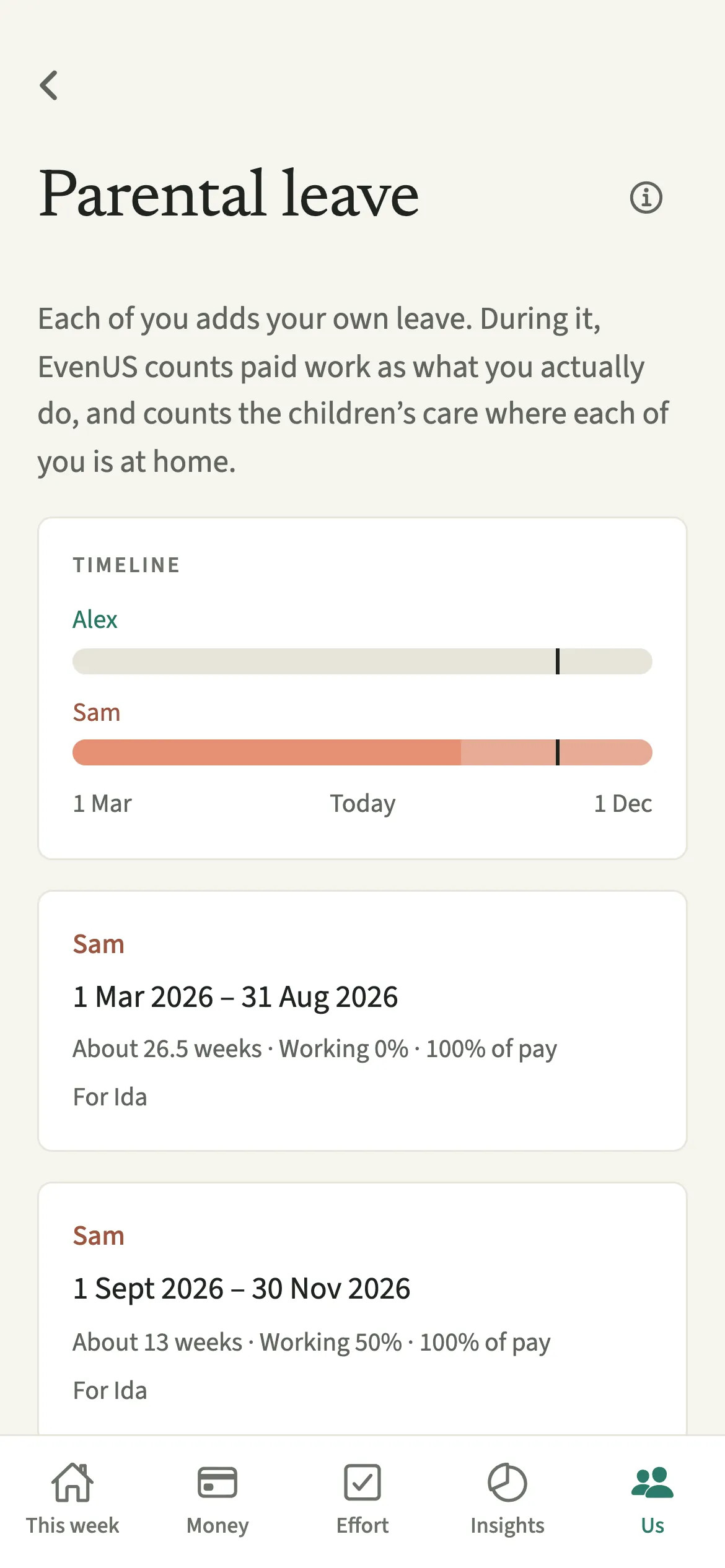
What does Parental leave do?
It stops EvenUS reading a week of leave as either a full working week or a week of spare time. Without it, the app would assume you still work your usual paid hours, and once those hours were removed it could look as if the parent at home had forty hours to themselves.
With your leave added, paid work and the travel that goes with it count at the share you are still working, across the days of leave. The background care estimate is counted where people are at home, in proportion to the hours each of you is not at work. With a baby under one, the waking hours you spend alone with them while your partner is at work count as care for you. Care either of you logs still counts for whoever did it.
This shapes the time side of the household balance and Time of your own, where a note names who is on leave that week. Leave is never described as time off.
Who is Parental leave for?
New parents on full leave or a phased return, whether that is maternity, paternity, adoption or shared leave. Each of you adds your own, so one partner on leave, leave at different times, and overlapping leave all work.
How do you add parental leave in EvenUS?
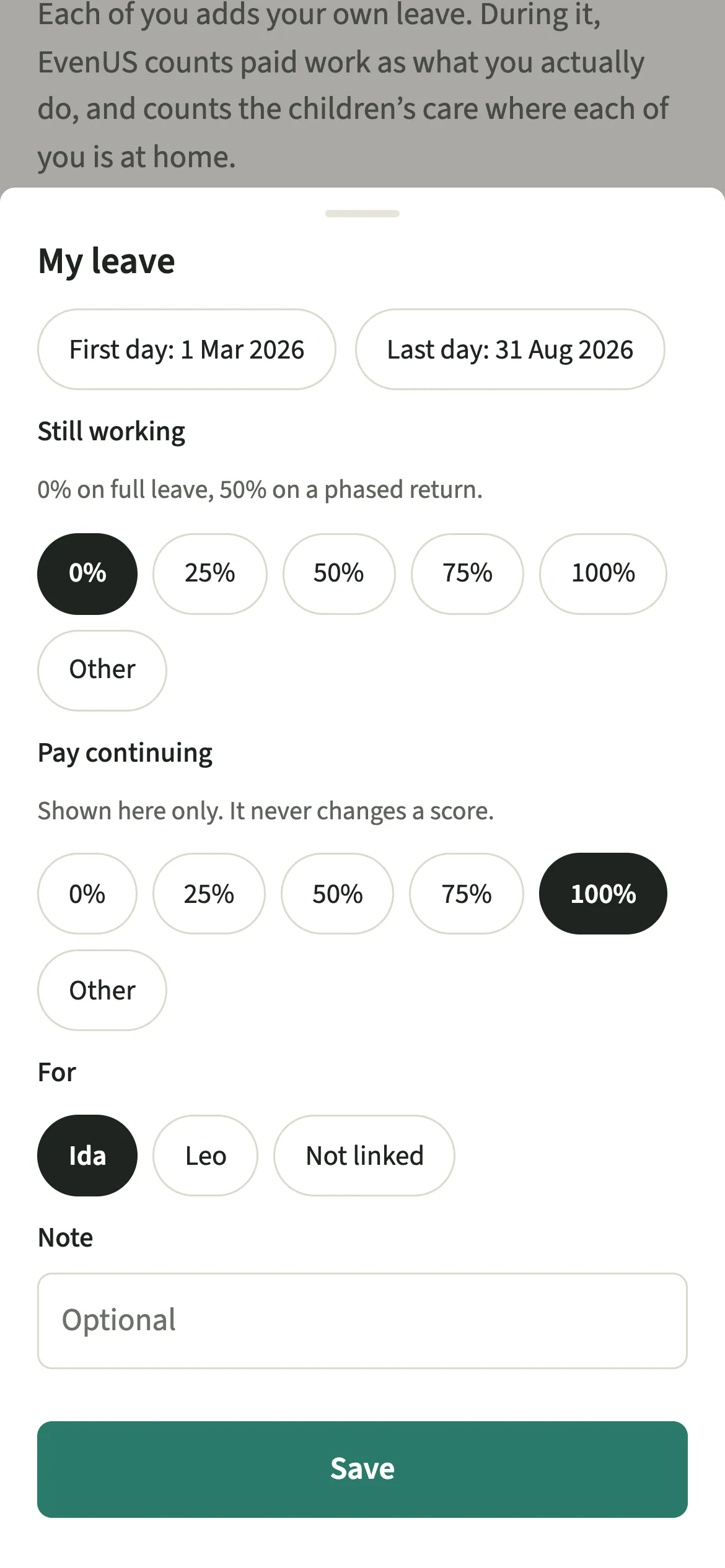
Open Us, go to Household, then Parental leave, tap “Add my leave”, set the dates, how much you are still working and the pay continuing, and tap “Save”.
- Open Parental leaveOpen the Us tab, then Household → Parental leave, and tap “Add my leave”.
- Set the datesChoose the First day and the Last day. One plan can cover up to two years. If your dates move, you can edit them later.
- Say how much you are still workingUnder Still working, pick 0%, 25%, 50%, 75% or 100%, or tap “Other” to type any whole number from 0 to 100, such as 60. Set Pay continuing the same way.
- Link a child and saveUnder For, link it to a child if you like, or leave it Not linked. Add a short Note if it helps, then tap “Save”.
What does your partner see?
Your partner sees your leave on the timeline: the dates, how much you are working and the pay continuing. Each of you adds your own leave, and only the person on leave changes their own dates.
Pay continuing is there so you both have the same picture of the months ahead. It is never used in the household balance.
Tips for leave with a new baby
- During leave, paid work counts as what you actually do, and the children’s care counts where each of you is at home.
- Pay continuing is shown on the timeline only. It never changes a score.
- Add your baby under Children with their date of birth. On-call hours apply only to a child under one.
- Planning a phased return? Add it as its own plan from the day you go back, after a plan at 0% for full leave. The timeline shows both.
- If you remove a plan, the weeks it covered go back to your usual hours. Edit the dates instead if they only moved.
How does leave change a week? An example
Sam usually works 40 hours a week and Alex 38. Sam starts full leave with their baby, Ida, so Still working is 0%. For those weeks Sam’s paid work counts as about zero hours, not 40, and the Time screen says so in a plain line.
While Alex is at work, Sam is the one at home with Ida. Those waking hours count as care for Sam, up to a weekly limit, rather than as spare time. When Alex does bathtime, Alex logs it and it counts for Alex. Six months later Sam adds a second plan, taps Other and types 60 for a phased return, and the weeks shift on their own.
Is Parental leave free?
Parental leave keeps working after the 7-day free week, whether or not you subscribe. The computed views, such as the household balance and this week’s idea, are part of EvenUS Pro: $9.99 a month or $79.99 a year, with one subscription covering both partners. The free week needs no card, and nothing is charged when it ends.
Questions about Parental leave
Does EvenUS treat parental leave as time off?
No. Leave is never treated as time off or a holiday. Paid work counts at the share you still do, and with a baby under one, the hours you are alone with them while your partner works count as care for you.
Can my partner change my leave dates?
No. Each of you adds your own leave, and only the person on leave changes their own dates. Your partner sees the dates, how much you are working and the pay continuing on the timeline.
Does my pay during leave affect the household balance?
No. Pay continuing is shown on the timeline only and never changes a score. Your income after tax for shared costs is set separately in your details, and you can update it whenever it changes.
Can I record a phased return to work?
Yes. Pick 50% under Still working, or tap Other and type any share from 0 to 100, for the dates of your phased return. Add it as a separate plan after your full leave so the timeline shows each stage.
Related features
Other parts of EvenUS that work alongside Parental leave.
Related reading
Articles on the questions behind this feature.