Children: every child at home, so costs and care are counted fairly
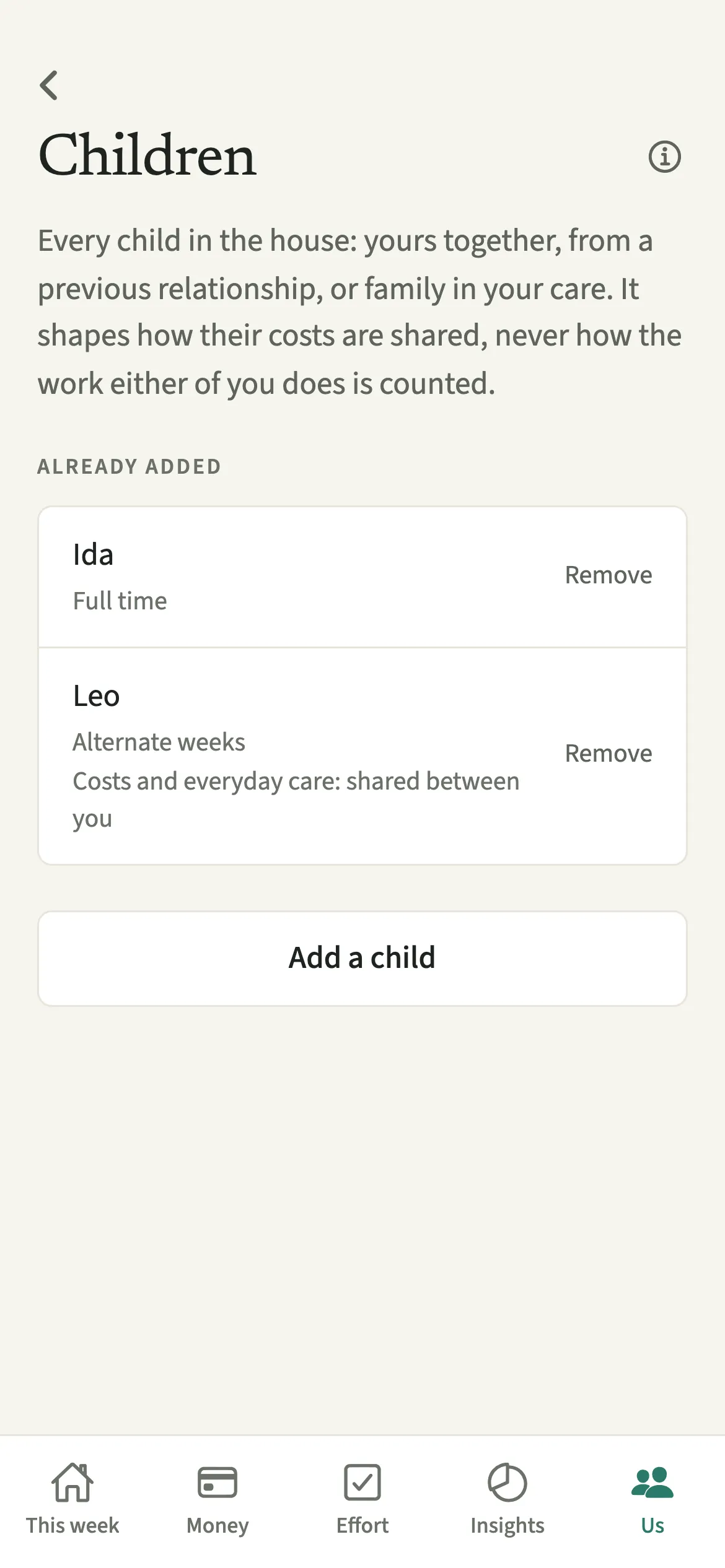
Children in EvenUS is where a couple lists every child who lives with them some or all of the time: yours together, one partner’s from a previous relationship, or another child in your care. Each answer sets how that child’s costs are shared to start with and how the background care estimate is placed. Care either of you logs always counts in full for whoever did it.
What does Children do in EvenUS?
It tells EvenUS who the children in your home are, so their costs are split the way your family actually works and the care they need shows up in your week.
Each child has a name, a date of birth, how often they are here and whose child they are. Age matters because care changes a lot from a baby to a ten-year-old, and presence matters because a child here every other weekend needs a different share of the week than one who lives here full time. From these, EvenUS works out a background estimate of the care hours nobody logs, inside the time side of the household balance.
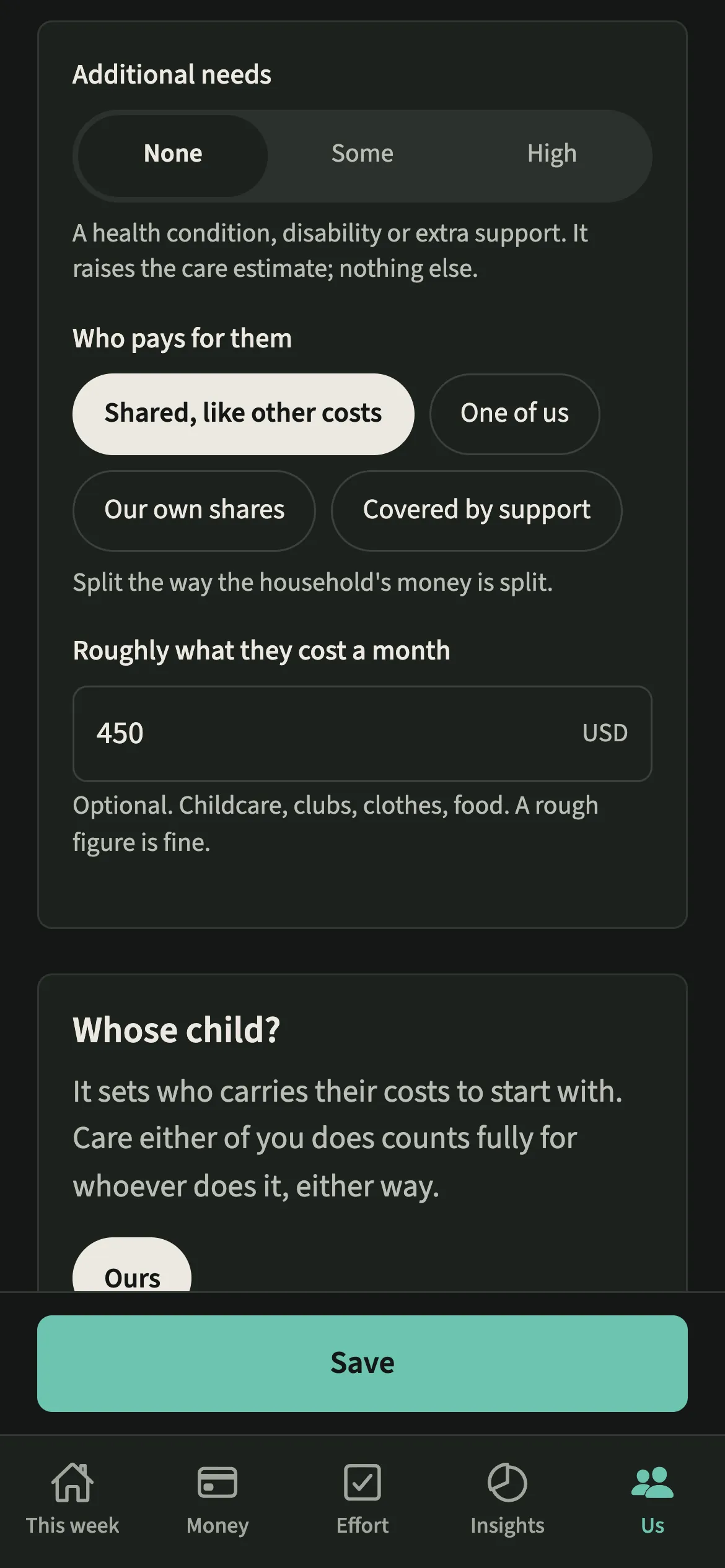
The same answers shape money. An expense tagged for one child follows that child’s cost setting, whoever paid at the till. A child’s costs can be “Shared, like other costs”, carried by “One of us”, split by “Our own shares”, or “Covered by support” from outside the two of you, such as support from their other parent or a grant.
Who is Children for?
Any household with children at home some or all of the time: couples raising children together, blended families, and couples caring for a niece, a nephew or a grandchild, including shared custody from alternate weeks to term time only.
How do you add a child in EvenUS?
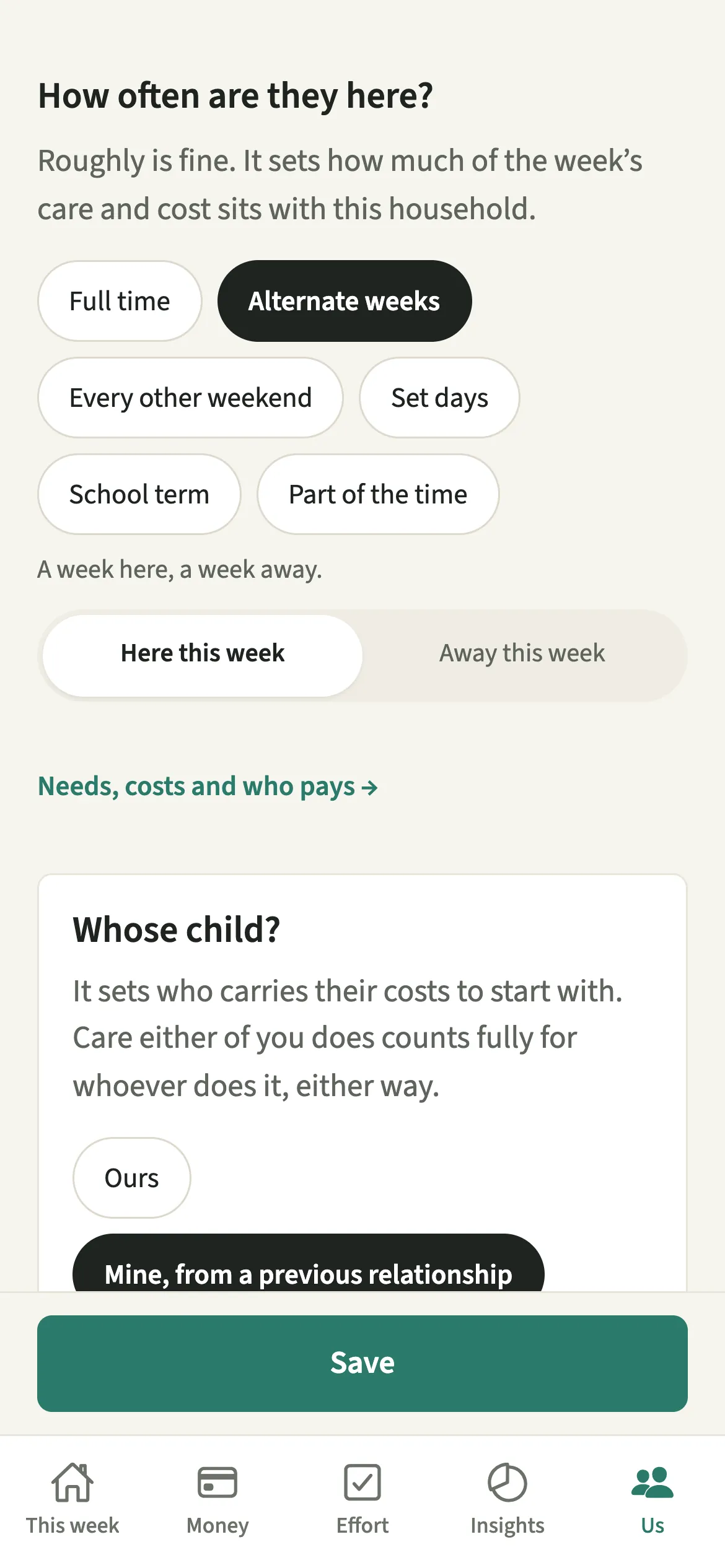
Open Us, go to Household, then Children, tap “Add a child”, and answer a few short questions about them.
- Open ChildrenOpen the Us tab, then Household → Children, and tap “Add a child”. “Add a child” on Us → Household → Your household opens the same form.
- Add their name and date of birthType a name or a nickname, then pick the year of birth and the day on the calendar. If only the year is saved, ages are approximate until you pick the date.
- Say how often they are hereUnder “How often are they here?” choose Full time, Alternate weeks, Every other weekend, Set days, School term or Part of the time. Roughly is fine.
- Answer whose child they areUnder “Whose child?” pick Ours, Mine from a previous relationship, your partner’s from a previous relationship, or Another child in our care.
- Set needs, costs and who paysOpen “Needs, costs and who pays” to set any additional needs, choose who pays, and add a rough monthly cost if you like. Then save.
What does your partner see?
Your partner sees the same children and the same answers you gave. Either of you can add or edit a child, and each change is noted in the activity log.
These answers decide how costs are split, never how either of you is credited for the work: a step-parent who does the school run gets every minute of it, exactly as a parent would.
Tips for setting up children
- For a child from a previous relationship, their costs and everyday care start with their parent. EvenUS asks you once whether to share them instead, and the list shows which it is.
- Care either of you logs counts fully for whoever does it, and takes the place of that person’s own share of the care estimate, never the other’s.
- Once your children are added, tick “This one’s for the kids” on a shared expense and pick the child, so the cost follows that child’s setting.
- Add daycare or a nanny under Childcare. It is linked to the children you have added here and posts as a regular bill.
How does a stepchild's cost work out? A worked example
Alex’s son Leo, aged nine, lives with Alex and Sam full time. Under “Whose child?” they choose Mine, from a previous relationship, on Alex’s phone. Leo’s costs and everyday care start with Alex.
Sam pays $100 for Leo’s swimming lessons and tags the expense for Leo. Because Leo’s costs sit with Alex, the whole $100 counts as Alex’s share, and the Even up card moves $100 towards Sam. If they later choose “Shared between us”, the next cost for Leo is split the way the rest of their money is split, and the care estimate is shared evenly. Whenever Sam logs a school run, those minutes count for Sam in full.
Is Children free?
Children keeps working after the 7-day free week, whether or not you subscribe. The computed views, such as the household balance and this week’s idea, are part of EvenUS Pro: $9.99 a month or $79.99 a year, with one subscription covering both partners. The free week needs no card, and nothing is charged when it ends.
Questions about Children
Can I add a stepchild in EvenUS?
Yes. Under Whose child, choose the answer for your partner’s child from a previous relationship. Their costs start with their parent, you can choose to share them instead, and any care you log counts fully for you.
Does EvenUS work with shared custody?
Yes. Under How often are they here, choose Alternate weeks, Every other weekend, Set days, School term or Part of the time. EvenUS uses this to set how much of the week’s care and cost sits with your household.
What happens if we remove a child?
Costs already recorded stay as they are, and the weeks before still count them. If childcare or a regular bill was set up just for that child, EvenUS asks whether to end those too. You can add the child again any time.
What does Covered by support mean for a child’s costs?
It means money from outside the two of you pays for this child, such as support from their other parent or a grant. Their costs then stay with whoever paid and out of your split. You can add a short note on where the support comes from.
Related features
Other parts of EvenUS that work alongside Children.
Related reading
Articles on the questions behind this feature.