Even up: one figure for who sends what to settle up
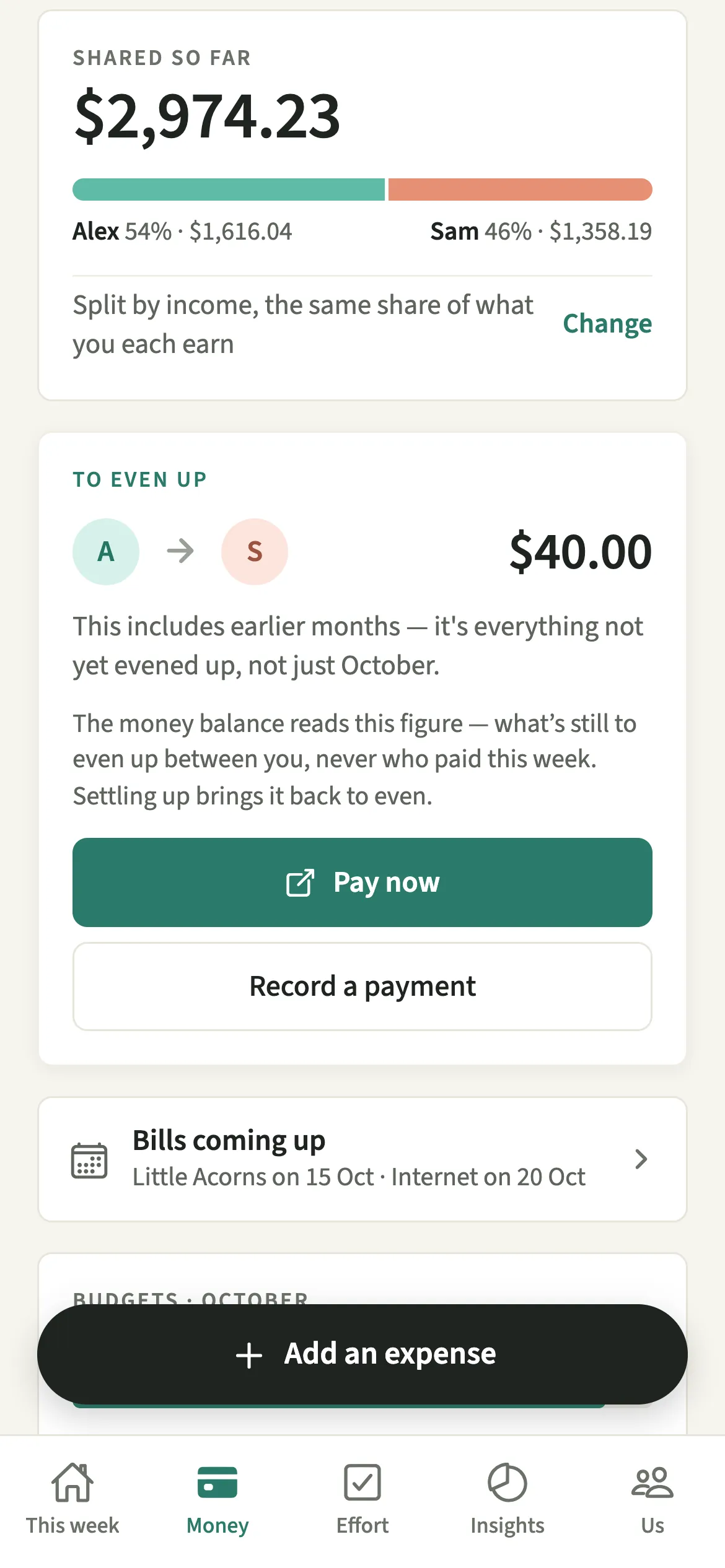
Even up is the card at the top of the Money tab in EvenUS. It shows one running figure: how much would pass from one of you to the other to square every shared cost not yet evened up, carried across weeks and months. When the sending partner pays and records it, the card clears and the payment is not counted as household spending.
What does Even up do?
It turns a long list of shared costs into one amount and one direction, so settling up is a single payment instead of an afternoon with a spreadsheet. When you take turns paying, the “To even up” card says where that leaves you, with a name, an arrow and a figure.
The figure comes from every shared expense either of you has added, split the way your household chose in How costs split. It is not reset each week: anything not yet evened up carries on until it is.
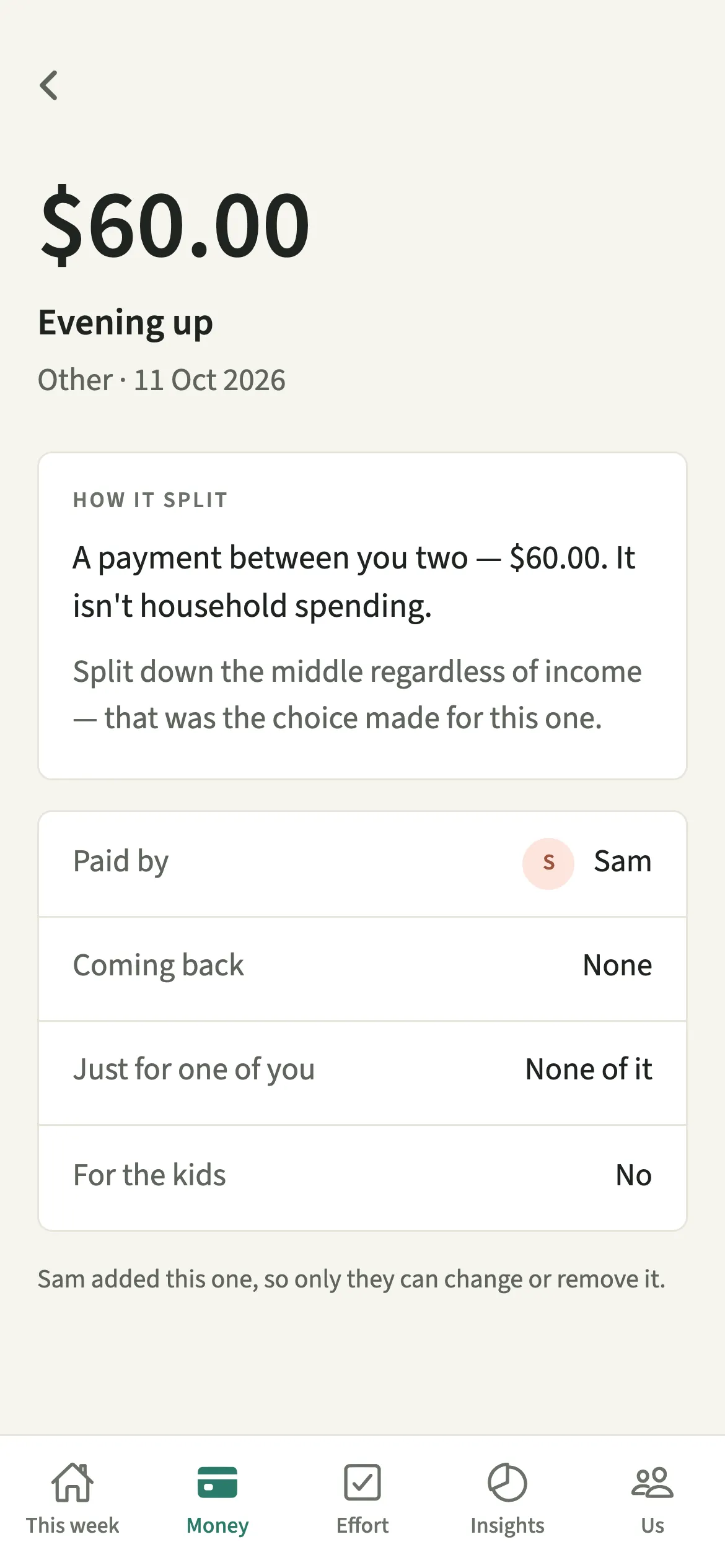
When the money moves, recording it squares the split. The payment is listed under Expenses as evening up and never counted as household spending, so it does not inflate what you spent together that month.
Who is Even up for?
Couples who keep their own accounts and like to square things now and then: every Friday, on payday, or whenever the figure feels large enough to bother with. It also suits couples with a joint account for some bills, because spending from it counts as paid by whoever put that money in.
How do you settle up with your partner in EvenUS?
Open Money, read the “To even up” card, pay the amount the way you like from the sending phone, then tap “Record a payment”, check the amount and the day, and tap “Save”.
- Read the cardOpen the Money tab. The “To even up” card shows the amount and which way it goes, carried across weeks and months until it’s evened up.
- Pay from the sending phoneOn the phone of the person sending, tap “Pay now” to open a payment app with the amount filled in, or pay however you like: a bank transfer, cash, anything.
- Record the paymentTap “Record a payment”. The amount and today’s date are filled in. If you paid part of it, or paid on another day, change the amount or the day, add a note if you like, then tap “Save”.
- See it settleThe payment appears under Expenses as evening up, and the card goes once everything is even. Both phones update.
What does your partner see?
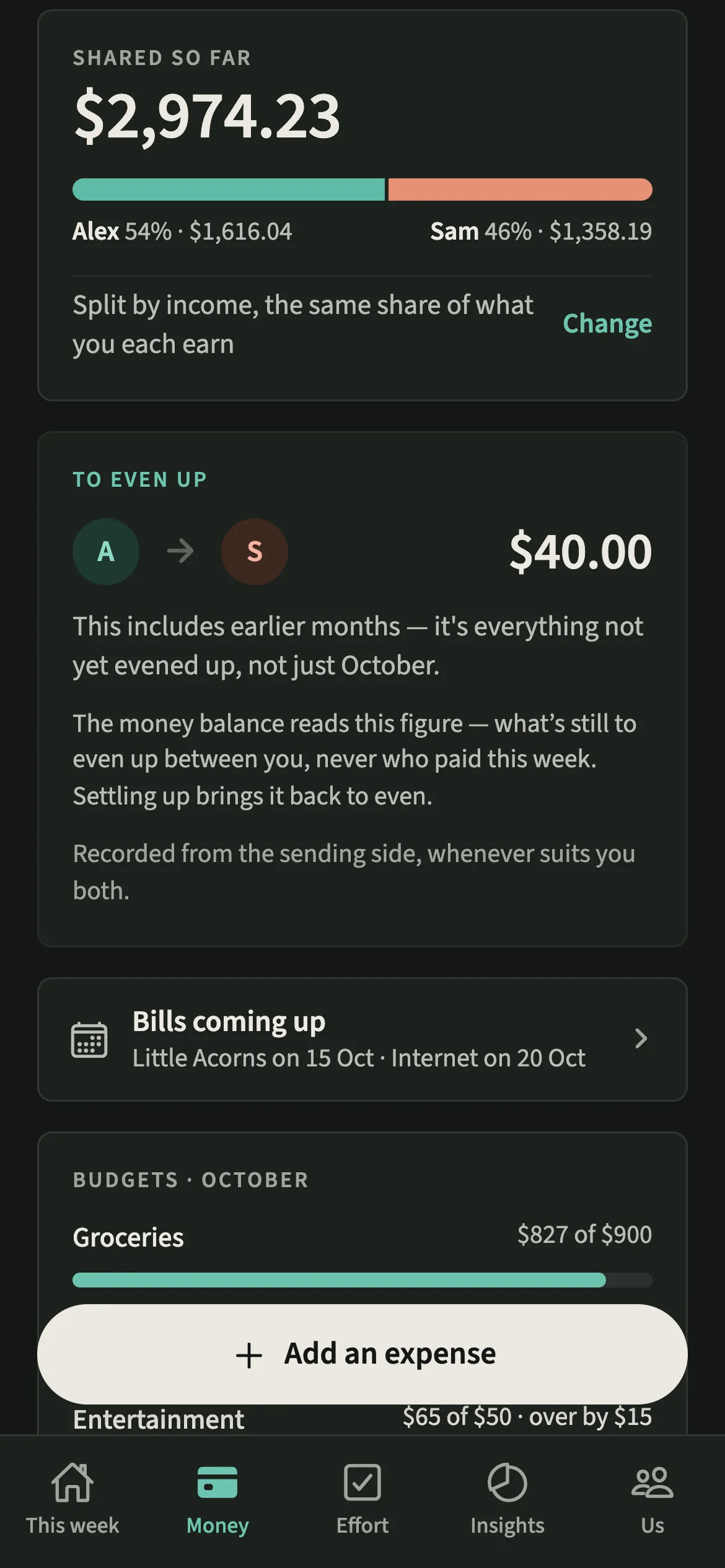
You both see the same card and the same amount, with the same direction.
The “Pay now” and “Record a payment” buttons appear only on the sending phone. The other phone carries a short note instead: it is recorded from the sending side, whenever suits you both. Nobody can mark money as received on someone else’s behalf, and there is no button to prompt your partner to pay.
Personal spending hidden with Hide my personal spending detail still counts in the amount, because the amount has to be right, but your partner sees only “A personal expense” on that line.
Tips for evening up without fuss
- Pick a rhythm that suits you both, such as the first weekend of the month. The card carries everything until then.
- If the full history can’t be read, for example offline, the card shows “Try again” instead of a partial figure.
- Add each partner’s handle under Your payment details so “Pay now” fills in the amount for you.
- With End up with the same, the monthly levelling between your incomes has its own line, Levelling for the month, counted by the days you had that split. “Record levelling” marks it paid, and it is never added to the amount to even up. Anything left from an earlier month shows as “Still open from” that month.
- Paid half now and half next week? Record each part with its own amount and day. The card keeps the rest until it is even.
Why does evening up bring the household balance back to even?
The money part of the household balance reads what is still to even up between you, never who happened to pay this week. Say Alex and Sam split by income, 60 and 40. Sam buys groceries for 100 and Alex pays a 50 energy bill. Alex’s share of the 150 is 90 and Sam’s is 60, so the card shows 40 from Alex to Sam. Once Alex sends 40 and records it, the money side reads even again. Taking turns to pay reads exactly the same as splitting every bill at the till.
Is Even up free?
Even up keeps working after the 7-day free week, whether or not you subscribe. The computed views, such as the household balance and this week’s idea, are part of EvenUS Pro: $9.99 a month or $79.99 a year, with one subscription covering both partners. The free week needs no card, and nothing is charged when it ends.
Questions about Even up
Does recording a payment count as household spending?
No. A payment between the two of you only squares the split. It is listed under Expenses as evening up, but it is left out of spending totals and budgets.
Can I record a part payment or one made on another day?
Yes. “Record a payment” lets you change the amount and the day before you tap “Save”. A part payment brings the card down by that much, and the rest stays until it is evened up. Payments are recorded from the sending side only.
Does EvenUS move the money for me?
No. EvenUS never connects to a bank and cannot send money. You pay through your own banking or payment app, or in cash, and then record it.
Is Even up part of EvenUS Pro?
No. Even up keeps working after the 7-day free week whether or not you subscribe, along with adding expenses and recording payments. EvenUS Pro covers computed views such as the household balance and the weekly idea.
Related features
Other parts of EvenUS that work alongside Even up.
Related reading
Articles on the questions behind this feature.