Shared expenses: log what either of you paid, split your way
Shared expenses is where a couple records money spent on the household. Either of you adds the amount and what it was for, and EvenUS splits it the way you have chosen: by income, half each, just one of you, or a custom split. Both phones see the same list, and the running total of what is still to even up updates on its own.
What does Shared expenses do?
It keeps one honest record of what the household spent and who paid, so nobody has to carry the running total in their head. Mental notes about who did the big shop work until two of them disagree, and then the conversation is about memory rather than money.
In EvenUS, every shared cost is a line both of you can see, showing who paid, how it was split and what each share came to. The split follows the household setting in How costs split, so nobody works out 58% of a grocery bill at the till, and the two shares always add up exactly to the amount.
The list feeds the Even up card, one figure for who would send what to square everything not yet squared, and the money half of the household balance. Hours are never turned into currency there, and taking turns to pay reads the same as splitting every bill.
Who is Shared expenses for?
Any couple who shares costs, from the weekly shop to the rent: separate accounts paying for different things, a joint account for some bills, or incomes far enough apart that half each feels wrong. Most entries are a number and Save, so it suits the partner who would never keep a spreadsheet.
How do you add a shared expense in EvenUS?
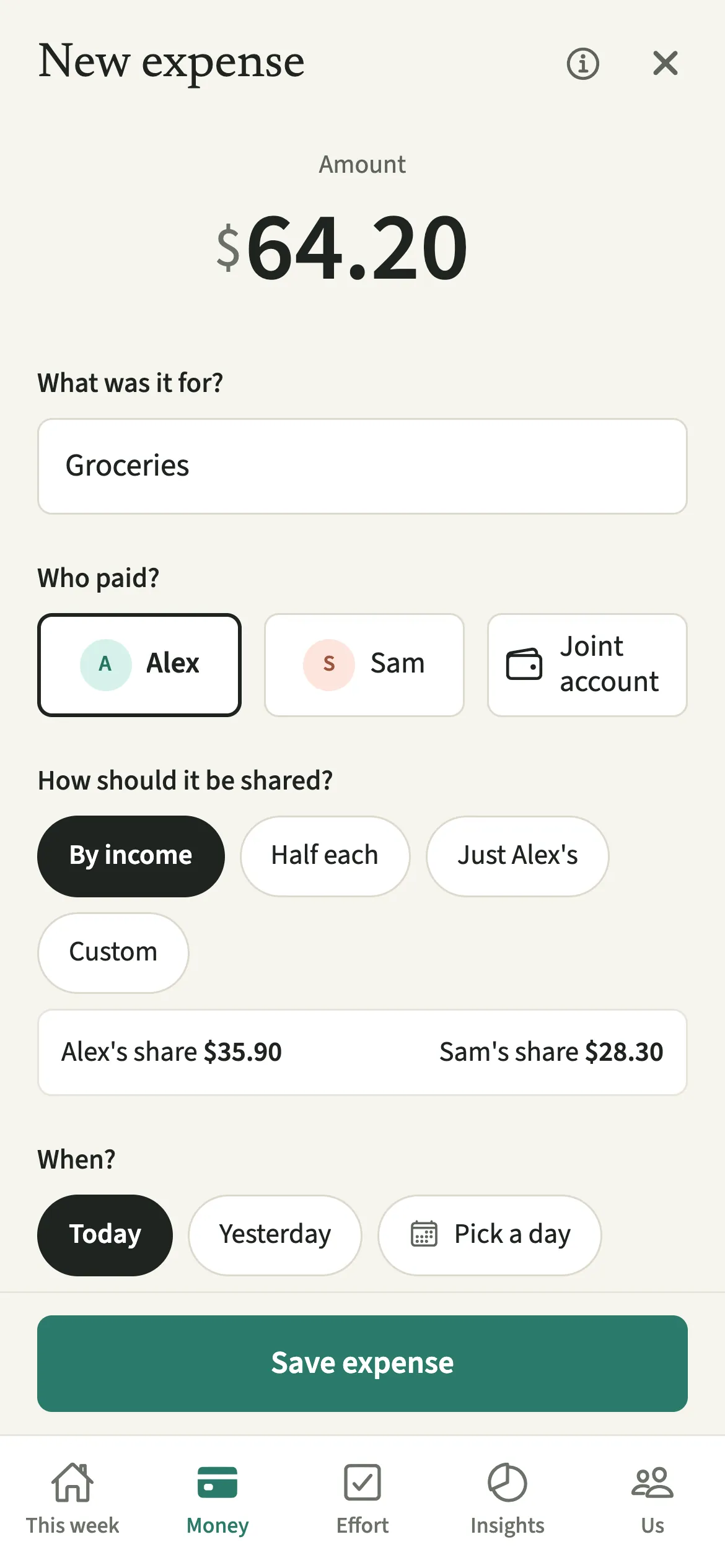
Open Money, tap “Add an expense”, type the amount and what it was for, and tap “Save expense”. The day, payer and usual split are already filled in.
- Open the formOpen the Money tab and tap “Add an expense”.
- Enter the amount and what it was forType the amount and fill in “What was it for?”. The day, you as the payer and your usual split are already filled in.
- Change the payer or the split if this one is differentUnder “Who paid?” pick your partner if they paid. Under “How should it be shared?” choose By income, Half each, just one of you, or Custom to set the two shares by hand.
- Add the extras if they applyTap “More options” to mark “Part of this was just for me” and enter how much, record “This was paid back” for money returned by work, insurance or a refund, or add a note you both see. Tick “This one’s for the kids” to tag a child’s cost.
- Save itTap “Save expense”. It appears under Expenses on both phones, and the Even up card on Money updates.
What does your partner see, and what stays private?
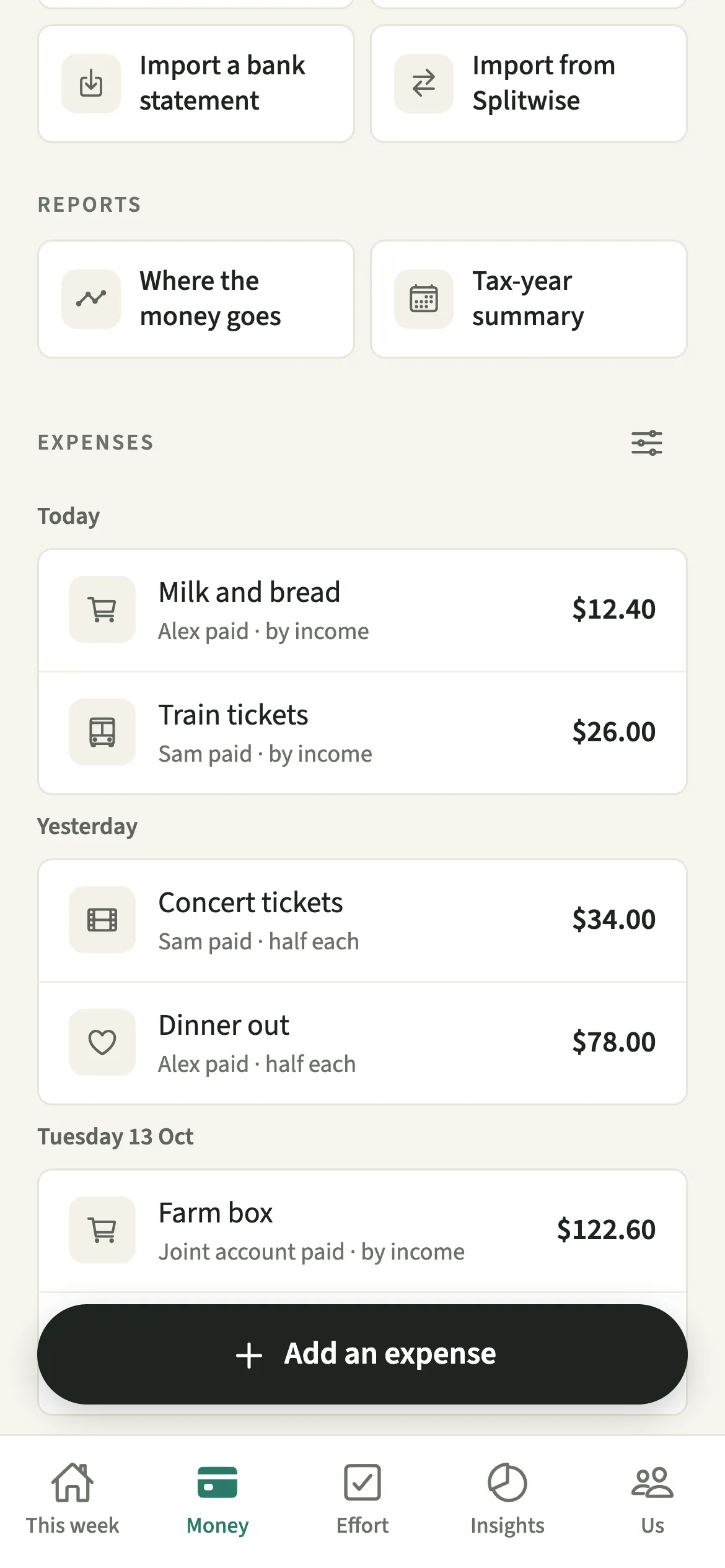
Your partner sees each shared expense, who paid and how it was split. There is deliberately no filter by person: the list is what the household spent, not a ledger of what either of you bought.
Personal spending can stay personal. With Hide my personal spending detail switched on, anything marked as just yours shows to your partner as “A personal expense” with its amount only, because the amount still moves your shared numbers.
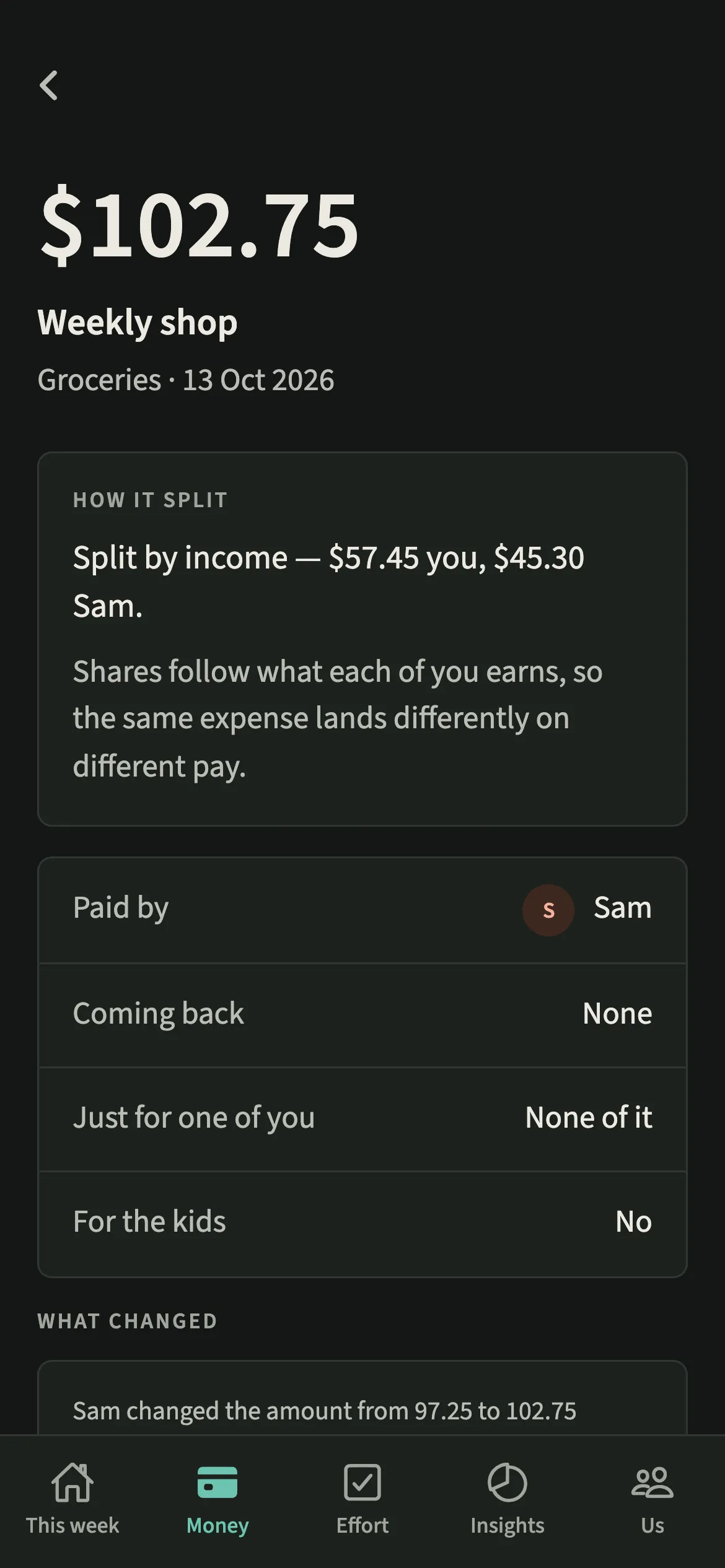
Only the person who added an expense can change or delete it, and every change that moves a number is listed on the expense under “What changed”. There is no dispute button: a question about one line is better asked in person.
Tips for keeping shared expenses quick
- Use “Part of this was just for me” for a mixed shop rather than splitting the receipt into two expenses. Only the rest is shared.
- Record refunds with “This was paid back”, so a returned item or a work claim does not distort the month.
- For a long supermarket slip, scan the receipt instead of typing. The photo is read on your phone and stays there.
- In a hurry, type one line into Tell EvenUS, like “groceries 30”. It opens the same expense for you to check.
How does the split by income work on one expense?
Split by income shares each cost in proportion to each person’s income after tax. If one of you brings in 60% of the household’s income, they cover 60% of a shared cost, whoever tapped the card at the till. Half each suits incomes that are close, just one of you takes a cost out of the shared total, and Custom sets both shares by hand. None is marked as the right answer, and any single expense can differ.
Is Shared expenses free?
Shared expenses keeps working after the 7-day free week, whether or not you subscribe. The computed views, such as the household balance and this week’s idea, are part of EvenUS Pro: $9.99 a month or $79.99 a year, with one subscription covering both partners. The free week needs no card, and nothing is charged when it ends.
Questions about Shared expenses
Does EvenUS connect to my bank to find shared expenses?
No. EvenUS never connects to a bank. You add expenses yourself, scan a receipt, type a line into Tell EvenUS, or import a statement file that is read on your phone.
Can my partner edit an expense I added?
No. Only the person who added an expense can change or delete it. Every change that moves a number is listed on the expense, so both of you can see what was edited and when.
Can I keep a personal purchase private from my partner?
Yes. Switch on Hide my personal spending detail, and anything marked as just yours shows to your partner as “A personal expense” with its amount only. Shared costs are always visible to both of you.
Is adding expenses part of the paid subscription?
Adding expenses keeps working after the 7-day free week, whether or not you subscribe, and so do reading and exporting what you have recorded. The computed views, such as the household balance, are part of EvenUS Pro.
Related features
Other parts of EvenUS that work alongside Shared expenses.
Related reading
Articles on the questions behind this feature.