Scan a receipt: the total, shop and date read on your phone
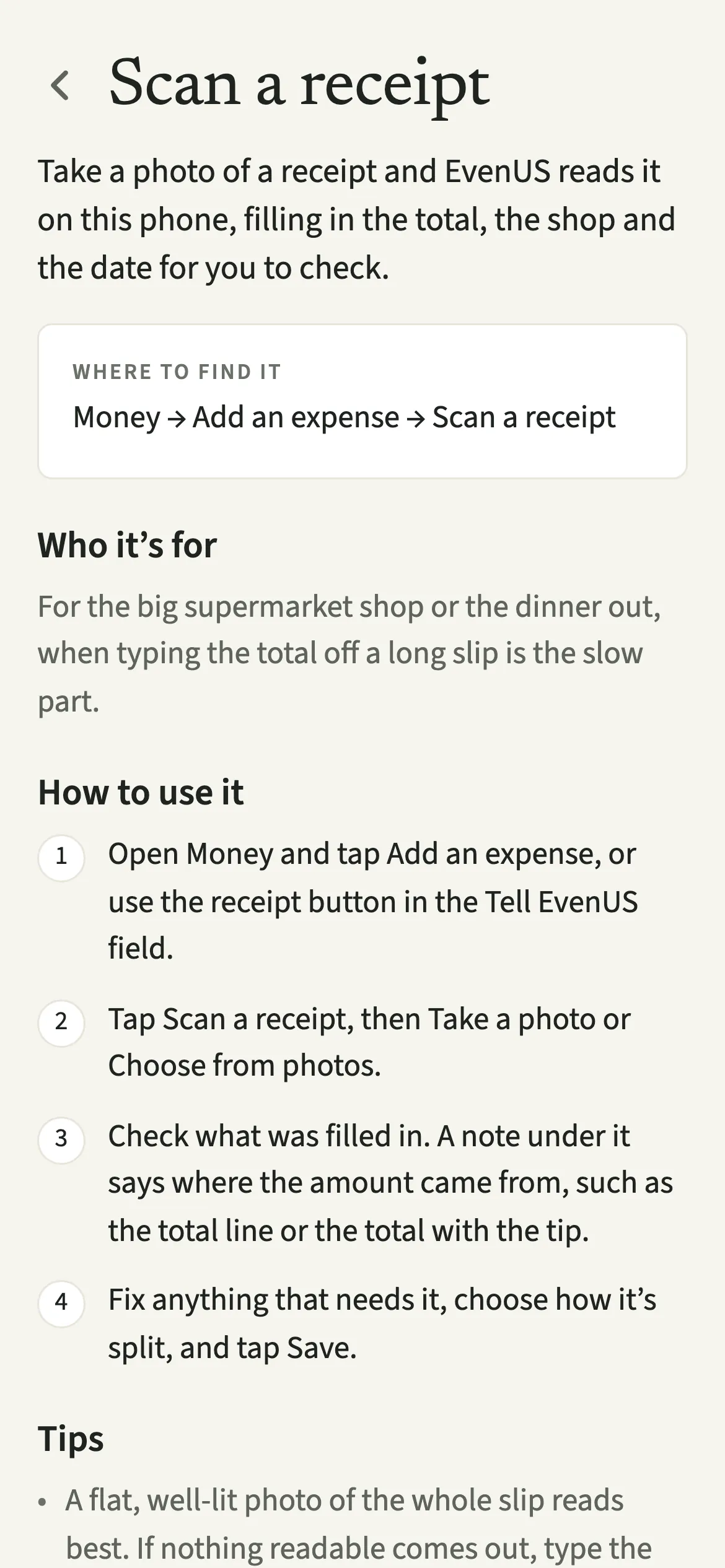
Scan a receipt is how EvenUS turns a photo of a till slip into a shared expense. You take or choose a photo, and the phone itself reads the total, the shop and the date into the expense form. A note says where the amount came from. You check it, choose the split and tap Save expense. The photo stays on that phone and is never uploaded.
What does Scan a receipt do?
It reads the total, the shop and the date off a receipt photo and fills them into a new expense for you to check. A long supermarket slip has a dozen numbers on it, and typing the right one while packing bags is where mistakes creep in.
EvenUS looks for the line that is the total, in the wording shops actually use, such as “Grand Total”, “Amount Due”, “Summe” or “Total TTC”. It never takes the subtotal, the tax, the cash tendered or the change. If there is a tip, the amount includes it, because that is what left the account. A short note under the amount tells you how it was found, for example “Filled in from the receipt. Check the amount before saving.”
The reading happens on the phone, using the text recognition built into iOS and Android. Then it becomes an ordinary shared expense, split the way you choose.
Who is Scan a receipt for?
For the big weekly shop, the dinner out with a tip, or the hardware store run with a slip as long as your arm. It suits the partner who keeps receipts in a pocket and the one who would rather point a camera than squint at small print.
How do you scan a receipt in EvenUS?
Open the expense form, tap “Scan a receipt”, take or choose a photo, check what was filled in, and tap Save expense.
- Open the expense formOpen Money and tap “Add an expense”, or use the receipt button in the Tell EvenUS field while it is empty.
- Take or choose the photoTap “Scan a receipt”, then “Take a photo” or “Choose from photos”. You will see “Reading the receipt…” for a moment.
- Check what was filled inLook at the amount, the name and the date. A note under them says where the amount came from, such as the total line or the total with the tip.
- Choose the split and saveFix anything that needs it, choose how it’s split, and tap Save expense.
What does your partner see?
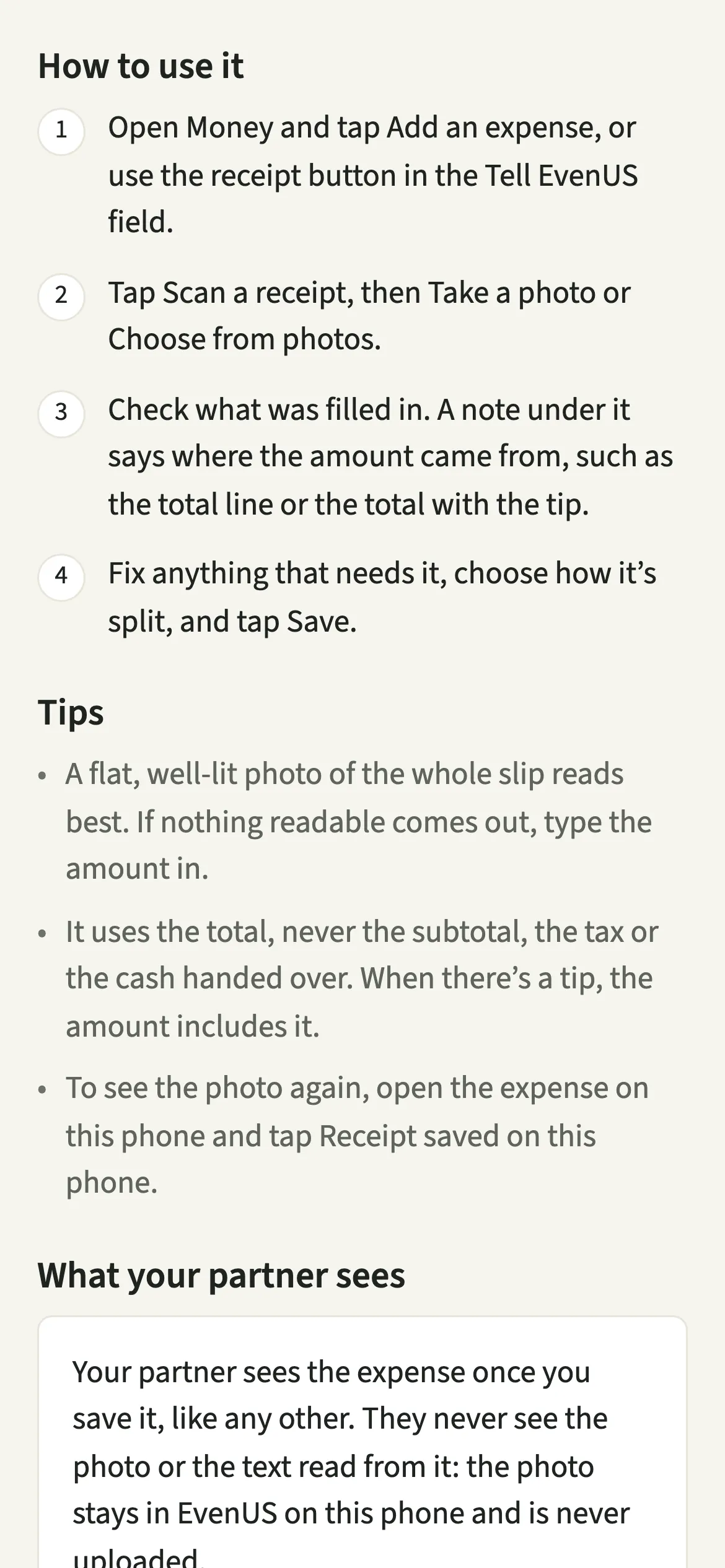
Your partner sees the expense once you save it, like any other, and nothing of the receipt itself. The photo and the text read from it stay in EvenUS on the phone that took it. Nothing is uploaded.
If the receipt has personal items on it, mark them with “Part of this was just for me” before saving, so only the rest is shared. With Hide my personal spending detail switched on, anything marked as just yours shows to your partner by amount only.
Tips for a clean read
- A flat, well-lit photo of the whole slip reads best. If you see “Nothing readable on that one”, type the amount.
- If no line says “total”, it uses the largest price and says so. Give that one a closer look.
- To see the photo again, open the expense on the same phone and tap “Receipt saved on this phone”.
- No receipt to hand? Type one line into Tell EvenUS, like “dinner 64”, and check the draft.
Which countries’ receipts can it read?
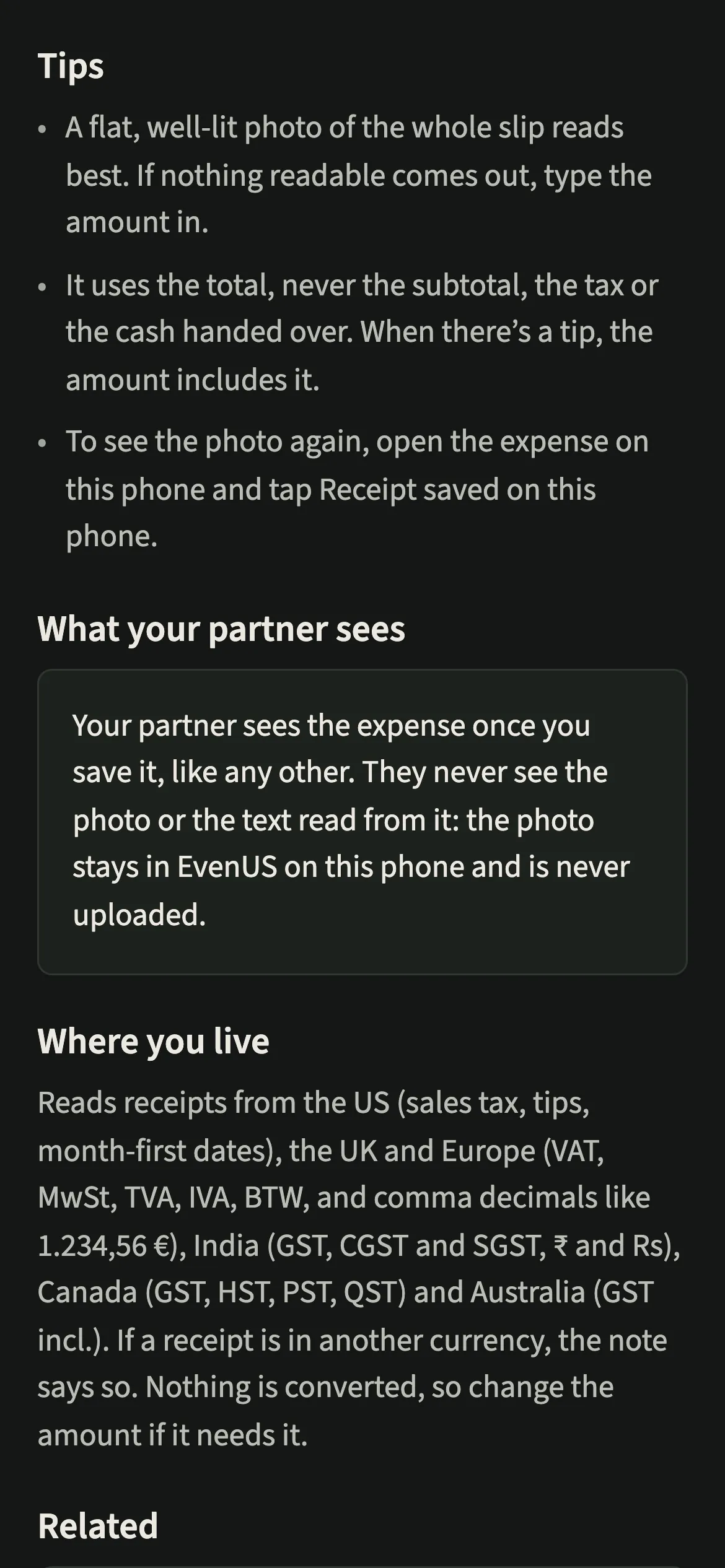
Receipts from the US, the UK and Europe, India, Canada and Australia. That covers US sales tax, tips and month-first dates; VAT, MwSt, TVA, IVA and BTW, with comma decimals like 1.234,56 €; GST, CGST and SGST with ₹ or Rs; Canadian GST, HST, PST and QST; and Australian “GST incl.” slips.
If a receipt looks like it is in a currency other than your household’s, the note says so. Nothing is converted, so change the amount if it needs it.
Why doesn’t it save the expense straight away?
A wrongly read total, saved without a look, would move both partners’ shared numbers for weeks, including the money half of the household balance (the fairness score). So the scan only fills in the form, and when the reading is less certain, the note says so plainly. You stay the one who decides what is saved.
Is Scan a receipt free?
Scan a receipt keeps working after the 7-day free week, whether or not you subscribe. The computed views, such as the household balance and this week’s idea, are part of EvenUS Pro: $9.99 a month or $79.99 a year, with one subscription covering both partners. The free week needs no card, and nothing is charged when it ends.
Questions about Scan a receipt
Is my receipt photo uploaded anywhere?
No. The photo is read on your phone and stays in EvenUS on that phone. Neither the photo nor the text read from it is uploaded, and your partner’s phone never receives it. Only the expense you save is shared.
Can I scan a receipt with a tip on it?
Yes. When a receipt shows a tip, the amount includes it, because that is what was paid. If the total line is blank but the tip is readable, it adds the two together and the note says so.
What if the receipt is in another currency?
The note under the amount says the receipt looks like it is in a different currency from your household’s. EvenUS does not convert it, so change the amount to what was taken from your account before saving.
What happens if EvenUS can’t read the receipt?
You see “Nothing readable on that one”, and you can type the amount in by hand. If it finds no total, the photo is still kept on your phone with the expense, so you can look at it later.
Do I need EvenUS Pro to scan receipts?
No. Scanning receipts and adding expenses keep working after the 7-day free week, with or without a subscription, because they are part of recording what you spend.
Related features
Other parts of EvenUS that work alongside Scan a receipt.
Related reading
Articles on the questions behind this feature.