Apple Pay capture: a quiet prompt to share a payment after you pay
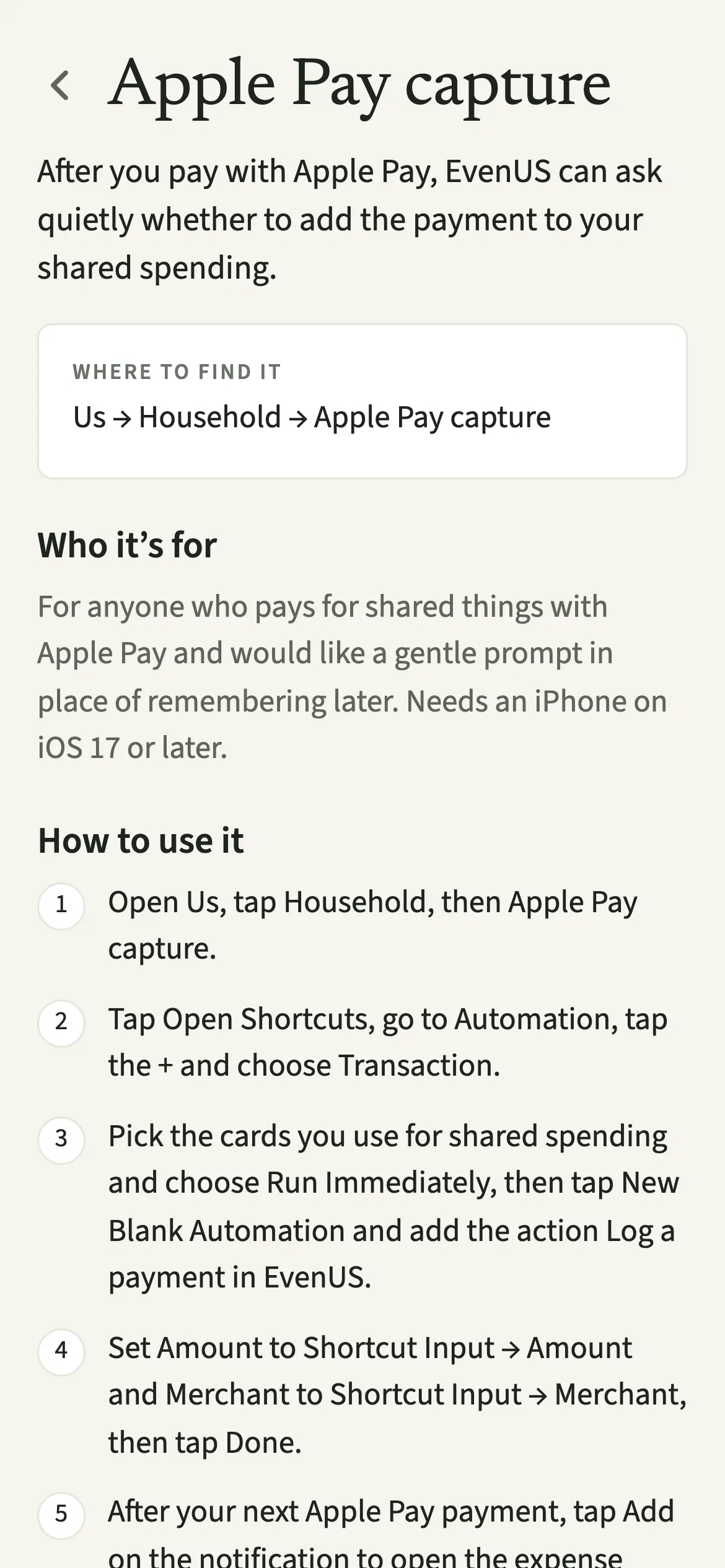
Apple Pay capture is an optional EvenUS setting for iPhone on iOS 17 or later. Using a Shortcuts automation, each Apple Pay payment on the cards you pick is kept on your phone, and one quiet notification asks whether to add it to shared spending. Add opens the expense form filled in for you to check; Personal lets it go. Nothing is saved or sent until you tap Save expense.
What does Apple Pay capture do?
It catches a shared payment at the moment you make it, so you do not have to remember it later. Small shared costs paid by phone, like the coffee or the takeaway, are the ones most likely to go unrecorded.
Once it is set up, iPhone’s own Shortcuts app passes the merchant and the amount of each Apple Pay payment to EvenUS. EvenUS does not open. The payment waits on your phone, and a single notification asks something like “Add £4.20 at Pret to shared?” You tap Add or Personal, or ignore it.
Add opens the ordinary shared expense form with the amount and merchant filled in and a likely category guessed. You check it, choose the split and save, exactly as if you had typed it.
Who is Apple Pay capture for?
For anyone who pays for shared things with Apple Pay and would like a gentle prompt in place of remembering later, especially the partner who does most of the everyday tapping. It needs an iPhone on iOS 17 or later.
How do you set up Apple Pay capture?
Open Us, tap Household, then “Apple Pay capture”, and follow the steps to build a Transaction automation in the Shortcuts app that runs “Log a payment in EvenUS”.
- Open the setup screenOpen Us, tap Household, then “Apple Pay capture”.
- Start a Transaction automationTap “Open Shortcuts”, go to Automation, tap the + and choose Transaction.
- Pick your shared cardsPick the cards you use for shared spending and choose Run Immediately, then tap New Blank Automation and add the action “Log a payment in EvenUS”.
- Pass the amount and merchantSet Amount to Shortcut Input → Amount and Merchant to Shortcut Input → Merchant, then tap Done.
- Answer the next promptAfter your next Apple Pay payment, tap Add on the notification to open the expense form filled in, or Personal to let it go. Check it and tap Save expense.
What does your partner see?
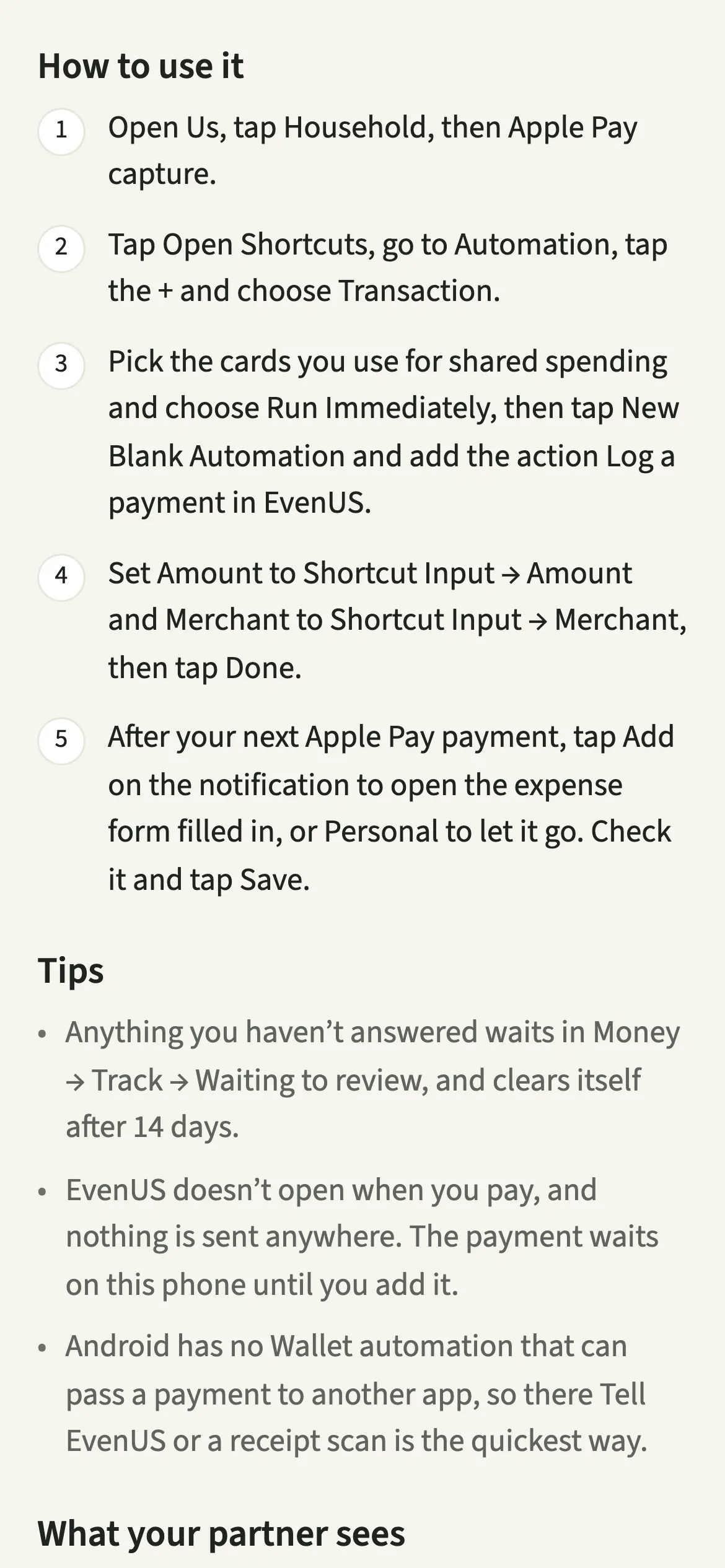
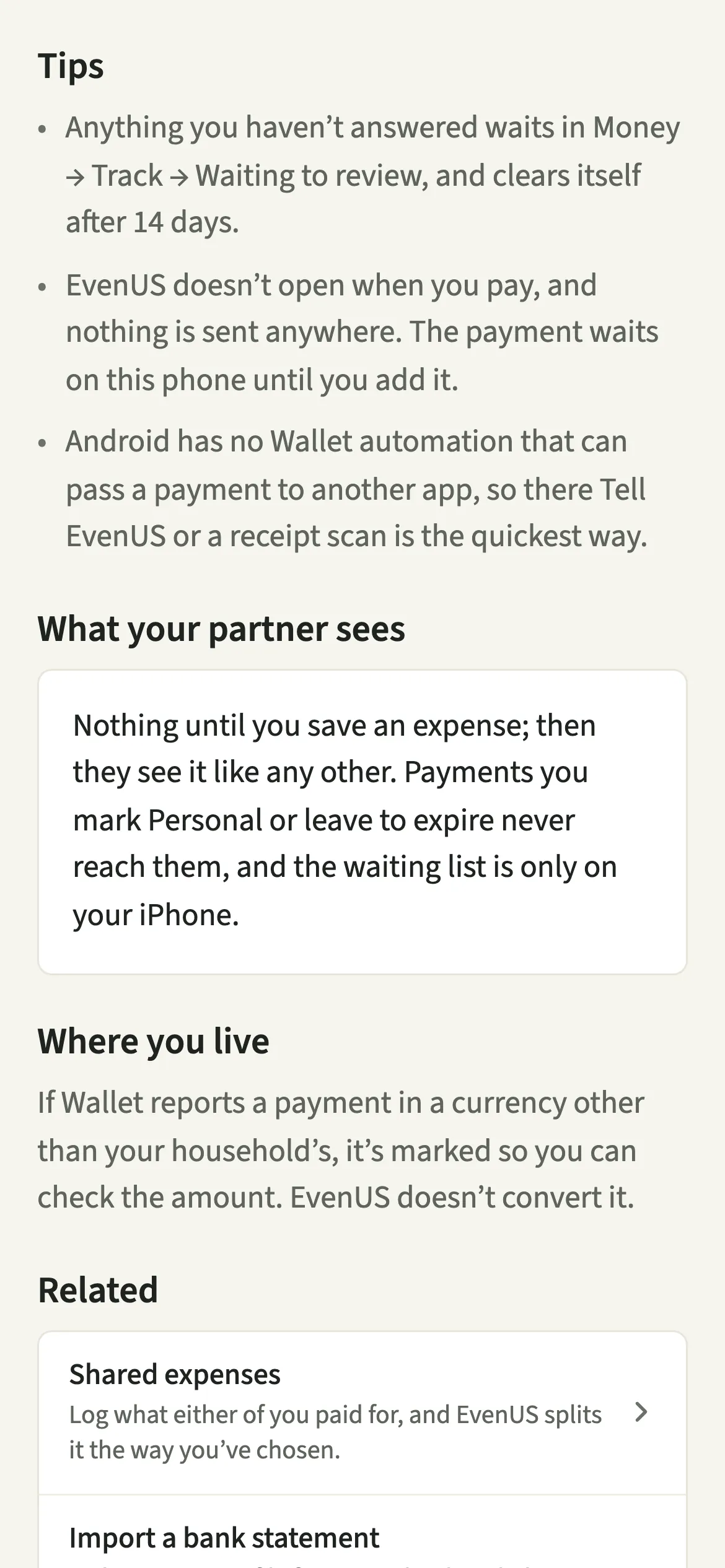
Nothing until you save an expense; then they see it like any other. The merchant and amount of each payment are kept only on your iPhone while they wait. Payments you mark Personal, or leave to expire, never reach your partner, and the waiting list itself is only on your phone.
Capture can see every Apple Pay payment on the cards you pick, so pick only the cards you use for shared spending. Your personal card can stay out of the automation entirely.
Tips for living with Apple Pay capture
- Anything you haven’t answered waits in Money → Track → “Waiting to review”, and clears itself after 14 days. A quick look on Sunday is plenty.
- If you and your partner both have iPhones, each of you sets up your own automation for your own cards.
- Android has no Wallet automation that can pass a payment to another app, so there Tell EvenUS or a receipt scan is the quickest way.
Does Apple Pay capture work on Android or older iPhones?
It needs an iPhone on iOS 17 or later, because Wallet transaction automations arrived in iOS 17. On an older version, the setup screen says so. On Android it is not available, because Google Wallet has no automation that can pass a payment to another app.
It works wherever Apple Pay does. If Wallet reports a payment in another currency, the form says what was paid, for example “From Apple Pay: €12.00. EvenUS records in GBP, so type what it came to in GBP.”, and leaves the amount empty, so it is never saved as the wrong money.
Why doesn’t it add payments automatically?
Not every Apple Pay payment is shared, and only you know which ones are. A payment saved without a look could move both partners’ numbers, including the money half of the household balance (the fairness score), for weeks before anyone noticed. So capture only ever asks. The form opens with “From Apple Pay. Check it, then save.”, and the expense exists only once you tap Save expense. For a month of card spending in one go, import a bank statement instead.
Is Apple Pay capture free?
Apple Pay capture keeps working after the 7-day free week, whether or not you subscribe. The computed views, such as the household balance and this week’s idea, are part of EvenUS Pro: $9.99 a month or $79.99 a year, with one subscription covering both partners. The free week needs no card, and nothing is charged when it ends.
Questions about Apple Pay capture
Does EvenUS connect to my bank or Apple Wallet?
No. EvenUS never connects to a bank. Apple’s own Shortcuts app passes the merchant and amount of each payment, on the cards you choose, to EvenUS on your phone. Nothing is sent to EvenUS’s servers until you save an expense.
Can my partner see my Apple Pay payments?
No. Payments wait only on your iPhone. Your partner sees an expense only once you have added it and tapped Save. Anything you mark Personal or leave for 14 days is cleared without ever reaching them.
Does Apple Pay capture work on Android?
No. Google Wallet has no automation that can pass a payment to another app, so Apple Pay capture is iPhone only. On Android, Tell EvenUS or a receipt scan is the quickest way to add a payment.
What happens to payments I don’t answer?
They wait in Money → Track → Waiting to review, where you can Add or mark them Personal later. Anything left there for 14 days clears itself, so the list never becomes a chore of its own.
Is Apple Pay capture part of EvenUS Pro?
No. Apple Pay capture is a way of adding expenses, so it keeps working after the 7-day free week whether or not you subscribe.
Related features
Other parts of EvenUS that work alongside Apple Pay capture.
Related reading
Articles on the questions behind this feature.