Tell EvenUS: type or say one line, and it becomes a draft to check
Tell EvenUS is the quick-add field in EvenUS. You type or dictate one ordinary line, such as “groceries 30”, “dishes 20 min” or “remind me to book the dentist Friday”, and it drafts an expense, a chore or a reminder. A sheet shows what it understood and which parts it filled in for you. Nothing is saved until you check it and tap Save.
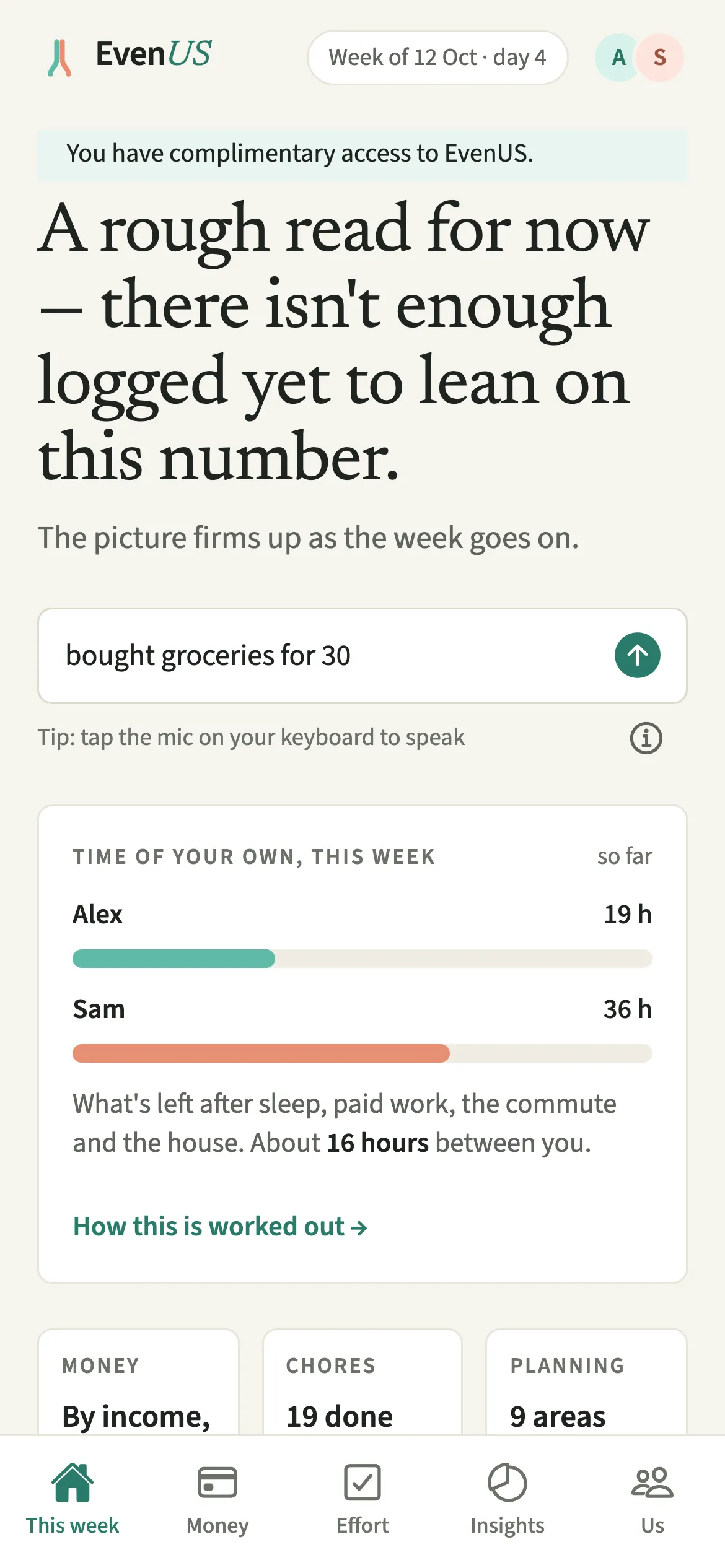
What does Tell EvenUS do?
It turns one line of everyday words into a draft entry, so recording something takes a few seconds instead of a form.
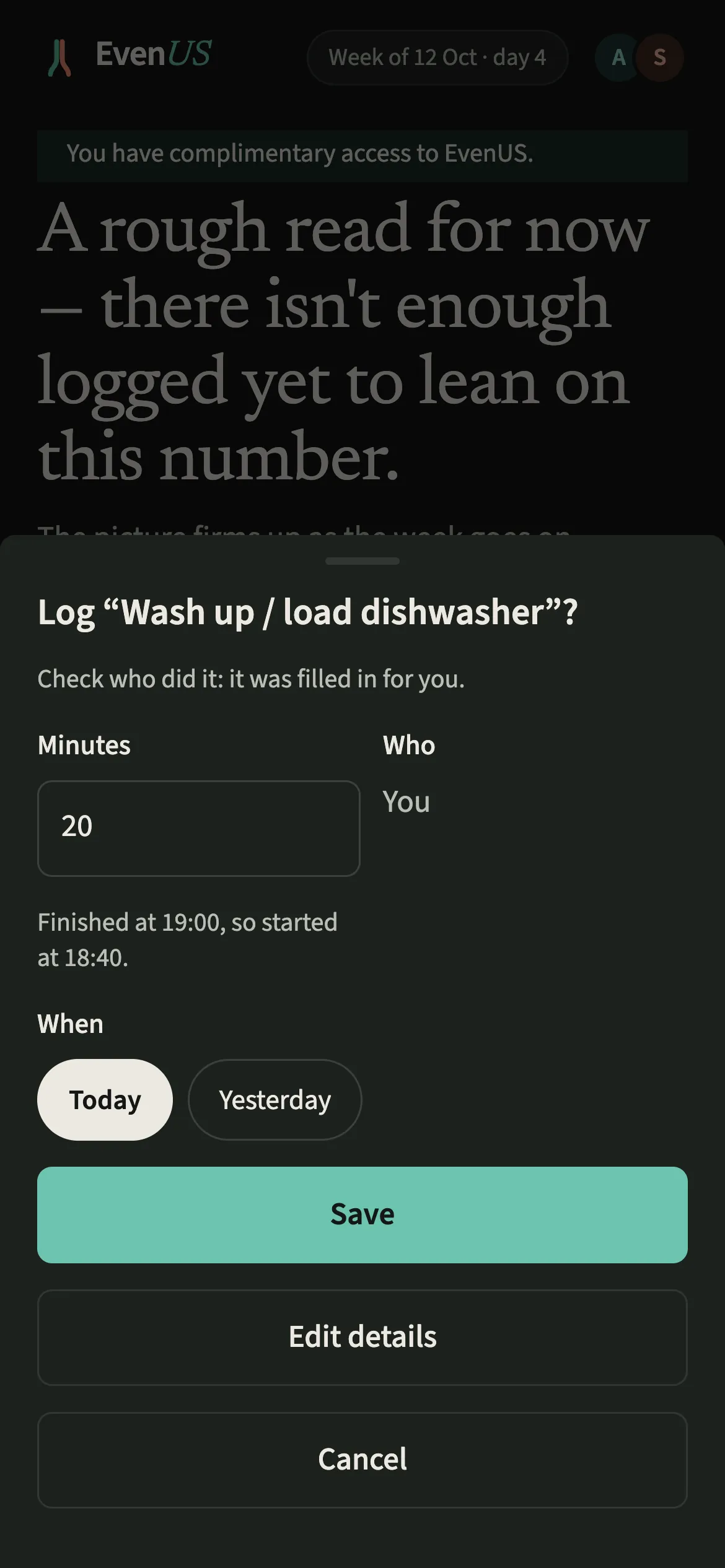
Tell EvenUS reads the line on your phone and works out what kind of thing it is: a shared expense with an amount, a chore with minutes, a reminder with a day, items for the shopping list, or a document with an expiry date. It then shows you the draft. If it had to fill something in, like the day or who paid, the sheet says so in a line such as “Check who paid: it was filled in for you.”
It is a set of fixed rules, not an AI model. The same words always give the same draft, it works with no connection, and nothing you type leaves the phone until you save the entry itself.
Who is Tell EvenUS for?
Anyone who would rather say it than fill it in: the partner at the till, the one who has just finished the bathroom, or the one who remembers the dentist at 11pm. It also suits people who find typing slow, and anyone who prefers Hindi or Hinglish for everyday notes.
How do you use Tell EvenUS?
Tap the Tell EvenUS box on This week, type or say one line, tap the arrow, check the sheet and tap Save.
- Open the fieldOpen This week and tap the typing box under the headline, the one with a grey example of something to add. That box is Tell EvenUS. It’s on Money and Effort too.
- Type or say one lineType a line, or tap the mic on your keyboard and say it: “bought groceries for 30”, “cleaned the bathroom yesterday”, “remind me to book the dentist Friday”.
- Check what it understoodTap the arrow to check it. A sheet shows what EvenUS understood, and asks you to check anything it filled in for you.
- Change anything, then saveChange what needs changing, or tap Edit details for the full form, then tap Save. Nothing is saved before that.
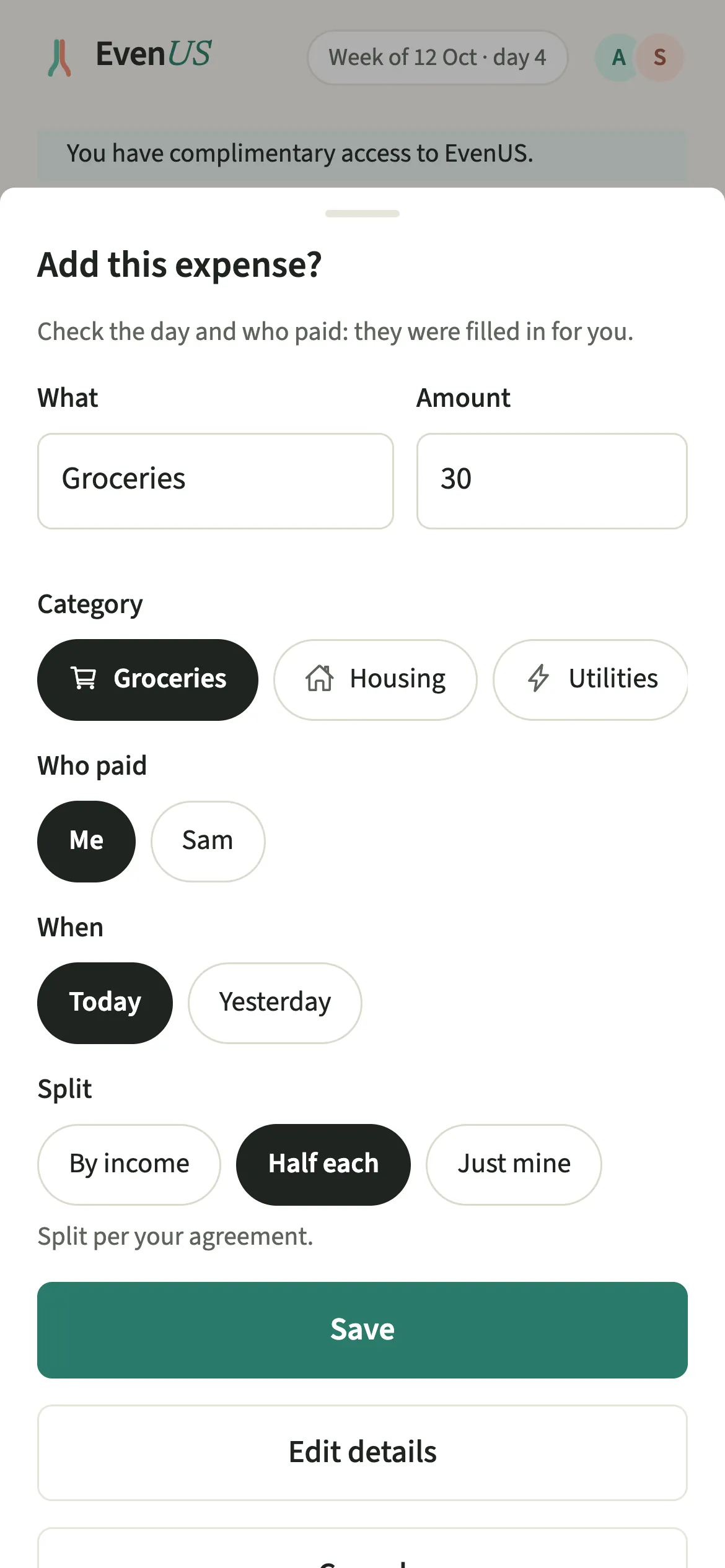
What does your partner see?
Your partner sees the entry you save, exactly as if you had used the full form. They hear about it the way they chose through partner activity, or not at all.
They never see the words you typed or said, and a draft you close without saving simply disappears.
A reminder you set for your partner alone, such as “remind Sam to call the plumber”, goes only to them and does not say who set it.
Tips for getting the draft right first time
- Use your partner’s name to say they paid or did it, like “Sam paid rent 2100 yesterday”. A chore that belongs to your partner is logged by them, so the sheet offers to log it as yours or leave it for them.
- “Add milk and eggs to the list” puts both on the shopping list, and “passport expires 12 March 2028” sets reminders ahead of the date. Leave the document number out.
- Add a time to a chore, like “did the dishes 20 min yesterday 7pm”, and the minutes end at the time you said.
- With the field empty, the receipt button beside it scans a receipt instead.
Which languages does Tell EvenUS understand?
English, Hindi, Hinglish, Spanish, French, German and Portuguese. It follows the language the app is set to. In Hindi and Hinglish it reads lines like “grocery ke liye 300 diye” or “kal doodh lana yaad dilana”, Devanagari like “किराने पर 300 रुपये”, and amounts in hazaar and lakh.
In the other languages it handles everyday lines such as “pagué 40 en el súper”, “j’ai payé 25 € de courses”, “erinnere mich morgen an den Müll” or “paguei 50 no mercado”.
Every amount is recorded in your household’s currency. If a line names a different currency, the sheet says so and asks you to check the amount, because nothing is converted.
Why does it ask you to check every draft?
A wrongly read amount or category would quietly move both partners’ numbers for weeks, including the money half of the household balance (the fairness score). So the sheet always comes first, and lists the fields it guessed rather than read, such as the day or the payer.
Is Tell EvenUS free?
Tell EvenUS keeps working after the 7-day free week, whether or not you subscribe. The computed views, such as the household balance and this week’s idea, are part of EvenUS Pro: $9.99 a month or $79.99 a year, with one subscription covering both partners. The free week needs no card, and nothing is charged when it ends.
Questions about Tell EvenUS
Is Tell EvenUS an AI chatbot?
No. Tell EvenUS is a set of rules that runs on your phone, with no AI model behind it. The same words always give the same draft, it works offline, and you check every draft before anything is saved.
Can my partner see what I typed into Tell EvenUS?
No. Your partner sees only the expense, chore or reminder you save, the same as one made with the form. The words you typed or said, and any draft you cancelled, stay with you.
Can I use Siri or my voice with Tell EvenUS?
Yes. Tap the mic on your keyboard and say the line. On iPhone you can also say “Hey Siri, tell EvenUS”, and on Android long-press the EvenUS icon. Either way, the draft opens for you to check.
Does Tell EvenUS keep working after the free week?
Yes. Tell EvenUS is not part of EvenUS Pro, so you can keep adding expenses, chores and reminders with it after the 7-day free week, whether or not you subscribe.
Related features
Other parts of EvenUS that work alongside Tell EvenUS.
Related reading
Articles on the questions behind this feature.