When your partner adds something: a daily summary, every entry or nothing
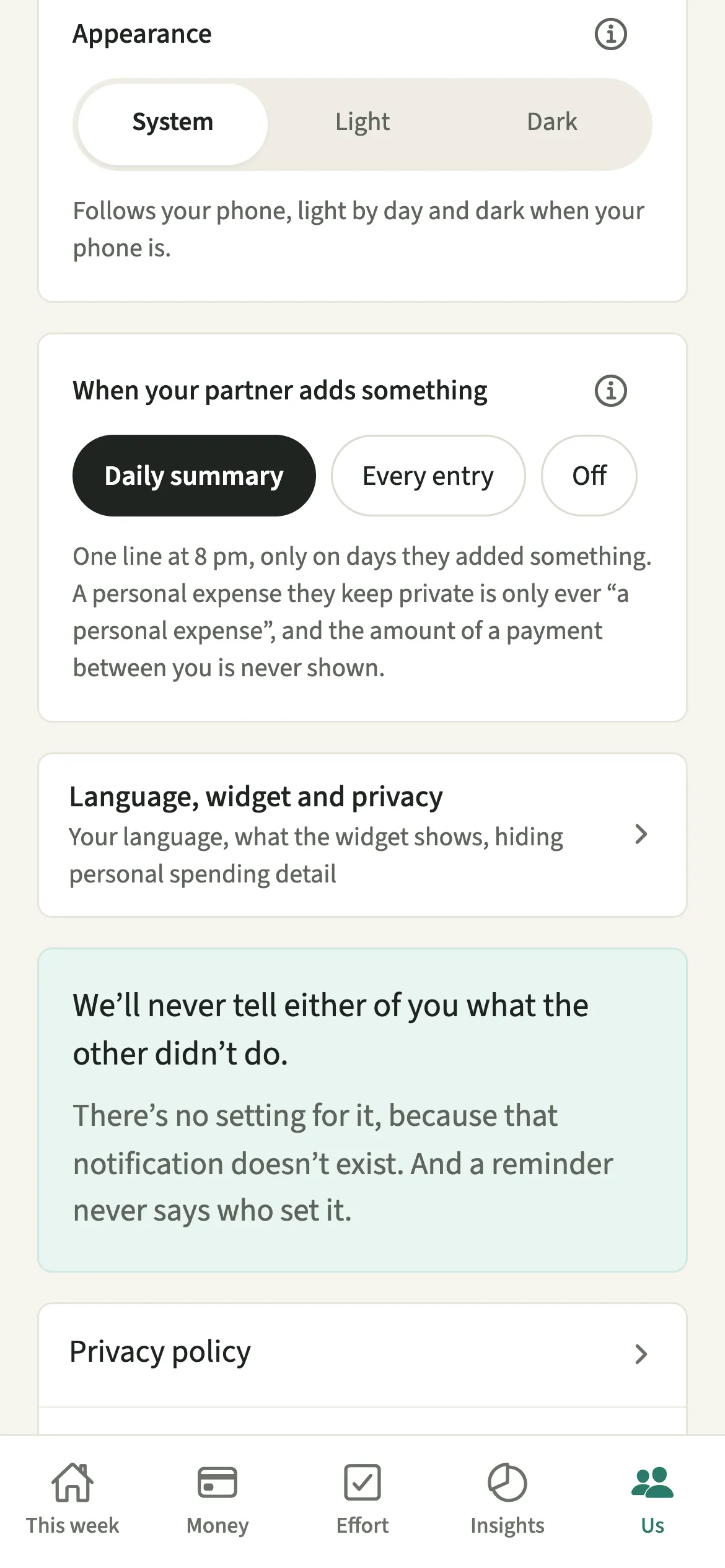
When your partner adds something is the EvenUS setting for how you hear about what your partner records in the shared household. You pick Daily summary, one line at 8 pm on days something was added, Every entry, a notice as it happens, or Off. Each of you chooses for yourself, neither can see the other's choice, and nothing is ever sent about something that was not done.
What does When your partner adds something do?
It decides how much of your partner's activity reaches your phone, from a single evening line to nothing at all. When two people share one record of expenses, chores and dates, some like to know as things land, and some would rather look in their own time. Both are reasonable, so each of you sets it separately.
Daily summary is the default. At 8 pm, on days your partner added something, you get one line, such as "Today: Sam added 3 expenses ($182.40) and ticked off 4 chores." On a day with nothing added, nothing arrives, not even "nothing today".
Every entry sends a notice as each thing is added, such as "Sam added Groceries · $30.00". Off sends nothing, and everything stays in the app, on the shared lists and in the activity log.
Who is this setting for?
Anyone who likes to know what lands in the shared household, such as the partner who keeps an eye on the month's spending, and anyone who would rather open the app when it suits them. It only appears once your partner has joined the household, because until then there is nobody to hear about.
How do you choose what you hear about?
Open Us, tap Preferences, and under “When your partner adds something” pick Daily summary, Every entry or Off.
- Open your preferencesOpen the Us tab, then tap Preferences in the row of choices at the top.
- Pick how you hearUnder “When your partner adds something”, pick Daily summary, Every entry or Off. The change applies to your phone straight away.
- Read what will arriveRead the line under the choices to see exactly what will arrive, along with what is never shown, such as the detail of a private personal expense.
What does your partner see?
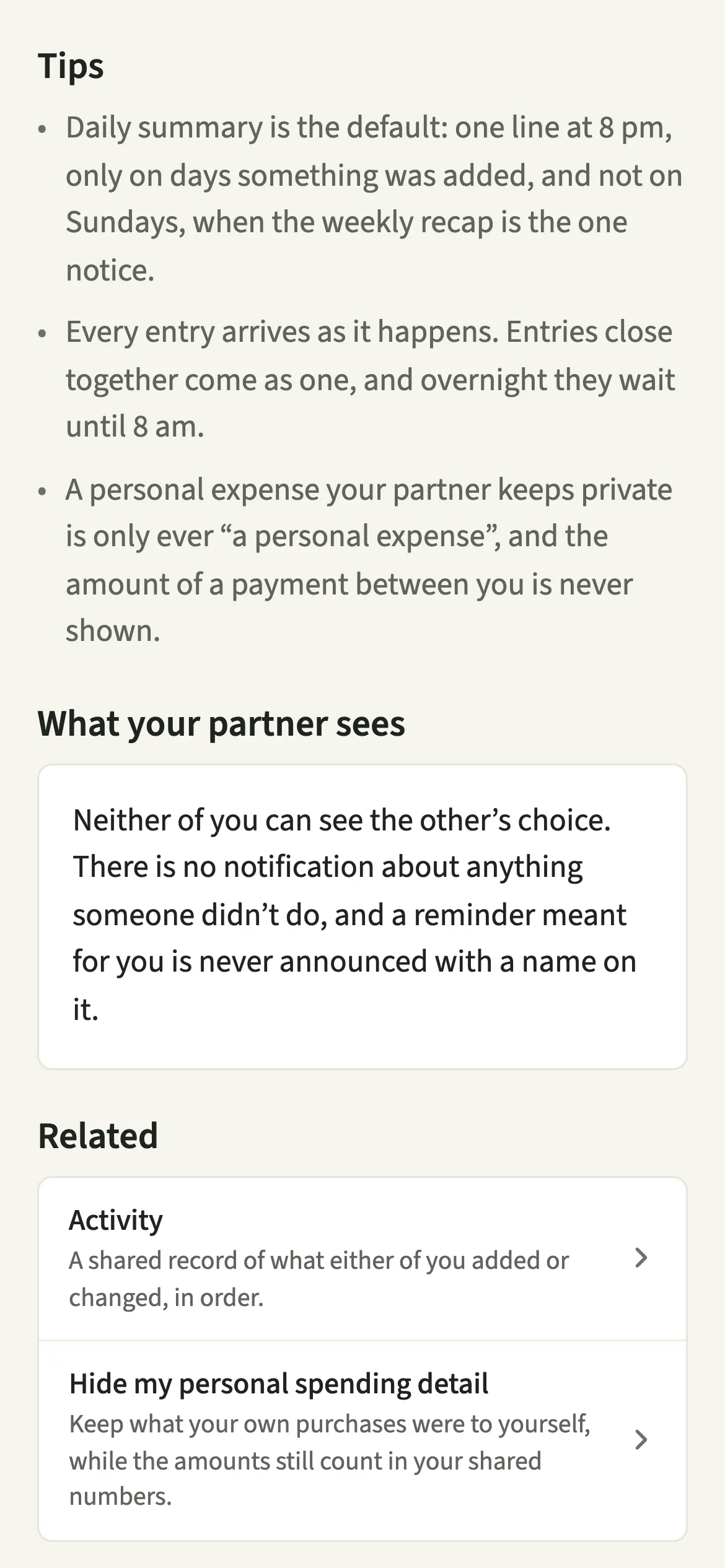
Nothing about your choice. Neither of you can see the other's setting, so choosing Off is never a statement, and choosing Every entry is never a sign of checking up.
The notices themselves are about what was added, never about the person. There is no notification about anything someone did not do, and that is not a setting: the notification does not exist. A reminder meant for you is never announced with a name on it, because reminders never say who set them. You hear about it from the reminder itself, when it is due.
Tips for choosing the right setting
- Daily summary is the default: one line at 8 pm, only on days something was added, and not on Sundays, when the weekly recap is the one notice.
- Every entry arrives as it happens. Entries close together come as one, and overnight they wait until 8 am.
- A personal expense your partner keeps private is only ever “a personal expense”, and the amount of a payment between you is never shown.
- While you are Away (Us → Household → Away), these notices pause for you, whichever choice you made. They start again once your time away ends.
- If you both log a lot, try Daily summary for a week before switching to Every entry. One calm line is often enough.
- A note from your partner is announced only as "left you a note", never with its words.
What is kept off your lock screen?
A lock screen is not a private place, so the notices hold back anything that would say more than your partner chose to share. If your partner has Hide my personal spending detail on, their personal expenses appear only as "a personal expense", with no title and no amount. A payment between you reads "recorded a payment to you", with no figure.
Quiet hours apply too. With Every entry, anything added after 9:30 pm waits until 8 am, and arrives together as one notice, such as "Sam added 3 things" with the first two named.
Is When your partner adds something free?
When your partner adds something keeps working after the 7-day free week, whether or not you subscribe. The computed views, such as the household balance and this week’s idea, are part of EvenUS Pro: $9.99 a month or $79.99 a year, with one subscription covering both partners. The free week needs no card, and nothing is charged when it ends.
Questions about When your partner adds something
Can my partner see if I turn notifications off?
No. Your choice under When your partner adds something is private to you, and your partner's is private to them. Neither of you can see the other's setting, and changing it sends no notice to anyone.
Will EvenUS tell me when my partner has not done a chore?
No. EvenUS never tells either of you what the other did not do. There is no setting for it, because that notification does not exist. Notices are only ever about something that was added or ticked off.
Why did I get one notice for several things my partner added?
With Every entry, things added close together arrive as one notice, such as "Sam added 3 things", with the first two named underneath. This keeps a quick round of entries from becoming a string of buzzes.
Does the daily summary arrive on Sundays?
No. Sunday evening already has the weekly recap, and that is the one Sunday notice. The daily summary stands down that day and returns on Monday evening.
Do these notifications need EvenUS Pro?
No. When your partner adds something keeps working after the 7-day free week, with or without a subscription, along with adding expenses and ticking off chores.
Related features
Other parts of EvenUS that work alongside When your partner adds something.
Related reading
Articles on the questions behind this feature.