Activity: a shared record of what either of you added or changed
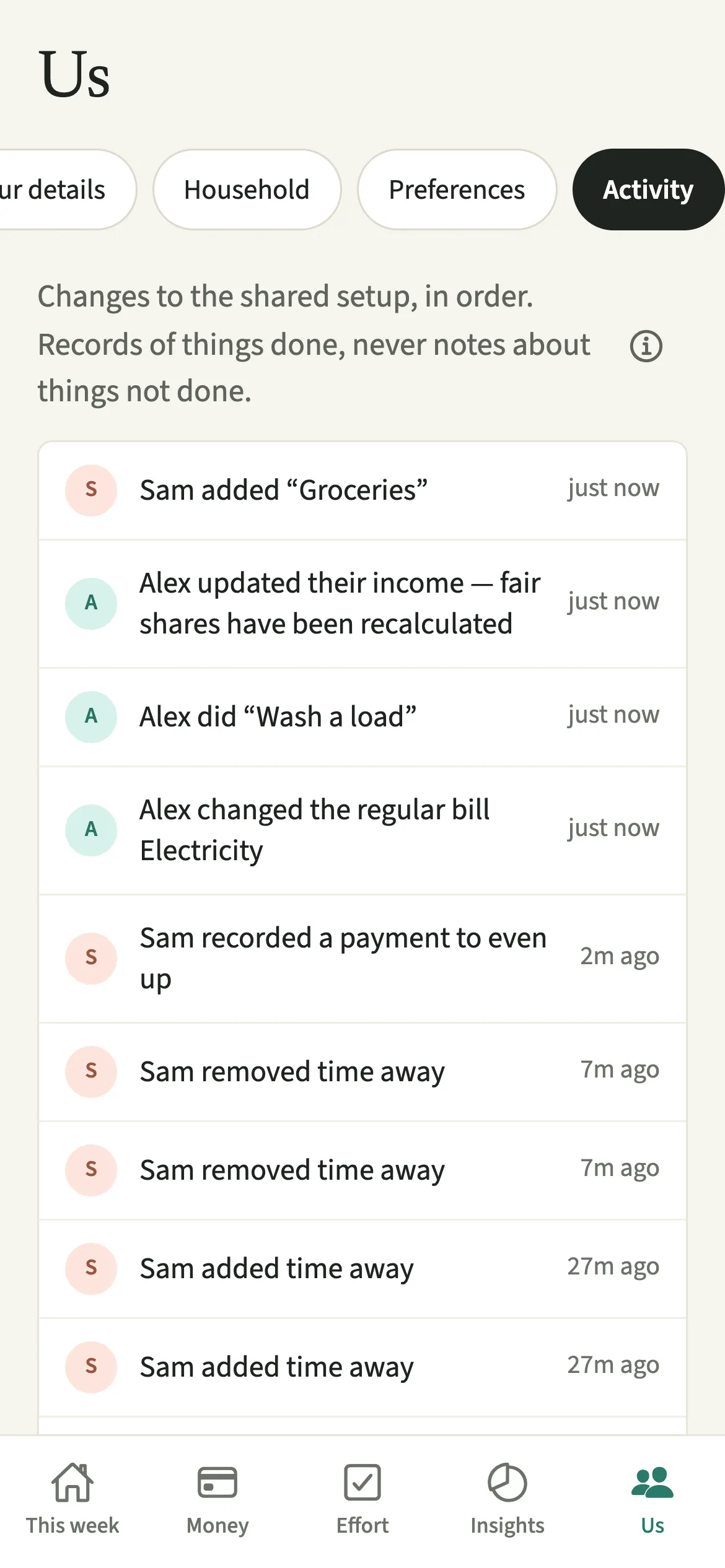
Activity is the shared record in EvenUS of what either partner added or changed, newest first. Each line says who did what and when: an expense added, a chore done, a bill stopped, a change to how costs split. Both of you see the same list, nobody can edit or remove an entry, and it only ever records things done, never things not done.
What does Activity do in EvenUS?
It answers “when did that change?” without either of you having to ask. In a shared household app, numbers move because of things the other person did: an expense added on the bus, an income updated, a split changed. Without a record, a figure that shifted overnight can feel like something happened behind your back.
Activity lists each of those things in order, with the person’s name and how long ago it happened. Lines are written plainly, such as “Sam added “Groceries”” or “Alex added time away” when someone adds, changes or removes a period in Away. An import of many expenses shows as one line rather than fifty.
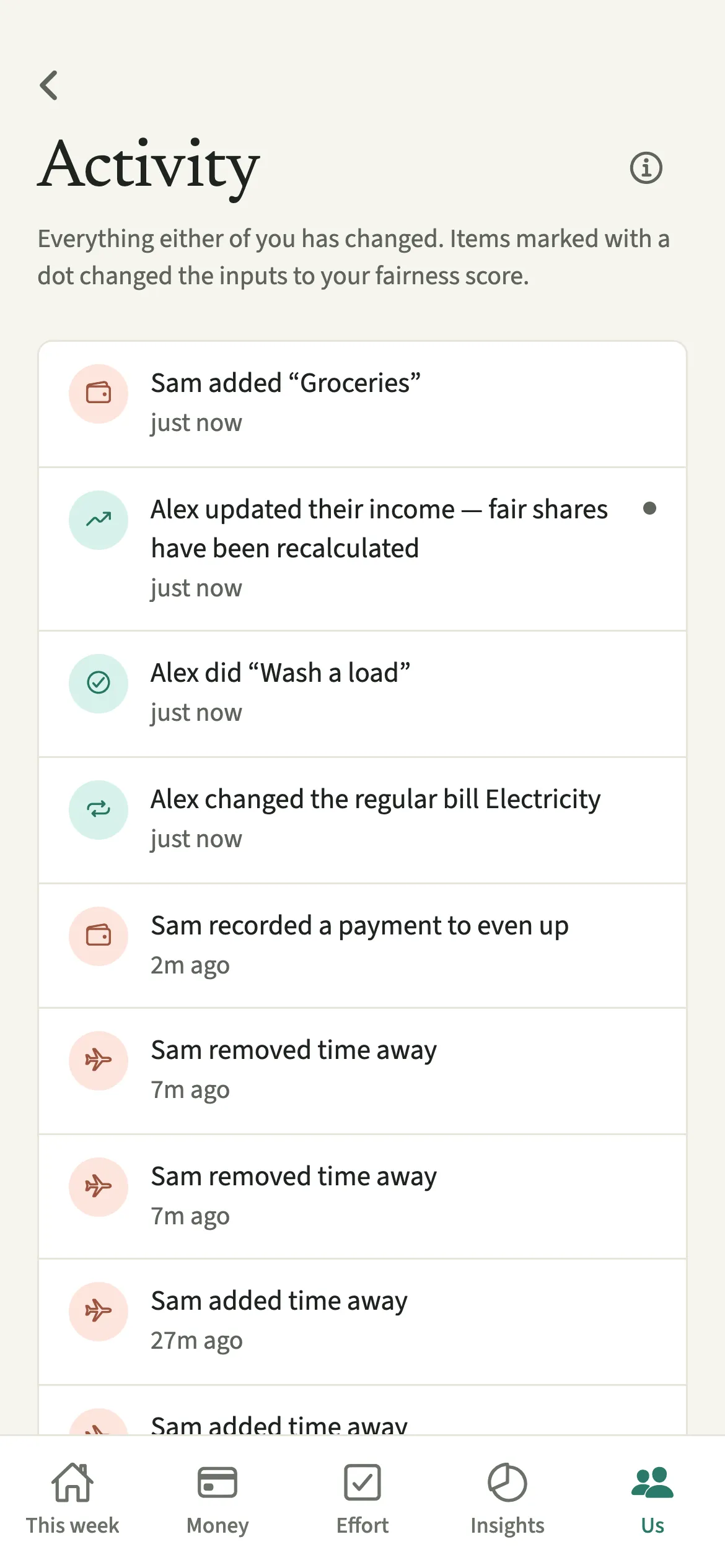
On the full list, a small dot marks anything that changed the inputs to the household balance (the fairness score): an income or paid-hours update, a change to how time and money are weighed, a deleted expense, a child added, or a corrected chore time.
Who is Activity for?
Any couple using EvenUS together, especially when you add things at different times and want to see what is new, or when a number on the Even up card changed and you would like to know why.
How do you see the Activity feed?
Open Us and tap Activity to see the latest entries, newest first, then tap See all for the longer list.
- Open ActivityOpen the Us tab and tap Activity.
- Read down the listEach line says who did what, and when, newest first. Your entries and your partner’s are in the same list, each in that person’s colour.
- Open the longer listTap See all for more entries on a screen of their own. At the bottom, “Show more” loads the next 50.
- Look for the dotOn that screen, a dot on the right marks anything that changed the inputs to your fairness score.
- If it does not loadIf you see “Couldn’t load the activity just now.”, check your connection and tap Try again.
What does your partner see in Activity?
The same list as you. The activity feed is shared, and both of you see every entry, in the same order, each in your own chosen language.
If your partner keeps their personal spending detail private, their entries read “added a personal expense”, with no title, and yours do the same with Hide my personal spending detail switched on. Your private check-in answers, calendar hours and survey answers never appear.
Activity is a list you open, not a stream of alerts. How you hear about what your partner adds is a separate choice in When your partner adds something.
Tips for using Activity
- When the household balance moves more than you expected, open See all and look for the dots first. They mark the changes that feed the score.
- Nothing in Activity can be edited or removed, by either of you, so it stays a record you can both trust. Correct the expense or chore itself, and the correction is listed as a new line.
- Keep tapping “Show more” to go further back. For the whole history in one file, use Export everything (JSON) in Export your data.
- If a line surprises you, open the expense itself. Each one shows how it split, who paid and what changed.
Why does Activity never record what someone didn’t do?
Because a list of absences reads as an accusation, however neutral its wording. Activity keeps records of things done, never notes about things not done: there is no line for a skipped chore, a missed check-in, or a bill nobody looked at.
The aim is a record that describes the household, not one that keeps score of a person. Couples who count each other’s tasks tend to find that it backfires, and a shared record of what happened is a calmer place to start a conversation than two memories of it.
Is Activity free?
Activity keeps working after the 7-day free week, whether or not you subscribe. The computed views, such as the household balance and this week’s idea, are part of EvenUS Pro: $9.99 a month or $79.99 a year, with one subscription covering both partners. The free week needs no card, and nothing is charged when it ends.
Questions about Activity
Can my partner delete things from the EvenUS activity feed?
No. Neither of you can edit or remove an entry in Activity. If an expense or a chore time is corrected, the correction is added as a new line, so the record of what happened stays complete for both of you.
Does the activity feed show my personal purchases?
Only as “a personal expense” if you have Hide my personal spending detail switched on. Your partner sees that something was added and when, but not its title, notes or category. Shared expenses always appear with what they were for.
What does the dot next to an activity entry mean?
On the full Activity list, a dot marks a change to the inputs of your household balance, such as an income update, a change to paid hours, a deleted expense or a change to how time and money are weighed.
Does EvenUS send a notification for every activity entry?
Not unless you choose that. Activity is a list you open when you want to. In When your partner adds something you can pick a daily summary, every entry, or nothing, and your partner cannot see which you chose.
Is Activity part of EvenUS Pro?
No. Activity keeps working after the 7-day free week, with or without a subscription, along with reading and exporting what you recorded. Computed views such as the household balance are part of EvenUS Pro.
Related features
Other parts of EvenUS that work alongside Activity.
Related reading
Articles on the questions behind this feature.