Hide my personal spending detail: keep your own purchases to yourself
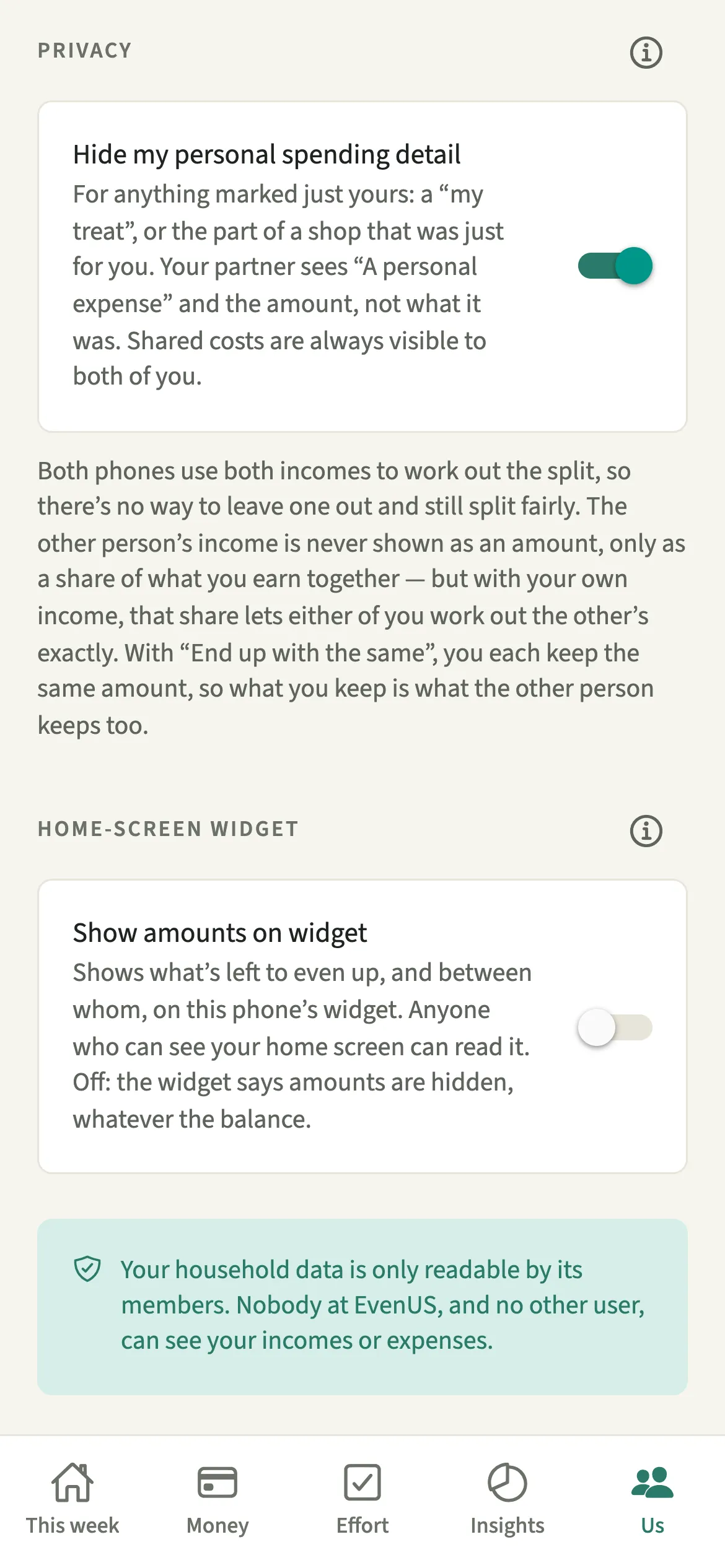
Hide my personal spending detail is a privacy setting in EvenUS that keeps what your own purchases were to yourself. With it on, anything marked as just yours shows to your partner as “A personal expense”, with the amount and who paid, but no title, notes or category. The amount still counts in your shared numbers, and shared costs stay visible to both of you.
What does Hide my personal spending detail do?
It lets a personal purchase stay personal without taking it out of the household record. With full titles in a shared app, the record can start to feel like a window into each other’s spending.
With the setting on, an expense that is all yours still appears in your partner’s list with its amount and who paid. If only part of an expense was yours, like a few things in a supermarket shop, the whole expense shows this way: its title, notes and category are hidden, and the full amount still counts. What it was stays on your side, in a record only you can read. Your partner’s phone never receives that detail.
The amount stays visible on purpose. It still counts in the shared numbers you both rely on, such as the Even up card and the household balance (the fairness score).
Who is Hide my personal spending detail for?
Anyone who would like a “my treat” or a personal buy to stay personal: a surprise for your partner, a hobby, or the part of the weekly shop that was just for you. It is a setting for each person: you decide for your own spending, and your partner decides for theirs.
How do you hide your personal spending detail?
Open Us, go to Preferences → Language, widget and privacy, and switch on Hide my personal spending detail. It then covers anything marked as just yours.
- Open the privacy settingsOpen the Us tab, then Preferences → Language, widget and privacy.
- Switch it onUnder Privacy, switch on Hide my personal spending detail. Expenses already marked as just yours are covered too, not only new ones.
- Mark an expense that is all yoursWhen you add an expense that was only for you, under “How should it be shared?” set the split so it is all yours.
- Mark the personal part of a mixed shopFor a shop that was partly for you, tap “More options”, tick “Part of this was just for me” and enter how much.
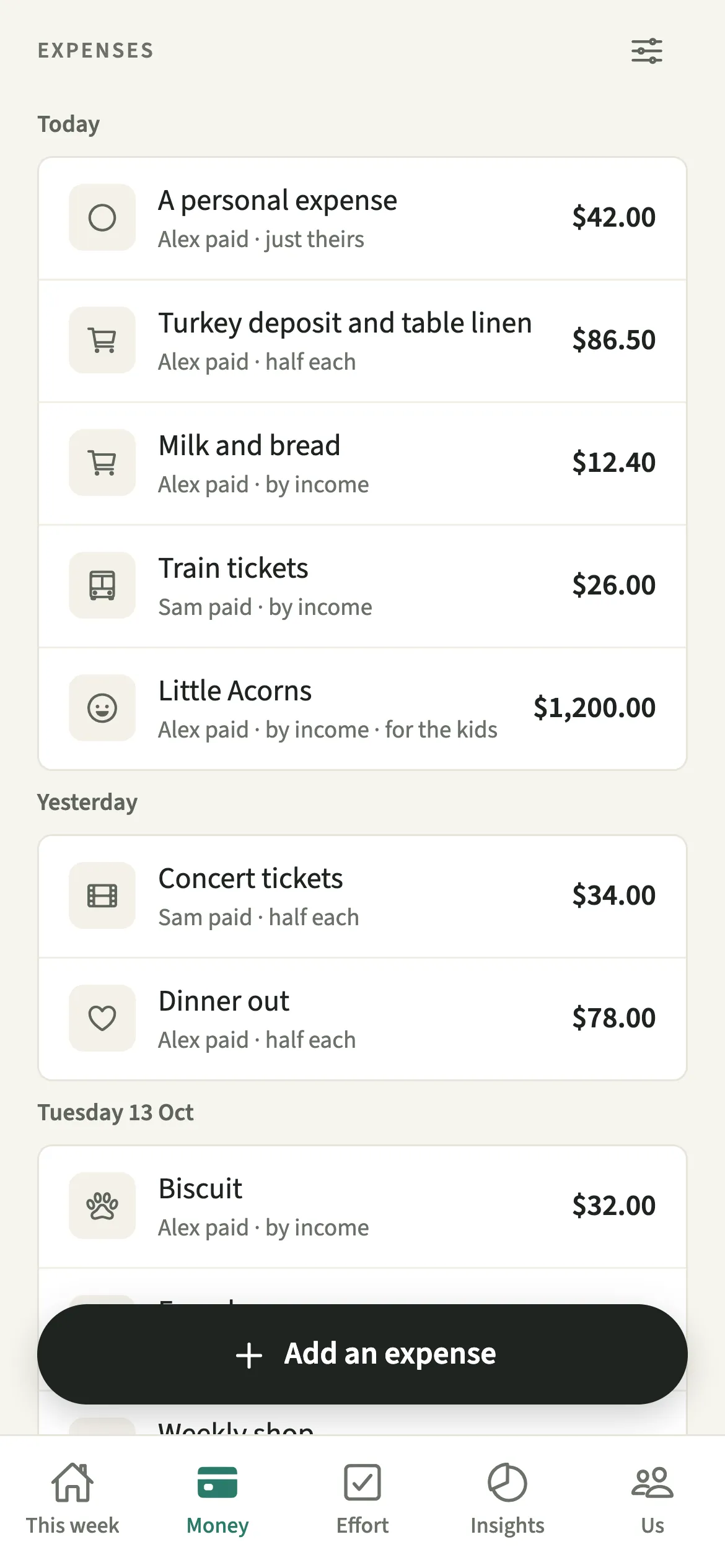
- Save as usualTap “Save expense”. On your phone it looks the same as ever. On your partner’s, it reads “A personal expense”.
What does your partner see when the detail is hidden?
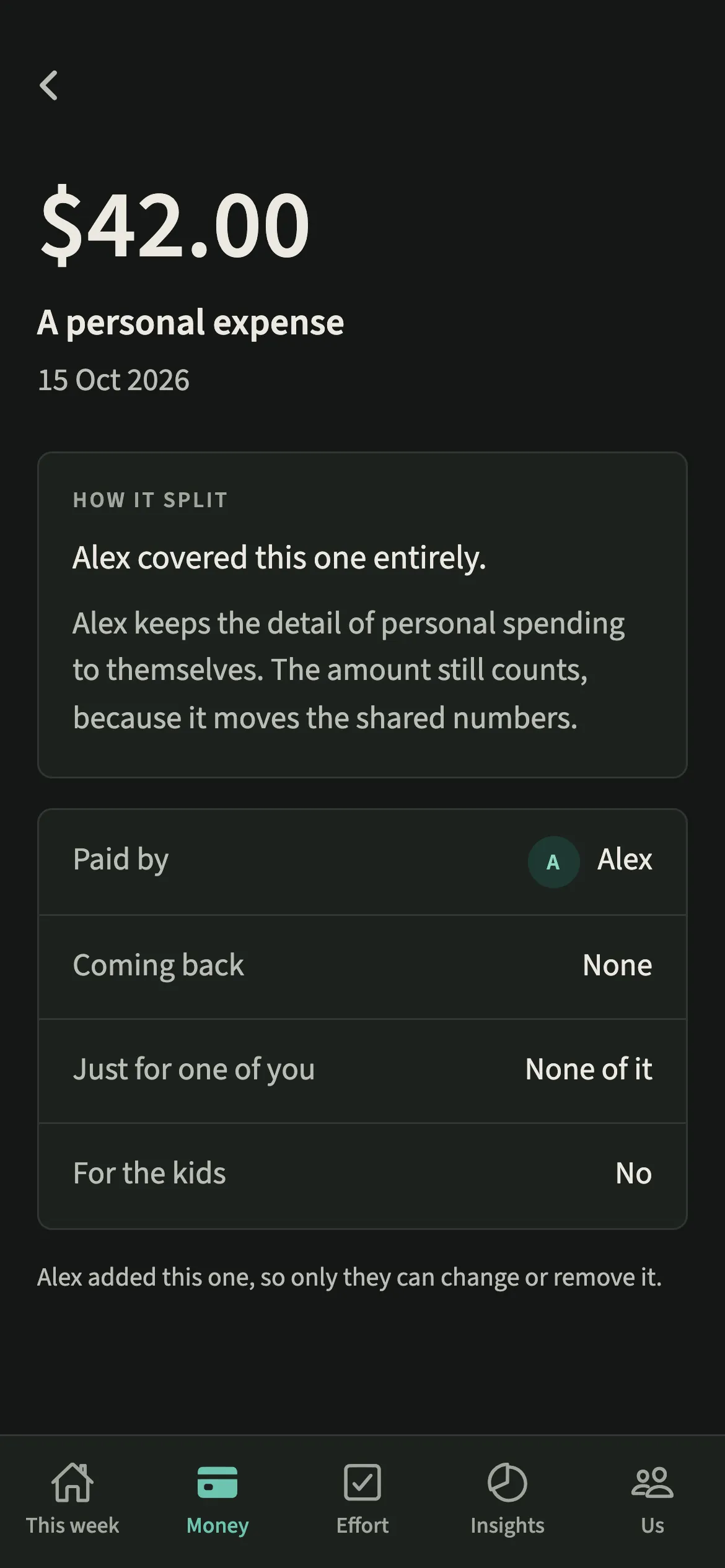
Your partner sees “A personal expense”, the amount and who paid, and nothing about what it was. If they open it, a short line explains that you keep the detail of personal spending to yourself and that the amount still counts, so a hidden line never looks like a mistake.
The same wording follows the expense everywhere. The Activity feed says you “added a personal expense”, and your partner’s data export carries it only as “A personal expense”. Hidden personal spending is also left out of category budgets for both of you. Shared costs are always visible to both of you.
Tips for using personal spending privacy
- On a mixed shop, use “Part of this was just for me” rather than two expenses. The whole expense then reads “A personal expense” to your partner, with its full amount, and its title, notes and category are hidden.
- You still see your own titles, notes and categories everywhere, including in your own export.
- Switch it off later and the detail goes back into the shared record. Activity entries already written as “a personal expense” stay that way.
Why does EvenUS show the amount but not what it was?
Because the two answer different questions. The amount is part of the arithmetic you both rely on, and hiding it would mean your partner could no longer check figures that affect them. What you bought is about you, not the household, and a shared record does not need it. For more on what couples share and keep separate, see financial transparency in a relationship.
Is Hide my personal spending detail free?
Hide my personal spending detail keeps working after the 7-day free week, whether or not you subscribe. The computed views, such as the household balance and this week’s idea, are part of EvenUS Pro: $9.99 a month or $79.99 a year, with one subscription covering both partners. The free week needs no card, and nothing is charged when it ends.
Questions about Hide my personal spending detail
Can my partner see what I bought for myself in EvenUS?
Not if you switch on Hide my personal spending detail. Anything marked as just yours then shows to your partner as “A personal expense” with its amount and who paid. The title, notes and category are kept where only you can read them.
Does hiding personal spending change the shared numbers?
No. The amount still counts exactly as before, which is why your partner still sees it. Only the description is hidden. The Even up figure, the split and the household balance work the same whether the setting is on or off.
Can I hide a shared expense from my partner?
No. Shared costs are always visible to both of you, with what they were for. The setting covers only expenses that are all yours, or ones where part was marked as just for you.
Can my partner see my income?
Not as an amount. Your partner sees your share of what you earn together, as a percentage. There is no switch to hide it further, on purpose: the split needs both incomes after tax, and with their own income, that share lets either of you work out the other’s exactly.
Is hiding personal spending part of EvenUS Pro?
No. Hide my personal spending detail keeps working after the 7-day free week, whether or not you subscribe, along with adding expenses and exporting your data.
Related features
Other parts of EvenUS that work alongside Hide my personal spending detail.
Related reading
Articles on the questions behind this feature.