Household balance: one number for how the week was shared, fully explained
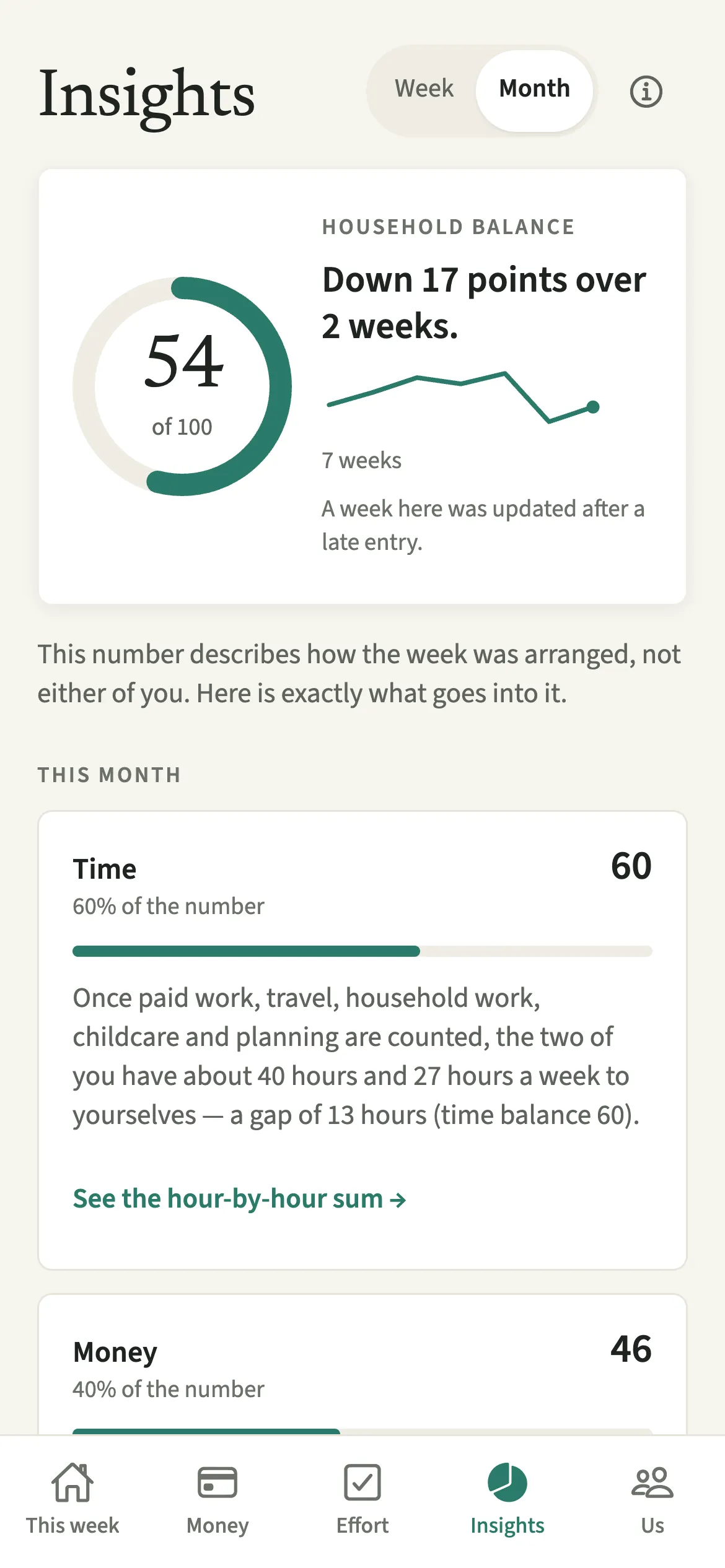
The household balance (the fairness score) is a number from 0 to 100 in EvenUS that describes how a week or month was arranged between two partners. It compares the free time each of you has left and how much money is still to even up on your chosen split, weighted Time 60%, money 40% by default, with every part explained.
What does the household balance do?
It turns a week of logged chores, planning and shared spending into one number, then shows exactly how that number was made.
The number has two parts. Time compares the hours each of you has left once paid work, travel, household work, childcare, planning and a busy calendar are counted, the figure in Time of your own. Money reads what is still to even up between you on your chosen split, the figure on the To even up card. A 100 means both are level. It describes the arrangement, never either of you.
Who is the household balance for?
Couples who want to see how time and money are shared before talking about it, and who would rather check the working than trust a verdict.
How do you read the household balance?
Open Insights, pick Week or Month, and read the cards under the number.
- Open InsightsOpen the Insights tab and pick Week or Month at the top. The household balance sits in a ring, out of 100.
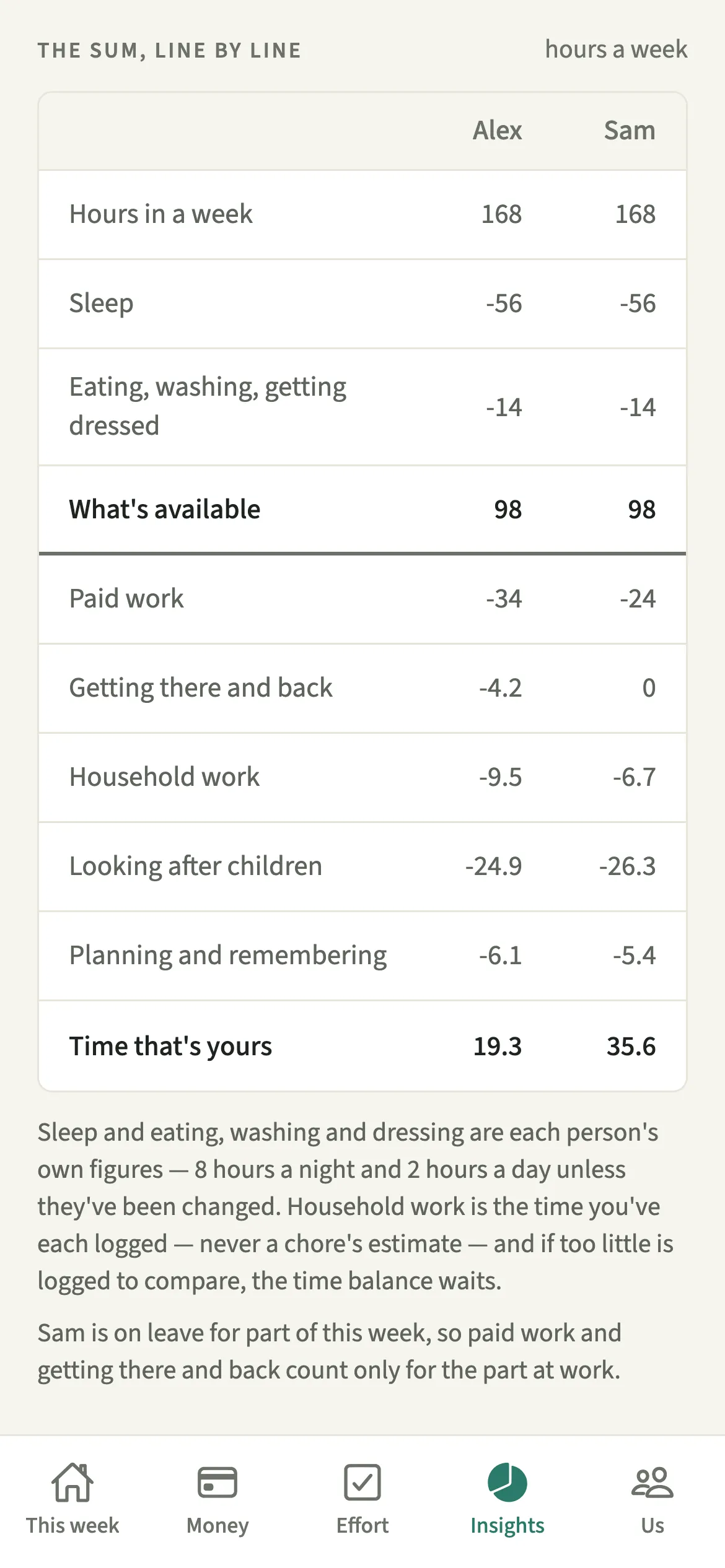
- Check the workingRead the Time and Money cards, then tap “See the hour-by-hour sum” or “See who paid what” for the working, line by line.
- Read how it is madeRead “How the number is made” for the weights used to make this number, such as “Time 60%, money 40%.”
- Change the weights if you both want toOpen Us, then Household, tap Your household, and under “How much should time count?” choose 50/50, 60/40 or 70/30.
- Keep your details currentOpen Us, then Your details, and tap Edit your details to change your income after tax and how often you are paid, your paid work, travel, sleep and time for yourself. Tap Save changes. A new income counts from now on, never for past weeks and months.
What does your partner see?
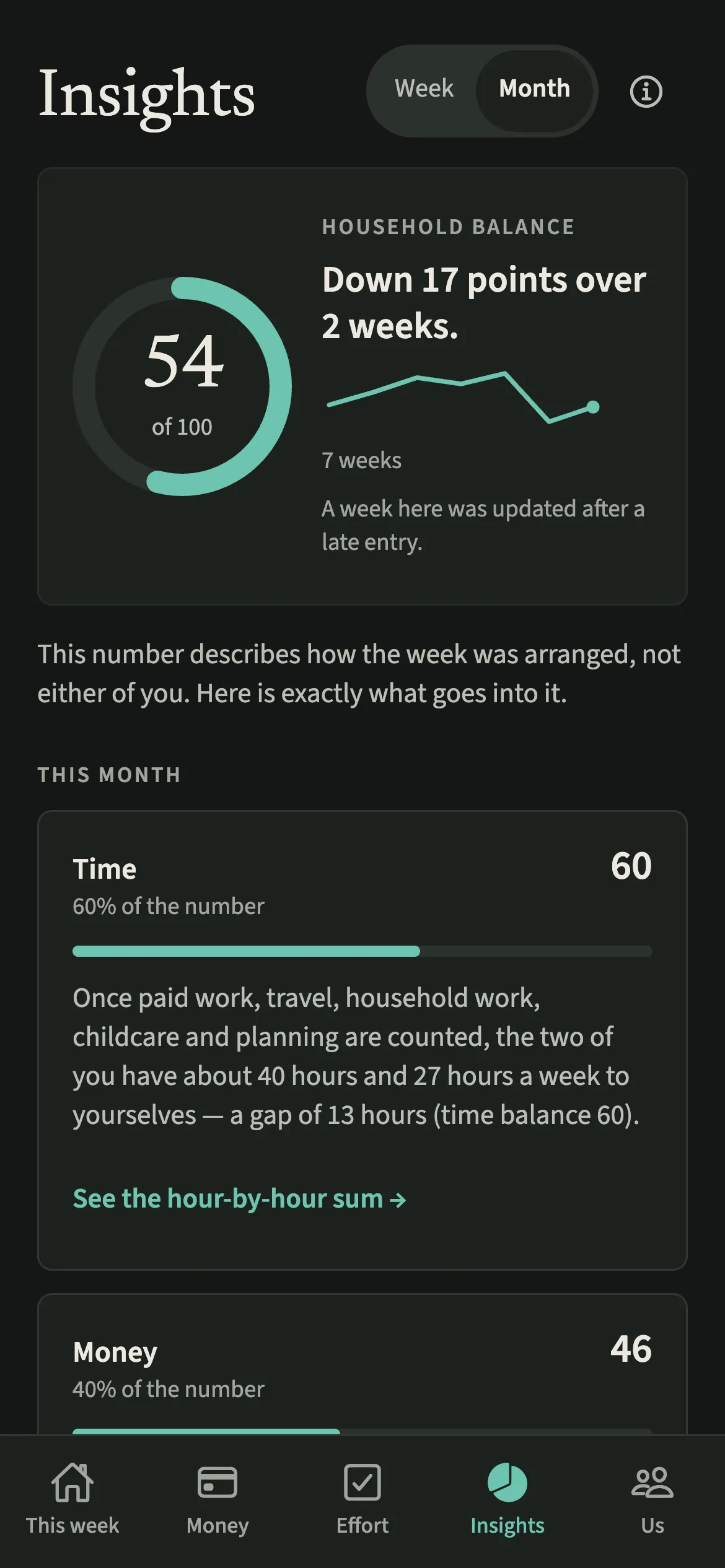
The same number and the same explanation, word for word. No sentence in it names a person. It is never shared outside the app, not even in the Your year image.
Tips for reading the household balance
- On a Monday and Tuesday, the ring shows last week's number, marked Last week. That is expected, not a fault.
- Answer Who keeps track of what, both of you. Planning only counts once you have both finished.
- Add a work trip or a hospital stay under Away, so the days away are left out rather than read as a quiet week.
How is the number worked out? A worked example
Alex and Sam each start with 98 hours a week, after 8 hours of sleep a night and 2 hours a day for eating, washing and dressing. Alex works 45 paid hours, travels 5, logged 6 hours of household work and holds money admin and home upkeep (3 hours of planning). Sam works 30 paid hours, logged 16 hours and holds meals, groceries and the social calendar (5.5 hours).
- Free time: Alex has 98 minus 45, 5, 6 and 3, so 39 hours. Sam has 98 minus 30, 16 and 5.5, so 46.5 hours.
- Time balance: a gap of 7.5 hours in 85.5 free hours between you gives 100 × (1 - 2 × 7.5 ÷ 85.5) = 82.
- Money balance: they earn $5,000 a month each after tax, split half each, and Alex paid the $1,800 rent, so $900 is still to even up. Against a scale of $2,500 (a quarter of their monthly income), that reads 51.
- Overall: both gaps sit on the same side, so it is the weighted average, 0.6 × 82 + 0.4 × 51 = 70. Once the $900 is evened up, money reads 100 and the overall is 89.
Hours from Calendar busy time get their own line, “Busy calendar, beyond usual work”, in the hour-by-hour sum and in Where the hours go, so the rows add up.
When does the number wait, and what does it leave out?
Time is compared once you have both been home for two days this week and logged an hour of household work between you. Until then the ring shows last week's number or a dash rather than a guess. While either of you is away, household work logged then isn't compared, and the week is compared over the days you were both home.
Hours are never turned into money. Planning weights are estimates, and emotional labour is not scored.
Is Household balance free?
Household balance is part of EvenUS Pro. Every household starts with a 7-day free week inside the app, with no card needed and nothing charged when it ends. After that, EvenUS Pro is $9.99 a month or $79.99 a year, and one subscription covers both of you, whoever pays. Subscribing during the free week ends the free days, and billing starts that day.
Without a subscription, nothing you have recorded is locked away: you can still read it all, add expenses, tick chores off, export your data and delete your account.
Questions about Household balance
Does EvenUS turn housework hours into money?
No. Time and money are scored as two separate balances from 0 to 100, and the household balance combines the two using your weights, Time 60%, money 40% unless you change them.
Why does the household balance say Last week on a Monday?
Time is only compared once you have both been home two days this week, or longer when one of you is away. Until then the ring shows last week's finished number, marked Last week, with this week's money in words beside it.
What if one of us earns more and the other does more at home?
That counts as a trade, not a gap. When the two gaps sit on different sides they partly cancel, but the number never scores higher than the same week with money paid exactly as agreed.
Is the household balance part of EvenUS Pro?
Yes. It is included in the 7-day free week and then part of EvenUS Pro. Without a subscription you can still read everything recorded, add expenses and export your data.
Related features
Other parts of EvenUS that work alongside Household balance.
Related reading
Articles on the questions behind this feature.