Your year: the year at home, both of you side by side
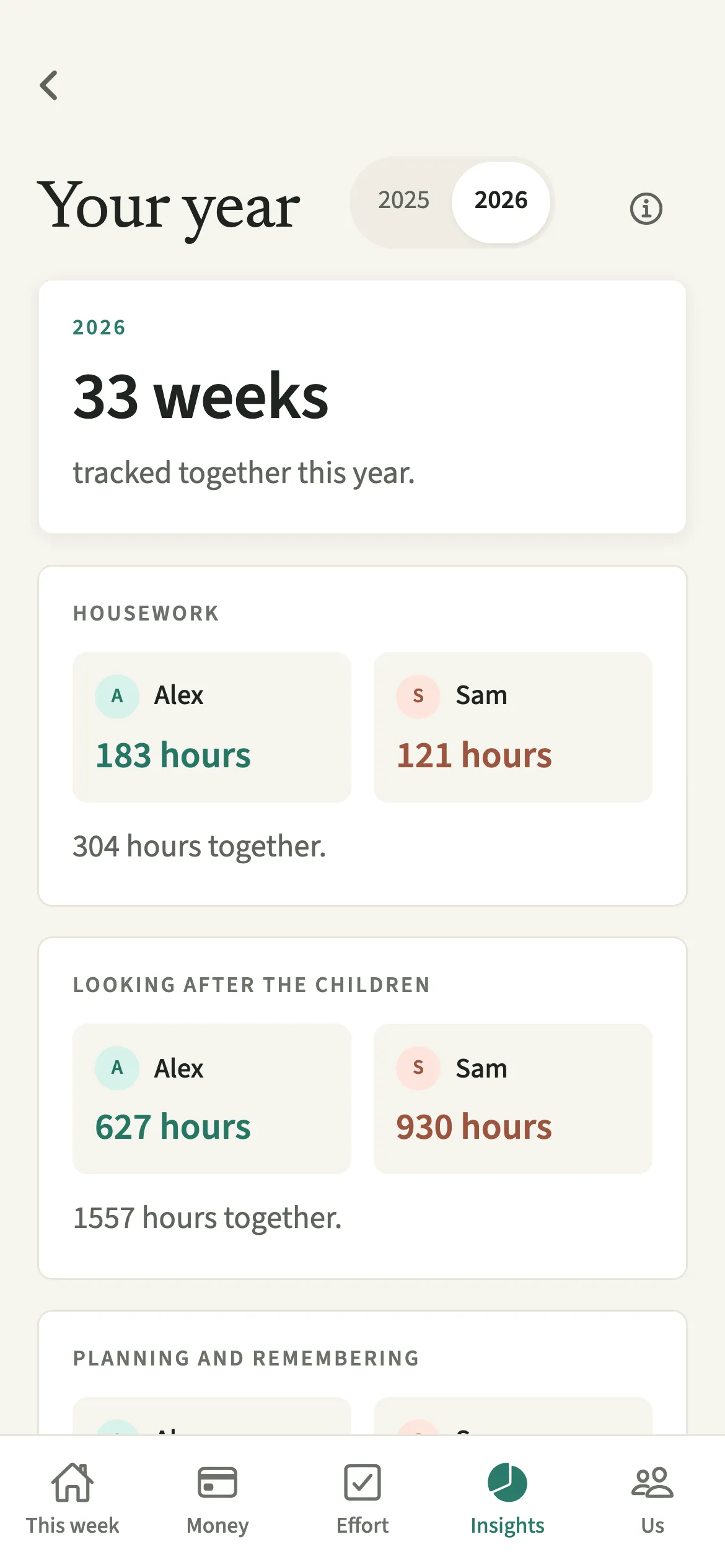
Your year is the year in review in EvenUS. It shows how a couple shared the home over the year so far: hours of housework, care for the children, planning and remembering, money shared, ideas tried and notes written. Both partners appear side by side in their own colours, with the total together underneath. Nothing is ranked, and an optional image shares totals only.
What does Your year show?
It gathers every week you have both logged this year into one calm look back, with neither of you set against the other. Over a year, the useful question changes: not who did what on Tuesday, but what the shape of your household was, and whether it moved.
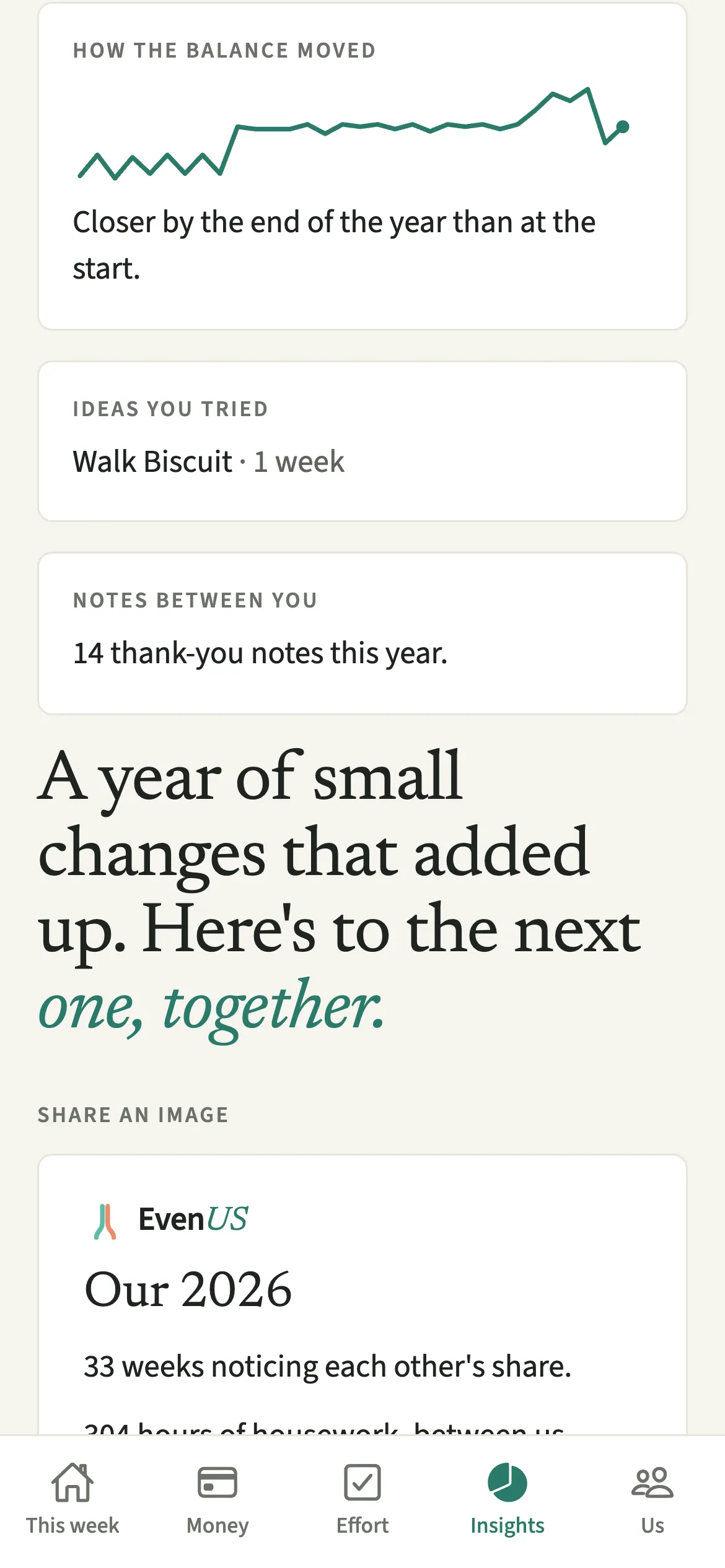
The screen opens with how many weeks you tracked together, then a card for each part of home life: Housework, Looking after the children (if you have children in the household), Planning and remembering, Money shared, How the balance moved, Ideas you tried and Notes between you. Each person card shows both of you in household order, never sorted by who has the larger figure, with the total together beneath.
It closes with one line about the two of you, not a verdict. If the household balance (the fairness score) came closer over the year, it says so. If some weeks were heavier, it says that too, gently.
Who is Your year for?
Couples who want to look back over the year together, often at the end of December, on an anniversary or before a conversation about what to change next year. It is most useful once you have logged a few months, through steady weeks or a new baby, job or move.
How do you open and share Your year?
Open Insights, tap “Your year”, read down the cards, and use “Share an image” at the bottom if you want to share totals.
- Open Your yearOpen the Insights tab, then tap “Your year”. Use the switch at the top to choose this year or last year.
- Read the totalsEach card shows each of you in your own colour, with the total together underneath. Planning and remembering appears once you have both answered the planning questions.
- Look at how the balance movedThe “How the balance moved” card draws a small line through the weeks and describes it in one sentence: closer, steady, or drifting apart a little.
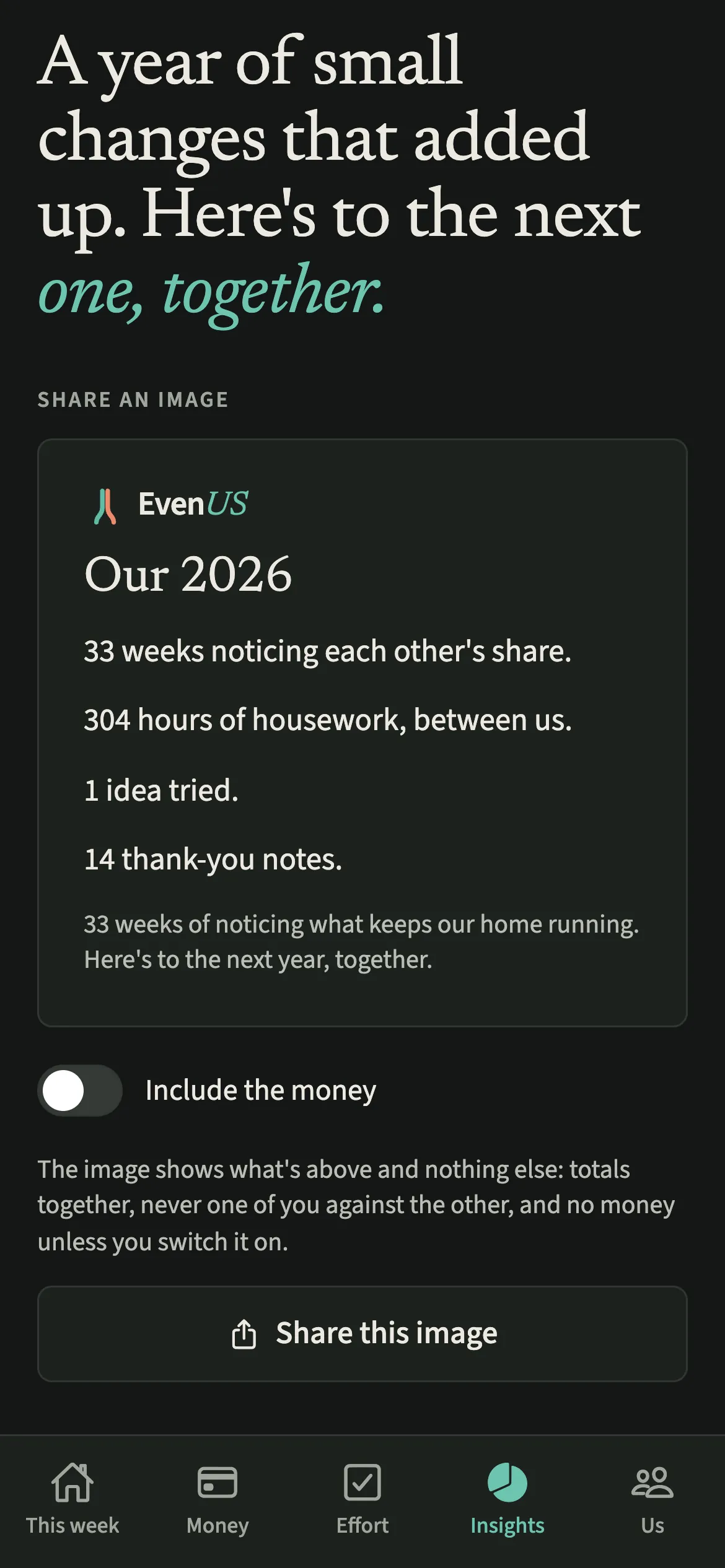
- Choose what goes in the imageScroll to “Share an image”. It previews exactly what will be shared. Switch on “Include the money” only if you want the shared spending in it.
- Share itTap “Share this image” and pick where it goes, such as a message to family or your own photos.
What does your partner see?
Your partner sees the same year, in the same order and the same colours. Neither of you gets a version that puts you first. The money card shows household spending you split, not either person’s income or personal spending.
Nothing leaves the app unless one of you chooses to share the image, which is deliberately smaller than the screen: totals together only, never one of you against the other, never the household balance, and no money unless the person sharing switches it on.
Tips for looking back together
- Open it together, on one phone. The cards read better side by side.
- Answer the planning questions if you have not, so the planning and remembering is counted alongside the housework.
- If the line says the year drifted apart a little, that is common. A Sunday talk is a good place to pick one small change.
- If the screen says “Your year couldn't load.”, check your connection and tap Try again.
Where do the numbers come from?
Your year is built from the weekly summaries EvenUS already keeps, one for each finished week, rather than re-reading a year of individual chores and expenses. That keeps it quick, and it means a week becomes part of your year from the Monday after it ends.
If no week has finished yet, the screen says your year starts this week rather than showing a page of zeros. Ideas you tried lists each weekly idea you took on, with how many weeks it ran. The notes card counts notes between you as one total for the household, never split by who wrote them.
Is Your year free?
Your year is part of EvenUS Pro. Every household starts with a 7-day free week inside the app, with no card needed and nothing charged when it ends. After that, EvenUS Pro is $9.99 a month or $79.99 a year, and one subscription covers both of you, whoever pays. Subscribing during the free week ends the free days, and billing starts that day.
Without a subscription, nothing you have recorded is locked away: you can still read it all, add expenses, tick chores off, export your data and delete your account.
Questions about Your year
Does Your year show who did more?
No. Both of you appear side by side in household order, never sorted by the larger figure, with the total together underneath. The closing line is about the two of you.
What is in the image if I share my year?
Weeks tracked, hours of housework between you, ideas tried and thank-you notes, all as totals together. It never shows one partner against the other or the household balance, and money appears only if you switch on Include the money.
Is Your year part of EvenUS Pro?
Yes. Your year is part of EvenUS Pro after the 7-day free week. Without a subscription the screen shows that your year is paused, while everything you recorded stays readable and exportable.
Can I see last year as well?
Yes. A switch at the top of Your year lets you choose this year or last year, as long as you were using EvenUS then. Each year only includes weeks that both of you logged.
Why is planning and remembering not counted on my year?
It is counted once you have both answered the planning questions about who keeps track of what. Until then, the card says so instead of showing a figure that would leave the planning out.
Related features
Other parts of EvenUS that work alongside Your year.
Related reading
Articles on the questions behind this feature.