Notes between you: a short thank-you for something specific
Notes between you is the part of EvenUS where one partner writes a short note to the other about something specific they did, such as handling the school forms. It is the one thing in the app that is never measured: notes are not counted against each other, there are no reminders to write one, and your partner never has to reply.
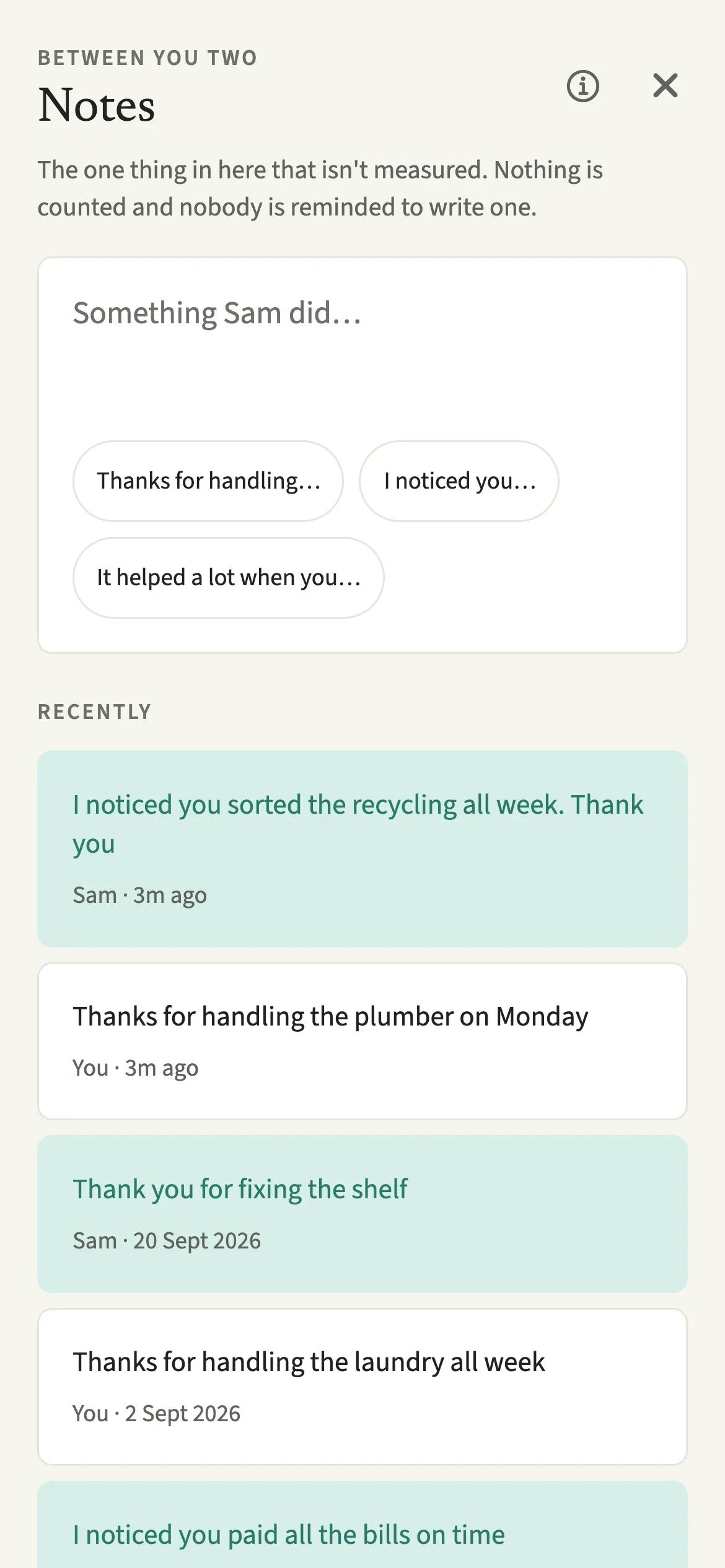
What do Notes between you do?
They give you a quiet place to say you noticed something your partner did. Most of EvenUS makes the shape of your week visible: hours of housework, money shared, the planning and remembering. A picture of who does what can leave out the simplest response to it, which is saying thank you for a particular thing.
A note is up to 280 characters, written to your partner and shown on their phone straight away with your name on it. Three openers help when you are not sure how to begin: “Thanks for handling…”, “I noticed you…” and “It helped a lot when you…”. Each one points at a kind of work rather than a general compliment, and each is left unfinished so the sentence ends up being yours.
A note is a full stop. There is no reply box, no reaction and no thread.
Who are Notes between you for?
Anyone who noticed something and wants to say so: the partner who saw the bins go out on a cold night, or the one who realised the dentist appointments had been booked without anyone being asked. It also suits couples on different shifts.
Notes need both of you in the household. If your partner has not joined yet, the screen says so and offers the way to invite your partner.
How do you send a note to your partner?
Open Us, then Household → Notes between you, start with an opener or your own words, and tap Send.
- Open the notesOpen the Us tab, then Household → Notes between you. If a note is already showing under Recent on the This week tab, you can tap it to get to the same screen.
- Start with an opener or your own wordsOn an empty note, tap an opener such as “Thanks for handling…”, “I noticed you…” or “It helped a lot when you…”, or simply type. Finish the sentence with the actual thing, in up to 280 characters. The note field stays above the keyboard as you write.
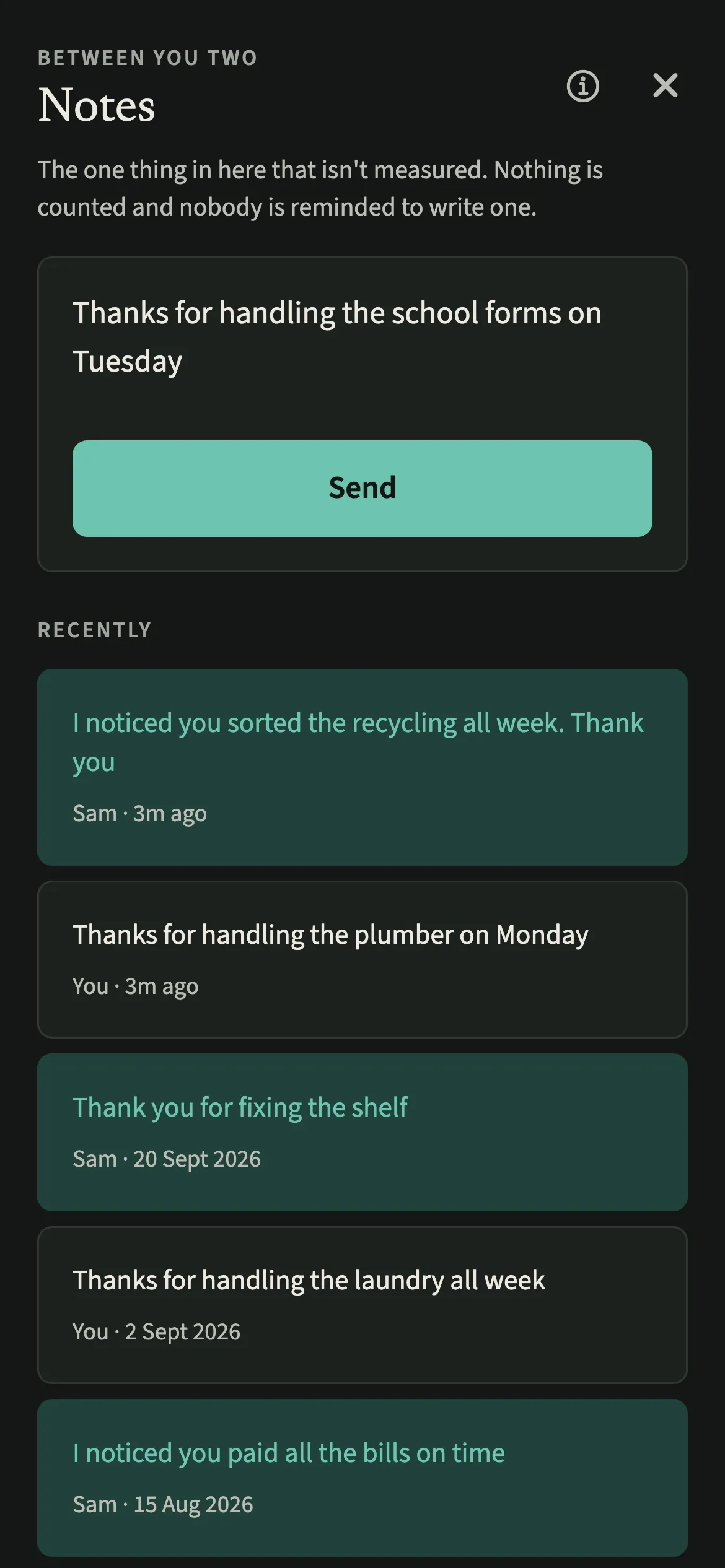
- Send itTap Send. The note appears on your partner’s phone straight away, and under Recently on both phones. If it does not save, your draft is kept.
What does your partner see?
Your partner sees the note in the app, with your name on it, straight away, and is under no obligation to reply. Notes you send and notes you receive sit together under Recently, shown in different colours so it is clear which way each one went.
Whether your partner gets a notification is their choice, not yours. They only hear about a note if they keep updates on for when you add something, under Us → Preferences (see When your partner adds something). Even then, the notification says a note arrived, never what it says, so the words stay inside the app and off a lock screen.
Tips for notes that land
- Something small and specific tends to land best. “Thanks for ringing the landlord about the boiler” says more than “thanks for everything”.
- Name the thinking as well as the doing. Booking, remembering and checking are easy to miss. Showing appreciation for housework has more on this.
- The latest note also shows under Recent on the This week tab. Tap it to open all your notes.
- If you do a Sunday talk, it starts with something each of you appreciated. A note in the week can be a reminder of what to mention.
Why are notes never counted or reminded?
Because a count would change what a note means. If the app showed that one of you had sent four notes and the other one, the notes would become another scoreboard, and a thank-you written to keep the numbers even is not much of a thank-you. So there is no tally of who sent what, no streak, and the app never suggests you are due to write one.
For the same reason, only the ten most recent notes stay in view. A long history invites scrolling back to compare.
The one place a number appears is Your year, which shows how many thank-you notes the household wrote over the year as a single total for both of you, never split by person.
Is Notes between you free?
Notes between you keeps working after the 7-day free week, whether or not you subscribe. The computed views, such as the household balance and this week’s idea, are part of EvenUS Pro: $9.99 a month or $79.99 a year, with one subscription covering both partners. The free week needs no card, and nothing is charged when it ends.
Questions about Notes between you
Can my partner reply to a note?
No. A note has no reply box, reaction or thread, so your partner can simply read it. If they want to say something back, they can write a note of their own or tell you in person.
Does EvenUS remind me to write a note?
No. EvenUS never asks you to send a note and never suggests you are overdue for one. Notes only exist when one of you notices something and wants to say so.
Will a note show up on my partner’s lock screen?
Not the words. Your partner only gets a notification if they keep updates on for when you add something, and that notification says a note arrived without showing what it says.
Are notes part of the paid subscription?
No. Notes between you keep working after the 7-day free week, with or without EvenUS Pro. Sending and reading notes is never locked.
Can I send a note before my partner joins?
No. Notes need both of you in the household, because each one is written to a person. Until your partner joins, the screen says this one needs both of you and offers a button to invite them.
Related features
Other parts of EvenUS that work alongside Notes between you.
Related reading
Articles on the questions behind this feature.