Invite your partner: bring them into the household with a message or a code
Invite your partner is how the person who sets up EvenUS first brings the other into the household. Send a message or a WhatsApp with a link and a code, save their email so EvenUS emails them an invite and they join automatically when they sign up, or read out an eight-character code. Every picture in EvenUS compares two people’s week, so this step makes the rest work.
What does Invite your partner do?
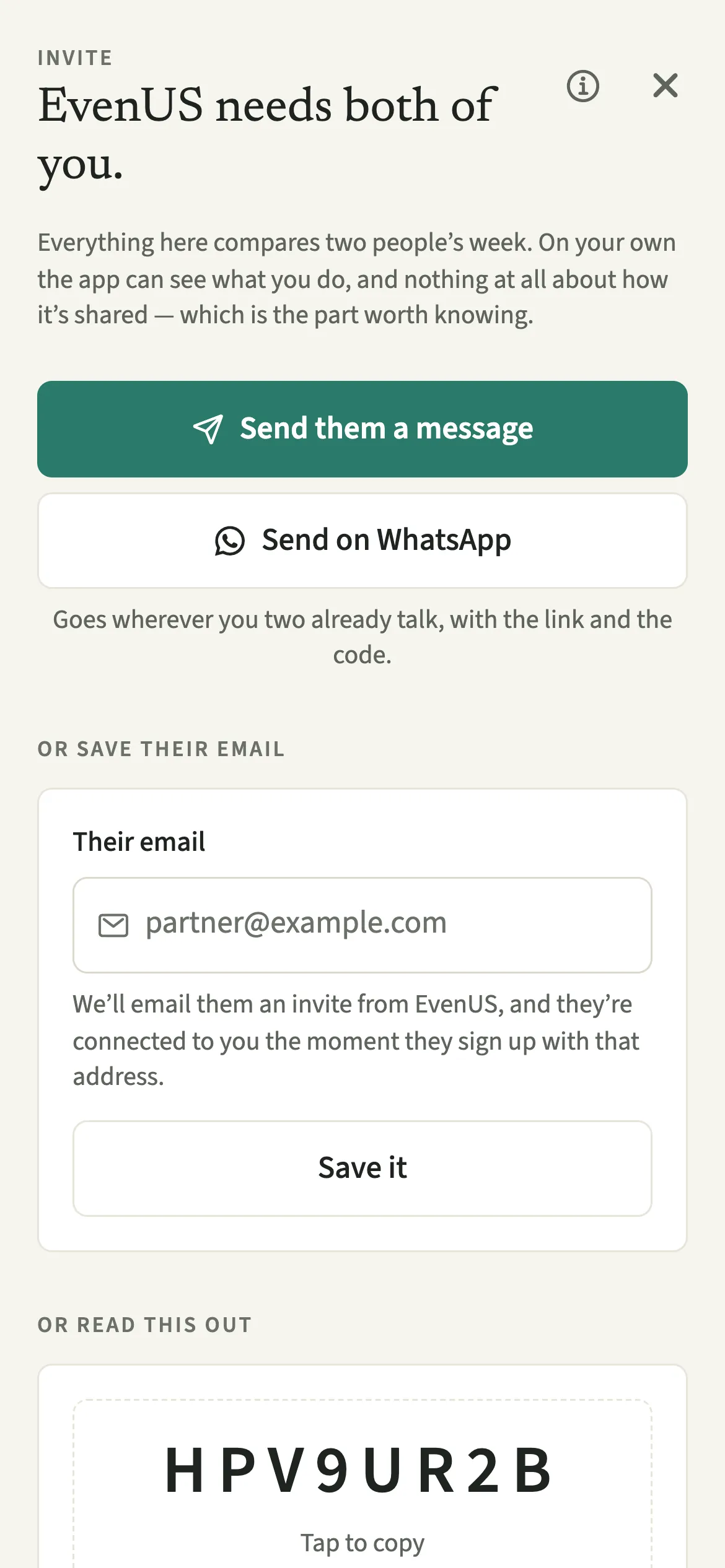
It joins your partner to the household you set up, so both phones see the same chores, expenses and weekly picture. On your own, the app can see what you do, and nothing at all about how it is shared. The household balance (the fairness score), the weekly picture and notes between you all wait for the second person.
The invite screen offers three routes. A message goes wherever you two already talk, with a link and the code. Saving their email sends them an invite from EvenUS, and if they sign up with that address, they are joined straight away instead of landing in an empty account of their own. The code needs nothing at all, and suits two people on the same sofa.
Who is Invite your partner for?
Whoever sets up EvenUS first, and the partner on the receiving end, who may want to know what they are joining before they tap a link. Setting up EvenUS with your partner walks through the first day from both sides.
How do you invite your partner to EvenUS?
Open Us, tap “Invite your partner”, then send a message, save their email, or read them the eight-character code.
- Open the invite screenOpen the Us tab, then tap “Invite your partner”.
- Send a messageTap “Send them a message” for any messaging app, or “Send on WhatsApp”. The message carries a link that opens EvenUS, and the code.
- Or save their emailUnder “Or save their email”, type their address and tap “Save it”. EvenUS emails them an invite, and when they sign up with that address, they join automatically, with no code to type.
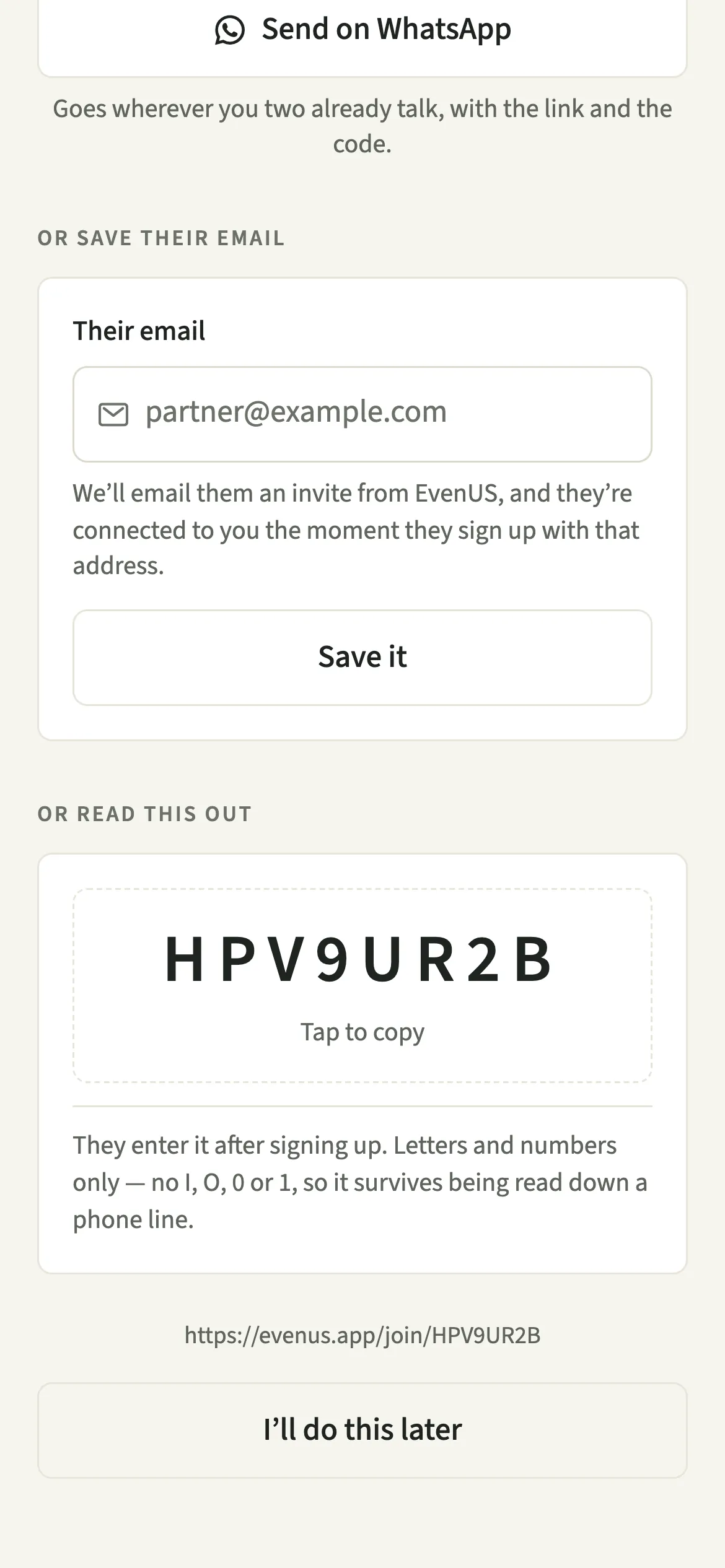
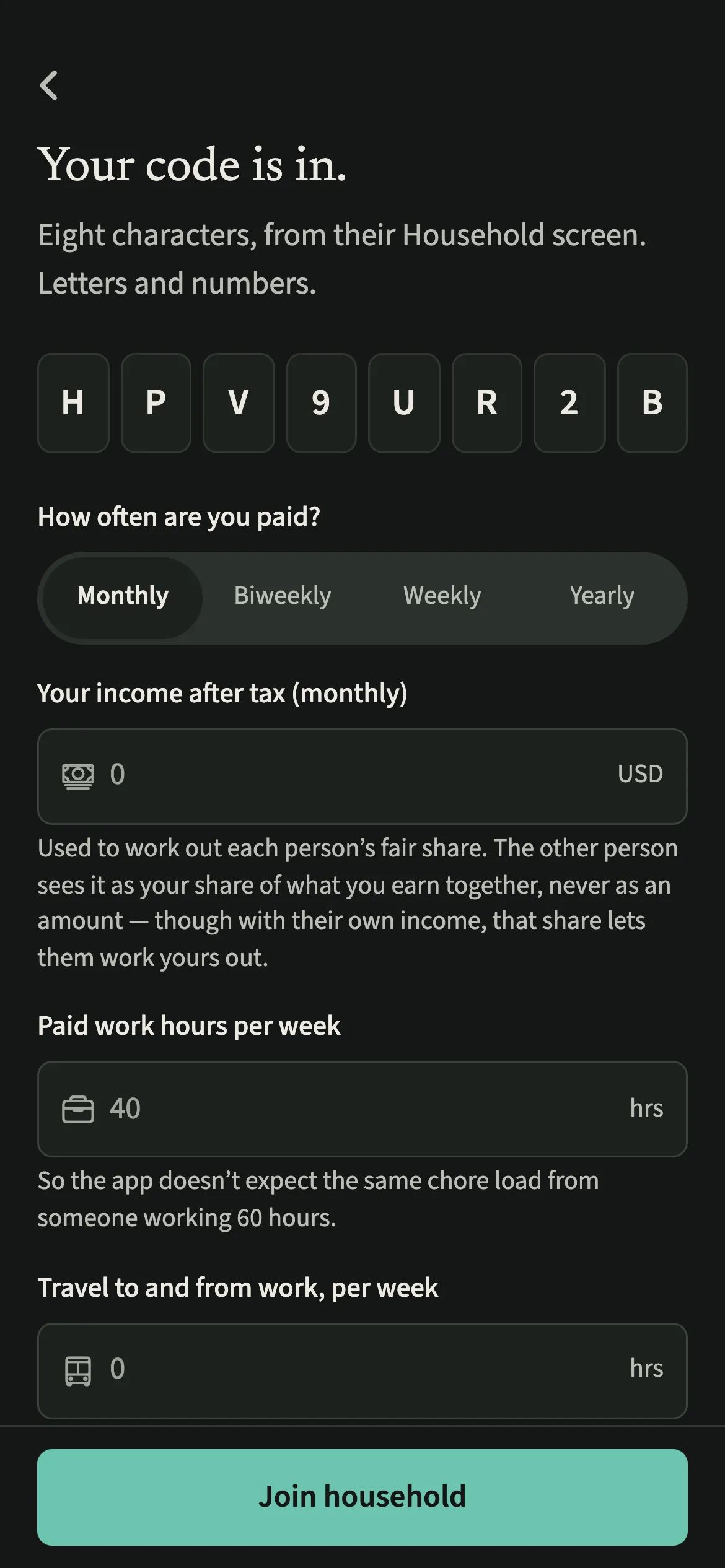
- Or read out the codeUnder “Or read this out”, read them the eight-character code, or tap it to copy. They enter it after signing up.
- Check they are inOnce they join, the screen says “You’re both here.” Until then, you can tap “I’ll do this later” and come back from Us.
What does your partner see?
Before they join, your partner sees your message, with the link and the code. It says you set up the household on EvenUS and that it only works with both of you.
Once they join, you both see the same household on your own phones. Some things stay yours. Your income after tax is used to work out an income-based split, but your partner sees only your share of what you earn together, as a percentage, never the amount. With Hide my personal spending detail on, your personal purchases show only as an amount.
Tips for an invite that gets accepted
- The invite email can land in spam, so a message from you is still the surest way.
- The code has no I, O, 0 or 1, so it survives being read over the phone.
- A code works for seven days. When it has run out, the screen says so: tap New code and send that one.
What if your partner is already in another household?
A person can only be in one EvenUS household at a time. If your partner has already set up their own, the link changes nothing. They leave that household first, from Us → Household → Your household → Leave household, and then use your link or code. If a code no longer works, or the household already has two people, the app says so. If something still will not connect, Help and feedback lets you ask from inside the app, or write to support@evenus.app.
What happens when someone new joins after a partner left?
You both start fresh. Before joining, the new person sees “You’ll start fresh together”, and you are told “Someone new starts fresh with you”. The two of you begin with an empty household, and nothing from before is shared with the new partner. Your earlier records stay private to you, read-only, under Us → Previous household. If the person who left comes back instead, nothing starts again and everything stays as it is. A partner change never starts a new free week.
Is Invite your partner free?
Invite your partner keeps working after the 7-day free week, whether or not you subscribe. The computed views, such as the household balance and this week’s idea, are part of EvenUS Pro: $9.99 a month or $79.99 a year, with one subscription covering both partners. The free week needs no card, and nothing is charged when it ends.
Questions about Invite your partner
Does EvenUS work if my partner never joins?
Only partly. You can record your own chores and expenses, but the household balance and the weekly picture compare two people’s week, so they need both of you.
Does saving my partner’s email send them an invite?
Yes. Saving their email sends them an invite from EvenUS, and they are connected to you the moment they sign up with that address. Invite emails can land in spam, so a message or the code from you is still the surest way.
How long does an invite code last?
Seven days. When the code has run out, the invite screen says so. Tap New code, then send your partner the new code or a fresh message with the new link.
Can my partner see how much I earn?
Not as an amount. Your income after tax is used to work out an income-based split, but your partner sees only your share of what you earn together, as a percentage. With their own income, they can work out yours from that share, and you can work out theirs.
Does my partner need their own subscription?
No. One EvenUS Pro subscription covers both partners in the household. Inviting your partner and joining a household are free, before and after the 7-day free week.
Related features
Other parts of EvenUS that work alongside Invite your partner.
Related reading
Articles on the questions behind this feature.