Reminders: birthdays, plans and to-dos for you, your partner or both
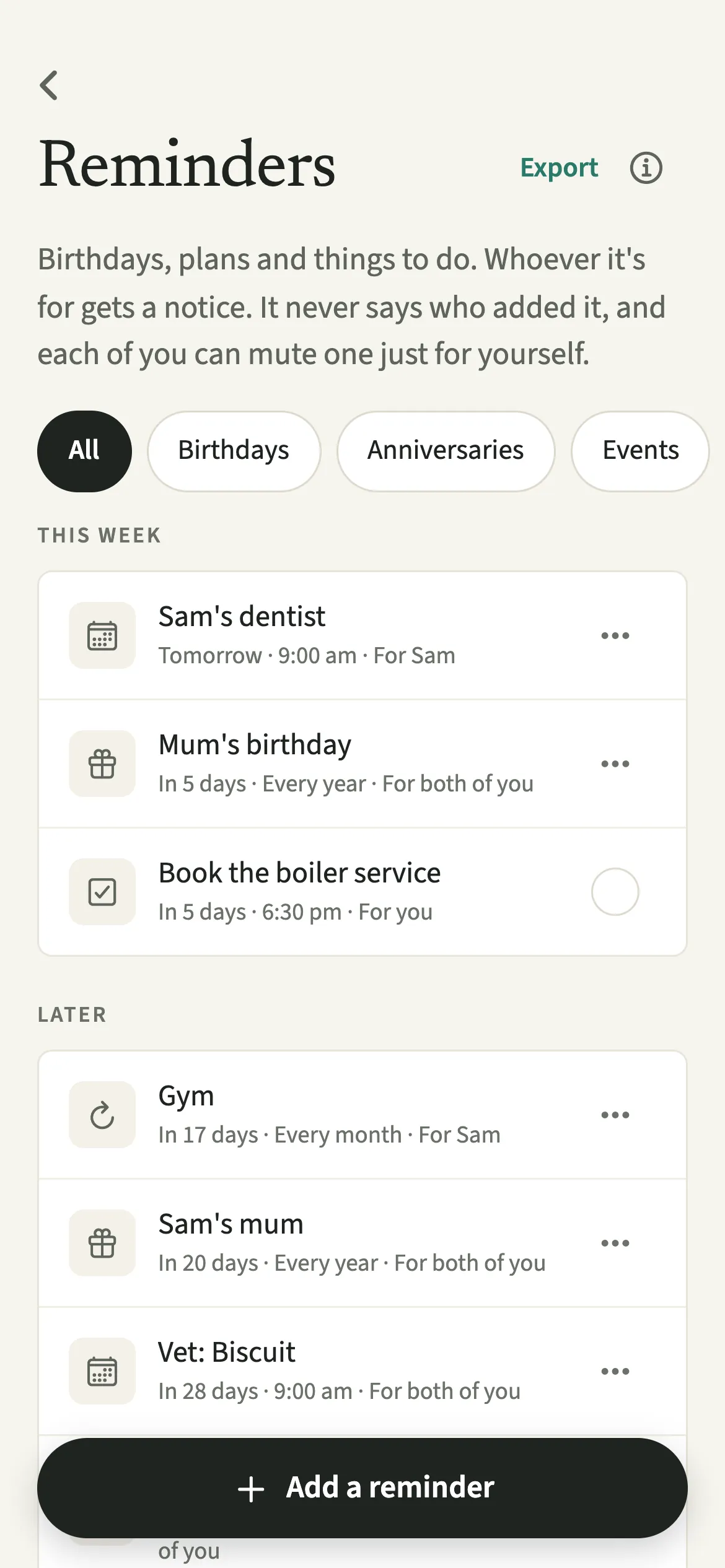
Reminders in EvenUS hold the household's dates and small jobs: birthdays, anniversaries, events and to-dos. Either of you adds one and chooses who it is for: you, your partner or both of you. Every reminder is on both partners’ lists, but only the person it is for gets a notification, and the notice never says who set it. Each of you can mute a reminder just for yourself.
What do Reminders do in EvenUS?
They let the app carry the remembering, so neither of you has to hold the household's dates in your head. That remembering is a large part of the mental load.
A reminder is a shared object, not a message from a person. A notification reads "Mum's birthday is in a week", never "Alex reminded you".
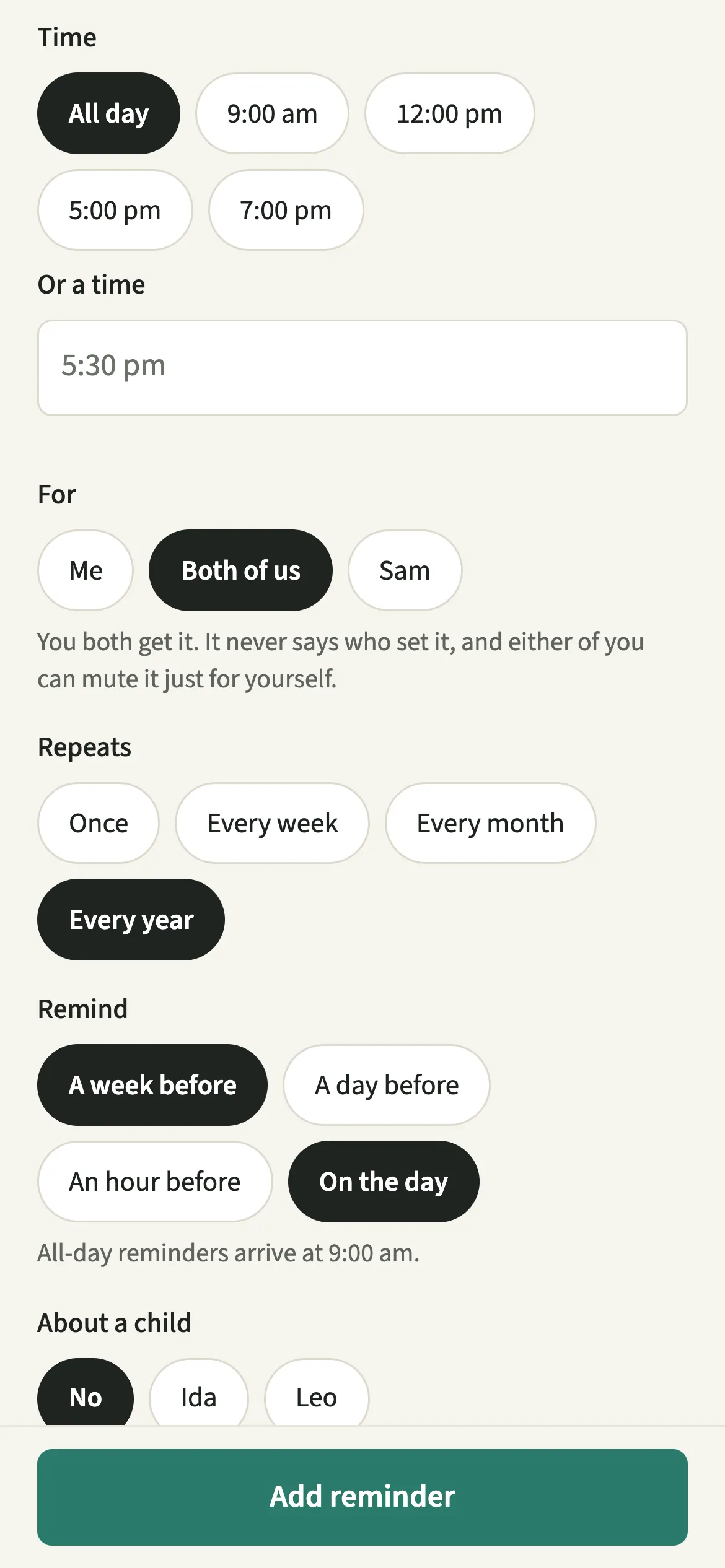
Each type starts with sensible settings. Birthdays and anniversaries repeat every year and remind both of you a week before and on the day. An event reminds both of you an hour before. A to-do is for you, on the day. You can change any of these before saving.
Who are Reminders for?
Couples who share the remembering, or would like to. If one of you is the household's diary, moving a few dates into EvenUS puts that work somewhere you can both see it. For passports, visas and insurance, the Document type gives longer notice: see Document renewals.
How do you set up a reminder in EvenUS?
Open Reminders and dates from the Us tab, tap “Add a reminder”, fill it in, then tap “Add reminder”.
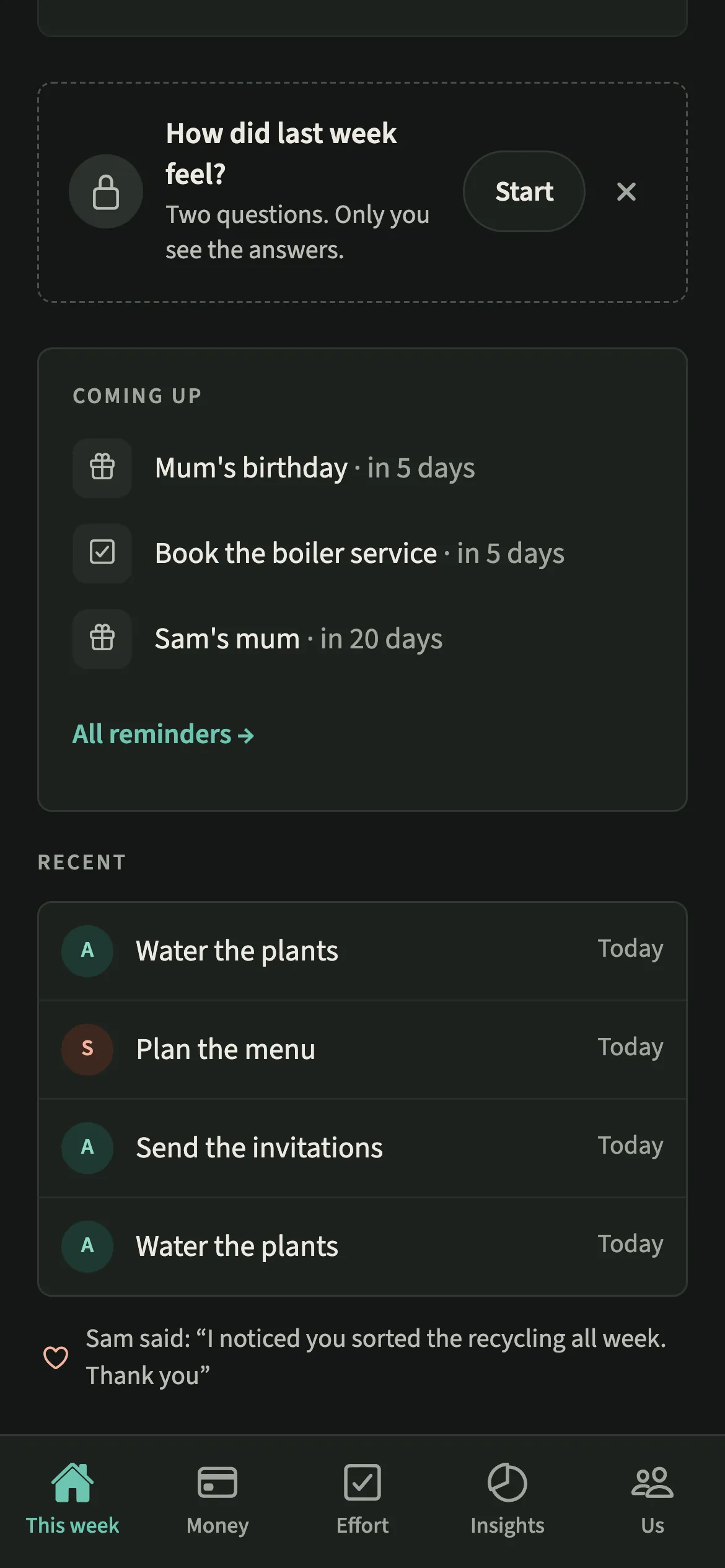
- Open your remindersOpen Us, then Household → Reminders and dates. You can also start from Coming up on the This week tab, which shows the next seven days.
- Pick the typeTap “Add a reminder” and pick Birthday, Anniversary, Event or To-do, then give it a name such as "Mum's birthday" or "Book the boiler service".
- Set the date and who it is forSet the date, today or later for a one-off, and either leave it as All day or add a time. Under For, choose Me, Both of us or your partner. If it is for your partner alone, the screen says so before you save.
- Choose the repeat and the noticeUnder Repeats pick Once, Every week, Every month or Every year. Under Remind pick one or more of On the day, An hour before, A day before or A week before.
- Save itTap “Add reminder”. It appears under Today, This week or Later, labelled with who it is for.
What does your partner see?
Every reminder in the household is on your partner’s list too, with no name on who set it. Both of you can see each reminder and who it is for, but only the people a reminder is for get its notice.
When a reminder is for your partner alone, the form tells you before you save: only they get it, it will not say who set it, and they can mute it for themselves. Muting is private in both directions. Deleting is shared: either of you can delete a reminder, and the app asks first, because it goes for both of you. A note shows inside the app, and in a calendar file if one is exported, never in a notification.
Tips for reminders that help rather than nag
- Press and hold a reminder, or tap its … button, for Edit, “Add to calendar”, “Mute for me” and Delete. “Mute for me” shows on reminders that include you, and a to-do also has Done.
- Nothing here is ever late. An open to-do from an earlier day stays on the list under Today. Once a one-off reminder's day has gone, it moves to Past reminders, where you can open, change or delete it.
- While you are Away, reminder notices pause for you. The reminders stay on the list.
- Type a date straight into Tell EvenUS, like "Mum's birthday on 14 November", and check the draft before saving.
- Want birthdays in the calendar you already use? See Add to calendar.
Why does a reminder never say who set it?
Because the moment a reminder carries a name, it stops being about the thing and becomes about the person. "Sam reminded you about the dentist" reads like a prompt from a partner. "Dentist tomorrow at 9:00 am" is the same information with nobody standing behind it.
The same thinking explains what is missing. There is no repeat-until-done: a to-do fires at the times you chose and then stops, and nothing records what was not done.
Is Reminders free?
Reminders keeps working after the 7-day free week, whether or not you subscribe. The computed views, such as the household balance and this week’s idea, are part of EvenUS Pro: $9.99 a month or $79.99 a year, with one subscription covering both partners. The free week needs no card, and nothing is charged when it ends.
Questions about Reminders
Can I set a reminder for my partner in EvenUS?
Yes. Choose your partner under For, and only they get the notification, though the reminder sits on both lists. It never says who set it, and your partner can mute it for themselves.
Does my partner know if I mute a reminder?
No. “Mute for me” stops the notices on your phone only, and nobody is told. The reminder stays on the shared list, marked as muted for you.
What time do all-day reminders arrive?
At 9:00 am in your household's time zone. A birthday set to remind a week before and on the day sends one notice a week ahead and another on the morning itself.
What happens to a reminder once its day has passed?
A one-off reminder is set for today or later, and once its day has gone it moves to Past reminders, folded under the list. Tap Past reminders to open one and change or delete it. Repeating reminders simply move on to their next date.
Do reminders need EvenUS Pro?
No. Reminders keep working after the 7-day free week, with or without a subscription. EvenUS Pro covers the computed views, not the everyday tools.
Related features
Other parts of EvenUS that work alongside Reminders.
Related reading
Articles on the questions behind this feature.