Android shortcuts: long-press EvenUS to add things in one tap
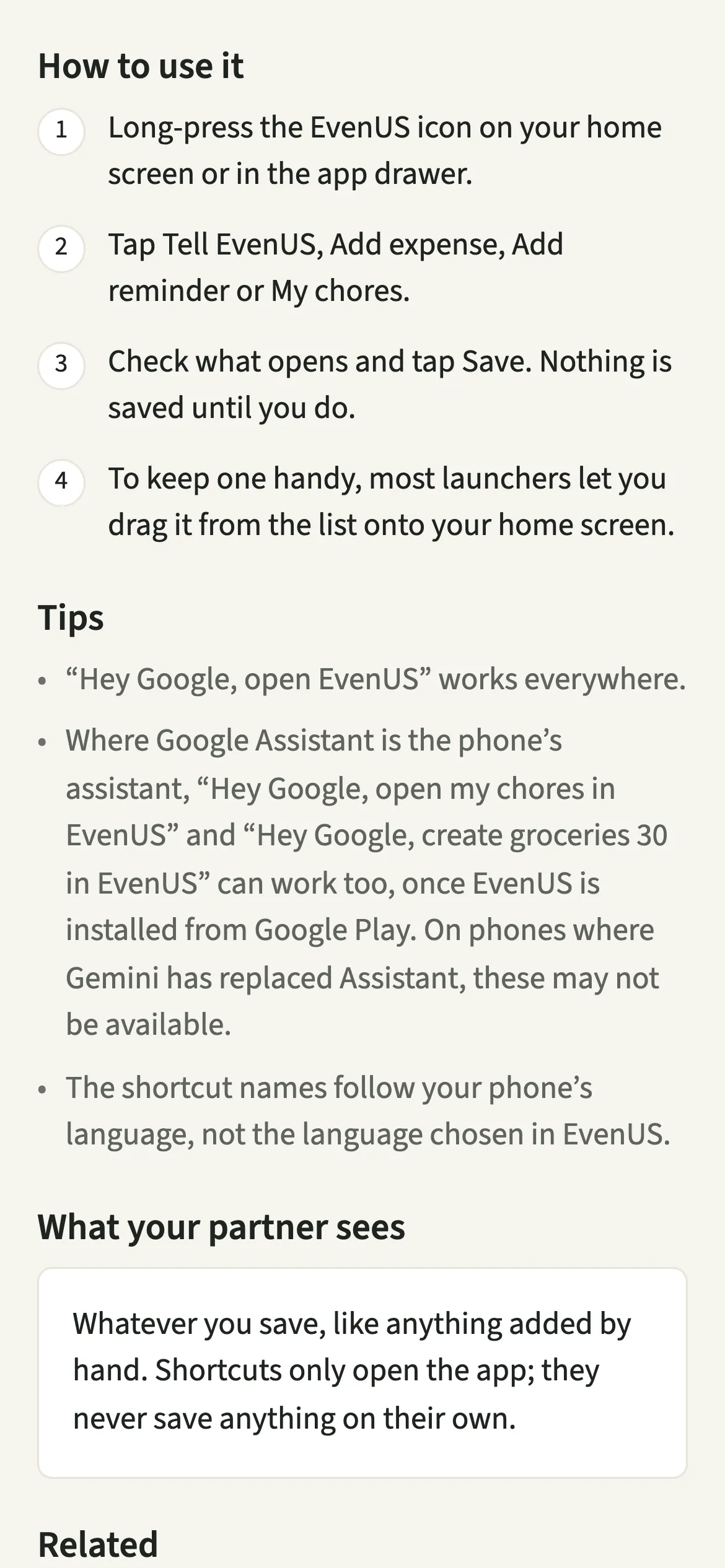
Android shortcuts in EvenUS are the options you see when you long-press the app icon: Tell EvenUS, Add expense, Add reminder and My chores. Each one opens the right screen directly, one tap sooner than opening the app and finding it. Shortcuts only open EvenUS; nothing is saved until you check what opened and tap Save.
What do the EvenUS Android shortcuts do?
They take you straight to the screen you want from the EvenUS icon, without going through Home first. Most things worth recording happen on the move: a bill paid at the counter, a reminder that occurs to you on the bus. The fewer taps between remembering and recording, the more of it actually gets written down.
Long-press the icon and four choices appear. “Tell EvenUS” opens the Tell EvenUS field, ready for a line like “groceries 30”. “Add expense” opens the new shared expense form. “Add reminder” opens a new reminder. “My chores” opens Effort, where your chores for today are.
None of them saves anything by itself. Each one opens a screen in the app, and you decide what to keep.
Who are Android shortcuts for?
For Android users who add things on the move and want one tap fewer to do it: the partner who logs the shop in the car park, or who adds a reminder the moment a school letter arrives. They work with nothing to set up, on the home screen and in the app drawer, on most Android launchers.
How do you use EvenUS shortcuts on Android?
Long-press the EvenUS icon, tap the shortcut you want, then check what opens and tap Save.
- Long-press the iconLong-press the EvenUS icon on your home screen or in the app drawer.
- Pick a shortcutTap Tell EvenUS, Add expense, Add reminder or My chores.
- Check and saveCheck what opens and tap Save. Nothing is saved until you do.
- Keep your favourite on the home screenTo keep one handy, most launchers let you drag it from the list onto your home screen, where it sits as its own icon.
What does your partner see?
Whatever you save, like anything added by hand. An expense added through the Add expense shortcut is an ordinary expense, and your partner sees it the same way, with who paid and how it was split.
Shortcuts only open the app; they never save anything on their own and never send your partner a message. Opening My chores shows your own phone’s Effort tab and nothing more.
Tips for Android shortcuts
- “Hey Google, open EvenUS” works everywhere.
- Drag the shortcut you use most, often Tell EvenUS, onto your home screen so it is one tap from anywhere.
- The shortcut names follow your phone’s language, not the language chosen in EvenUS. Change the app’s own language and the shortcuts stay as they were.
- Want to see today’s chores without tapping at all? Add the home-screen widget alongside the shortcuts.
Do they work on every Android phone, and with Google Assistant?
Long-press shortcuts are an Android feature, so they need Android and a launcher that supports app shortcuts, which most do. On iPhone, the equivalent is Siri and Shortcuts.
Voice is more limited. Where Google Assistant is the phone’s assistant, “Hey Google, open my chores in EvenUS” and “Hey Google, create groceries 30 in EvenUS” can work too, once EvenUS is installed from Google Play. On phones where Gemini has replaced Assistant, these may not be available. The shortcut labels come in English, Hindi, Spanish, French, German and Brazilian Portuguese.
Why don’t the shortcuts save anything straight away?
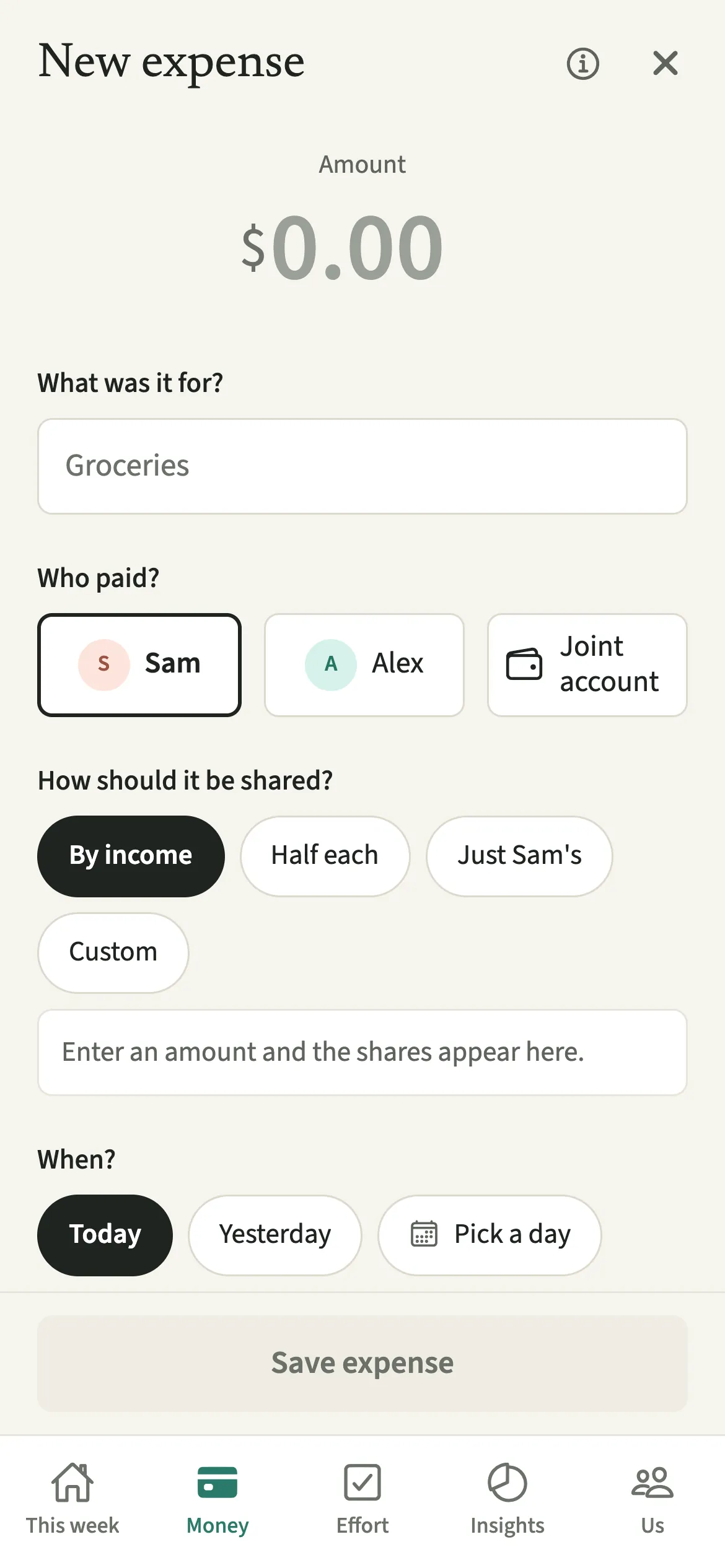
A shortcut is a way in, not a decision. If one tap could record an expense, a pocket tap or a child playing with the phone could put a cost in front of your partner that neither of you meant. So every shortcut opens a screen where you see the details first. Add expense opens the usual form with the day, you as the payer and your usual split already filled in, so most of the time checking it is a glance before Save.
Is Android shortcuts free?
Android shortcuts keeps working after the 7-day free week, whether or not you subscribe. The computed views, such as the household balance and this week’s idea, are part of EvenUS Pro: $9.99 a month or $79.99 a year, with one subscription covering both partners. The free week needs no card, and nothing is charged when it ends.
Questions about Android shortcuts
How do I add an expense quickly on Android?
Long-press the EvenUS icon and tap Add expense. The new expense form opens with the day, you as the payer and your usual split filled in, so you type the amount and what it was for, then tap Save.
Can EvenUS shortcuts save something without me checking it?
No. Every shortcut only opens a screen in EvenUS. Nothing is recorded, and nothing reaches your partner, until you check what opened and tap Save yourself.
Does EvenUS work with Google Assistant or Gemini?
“Hey Google, open EvenUS” works everywhere. Where Google Assistant is the phone’s assistant, it can also open your chores or start a Tell EvenUS line once EvenUS is installed from Google Play. Where Gemini has replaced Assistant, those may not be available.
Why are my EvenUS shortcuts in a different language from the app?
Android shows shortcut names in your phone’s language, because the launcher cannot see the language chosen inside EvenUS. Change the phone’s language to change them; the app itself keeps your own choice.
Are Android shortcuts part of EvenUS Pro?
No. The shortcuts keep working after the 7-day free week, with or without a subscription, and adding expenses, reminders and chores through them stays available too.
Related features
Other parts of EvenUS that work alongside Android shortcuts.
Related reading
Articles on the questions behind this feature.