Home-screen widget: today’s chores for you, without opening the app
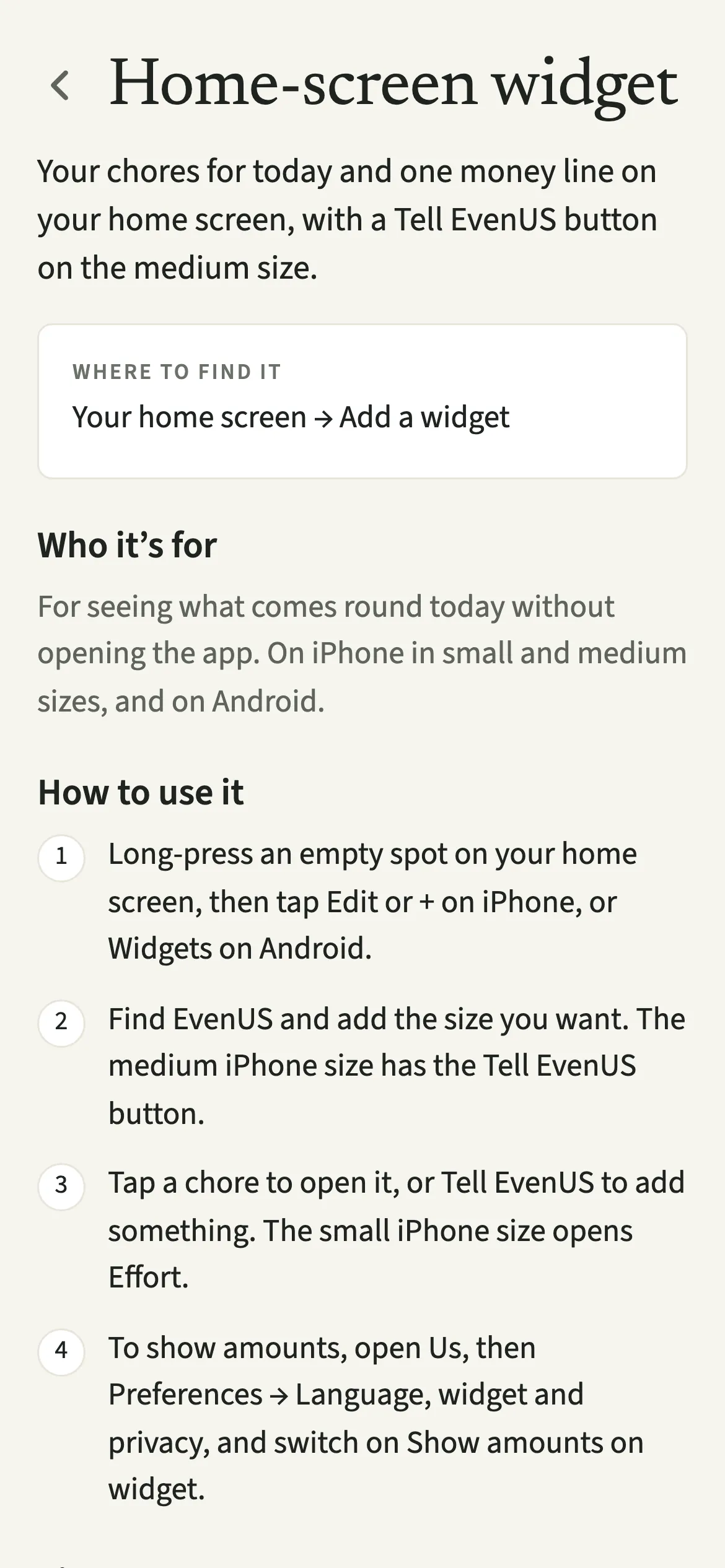
The EvenUS home-screen widget shows the next three of your own chores that come round today, and one line about what is left to even up, with the amount hidden unless you switch it on. It works on iPhone in small and medium sizes and on Android. The medium size adds a Tell EvenUS button for adding something in a few words.
What does the EvenUS widget do?
It puts today’s chores for you on your home screen, so you can see what comes round without opening EvenUS. A glance takes some of the remembering off your mind.
The widget lists up to three of your own chores for today, from the ones you set up in Effort, with a “+2 more” style line if there are others. Underneath is a single money line taken from the To even up card. Unless you choose otherwise, it says “Amounts are hidden on this widget”. With amounts on, it reads like “To even up: $42 from Sam to Alex”, or “Nothing to even up right now”.
On the medium iPhone size and on wider Android widgets there is also a “Tell EvenUS” button. It opens Tell EvenUS, where you type a line like “groceries 30” and check the draft before anything is saved.
Who is the widget for?
Anyone who would rather glance than open an app: the partner who wants to know what is theirs today while the kettle boils, or the one who keeps meaning to log the shop. Each of you adds your own, on your own phone.
How do you add the EvenUS widget?
Long-press an empty spot on your home screen, add the EvenUS widget in the size you want, and it fills in with today’s chores for you the next time EvenUS is open.
- Open the widget galleryLong-press an empty spot on your home screen. On iPhone, tap Edit or + at the top. On Android, tap Widgets.
- Pick EvenUS and a sizeFind EvenUS in the list and add the size you want. The medium iPhone size has the “Tell EvenUS” button; the small size shows your chores and the money line only.
- Use it from the home screenOn the medium size, tap a chore to open it, or tap “Tell EvenUS” to add something. The small iPhone size is one tap target and opens Effort.
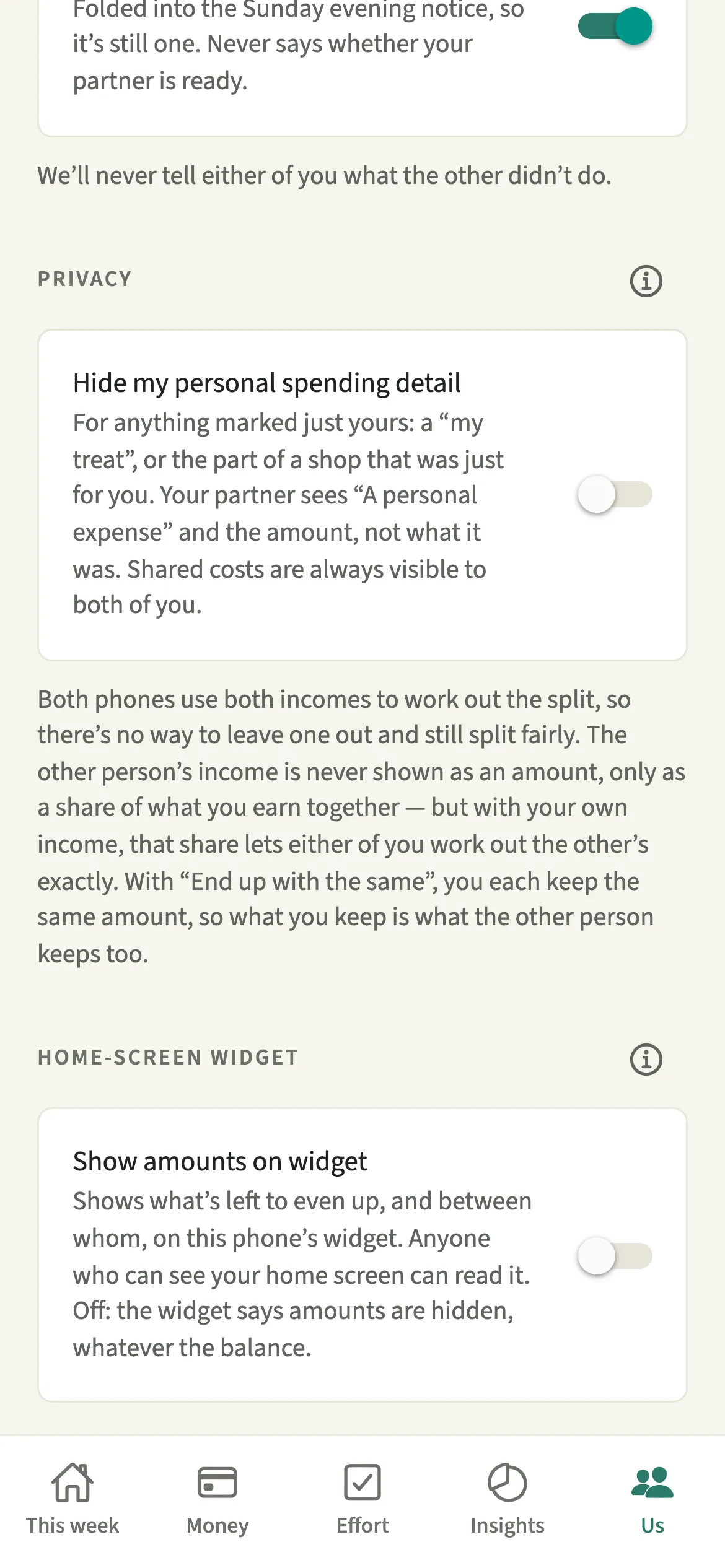
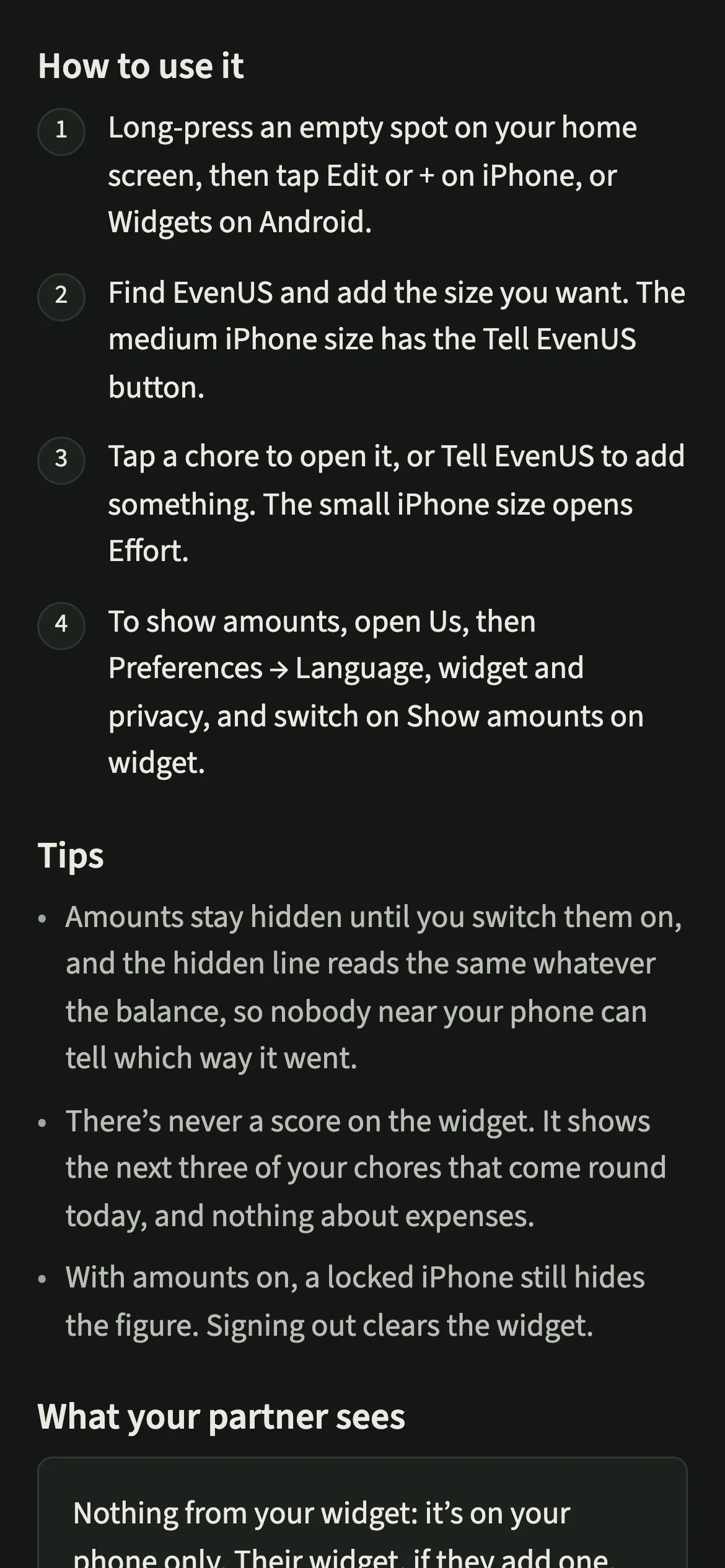
- Choose whether amounts showTo show the amount, open Us, then Preferences → “Language, widget and privacy”, and switch on “Show amounts on widget”. Leave it off to keep the figure hidden.
What does your partner see?
Nothing from your widget: it lives on your phone only. If your partner adds one, theirs shows their own chores for today, not yours, and “Show amounts on widget” is set on each phone separately. Switching it on for yourself never changes what their home screen shows.
The widget is built for a screen other people can see. There is never a score on it, never a list of expenses, and with amounts off the money line reads the same words whatever the balance, so nobody glancing at your phone can tell which way things stand. Your personal spending stays covered by Hide my personal spending detail as it does in the app.
Tips for getting the most from the widget
- Amounts stay hidden until you switch them on, and the hidden line reads the same whatever the balance. Leave it off if your phone often sits face up on a shared table.
- With amounts on, a locked iPhone still hides the figure. It only shows once the phone is unlocked.
- If the widget says “Open EvenUS for today’s chores”, it is showing an earlier day. Opening the app once brings it up to date.
- Signing out of EvenUS clears the widget, so a shared or handed-on phone keeps nothing on its home screen.
Why is there no score or expense list on the widget?
A home screen is a public place. Friends, children and colleagues see it when your phone lights up, and a figure about how a household shares its work is not something either of you agreed to show them. So the widget keeps to what is yours to do today and a neutral line about money. The household balance (the fairness score) stays inside the app. And because it lists only your own chores, it is a reminder to you, never a view of your partner.
Is Home-screen widget free?
Home-screen widget keeps working after the 7-day free week, whether or not you subscribe. The computed views, such as the household balance and this week’s idea, are part of EvenUS Pro: $9.99 a month or $79.99 a year, with one subscription covering both partners. The free week needs no card, and nothing is charged when it ends.
Questions about Home-screen widget
Can my partner see my EvenUS widget?
No. The widget is on your phone only. If your partner adds the widget to their own phone, it shows their chores for today, and whether amounts show is set separately on each phone, so your choice never changes theirs.
Does the widget show the household balance or a score?
No. There is never a score on the widget. It shows up to three of your chores that come round today and one money line about what is left to even up, which stays hidden unless you switch amounts on.
Why does the small iPhone widget not have a Tell EvenUS button?
The small iPhone size can only have one tap target, so tapping anywhere on it opens Effort. Choose the medium size if you want the Tell EvenUS button next to your chores.
Do I need EvenUS Pro to use the widget?
No. The widget keeps working after the 7-day free week, with or without a subscription. It shows your chores and the even-up line, neither of which is part of EvenUS Pro.
Related features
Other parts of EvenUS that work alongside Home-screen widget.
Related reading
Articles on the questions behind this feature.