Effort: one shared housework list that records the real time
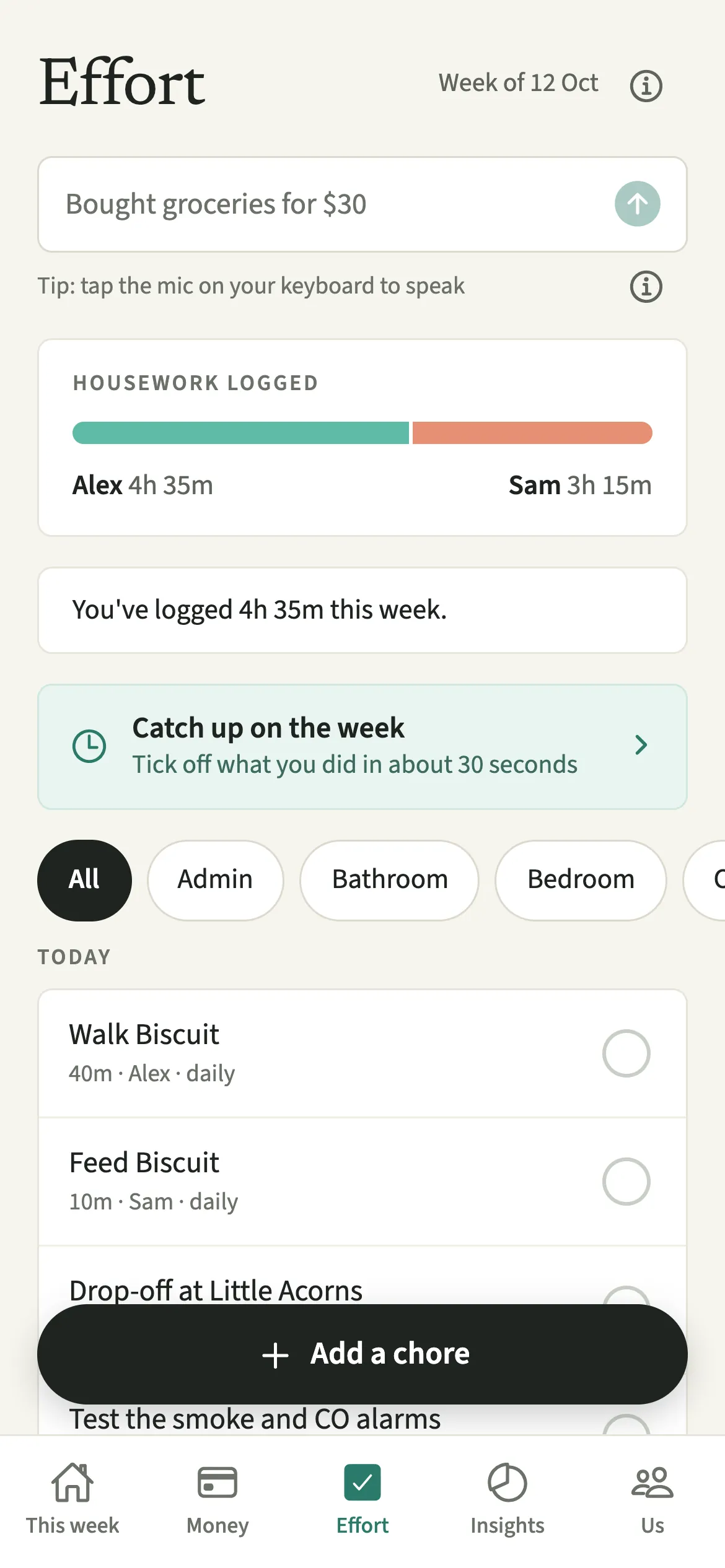
Effort is the shared housework list in EvenUS. You add the chores your home needs, give each one an owner and a usual time, and tick a chore off when it is done. Each tick records the minutes it really took, so both phones show the housework that actually happened, and the time half of the household balance is built from those minutes.
What does Effort do?
It turns the housework from something that happens quietly into something both of you can see, measured in real time rather than impressions. In most homes, a few jobs seem to do themselves: the bins go out, the sheets get changed. Someone is doing them, and usually only that person knows how long they take.
Effort is a tab with one list for the household. Each chore has a name, the minutes it usually takes, how often it comes round and who owns it, grouped into Today, Later this week and Further out. When you finish something, you tick it, and the minutes go into the week’s Housework logged.
Those minutes are the time half of the household balance. Only logged time counts, never the estimate, and entries that overlap count once.
Who is Effort for?
Any couple who wants the everyday work of the house to be seen, not just done. It helps most when the same few jobs seem to happen by themselves, or when one of you suspects the split is uneven but neither of you could put a number on it.
How do you use Effort in EvenUS?
Add your chores on the Effort tab, give each one an owner, and tap the circle beside a chore when you finish it to record the time it took.
- Add your choresOpen the Effort tab and tap “Add a chore”, or start from “Browse templates” to add the common ones in a couple of taps.
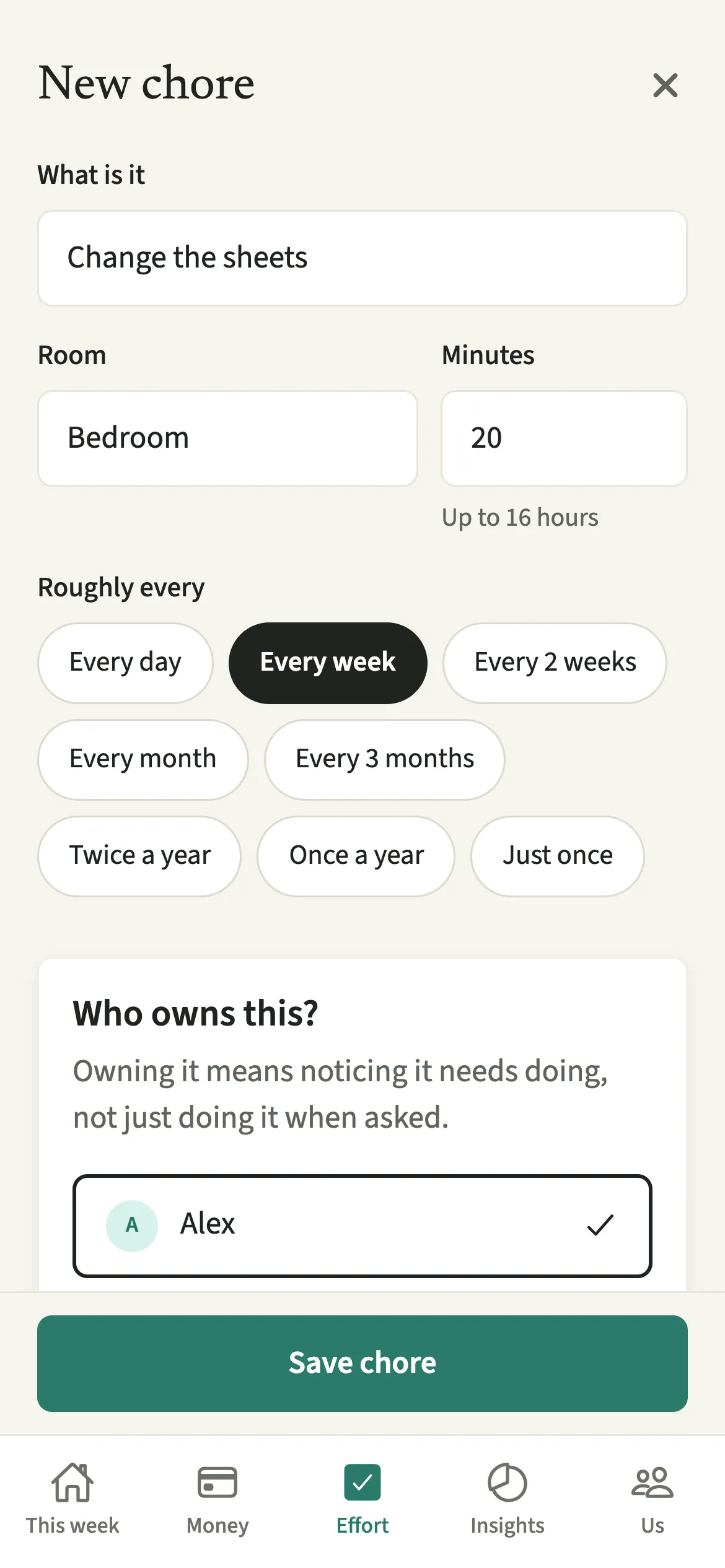
- Describe each choreGive it a name, the minutes it usually takes, how often it comes round, and who owns it. If you like, fill in “What does done look like?”.
- Tick it off with the real timeTap the circle next to a chore when you finish it. Tap “Done, about” the usual time, or put in when you “Started” and “Finished” and tap “Save”. Long press the circle to start a timer instead.
- Use the long press menuLong press a chore for “Done…”, to hand it to your partner, “Park it for a bit”, “Skip this one”, or “Remove from list”.
- Tap a ticked circle againA chore already done today can be tapped again: “Done again…” logs another round, and “Undo my entry” takes back your own tick.
What does your partner see?
Your partner sees the same list, who owns each chore, and the week’s Housework logged. A tick shows who did it, and the minutes go into that person’s week.
Skipping or parking a chore sends nobody a message. A skipped chore stops building up, and the reasons on offer are plain ones such as “Didn’t need doing” or “Was away”. Nothing in Effort lets one of you chase the other; a chore reminder goes to the owner without saying who set it. Undo only ever reaches your own entry.
Tips for getting the most out of Effort
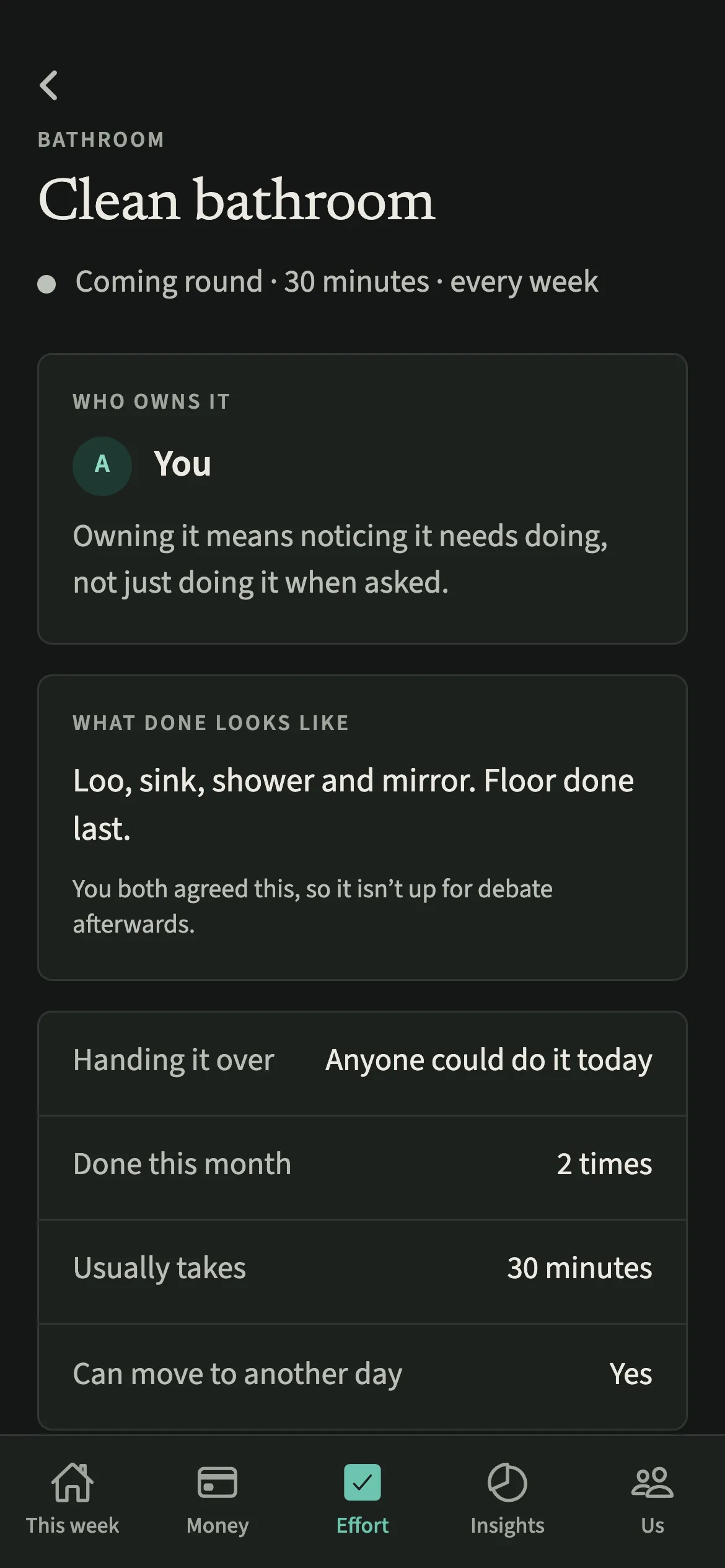
- Owning a chore means noticing it needs doing, not just doing it when asked. Agree owners together rather than handing them out.
- Only the time you log counts, never the estimate. Each log keeps its own minutes, so editing a chore later never changes a past week. A one-off chore leaves the list the day after it is done, and comes back by itself if you remove its only entry under Add a chore you did.
- Removing a chore keeps everything already logged for it, and Restore puts it back on the list. Removing a log moves the chore’s “last done” back to the entry before it.
- If ticking as you go does not happen, Catch up on the week logs the recurring chores in about 30 seconds, and Add a chore you did takes entries up to 31 days back.
Why does EvenUS count logged time instead of the number of chores?
A list of ticks treats every job as equal, and they are not. Cleaning the bathroom properly might take 40 minutes; taking out the bins takes five. If Alex does eight quick jobs and Sam does three long ones, a count says Alex did more, while the clock might say the opposite.
EvenUS also does not invent time on anyone’s behalf. The estimate pre-fills the “Done” button, but only minutes someone logs reach time of your own or the household balance. Someone who logged nothing shows nothing, rather than a guess.
Is Effort free?
Effort keeps working after the 7-day free week, whether or not you subscribe. The computed views, such as the household balance and this week’s idea, are part of EvenUS Pro: $9.99 a month or $79.99 a year, with one subscription covering both partners. The free week needs no card, and nothing is charged when it ends.
Questions about Effort
Does EvenUS count a chore if nobody ticks it off?
No. Only time someone logs counts, never the estimate on the chore. If a week went by without ticking, Catch up on the week lets each of you confirm the recurring chores you did in about 30 seconds.
Can I do the same chore twice in one day?
Yes. Tap the ticked circle and choose Done again… to log another round with its own time. The same choice offers Undo my entry, which removes only your own tick for today.
Is Effort part of the paid subscription?
No. Adding chores and ticking them off keeps working after the 7-day free week, with or without EvenUS Pro. The computed views built on top of it, such as the household balance and the weekly idea, are part of EvenUS Pro.
Does emotional labour count in Effort?
No. Effort records the physical work of the house in minutes. Planning and remembering are counted separately as hours through Who keeps track of what, and emotional labour is deliberately not scored anywhere in EvenUS.
Related features
Other parts of EvenUS that work alongside Effort.
Related reading
Articles on the questions behind this feature.