Add a chore you did: record the real time, or add one you forgot
Add a chore you did is how EvenUS records the real time housework took. You pick the chore, choose the day and put in when you started and finished, up to 31 days back. You can also run a timer while you work. The entry lands in the week you did it, and only logged minutes count towards the household balance, never the estimate.
What does Add a chore you did do?
It lets you record housework with the time it really took, including the jobs you finished and forgot to tick off. You clean the oven on Saturday, mean to log it, and by Wednesday it has slipped your mind. Without a way to add it later, that work would quietly disappear from the week.
The Effort tab has “Add a chore you did” for exactly this. You choose the chore, or describe something that is not on the list, pick the day and enter a start and finish time. The entry goes into the week it was done in, even if that week has already closed, and the household balance for that week is worked out again.
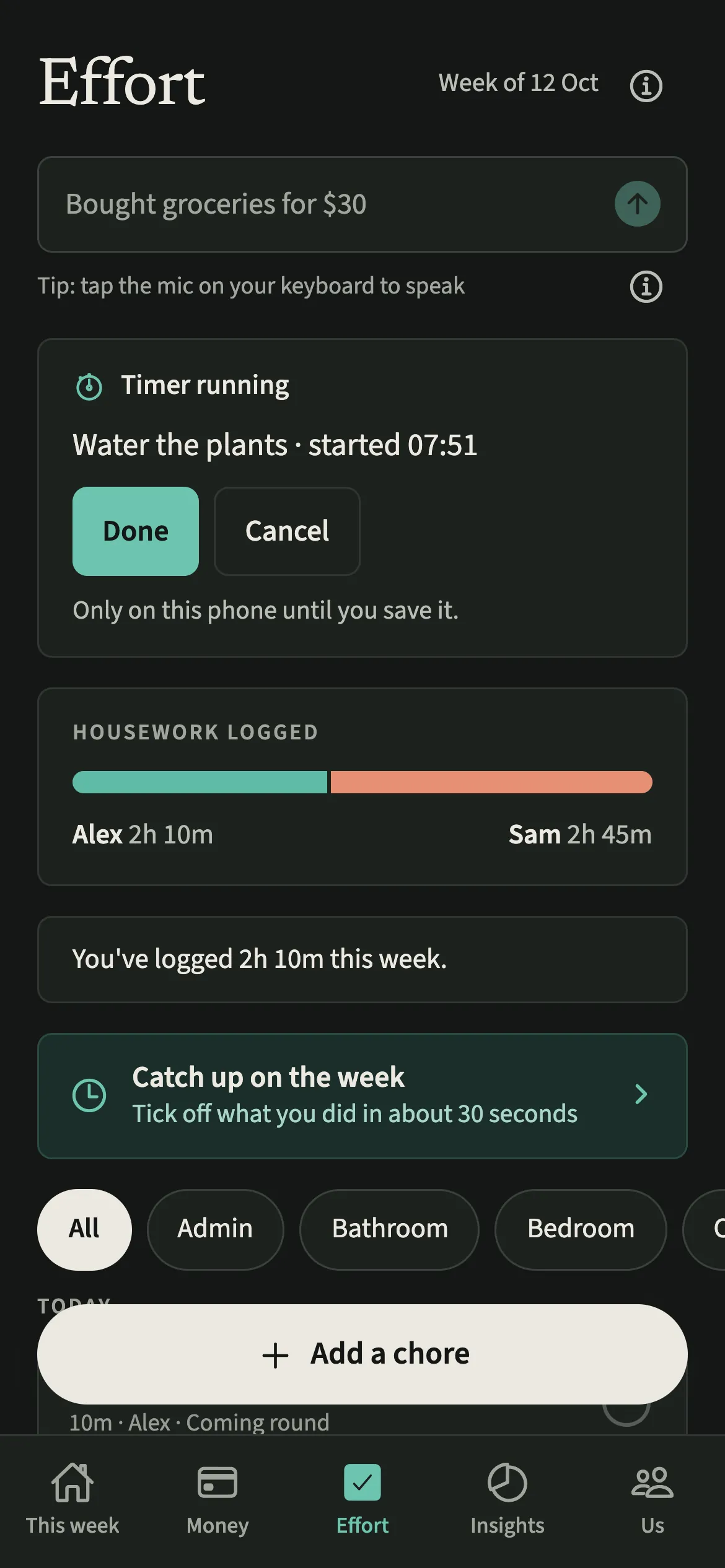
For the chore you are about to start, a timer does the remembering. Long press a chore’s circle on the Effort tab, do the job, and tap Done on the banner when you finish.
Who is Add a chore you did for?
Anyone who finishes a job and forgets to tick it off, which is most people some of the time. It also suits the partner whose chores take longer than the estimate suggests, such as a deep clean, and who wants the week to show the real time.
How do you add a chore you already did?
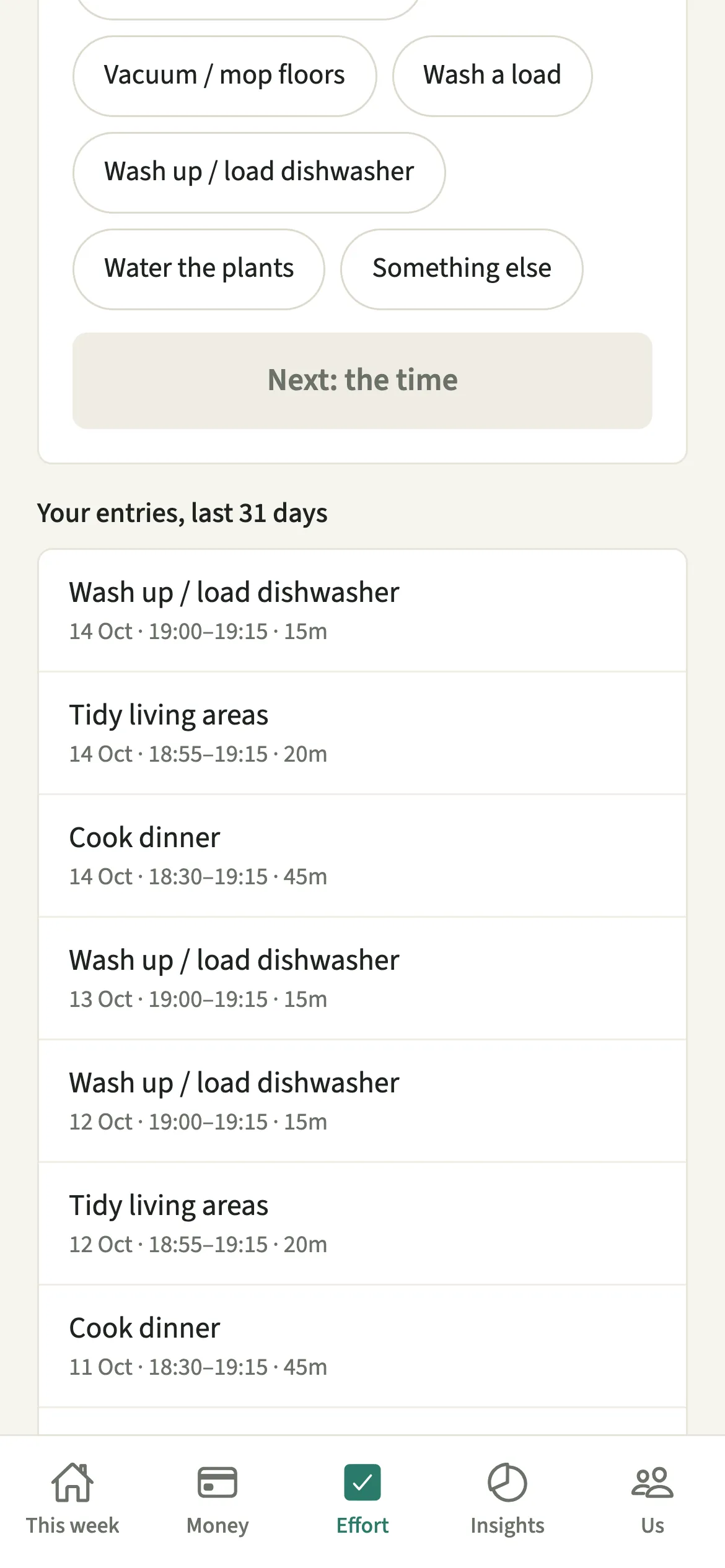
On the Effort tab, tap “Add a chore you did”, pick the chore, tap “Next: the time”, enter the day and times, and tap “Save”.
- Open the formOpen the Effort tab and tap “Add a chore you did”.
- Choose what you didUnder “Which chore?” pick the chore, or tap “Something else” and type it under “What did you do?”.
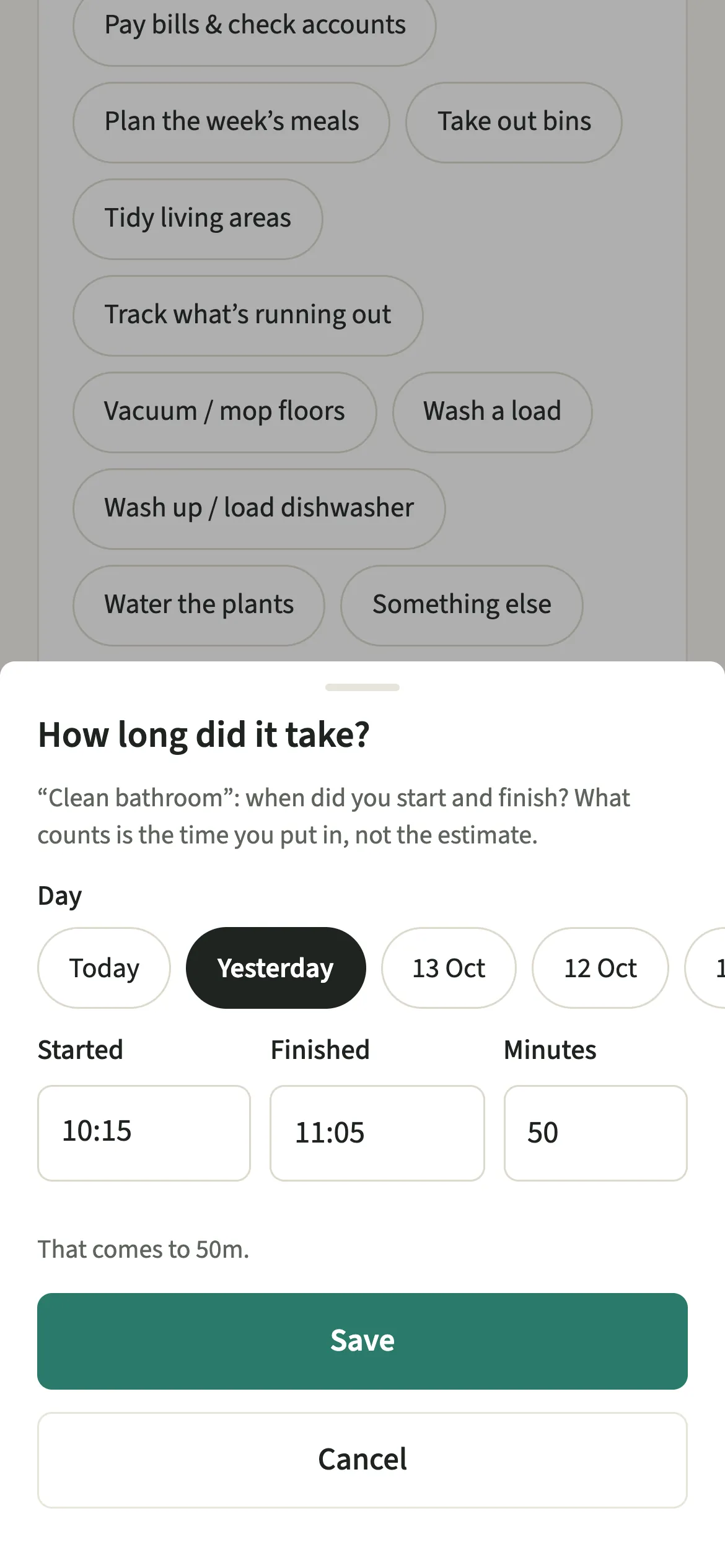
- Put in the timeTap “Next: the time”, choose the day, put in when you “Started” and “Finished”, then tap “Save”. The form shows what it comes to before you save.
- Fix an entry if you need toTo correct one of yours, tap it under “Your entries, last 31 days”, then tap “Change the time” or “Remove”.
What does your partner see?
Your partner sees the chore as done in the week you did it, with its minutes. A late entry is not marked as late. It simply appears where it belongs.
A running timer stays on your phone until you save it, so your partner never sees a job in progress. Only you can change or remove your own entries, and when you do, the change or removal shows in the activity feed on both phones. “Your entries, last 31 days” lists only your own.
Tips for recording chore time
- On the Effort tab, long press a chore’s circle to start a timer. Tap Done on the banner when you finish. Cancel asks first, then “Stop without saving” throws the time away.
- Tell EvenUS, Siri and the watch understand lines like “did the dishes 20 min yesterday 7pm”. The minutes end at the time you said.
- Use “Something else” for one-off jobs like clearing the loft. It is added once and leaves the list on its own.
- One entry can be up to 16 hours. For a longer stretch, such as a whole day of moving house, add it as two entries.
- Removing an entry also moves the chore’s “last done” back to the entry before it, so the list knows when it is really due again.
Why does the household balance wait for enough logged time?
Only the time you log counts, never the estimate, which makes the first days of a week thin on data. While there is less than an hour logged between you this week, or you have been home together for less than two days, the time part of the balance waits rather than drawing a conclusion from almost nothing. It never says whose time is missing.
Entries that overlap also count once. If Sam logs cooking from 18:00 to 18:45 and a laundry load from 18:30 to 19:00, the 15 shared minutes are counted a single time, because nobody spends one evening twice.
Is Add a chore you did free?
Add a chore you did keeps working after the 7-day free week, whether or not you subscribe. The computed views, such as the household balance and this week’s idea, are part of EvenUS Pro: $9.99 a month or $79.99 a year, with one subscription covering both partners. The free week needs no card, and nothing is charged when it ends.
Questions about Add a chore you did
How far back can I add a chore in EvenUS?
Up to 31 days. Pick the day when you put in the time, and the entry lands in the week you did it, even if that week has already finished. Your own entries can be changed or removed for 31 days too.
Can my partner change the time I logged?
No. Only you can change or remove your own entries. When you do, the change or removal shows in the activity feed, so both of you can see that an entry moved without anyone needing to ask.
Does a chore timer keep running if I close the app?
Yes. The timer is kept on your phone, so it survives the app being closed, and nothing is shared until you save. Tap Done when you finish and the time sheet opens with the start and finish filled in. If the chore was removed meanwhile, Done saves the time as something else you did.
Can I log a chore that is not on our list?
Yes. Tap Something else, say what you did, and put in the time. It is saved as a one-off chore of yours, counted in that week, and leaves the list on its own afterwards.
Related features
Other parts of EvenUS that work alongside Add a chore you did.
Related reading
Articles on the questions behind this feature.