Catch up on the week: log your recurring chores in about 30 seconds
Catch up on the week is a short screen in EvenUS that logs the week’s recurring chores in one go. Everything is already ticked against whoever usually looks after it, so you untick what did not happen, set how long your own chores really took, and tap Log these. Each of you confirms only your own, and nothing unticked is counted against anyone.
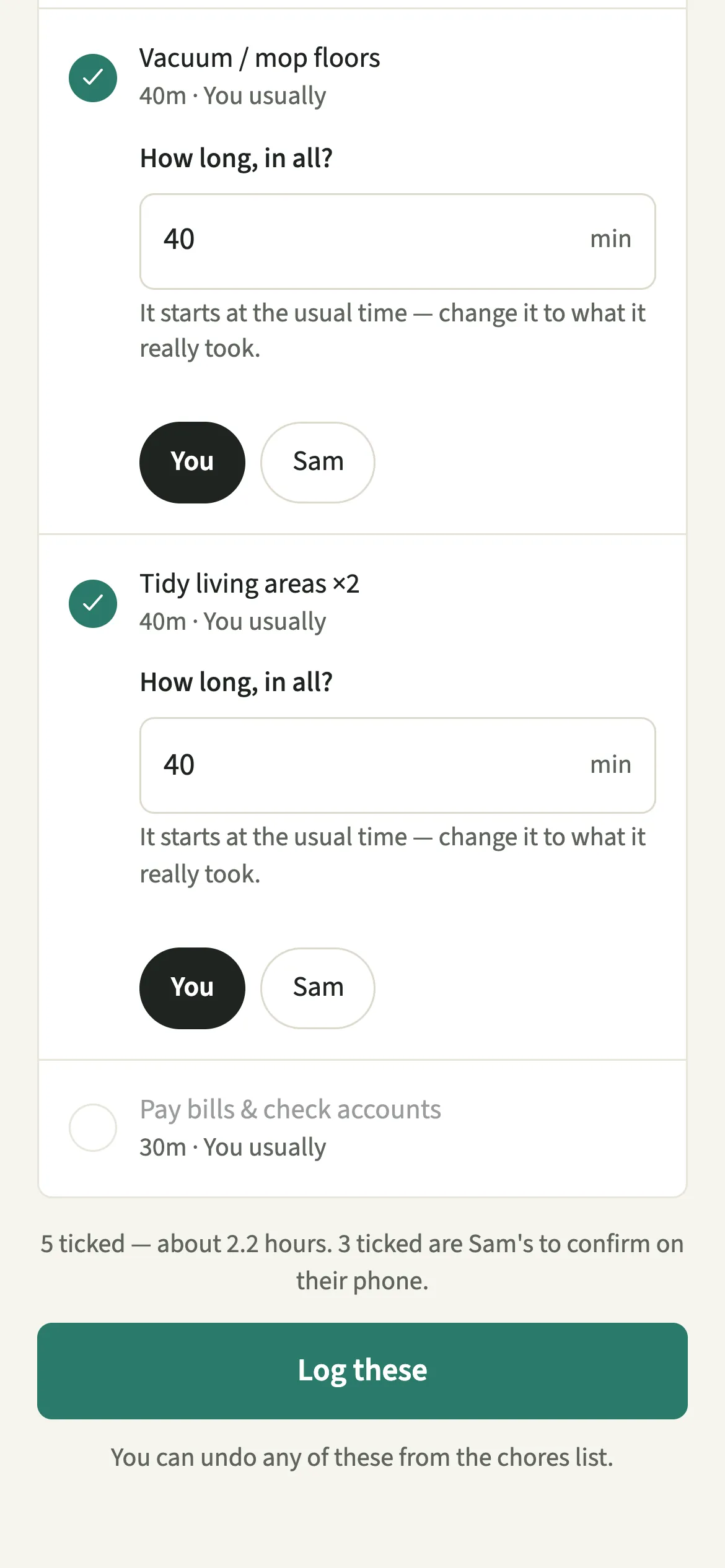
What does Catch up on the week do?
It turns a week of forgotten ticks into one quick confirmation, so the housework still gets recorded when nobody logged as they went. By Sunday, the dishes, the hoovering and three loads of laundry are done but not recorded, and logging them one by one feels like admin.
The catch-up screen, titled “What actually got done?”, builds the list for you. Every recurring chore still waiting this week appears, already ticked against whoever usually looks after it. Anything already logged is left out, so nothing is asked twice.
For your own chores, each row starts at the usual time, and you change it to what it really took. That matters because the household balance counts logged minutes, never estimates.
Who is Catch up on the week for?
For weeks when ticking things off as you go didn’t happen, which is most weeks for most people. It suits couples who would rather spend half a minute on Sunday evening than think about the app every day.
How do you catch up on the week in EvenUS?
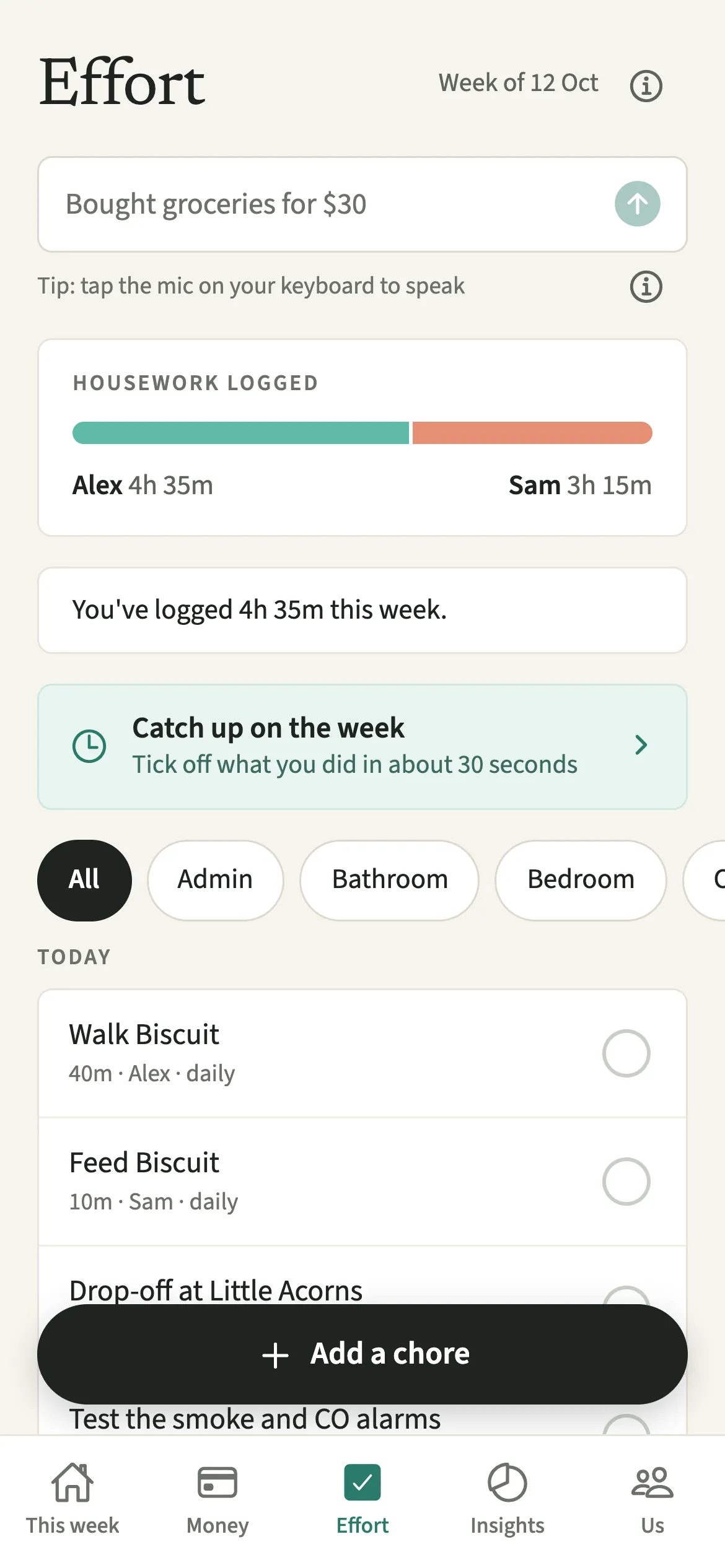
Tap “Catch up on the week” on the Effort tab, correct anything that is not right, and tap “Log these”.
- Open the catch-upOpen the Effort tab and tap “Catch up on the week”. It shows up when recurring chores are waiting to be confirmed.
- Untick what didn’t happenEverything is already ticked against whoever usually looks after it. Untick anything that didn’t happen this week.
- Correct who did itTap a name to change who did a chore, for example when your partner took the bins out on a week you usually do.
- Set the real time for your ownFor each of your own chores, set “How long, in all?”. It starts at the usual time; change it to what it really took.
- Log the weekTap “Log these”. If it was a quiet week, “Log nothing this week” is a fine answer too.
What does your partner see?
Each of you logs your own, so your catch-up never records time on your partner’s behalf. Anything you mark as your partner’s is not logged by you; it waits in their own catch-up to confirm, with their own minutes. When you finish, the screen tells you how many are theirs to confirm on their phone.
Unticked chores are not counted against anyone, and nobody is told about them. Once saved, your partner sees what they would see for any tick: the chore as done this week, by you, with your minutes.
Tips for a quick weekly catch-up
- Anything already logged this week is left out, so nothing is asked twice. Ticking as you go just makes the list shorter.
- You can undo any of these from the chores list.
- Give your recurring chores owners. Only owned chores are pre-ticked, so an unowned chore always starts unticked.
- A job that comes round every three months or once a year is listed only once it is due, and is never pre-ticked. Tick it yourself if it was done.
- For a one-off job or something from an earlier week, use Add a chore you did instead, with the day and times it happened.
How does the catch-up work out the time?
Each row starts at the usual minutes for that chore multiplied by the times it is still waiting. If Alex owns a daily wash-up of 15 minutes and logged it on Monday and Tuesday, by Sunday evening the row shows it five more times and starts at 75 minutes. Alex can change that to 60 if some evenings were quicker. It is saved as one entry.
Entries that overlap count once, so the catch-up lays the batch end to end in the time this week you have not already logged. If what you ticked needs more time than the week has had so far, nothing is saved and the screen asks you to lower a few of the minutes. A row left without a number is pointed out before anything is logged.

Is Catch up on the week free?
Catch up on the week keeps working after the 7-day free week, whether or not you subscribe. The computed views, such as the household balance and this week’s idea, are part of EvenUS Pro: $9.99 a month or $79.99 a year, with one subscription covering both partners. The free week needs no card, and nothing is charged when it ends.
Questions about Catch up on the week
Can I log chores my partner did in the catch-up?
Not on their behalf. If you mark a chore as your partner’s, it is not logged by you. It waits in their own catch-up for them to confirm with their own minutes, so each of you only ever records your own time.
Does unticking a chore count against my partner?
No. Unticked chores are not counted against anyone, and nobody is told about them. An unticked chore simply records that it did not happen this week, which is useful to know and says nothing about either of you.
Why doesn’t Catch up on the week appear on my Effort tab?
It only shows when recurring chores are waiting to be confirmed. If everything this week is already logged, parked or skipped, or you have no recurring chores yet, there is nothing to catch up on.
What if I log something by mistake in the catch-up?
You can undo any of these from the chores list. Your own entries can also be changed or removed from Add a chore you did for 31 days, and a change shows in the activity feed.
Related features
Other parts of EvenUS that work alongside Catch up on the week.
Related reading
Articles on the questions behind this feature.