Tax-year summary: a year of shared spending as a PDF and a CSV
The tax-year summary in EvenUS turns one tax year of a couple’s shared spending into a PDF and a CSV. It totals the year by category and by who paid, picks out childcare and health, and lists every shared expense. The year follows your household’s country, such as 6 April to 5 April in the UK. It is a tidy record for a return or an accountant, not tax advice.
What does the Tax-year summary do?
It gives you one clean record of everything the two of you spent together over a tax year, ready to file away or hand over. When a return is due, or an accountant asks what you spent on childcare, the answer is usually spread across two banking apps, a few receipts and somebody’s memory.
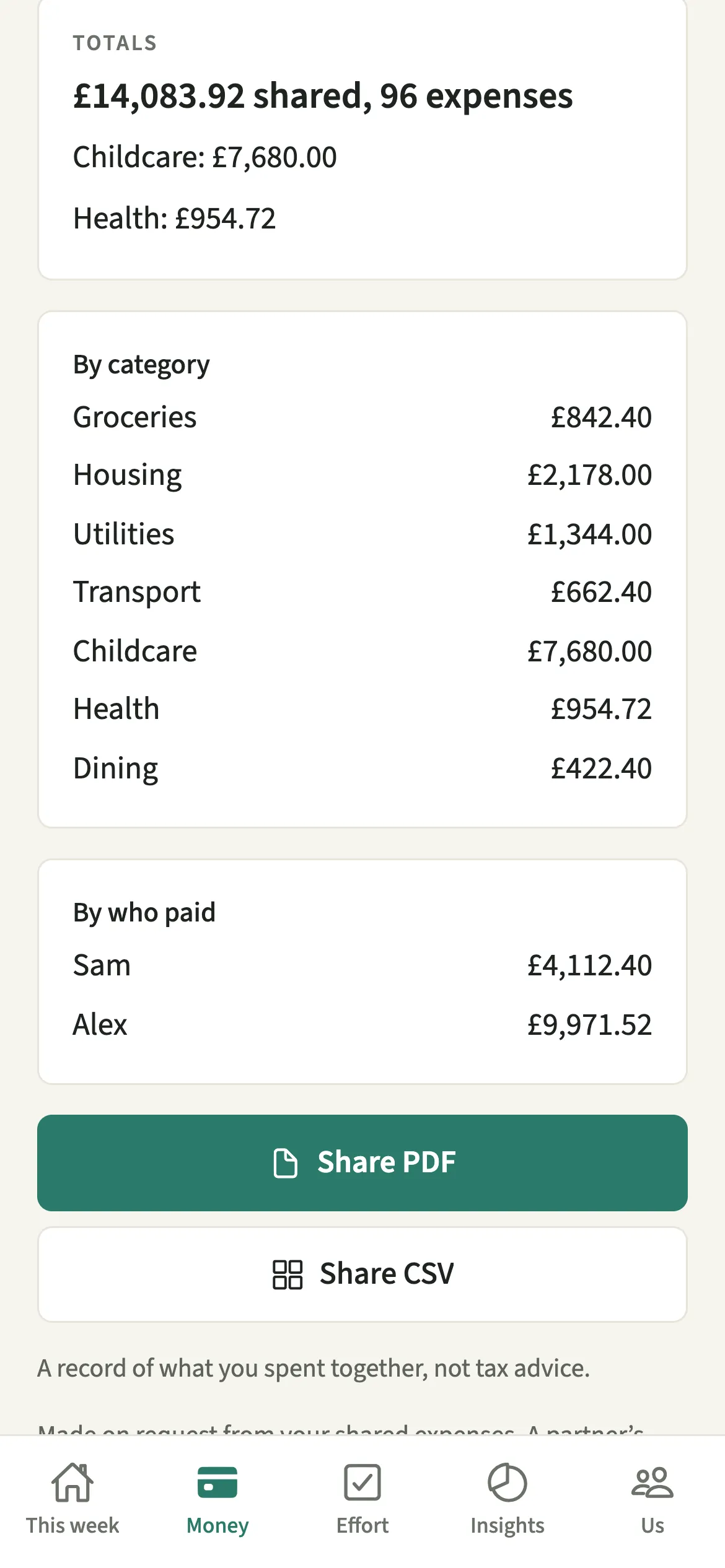
If you have been recording shared costs in EvenUS, the record already exists. The summary adds it up for the year you choose: a total, the split by category, the split by who paid, and childcare and health shown on their own lines because those are the figures people most often go looking for. The CSV lists every shared expense with its date, what it was, its category, the shared amount, the currency, who paid and a note where it is childcare or health.
It covers what you spent together. For a full copy of everything in your household, use Export your data instead.
Who is the Tax-year summary for?
Anyone filing a return, looking up childcare or health costs, or handing a tidy record to an accountant. It also helps couples who simply like to look back at a year in one document. Either partner can make one at any time.
How do you make a tax-year summary in EvenUS?
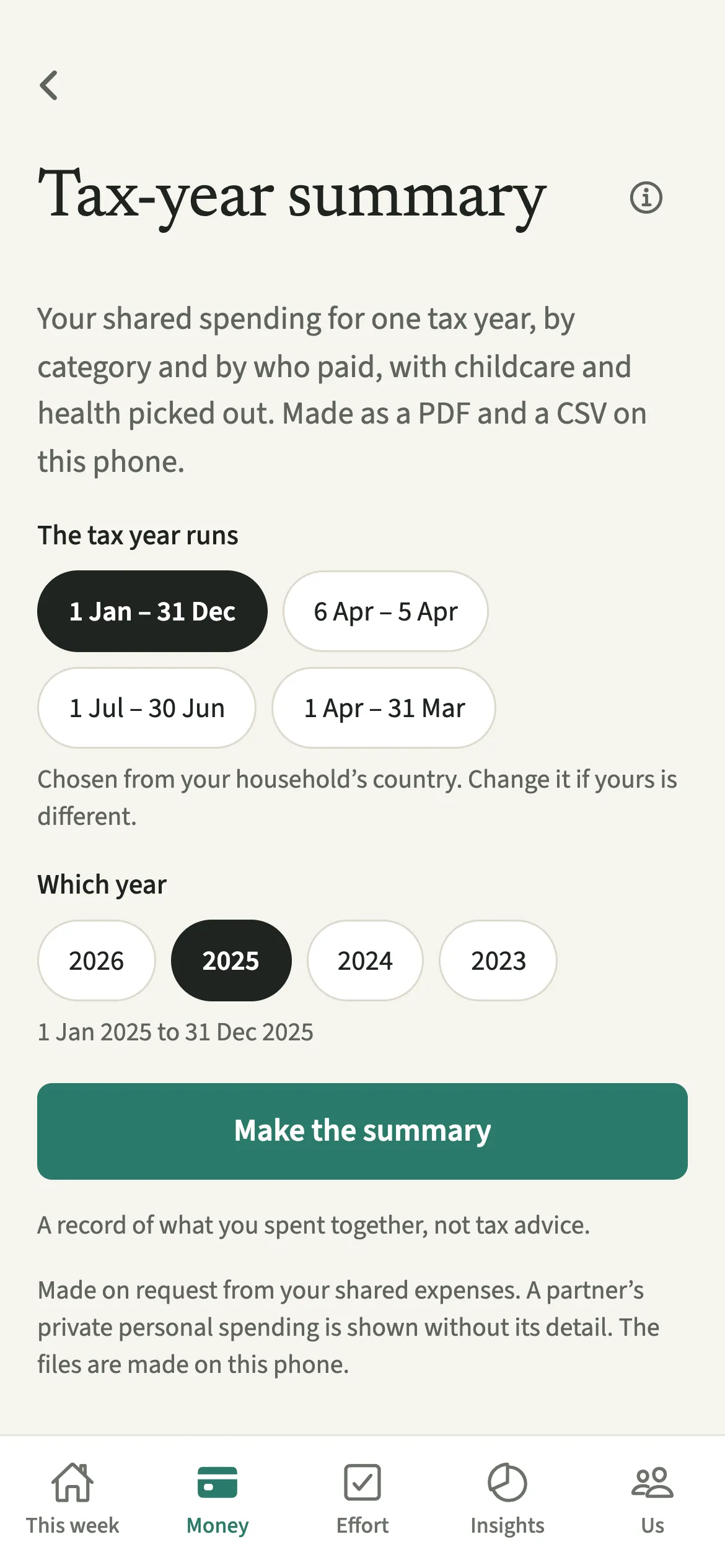
Open Money, tap “Tax-year summary” under Reports, check the dates, pick the year, tap “Make the summary”, then share the PDF or CSV.
- Open the summaryOpen the Money tab, then under Reports tap “Tax-year summary”.
- Check when your tax year runsUnder “The tax year runs”, check the dates. They are chosen from your household’s country, and you can change them if yours is different.
- Pick the yearUnder “Which year”, choose the tax year you want.
- Make itTap “Make the summary”. The totals appear on screen: the year’s shared total, childcare, health, by category and by who paid.
- Share or save the filesTap “Share PDF” or “Share CSV” and choose where to send or save it from your phone’s share sheet.
What does your partner see, and what stays private?
Either of you can make a summary, and it covers the household’s shared spending. Making one does not notify your partner or change anything in the app.
Privacy works as it does everywhere else in EvenUS. If your partner uses Hide my personal spending detail, their hidden personal spending appears in your summary as “A personal expense”, without its title. Purely personal money, such as a treat marked as just yours or the personal part of a shop, is not shared spending and is left out altogether.
Tips for using the summary at tax time
- It is a record of what you spent together, not tax advice. Childcare and health are picked out because those are the lines people look for. Whether anything is claimable is for you and your adviser.
- The year is added up on EvenUS’s server when you tap, and the PDF and CSV are made on this phone.
- Open the CSV in any spreadsheet to filter by category or add your own notes before handing it over.
- Missing months? Import a bank statement to add shared payments you never recorded, then make the summary again.
Which tax years does it support?
The tax year follows your household’s country:
- UK: 6 April to 5 April.
- India: 1 April to 31 March.
- Australia: 1 July to 30 June.
- US and Canada: 1 January to 31 December.
Everywhere else it runs from 1 January, and you can change it on the screen. In the US, the childcare and health totals come with a note that these are often what dependent-care FSA, medical FSA and HSA claims ask about, and to check with your plan or a tax adviser.
Is Tax-year summary free?
Tax-year summary keeps working after the 7-day free week, whether or not you subscribe. The computed views, such as the household balance and this week’s idea, are part of EvenUS Pro: $9.99 a month or $79.99 a year, with one subscription covering both partners. The free week needs no card, and nothing is charged when it ends.
Questions about Tax-year summary
Is the EvenUS tax-year summary tax advice?
No. It is a record of what the two of you spent together over a tax year, grouped by category and by who paid. Childcare and health are picked out to save you looking, but whether anything is claimable is for you and a tax adviser.
Does the summary include my personal spending?
No. Purely personal money is left out altogether, because it is not shared spending. Only what the two of you shared is counted. A partner’s hidden personal spending shows as A personal expense, without its detail.
Can I change the dates of the tax year?
Yes. The dates are chosen from your household’s country, and you can change them on the screen under The tax year runs if yours is different, for example if you live in one country and file in another.
Where are the PDF and CSV made?
The year is added up on EvenUS’s server when you tap Make the summary, and the PDF and CSV files are made on your phone. You choose where they go from your phone’s share sheet.
Is the tax-year summary free?
Yes. The tax-year summary keeps working after the 7-day free week, with or without EvenUS Pro, so you can make one for any year you have recorded.
Related features
Other parts of EvenUS that work alongside Tax-year summary.
Related reading
Articles on the questions behind this feature.