Savings goals: save towards something together and watch one bar fill
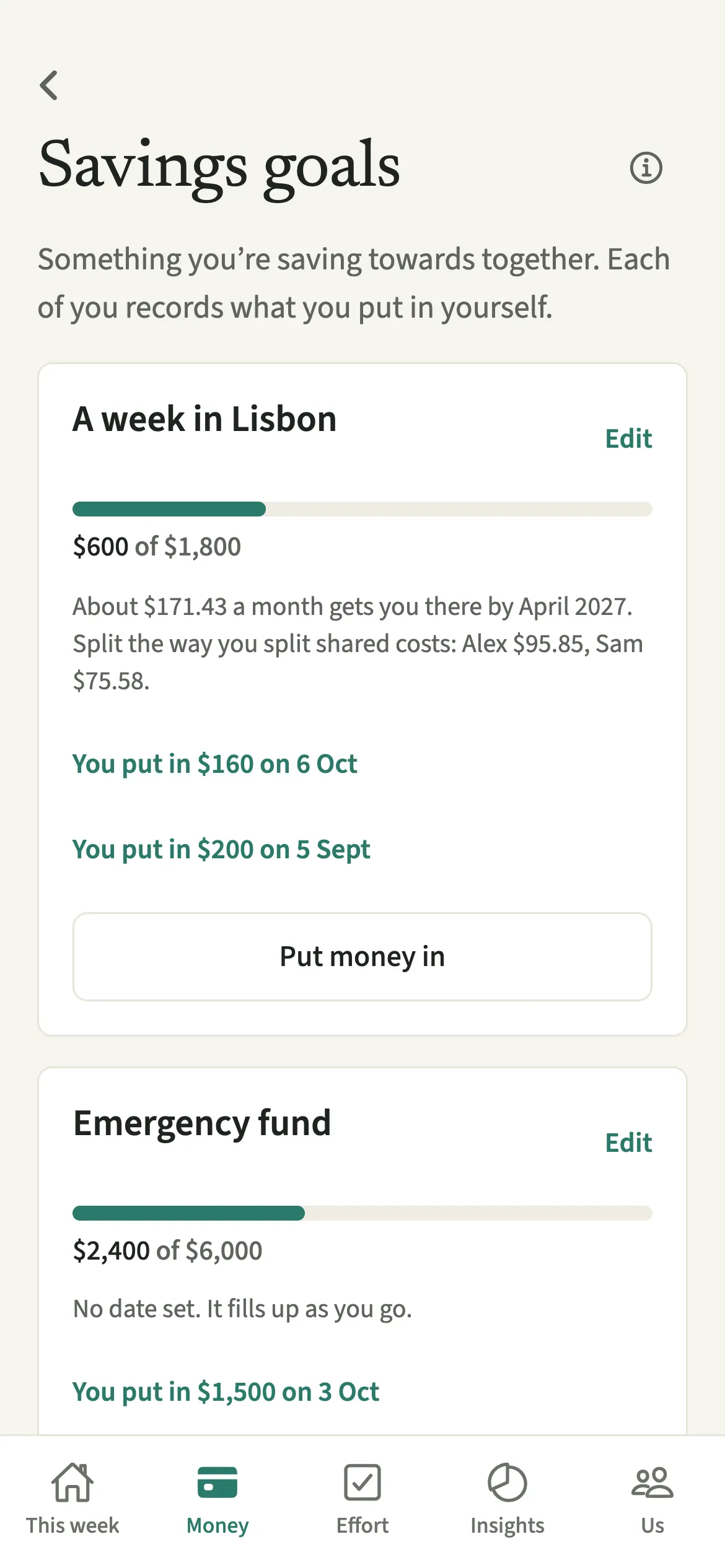
Savings goals in EvenUS are things a couple is saving towards together, like a holiday, a deposit or a new sofa. You set what it is for and how much, with a date if there is one. Each of you records what you put in yourself, and one bar fills with the household total. With a date, EvenUS suggests a monthly pace split the way you share costs.
What do Savings goals do?
A savings goal gives the two of you one shared picture of something you are building towards, and how far along it is. Couples often save in different places, so each knows their own part and nobody sees the whole.
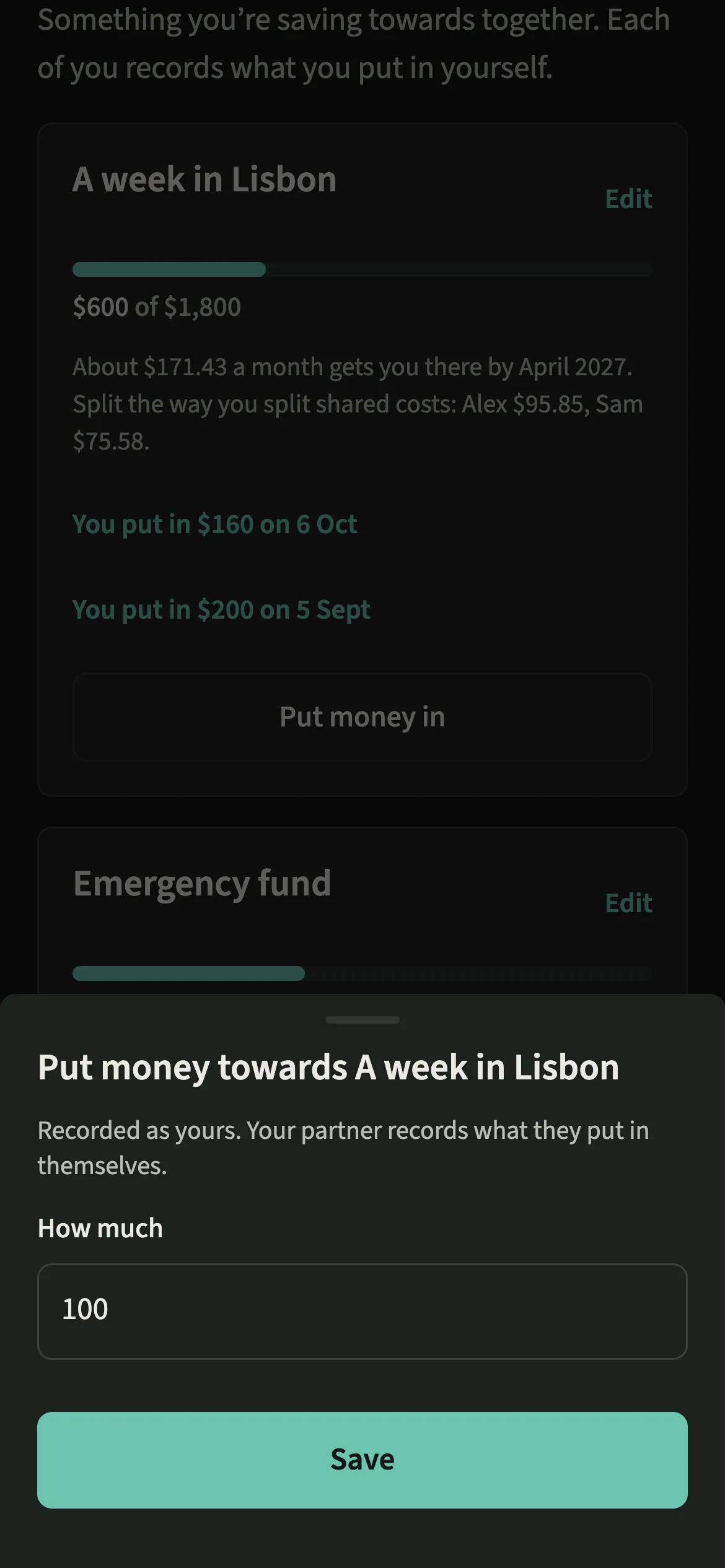
In EvenUS, a goal is a name, an amount and, if you like, a date. Each time either of you sets money aside for it, you tap “Put money in” and record your own amount. The bar fills with what the household has put in together, so you see the goal rather than a race between two contributions.
With a date, EvenUS turns what is left into a suggested amount a month and splits it the way you split shared costs in How costs split. EvenUS never moves money: it is a record of what you set aside, wherever you keep it.
Who are Savings goals for?
Couples saving for a holiday, a deposit or a new sofa who would like to watch it build up. They suit couples who keep their money separately, since each of you records from your own side, and couples with a joint account who want a clear target alongside it.
How do you set up a savings goal in EvenUS?
Open Money, tap “Savings goals” under Plan, tap “Add a goal”, fill it in and tap “Add the goal”.
- Open Savings goalsOpen the Money tab, then under Plan tap “Savings goals”.
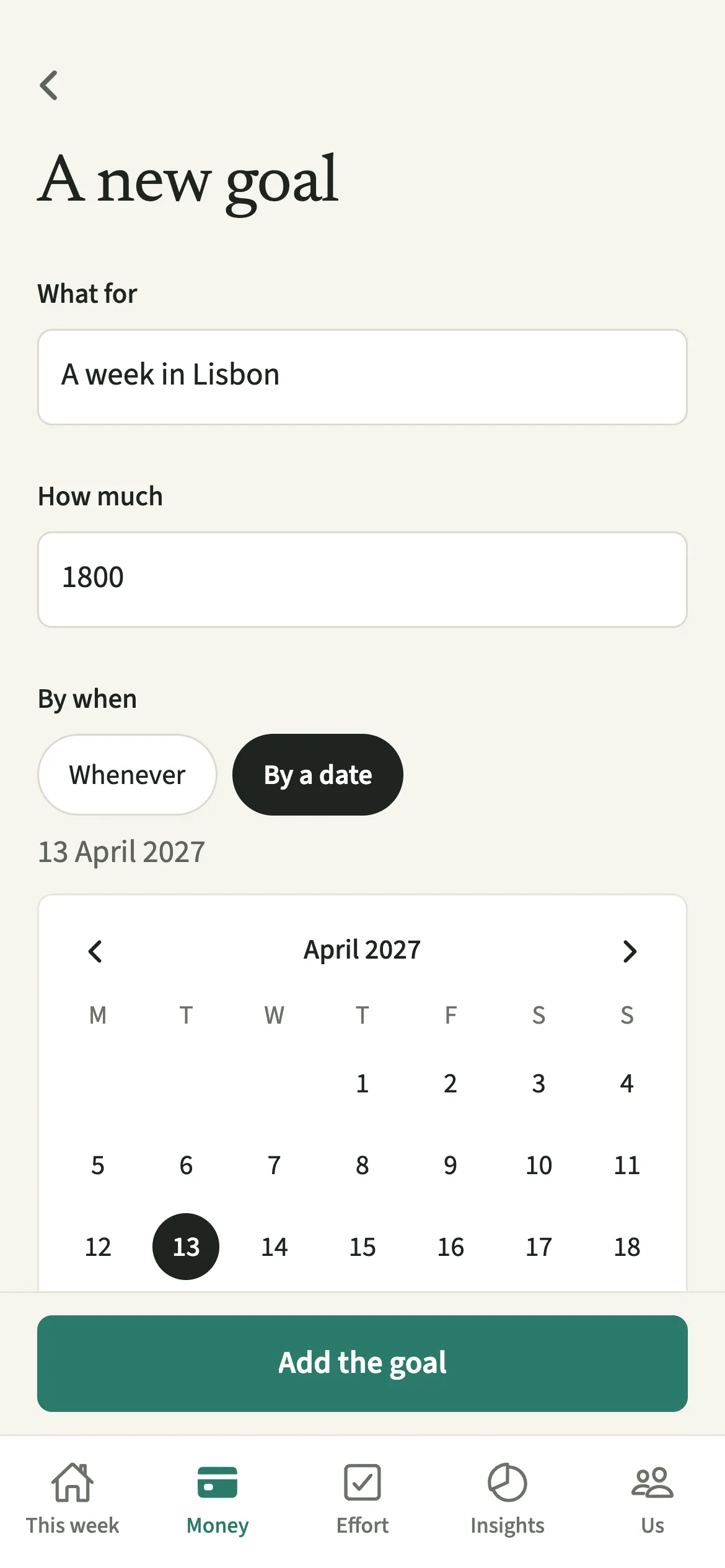
- Describe the goalTap “Add a goal” (“Add another goal” once you have one). Under “What for”, write what you are saving towards, and under “How much”, enter the amount.
- Choose a date, or notUnder “By when”, choose Whenever, or “By a date” and pick one. Then tap “Add the goal”.
- Record what you put inEach time you set money aside, tap “Put money in” on the goal and enter how much. It is recorded as yours, and your partner records their own.
What does your partner see?
You both see each goal, the total saved and the suggested pace. The bar shows the household total, not a tally per person, because the goal belongs to both of you. Your own entries are listed as “You put in” with the amount and the date.
Each of you records only your own money, and only you can take back what you put in, for example if you entered the wrong amount.
When a goal is no longer needed, “Put it away” takes it off the list for both of you. What was put in stays recorded.
Tips for saving together
- With a date, the monthly figure is a pace, not a deadline. Nothing changes and no warning appears if you get there later; once the date passes, the goal invites you to pick a new one.
- The suggested split follows How costs split, so a couple splitting by income sees the monthly pace shared in proportion to each person’s income after commitments.
- Record a contribution when you actually move the money, not when you plan to. The bar stays a true picture of what is set aside.
- Saving for a home? Pair a goal with our guide to saving for a house together.
How is the monthly pace worked out?
EvenUS takes what is left to save and divides it by the whole months until the date, counting the current month while there is still time in it. Say Alex and Sam want 1,800 for a week away, have 600 saved, and the date is six months off. That is 1,200 over six months, about 200 a month. If they split shared costs by income and Alex has 60% of the household’s income after commitments, the suggestion is Alex 120 and Sam 80. The two parts always add up to the whole, to the cent.
When there is no date, nothing left to save, or the date has passed, no figure is shown. The screen never asks anyone to catch up.
Is Savings goals free?
Savings goals keeps working after the 7-day free week, whether or not you subscribe. The computed views, such as the household balance and this week’s idea, are part of EvenUS Pro: $9.99 a month or $79.99 a year, with one subscription covering both partners. The free week needs no card, and nothing is charged when it ends.
Questions about Savings goals
Does EvenUS move money into savings for us?
No. EvenUS never connects to a bank and never moves money. A savings goal is a record of what each of you has set aside, wherever you keep it. You move the money yourselves, then tap Put money in.
Can my partner see how much I put into a goal?
The bar shows the household total rather than a tally per person. Each of you sees your own entries listed with dates, and records your own money separately.
What happens if we miss the date on a savings goal?
Nothing changes. The date only turns what is left into a suggested monthly pace. Once it passes, the goal shows what you have saved and suggests picking a new date whenever it suits you. There are no warnings and nothing turns red.
Do savings goals count in the household balance?
No. Money set aside for a goal is not shared spending, so it does not change the money side of the household balance or the Even up figure.
Are savings goals free after the free week?
Yes. Savings goals keep working after the 7-day free week, with or without EvenUS Pro. You can add goals, record money in and put goals away as before.
Related features
Other parts of EvenUS that work alongside Savings goals.
Related reading
Articles on the questions behind this feature.