Budgets: a calm monthly amount for the categories you choose
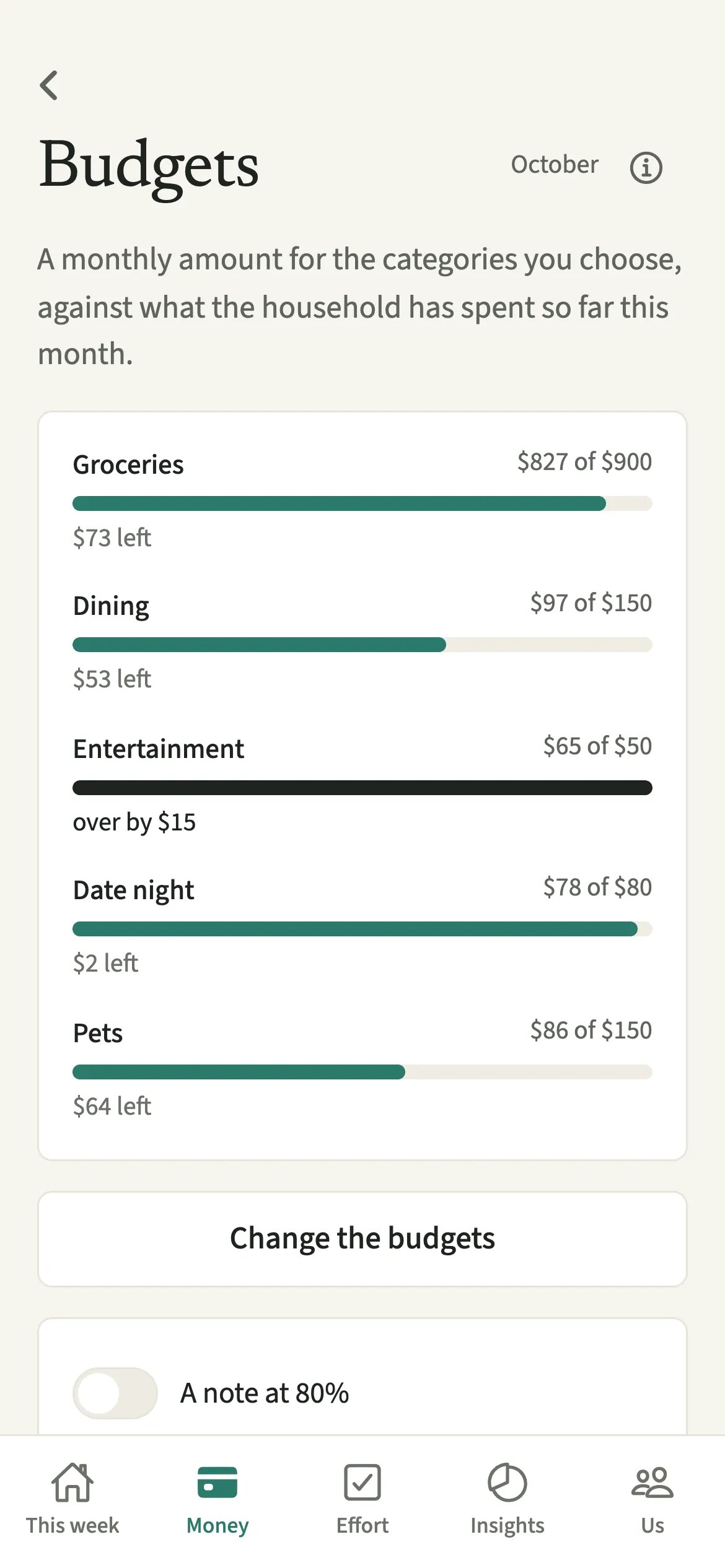
Budgets in EvenUS let a couple set a monthly amount for the spending categories they care about, such as groceries or dining, and see it beside what the household has spent so far that month. Each category gets a calm bar on the Budgets screen and the Money tab. It shows the household’s total, never who spent what.
What do Budgets do?
They put a monthly plan for a few categories next to what you have actually spent, so you can see where the month is heading without anyone doing the sums. Many couples know roughly what they want to spend on food or takeaways, but only find out how close they came when the bank statement arrives.
In EvenUS you set an amount for the categories you choose and leave the rest blank. Each one gets a bar that fills as shared expenses in that category are added, with a line such as “320 of 400” and what is left. Refunds recorded with “This was paid back” come off the total, and payments made to even up are not spending, so they never touch a budget.
A budget is a plan, not a test. Going past it changes the bar to a darker shade and says how far over in plain words. Nothing turns red, nothing is called overspending, and nobody is named.
Who are Budgets for?
Couples who would like a calm view of one or two categories, often groceries and eating out, without a full budgeting system or a tally of who spent what. They suit couples saving towards something together, since a steady month on groceries is where a savings goal usually gets its money.
How do you set a budget in EvenUS?
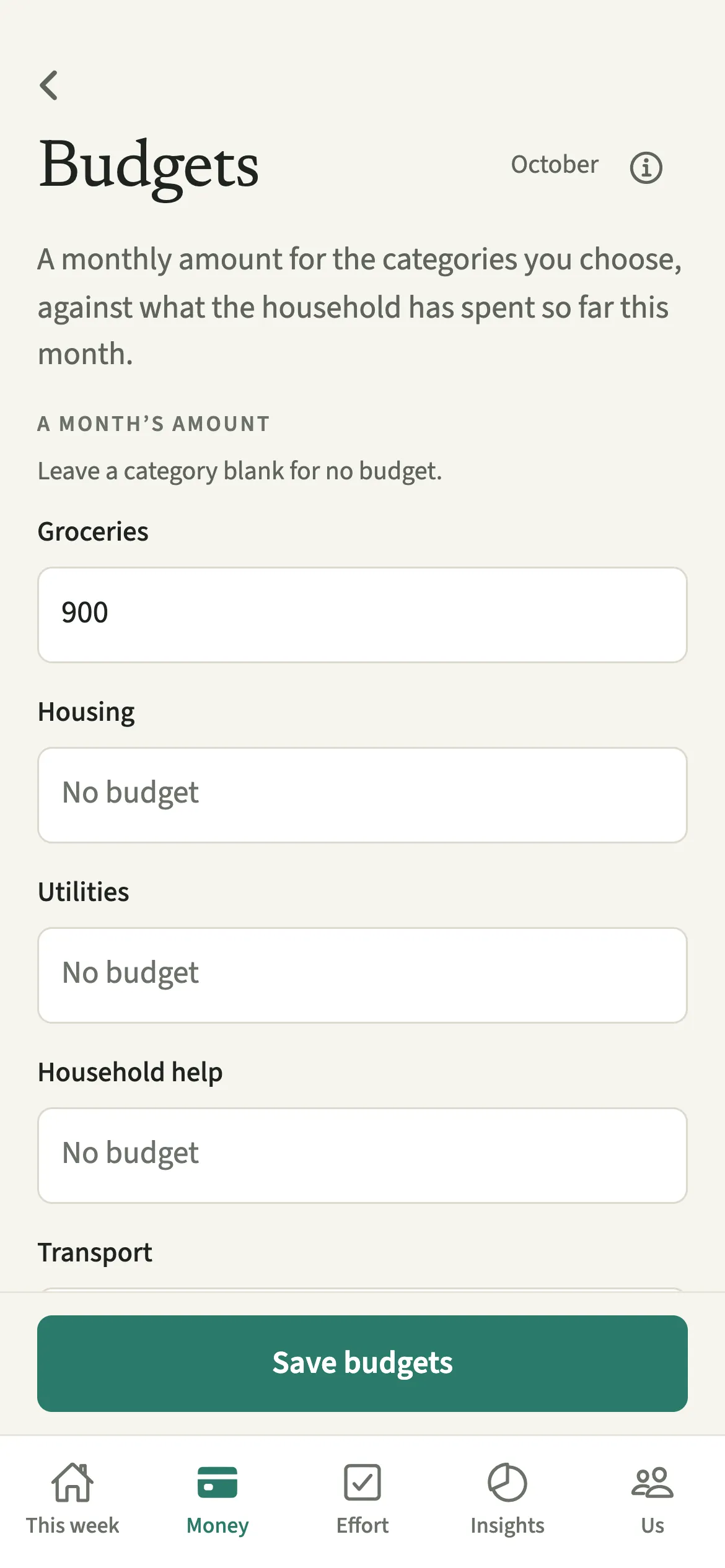
Open Money, tap Budgets under Plan, tap “Set budgets”, enter a month’s amount for the categories you want and tap “Save budgets”.
- Open BudgetsOpen the Money tab, then under Plan tap Budgets.
- Enter the amountsTap “Set budgets” and enter a month’s amount for the categories you want. Leave a category blank for no budget.
- SaveTap “Save budgets”. Each category gets a bar for this month, on the Budgets screen and on Money.
- Choose the 80% note if you want itSwitch on “A note at 80%” to get one quiet notification when a category reaches 80% of its month. It is off unless you switch it on.
What does your partner see, and what stays private?
Budgets are shared, so you both see the same amounts and the same bars. The bars show what the household spent in each category, never a split by person, and there is no filter to see one partner’s share of the groceries.
The 80% note is each person’s own choice. Switching it on sends the note only to you, and it never says who spent what.
Personal spending whose detail is hidden with Hide my personal spending detail is left out of category budgets for both of you. Counting it would reveal what the hidden purchase was, so it is left out on every phone alike, and both of you see the same numbers.
Tips for budgets that stay useful
- Start with one or two categories. Groceries and eating out are where most couples begin, and a short list is easier to glance at.
- A budget carries over to the next month until you change it, so you set it once rather than every month.
- Base the amount on a real month. Look at what last month came to in that category, then decide together whether to keep it or trim it.
- If you would rather not see a running number, leave the 80% note off and check the bars when it suits you.
- Fixed costs such as rent rarely need a budget. Put them in Regular bills instead.
Why don’t budgets turn red or show who spent what?
Because a budget in EvenUS describes the household’s month, not anyone’s behaviour. A red bar and a name beside it turns a plan into a verdict, and a verdict about groceries is rarely the conversation a couple wants. So the bar stays in the app’s calm colours up to the amount, changes to a darker shade past it, and says something like “over by 20”. The money is the household’s, so the figure is too. If you want to see who paid for what, that is on each expense, where it belongs.
Is Budgets free?
Budgets keeps working after the 7-day free week, whether or not you subscribe. The computed views, such as the household balance and this week’s idea, are part of EvenUS Pro: $9.99 a month or $79.99 a year, with one subscription covering both partners. The free week needs no card, and nothing is charged when it ends.
Questions about Budgets
Can my partner see what I spent against a budget?
No. Budget bars show the household’s total in each category, not what each of you spent. Your partner sees the same bars you do, and the 80% note never says who spent what.
Do I have to set a budget again every month?
No. A budget carries over to the next month until either of you changes it. The screen notes which month it was carried over from, so you always know where the amounts came from.
Do budgets count my private personal spending?
Not if its detail is hidden. Personal spending whose detail is hidden is left out of category budgets for both of you, so the bars never give away what a private purchase was.
What happens when we go over a budget?
The bar changes to a darker shade and says how far over in plain words. It does not turn red, nothing is labelled as overspending, and no notification is sent beyond the optional 80% note.
Are budgets part of EvenUS Pro?
No. Budgets keep working after the 7-day free week, with or without a subscription, and so does adding the expenses that fill the bars.
Related features
Other parts of EvenUS that work alongside Budgets.
Related reading
Articles on the questions behind this feature.