Date night: a little set aside for time together, and a list of ideas
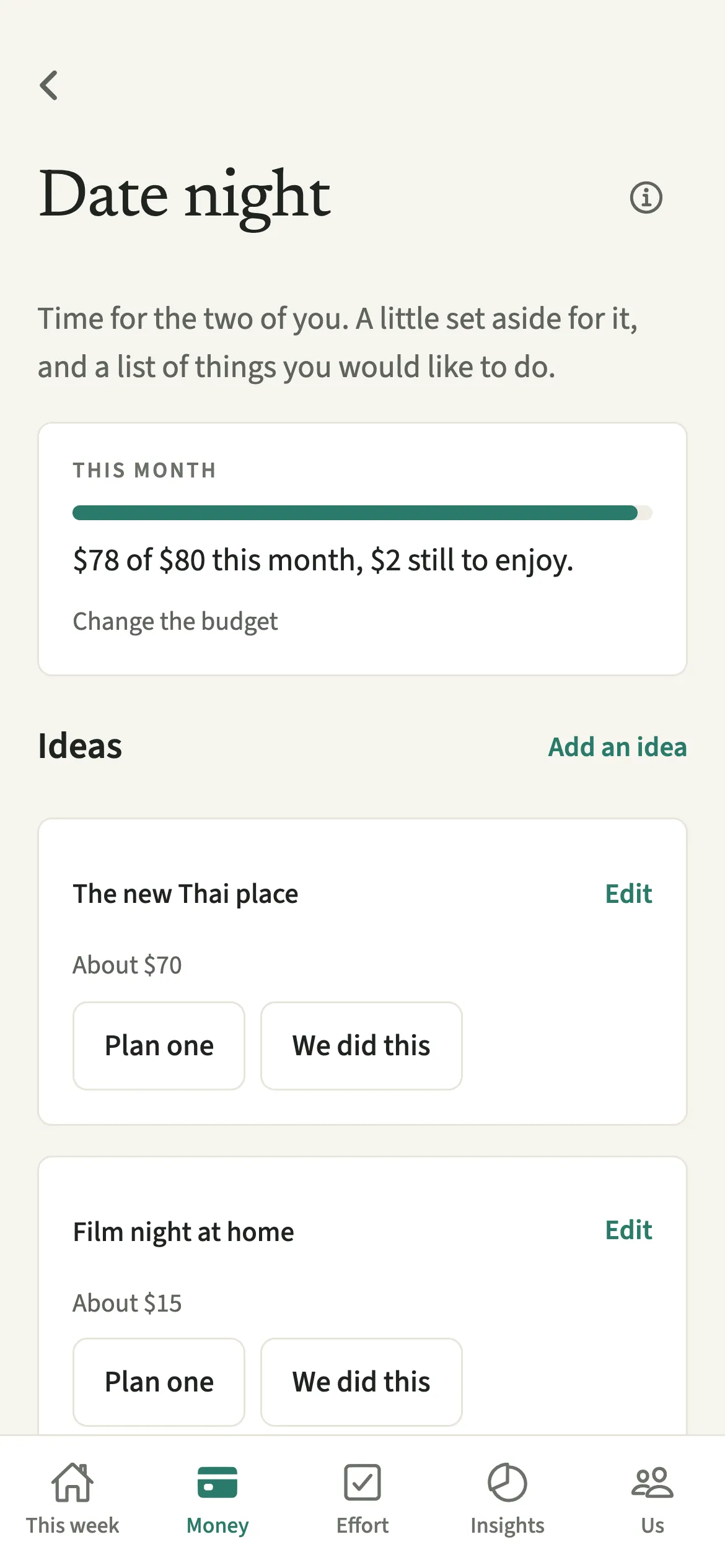
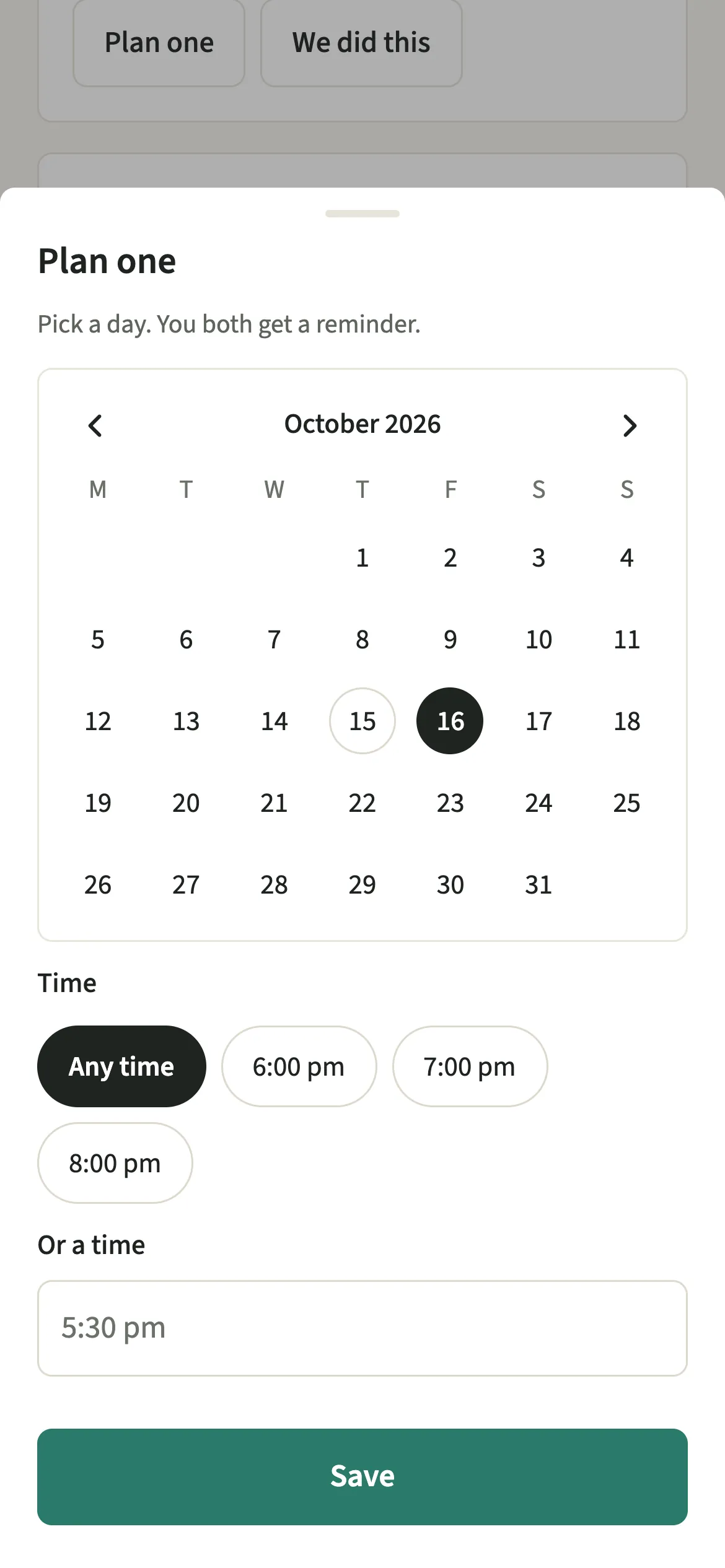
Date night in EvenUS is a small budget line and a shared list of things a couple would like to do together. Either partner adds ideas with a rough cost, taps Plan one to pick a day and, if you like, a time, so you both get a reminder, and taps We did this afterwards. Adding what it cost is optional, and the app never counts dates.
What does Date night do?
It gives time together a place in the budget and on the calendar, so it is planned rather than left to whatever energy is left on a Friday. When a household is busy, time out together is often the first thing to go, partly because nobody quite owns it.
Date night puts two small things in one place. The first is a “Date night” line in your monthly budgets, an amount set aside with what has gone on date nights this month beside it. The second is a shared list of ideas: a walk somewhere new, that restaurant, a film at home, each with a rough cost and a note if you like.
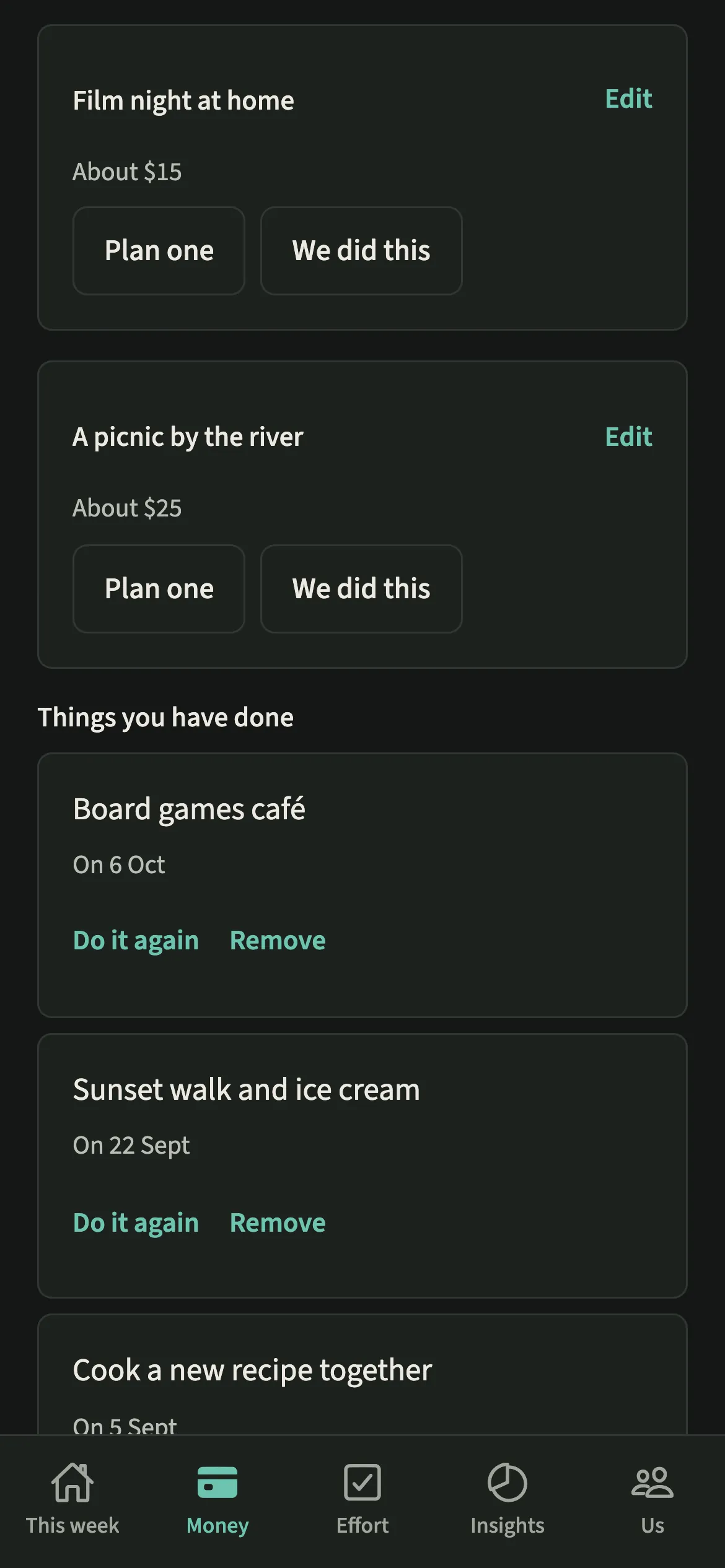
Plan one turns an idea into a reminder for both of you. Afterwards, We did this moves it to Things you have done, and you can add the cost to your shared expenses.
Who is Date night for?
Couples who want time together to have a place in the budget and on the calendar: new parents planning a first evening out with a babysitter, couples on a tight month who want a cheap night in to feel deliberate, and couples where one of you has quietly become the person who always books things.
How do you plan a date night in EvenUS?
Open Money, tap Date night under Plan, add an idea, tap “Plan one” and pick a day, then tap “We did this” afterwards.
- Open Date nightOpen the Money tab and tap Date night under Plan.
- Set aside an amountTap “Set a date-night budget” to give it a line in your monthly budgets. You can change it later with “Change the budget”.
- Add ideasTap “Add an idea”, give it a name, and add a rough cost and a note if you like. Either of you can add to the list.
- Plan oneOn an idea, tap “Plan one”, pick a day on the calendar (it starts on the coming Friday), and add a time or leave it at “Any time”. You both get a reminder. Tap “Change plan” later to move it or “Remove the plan”.
- Mark it doneAfterwards, tap “We did this” and pick the day, today or an earlier one. Then tap “Add the cost” to open a shared expense with the rough cost filled in, or “Not now”.
What does your partner see?
Your partner sees the same list and the same budget. Ideas either of you added sit together, with no name on who suggested what and no tally of ideas per person. Removing an idea takes it off the list for both of you, and the app asks first.
A planned date becomes an ordinary reminder for both of you, titled with the idea. It never says who set it, and changing the plan moves that one reminder rather than adding a second. If you add the cost, it becomes a shared expense like any other.
Tips for a list you will actually use
- Keep a mix of costs on the list: something free, something cheap and one bigger night. When the month is tight, there is still an idea that fits.
- Either of you can add ideas, and “Do it again” brings back one you enjoyed from Things you have done.
- Forgot to tap We did this on the night? Pick the real day when you do, so the cost lands in the right month.
- There is no count of dates and no “days since”, so a quiet month is just a quiet month.
How does the date-night budget work?
The budget is an ordinary monthly budget line with the category Date night, so it sits beside your other budgets and follows the same rules. Say you set aside 80 a month. You go out for dinner, tap We did this, then Add the cost. The expense form opens with the category Date night, the day you picked and the idea’s rough cost, which you can correct to the real 46 before saving. The line then shows 46 of 80 this month.
The expense starts as half each, and you can change the split like any other shared expense. Going past the amount is not shown in red; the line simply says what has gone on date nights and what you set aside.
Is Date night free?
Date night keeps working after the 7-day free week, whether or not you subscribe. The computed views, such as the household balance and this week’s idea, are part of EvenUS Pro: $9.99 a month or $79.99 a year, with one subscription covering both partners. The free week needs no card, and nothing is charged when it ends.
Questions about Date night
Does EvenUS count how many dates we go on?
No. There is no count of dates, no streak and no days since the last one. The list holds ideas and things you have done, each with the date you did it, and nothing more.
Do I have to add what a date cost?
No. After We did this, the app offers to add the cost and you can tap Not now. If you do add it, it becomes a shared expense in the Date night category and counts toward that month’s budget line.
Can we change or cancel a planned date?
Yes. Tap “Change plan” on the idea to pick another day or time, which moves the same reminder for both of you, or tap “Remove the plan” to take the reminder away. The idea stays on the list.
Is Date night free to use after the trial?
Yes. Date night keeps working after the 7-day free week, with or without EvenUS Pro, including the budget line, the ideas list and planning.
Related features
Other parts of EvenUS that work alongside Date night.
Related reading
Articles on the questions behind this feature.