Subscription: your free week, EvenUS Pro, restoring and cancelling
Subscription is the screen in EvenUS that shows where your household stands: days left in the 7-day free week, your plan and when EvenUS Pro renews or ends, or a plan from the EvenUS team. From it you can see the monthly and yearly plans, restore a purchase, or open your App Store or Google Play account to change plan or cancel. One subscription covers both partners.
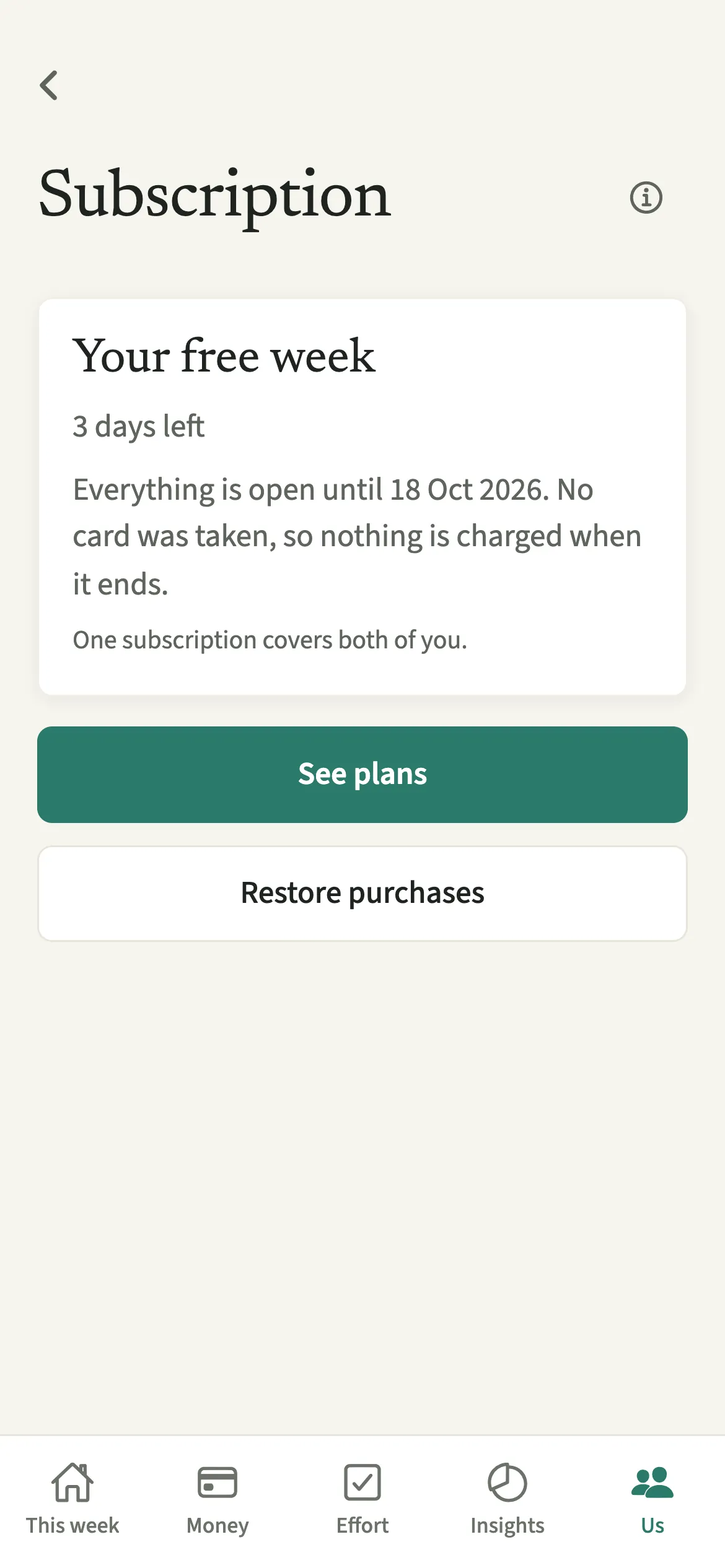
What does the Subscription screen show?
It puts your household’s plan, and every action you can take on it, in one place. Which phone bought it, when it renews, whether cancelling the app cancels the payment: the screen answers those in plain words.
At the top is the status. During the free week it reads “Your free week”, with the days left and “No card was taken, so nothing is charged when it ends.” With EvenUS Pro it names your plan and price, such as “Your plan: Yearly, $79.99/year.”, then “Renews on” a date, or “Ends on” a date if renewal is off, and which store it was bought through. When a free week or subscription has ended, it adds “Everything you recorded is still here, and still yours.”
Under the status sit three buttons: “See plans”, “Restore purchases” and “Manage subscription”.
Who is the Subscription screen for?
Anyone wondering how many free days are left, when EvenUS Pro renews, how to switch between monthly and yearly, or how to cancel, including after buying Pro on another phone.
How do you check or manage your EvenUS subscription?
Open Us and tap Subscription in the Help section near the bottom. The status is at the top, with three buttons underneath.
- Open SubscriptionOpen the Us tab and scroll to the Help section near the bottom. The Subscription row already shows a short status, such as “Free week · 3 days left” or “EvenUS Pro is on”. Tap it.
- Read the statusCheck the top of the screen: the days left in your free week, when Pro renews or ends, or a plan from the EvenUS team.
- Look at the plansTap “See plans” for the monthly and yearly plans at your store’s local price; the yearly one shows “Save” and a percentage. Under the Subscribe button, one line states the plan, its price and that it renews until you cancel, then “Billing starts today.” It works even if you already have Pro.
- Restore a purchaseBought on another phone? Tap “Restore purchases”. When it finds your subscription, the screen says “Your subscription is on this account again.”
- Change plan or cancelTap “Manage subscription” to open your App Store or Google Play subscriptions, where you can change plan or cancel.
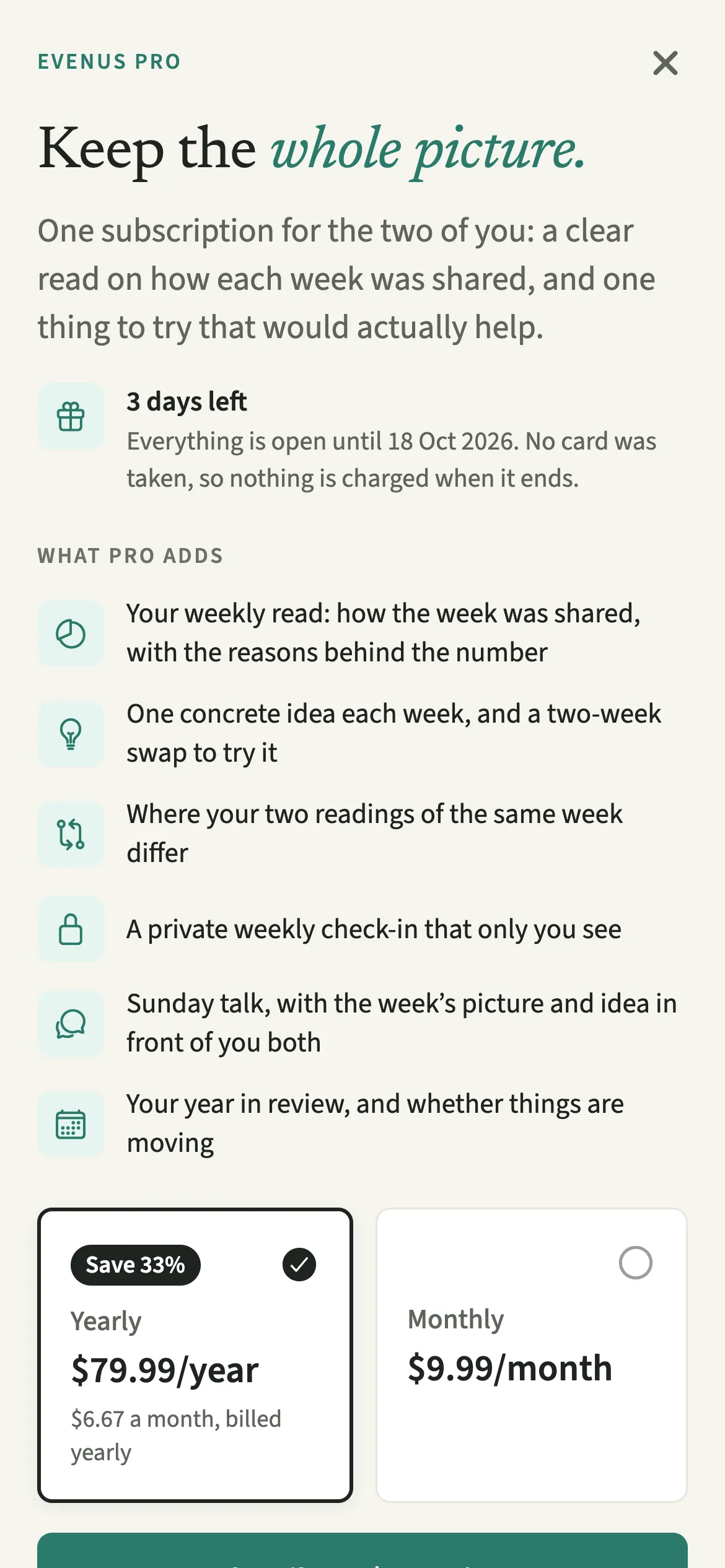
What does your partner see about the subscription?
Your partner sees the same status you do, because one subscription covers the household.
Your partner never sees your store account, your card or how you paid. If you subscribed, their screen names you as the person who did, so they know only you can change or cancel it. Both of you use everything in Pro equally.
If one of you leaves or deletes their account, the subscription stays with whoever bought it. If the person who left paid, the person who stays keeps Pro until that paid period ends or someone new joins, whichever is first. When someone leaves has the details.
Tips for managing your subscription
- The free week runs inside the app with no card, so nothing is charged when it ends. Tips during your free week can show you the useful parts while it lasts.
- Subscribing during the free week ends the free days, and billing starts that day. The paywall says so: “Your free days end when you subscribe.”
- Cancelling happens in your App Store or Google Play account. Deleting the app does not cancel a subscription, and neither does deleting your account.
- Purchase from another phone missing? Tap “Restore purchases”, then if needed use Help and feedback and choose “Billing or subscription”.
What keeps working if you do not subscribe?
Your records stay yours. When the free week ends without a subscription, or a subscription lapses, you can still read everything recorded, add expenses and tick chores off, export all your data, and manage or delete your account.
What Pro adds after the free week: the weekly read on how the week was shared (the household balance), one idea each week, Seen differently, the private check-in, the Sunday talk and the year in review. Subscribing later switches them back on with your history intact. The free week belongs to each person and starts once; a new household or partner never begins another.
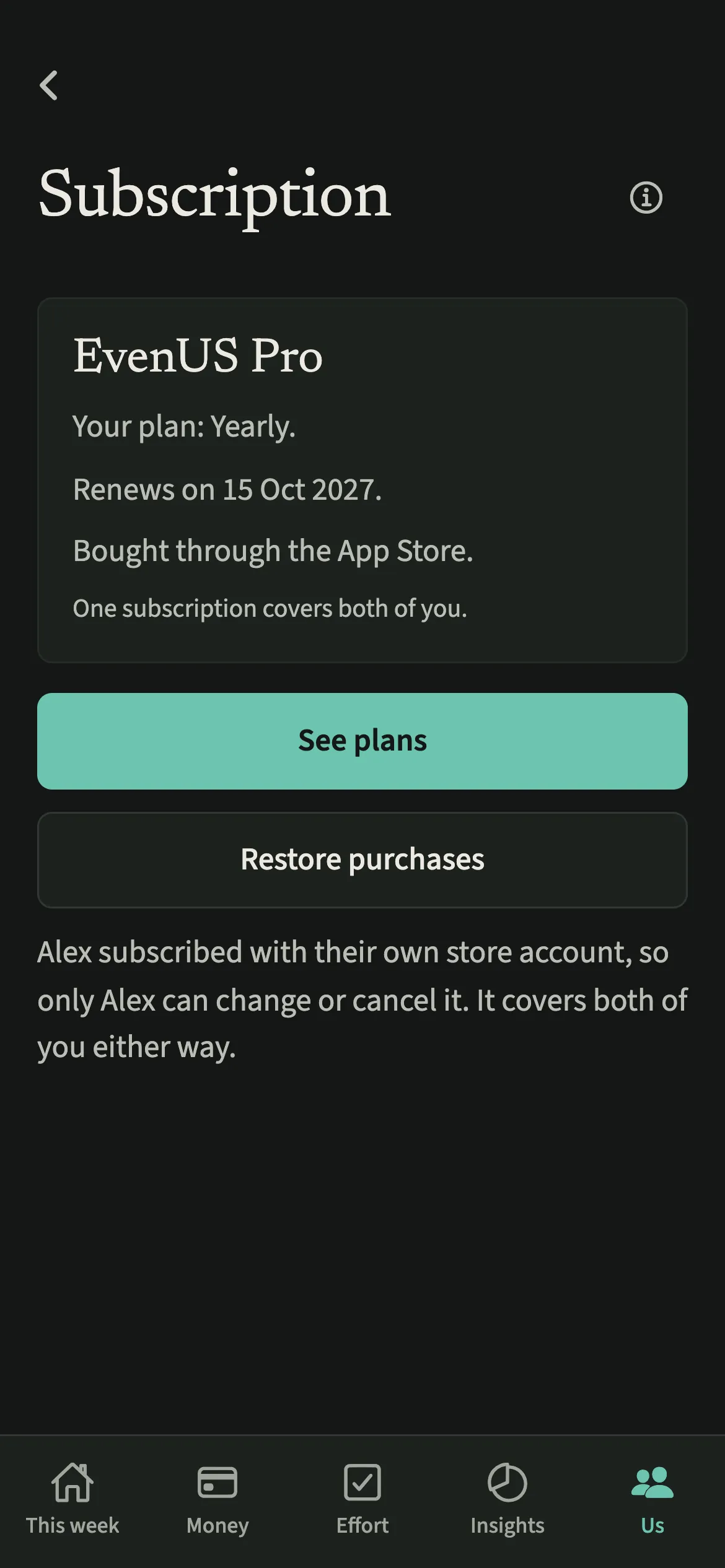
Is Subscription free?
Subscription keeps working after the 7-day free week, whether or not you subscribe. The computed views, such as the household balance and this week’s idea, are part of EvenUS Pro: $9.99 a month or $79.99 a year, with one subscription covering both partners. The free week needs no card, and nothing is charged when it ends.
Questions about Subscription
How much does EvenUS Pro cost?
EvenUS Pro is $9.99 a month or $79.99 a year in US dollars. The App Store and Google Play show a local price in your currency, set for each country rather than converted. One subscription covers both partners.
Will I be charged when the free week ends?
No. The free week runs inside the app without a card, so nothing is charged automatically when it ends. Subscribing is a separate choice you make on the plans screen, through your App Store or Google Play account.
What happens if I subscribe during the free week?
Your free days end and billing starts that day; there is no store free trial added on top. The plans screen shows this next to the Subscribe button before you agree to anything.
Do we need two subscriptions, one for each of us?
No. One subscription covers both partners, whoever pays. Only the person who subscribed can change or cancel it, because it sits in their store account. If your partner has already subscribed, the app tells you there is nothing to buy.
Related features
Other parts of EvenUS that work alongside Subscription.
Related reading
Articles on the questions behind this feature.