Tips during your free week: one short evening tip about a feature you haven’t tried
Tips during your free week is an optional EvenUS notification: at most one short tip a day, around 7 pm, Monday to Saturday, about a feature you have not used yet. It is off unless you choose it, runs only during the 7-day free week, and stops as soon as you subscribe. Tips are chosen on your phone and are never about your partner.
What do the free-week tips do?
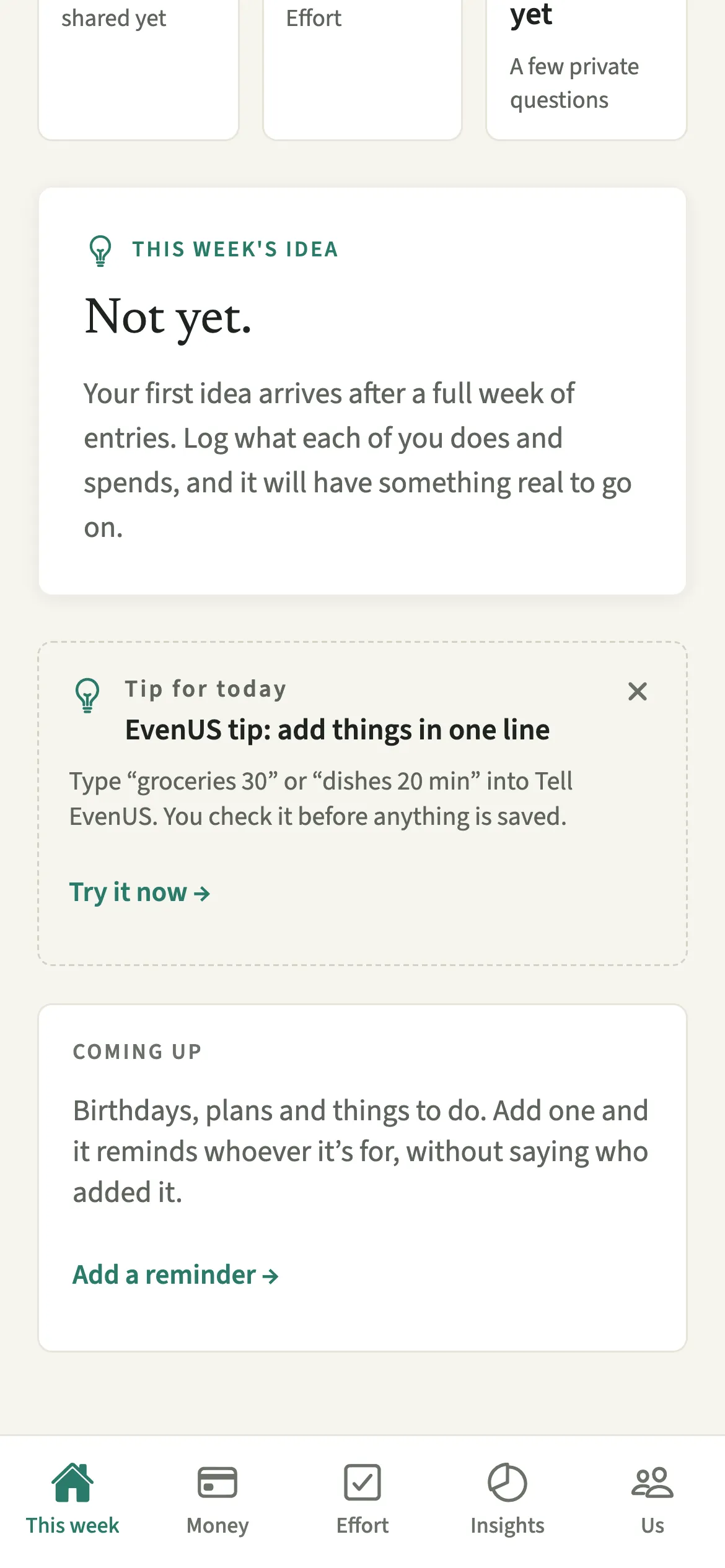
They point you to one useful part of EvenUS each evening, so you find what matters without reading the whole guide. The free week is 7 days inside the app, with no card, once per person, and most households only discover the feature that suits them, like splitting by income, after it is over.
Each tip is a single line, such as “Type “groceries 30” or “dishes 20 min” into Tell EvenUS.” Tap it and EvenUS opens that feature directly. Without notifications, the same tip waits on This week in a card headed “Tip for today”, with a “Try it now” link.
The tips only ever describe EvenUS features. They never mention your partner, what either of you did, or how the week is going.
Who are the free-week tips for?
New households who want to find the useful parts of EvenUS quickly, before deciding whether to subscribe. If you prefer to explore on your own, leave them off: nothing else in the app depends on them.
How do you turn free-week tips on or off?
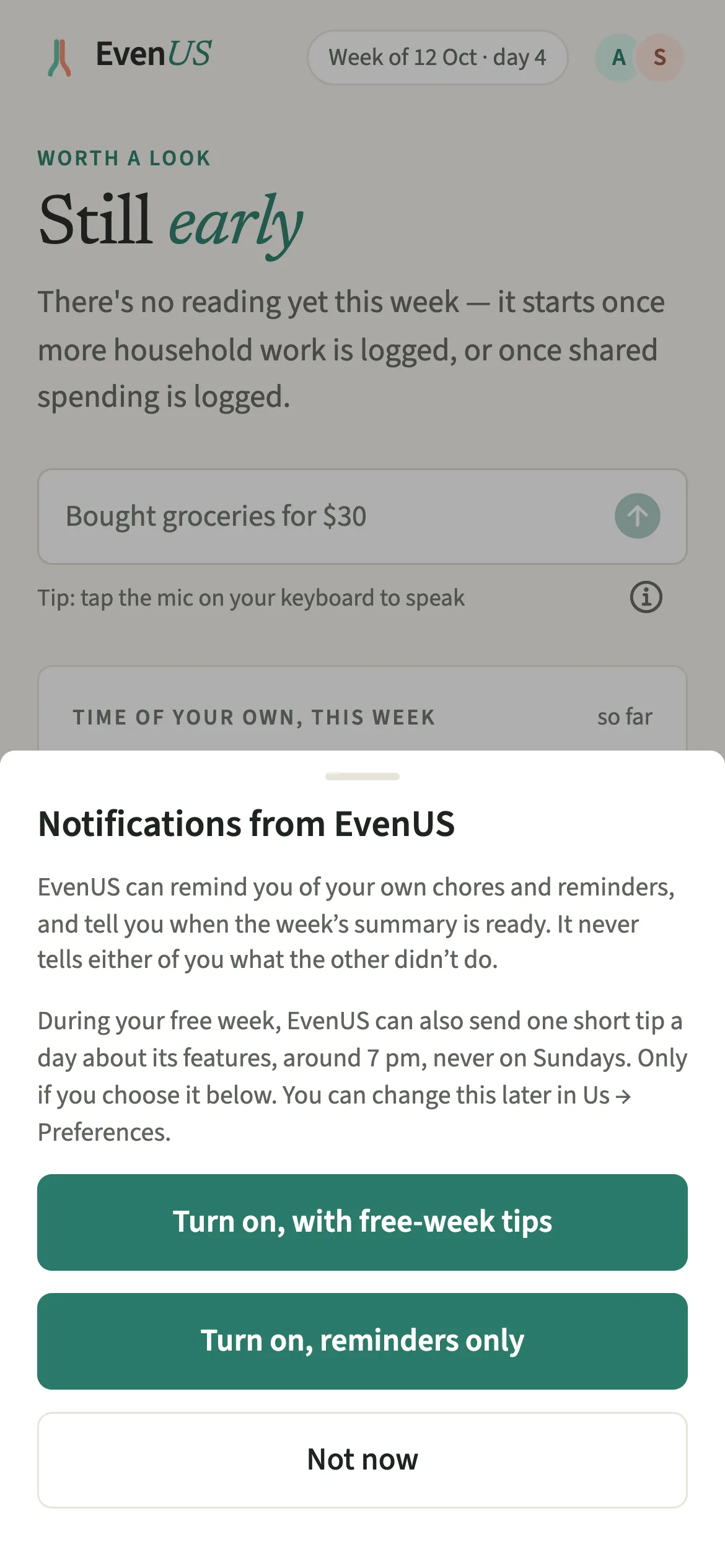
Choose “Turn on, with free-week tips” when EvenUS asks about notifications, or switch on Tips during your free week in Us, then Preferences.
- Choose tips when askedTips are off unless you choose them. When EvenUS asks about notifications, tap “Turn on, with free-week tips”. Tap “Turn on, reminders only” to get your own reminders without the tips.
- Or switch them on laterOpen Us, tap Preferences and switch on Tips during your free week. The switch is there only while your free week is running.
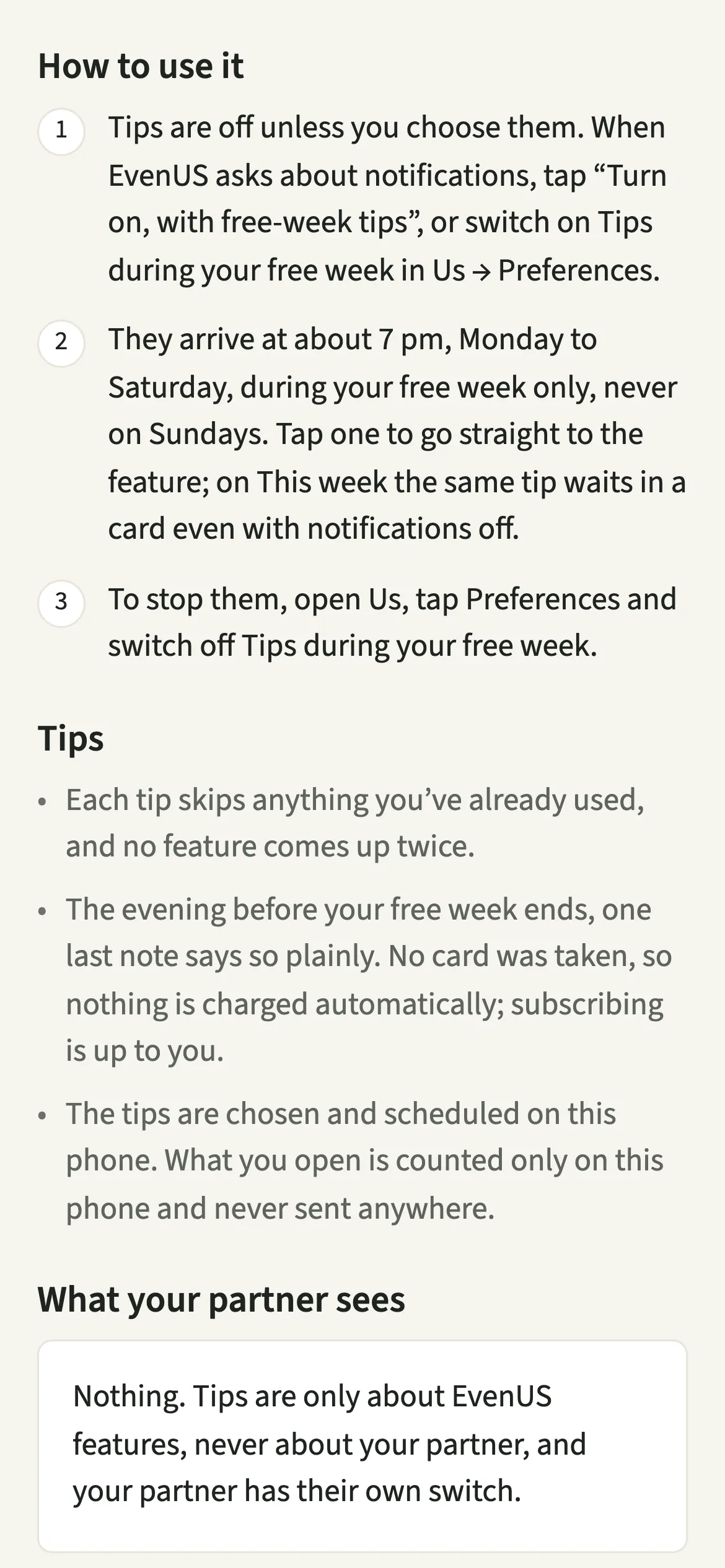
- Open a tipTips arrive at about 7 pm, Monday to Saturday, during your free week only, never on Sundays. Tap one to go straight to the feature. On This week the same tip waits in a card even with notifications off.
- Stop themTo stop them, open Us, tap Preferences and switch off Tips during your free week. They also stop on their own the moment you subscribe.
What does your partner see when you get tips?
Nothing. Tips are only about EvenUS features, never about your partner, and your partner has their own switch. Turning tips on for yourself does not turn them on for them, and they are not told you chose them.
Tips are chosen and scheduled on your phone, and what you open is counted only on that phone and never sent anywhere. That is how a tip skips a feature you have already used without anyone learning which features you tried.
Tips for getting the most from your free week
- Each tip skips anything you’ve already used, and no feature comes up twice, so some evenings are simply quiet.
- The evening before your free week ends, one last note says so plainly. No card was taken, so nothing is charged automatically; subscribing is up to you, on the Subscription screen.
- Subscribing during the free week ends the free days, and billing starts that day. The paywall says so next to the button: “Your free days end when you subscribe.” One subscription covers both of you.
- On Android, the tips have their own notification channel, called Tips during your free week, so you can silence them without touching your chore reminders.
Which tips come on which day?
Each day offers the most useful feature you have not used yet. Day one is inviting your partner if you are not paired, otherwise Tell EvenUS. Day two is logging a chore, or the ready-made chore lists. Day three is splitting costs by income, or Even up. Day four is the mental load map. Day five depends on where you live: UPI for households in rupees, Apple Pay capture on iPhone where it is supported, otherwise scanning a receipt. Day six is this week’s idea, and the last evening is the note that the free week is ending.
No tip arrives within two hours of the free week starting. Sundays are left for the weekly check-in and the Sunday talk; if your free week ends on a Sunday, the ending note comes on Saturday.
Is Tips during your free week free?
Tips during your free week keeps working after the 7-day free week, whether or not you subscribe. The computed views, such as the household balance and this week’s idea, are part of EvenUS Pro: $9.99 a month or $79.99 a year, with one subscription covering both partners. The free week needs no card, and nothing is charged when it ends.
Questions about Tips during your free week
Does EvenUS send marketing notifications?
Only if you choose free-week tips. They are off unless you turn them on, arrive at most once a day during the 7-day free week, describe EvenUS features only, and stop when you subscribe or the week ends.
What time do the free-week tips arrive?
At about 7 pm in your household’s time zone, Monday to Saturday. There are never tips on Sundays, never more than one a day, and none in the first two hours after your free week starts.
Can I see the tips without turning on notifications?
Yes. During the free week, today’s tip also appears on the This week tab in a card headed Tip for today, with a link to try the feature, whether or not tip notifications are on.
Does my partner get the same tips?
Only if they choose them on their own phone. Each of you has your own switch, and tips are picked from what that person has used, so you may each see different ones on the same evening.
Related features
Other parts of EvenUS that work alongside Tips during your free week.
Related reading
Articles on the questions behind this feature.