Dark mode: a light or dark look for EvenUS, or one that follows your phone
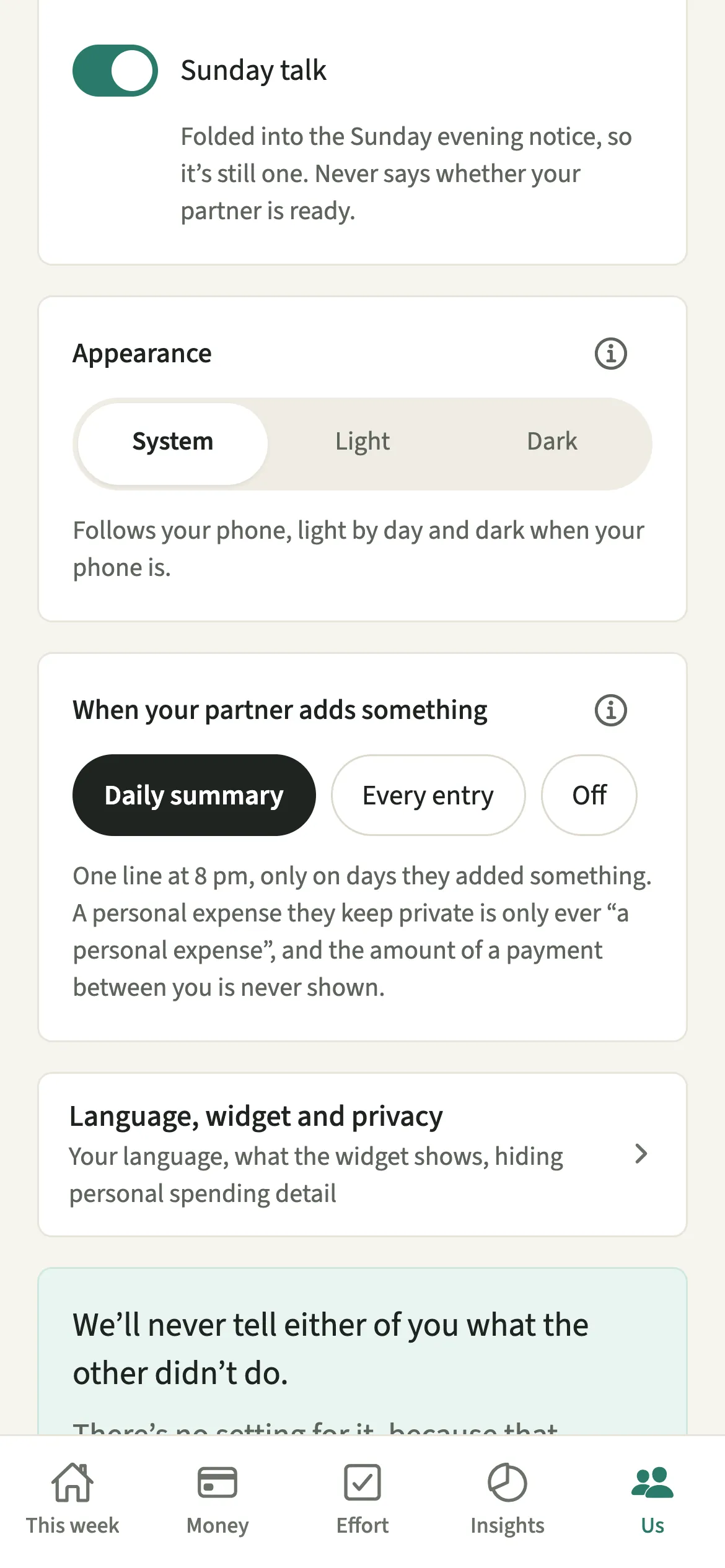
Dark mode in EvenUS lets you choose how the app looks on your phone: System, Light or Dark. System follows your phone, so EvenUS turns dark when your phone does. The choice is in Us, under Preferences, applies straight away, and belongs to that phone only, so your partner keeps whichever look they prefer on theirs.
What does dark mode do in EvenUS?
It switches every EvenUS screen between a light look and a dark one, or leaves the decision to your phone. A lot of household admin happens late, like answering the weekly check-in on a Sunday evening, when a bright screen is harder on the eyes.
With Dark chosen, the background, cards, text and charts all change together, and so do the parts of the phone EvenUS does not draw itself: date pickers, alerts, the keyboard and, on Android, the system bars at the top and bottom of the screen. Nothing flips back to white halfway through adding an expense.
The setting is only about how the app looks. It changes no numbers, no reminders and nothing either of you has recorded.
Who is dark mode for?
Anyone who uses EvenUS in the evening or in bed, anyone who finds a darker screen easier to read, and anyone whose phone already runs dark everywhere and would like EvenUS to match. It also suits a couple who disagree on the question entirely, because each phone keeps its own choice and neither affects the other.
How do you turn on dark mode in EvenUS?
Open Us, tap Preferences, and under Appearance choose System, Light or Dark. The change applies straight away.
- Open PreferencesOpen the Us tab and tap Preferences.
- Find AppearanceScroll past the notification switches to the Appearance card. It shows three options side by side: System, Light and Dark.
- Pick a lookTap System to follow your phone, Light to stay light all the time, or Dark to stay dark all the time. The whole app changes as you tap, with nothing to save.
- Check the note underneathWith System chosen, the note reads “Follows your phone, light by day and dark when your phone is.” With Light or Dark, it reads “Just this phone. Your partner’s phone keeps its own setting.”
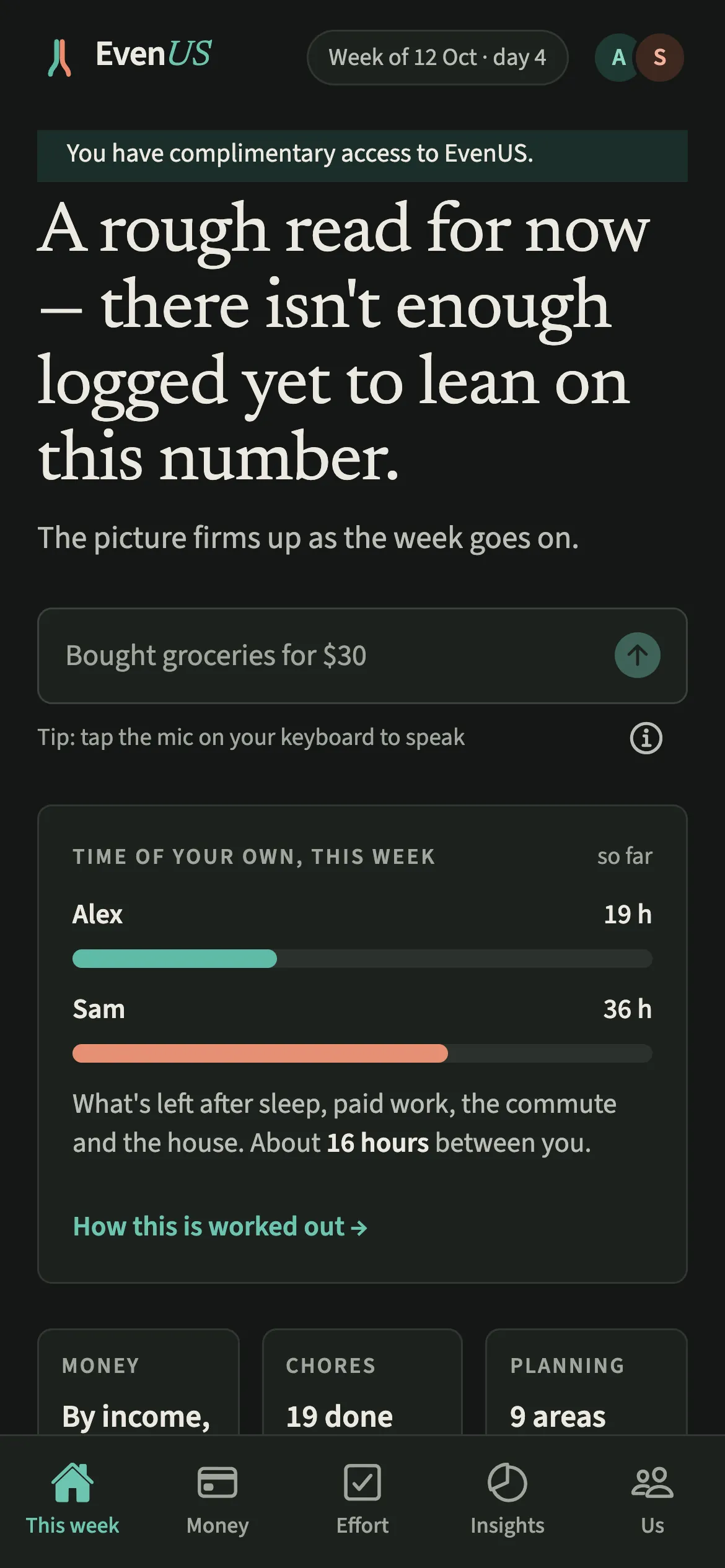
What does your partner see when you switch to dark mode?
Nothing changes for your partner. Appearance is kept on your phone only, not on your account or the household, so your partner’s phone keeps its own setting and is never told what you picked.
That is deliberate. Most settings in EvenUS are shared because they change what both of you see, like How costs split. A screen colour changes nothing the other person sees, so there is no reason for one phone to decide it for both. One of you can read the app in Dark at midnight while the other keeps Light, and the household’s records are identical on both.
Tips for using dark mode
- System follows your phone: light by day, and dark when your phone is. If your phone switches to dark automatically at sunset, EvenUS follows it without you touching the setting.
- Colours are checked for easy reading in both looks, so captions and small labels stay legible in dark mode rather than fading into the background.
- On a new phone, the setting starts at System again, because it is stored on the phone rather than your account. Set it once and it stays.
- If you also use the home screen widget on iPhone, it follows your phone’s own light or dark setting rather than the choice inside the app.
How are colours kept readable in both looks?
Every colour used for text in EvenUS has a light version and a dark version, and each one is checked against the background it sits on to meet the common accessibility standard for contrast (a ratio of at least 4.5 to 1). The check runs automatically whenever the app is built, so a new screen cannot ship with grey text that is hard to read in one of the two looks.
The partner colours you each choose also have matched light and dark versions, chosen to sit at the same visual weight, so neither partner’s colour looks louder or more important than the other in either look. A name or initial always goes with a colour, so nothing depends on telling two shades apart.
You will not find red or green warning colours in either look. In an app about how two people share a home, red and green read as pass and fail, so the household balance (the fairness score) and its charts use the app’s calm teal and the partner colours instead.
Is Dark mode free?
Dark mode keeps working after the 7-day free week, whether or not you subscribe. The computed views, such as the household balance and this week’s idea, are part of EvenUS Pro: $9.99 a month or $79.99 a year, with one subscription covering both partners. The free week needs no card, and nothing is charged when it ends.
Questions about Dark mode
Does EvenUS have a dark mode?
Yes. Open Us, tap Preferences and choose Dark under Appearance. You can also choose System, which makes EvenUS light or dark whenever your phone is, or Light to keep it light all the time.
Will my partner’s app go dark if I turn on dark mode?
No. Appearance is stored on your phone only. Your partner’s phone keeps its own setting, and they are not told what you chose. Everything you have both recorded looks the same in either look.
Why did EvenUS go back to light on my new phone?
The appearance setting lives on the phone, not on your account, so a new phone starts at System and follows that phone’s own light or dark setting. Choose Dark again under Us, then Preferences, then Appearance.
Is dark mode part of EvenUS Pro?
No. Dark mode works for everyone, during the free week and afterwards, whether or not you subscribe. It only changes how the app looks on your phone, never what it calculates or shows.
Related features
Other parts of EvenUS that work alongside Dark mode.
Related reading
Articles on the questions behind this feature.