Pets: feeding, walks, the vet and the costs, in one place per pet
Pets in EvenUS gives each pet in your home its own page. The jobs they need, such as feeding, walks or the litter tray, become ordinary chores with an owner or either of you. Vet visits and yearly vaccinations become reminders for both partners, and what the pet costs is recorded as a shared expense in the Pets budget.
What does Pets do in EvenUS?
It gathers everything one animal needs into a single place, built from parts of the app you already use. Pet care is daily, easy to underestimate and easy to drift onto one person: the walks before work, the litter tray, remembering the booster is due, noticing the food is running low.
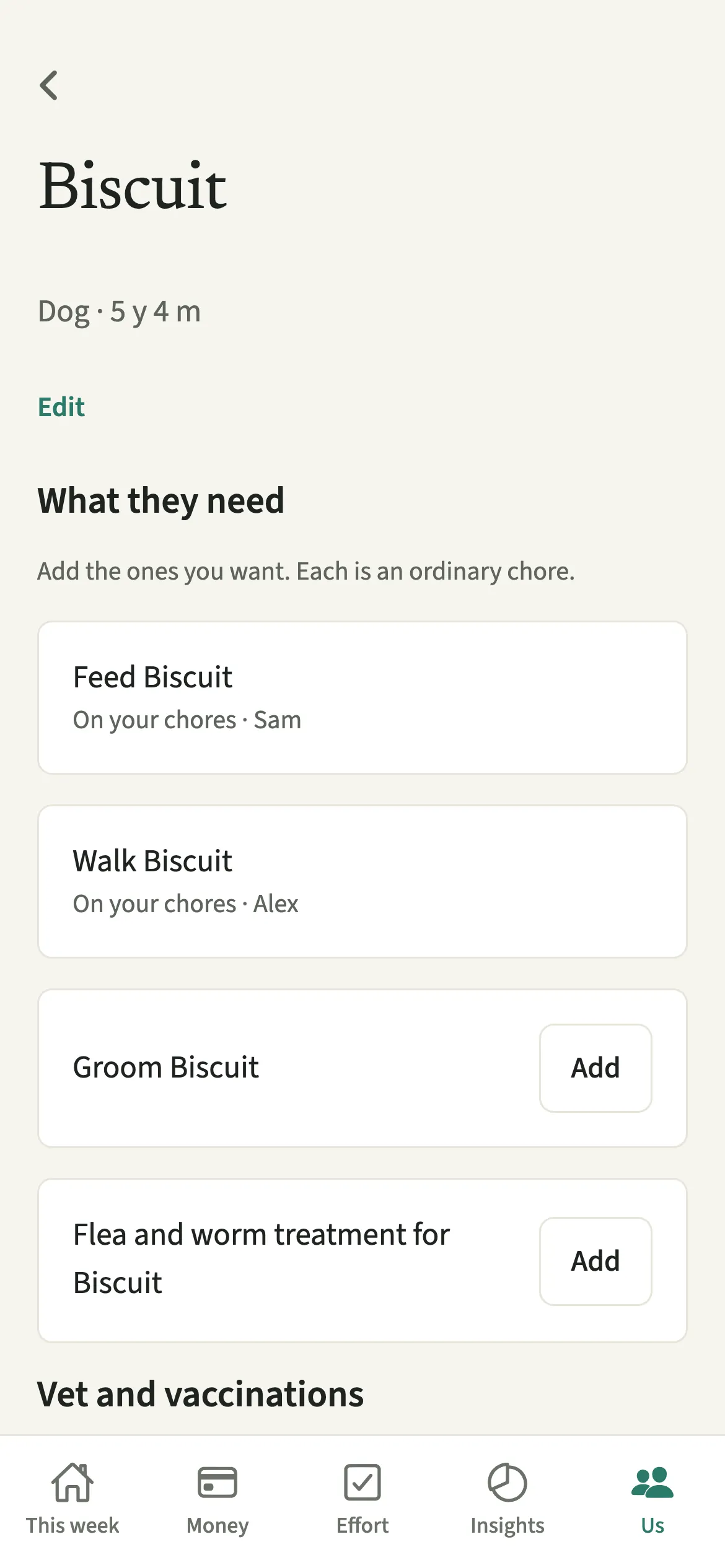
Each pet has a name, a kind and, if you like, a birthday. Under What they need, EvenUS suggests the usual jobs for that kind of animal: for a dog, feeding, walks, grooming and flea and worm treatment; for a cat, feeding, the litter tray, grooming and flea treatment. You add the ones you want, and each becomes an ordinary chore on Effort, with a realistic time attached, so the minutes count like any other housework.
The vet and vaccinations become reminders for both of you, and the pet’s costs become shared expenses in the Pets category, which the monthly budgets already cover.
Who is Pets for?
Any household with a dog, a cat or anyone else who needs looking after every day: a bird, fish, a rabbit, a small pet or a reptile. It is most useful where one of you has quietly become the default walker or feeder and neither of you has said so out loud.
How do you add a pet in EvenUS?
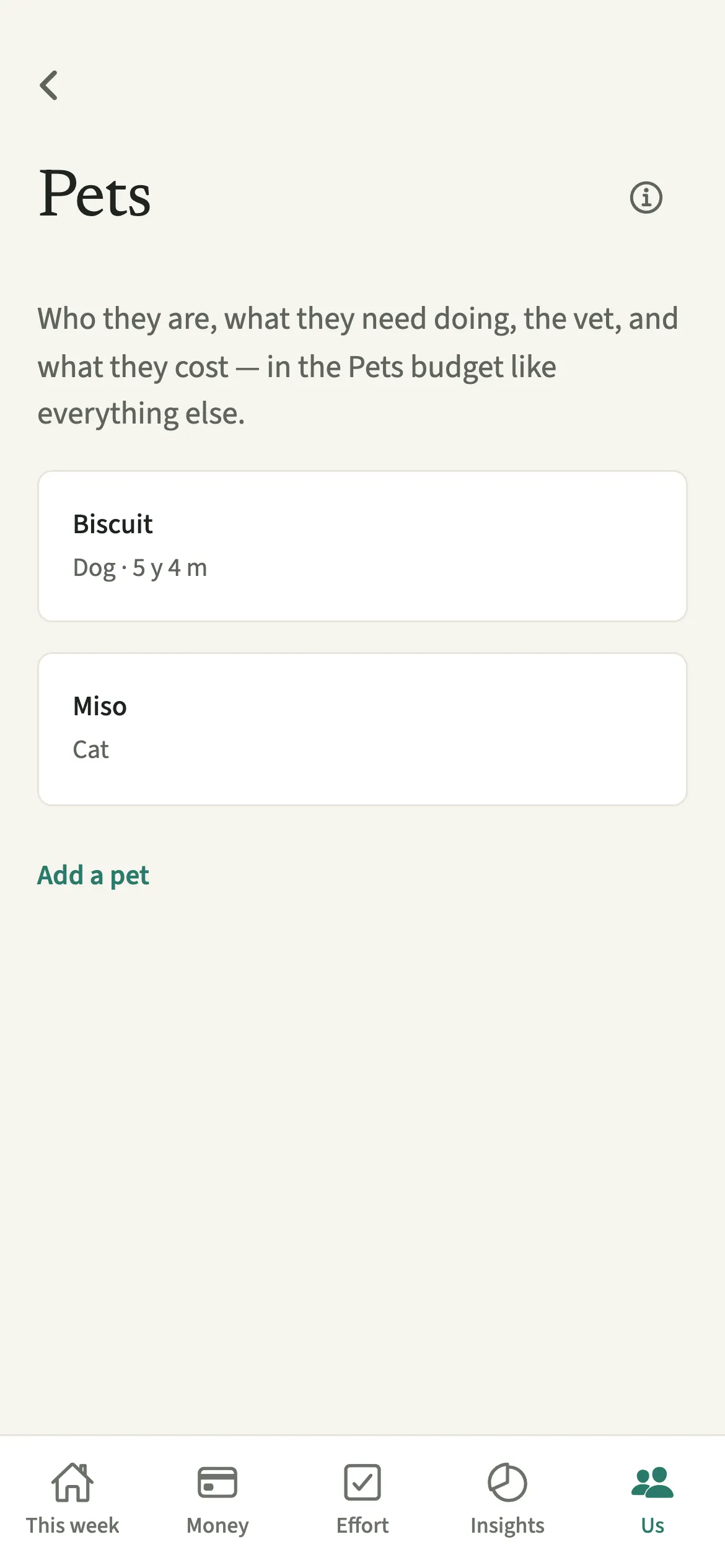
Open Us, go to Household, then Pets, tap “Add a pet”, then open the pet to add the jobs, the vet dates and the costs.
- Add the petOpen the Us tab, then Household → Pets, and tap “Add a pet”. Give them a Name, choose the Kind of pet, and add a Birthday if you like.
- Add the jobs they needOpen the pet and, under What they need, tap “Add” on the jobs you want. For each, answer “Who usually does it?” with one of you or Either of you.
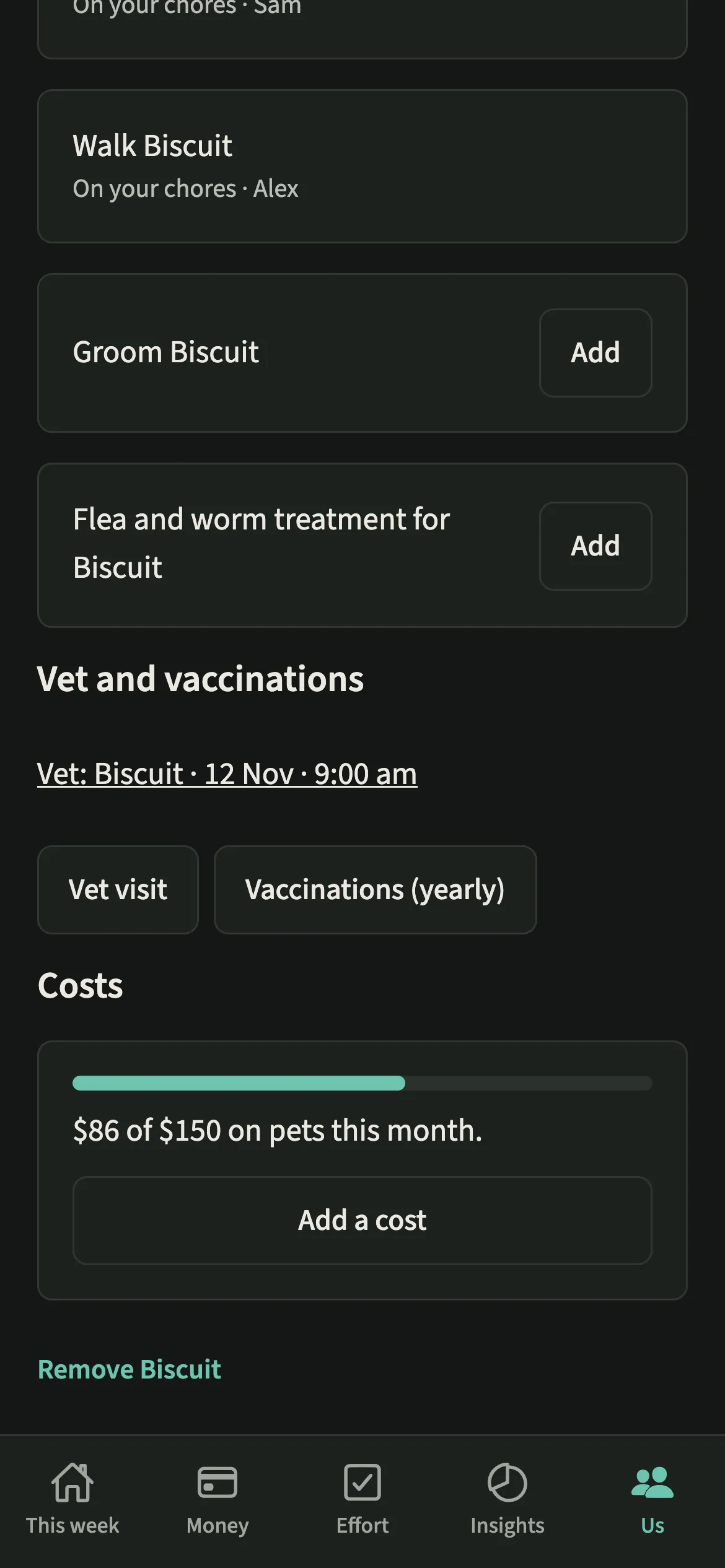
- Set the vet and vaccinationsUnder Vet and vaccinations, tap “Vet visit” or “Vaccinations (yearly)”, pick the day on the calendar, leave it “All day” or add a time, then tap “Add reminder”. Tap a reminder later to change or delete it.
- Rename if you need toTap “Edit” on the pet to change the name, kind or birthday, then “Save”. The pet’s chores and vet reminders take the new name too.
- Record costs or set a budgetUnder Costs, tap “Add a cost” to open an expense already set to Pets and linked to this pet, or tap “Set a pets budget” to set a monthly amount.
What does your partner see?
Your partner sees the same pets and the same chores. Vet and vaccination reminders go to both of you, the day before and on the day, so neither of you has to be the one who remembers. Costs land in the Pets budget like any other expense and are split the way your shared costs usually are.
Either of you can tick a pet chore off when you do it, and the minutes count for whoever did it.
Tips for sharing pet care
- Each job is an ordinary chore on the Effort tab, so you can change its time, days or owner there.
- Vaccinations come round every year, so that reminder repeats yearly. Book the vet visit and set it in the same sitting.
- Use Either of you for a walk you genuinely alternate, and a name for one that is really one person’s, so the plan matches the week.
- For a big vet bill, tap “Add a cost” from the pet’s page. The category and the pet are filled in, and it splits like any shared cost.
- Put a time on the morning walk with a chore reminder. Only the chore’s owner gets it, so nobody has to ask.
How much time does a dog add to the week? An example
Alex and Sam add their dog, Biscuit. Feeding is suggested daily at about 10 minutes and the walk daily at about 40 minutes, so the two daily jobs alone come to nearly six hours a week. Grooming and flea and worm treatment add a little each month.
If Alex does every walk, that is close to five hours a week on Alex’s side of Effort, which the household balance counts like any other housework. Seeing the figure is often enough for a couple to decide, calmly, whether to keep it that way or take alternate mornings.
Is Pets free?
Pets keeps working after the 7-day free week, whether or not you subscribe. The computed views, such as the household balance and this week’s idea, are part of EvenUS Pro: $9.99 a month or $79.99 a year, with one subscription covering both partners. The free week needs no card, and nothing is charged when it ends.
Questions about Pets
Can we share dog walks as a couple in EvenUS?
Yes. Add the walk under What they need and choose a person or Either of you. It becomes an ordinary chore on Effort, and whoever does a walk ticks it off and gets the minutes.
Does EvenUS remind us about vet appointments?
Yes. Under Vet and vaccinations, pick the day on the calendar and a time if you like, then tap Add reminder. Both of you get it the day before and on the day, and the vaccination reminder repeats every year. Tap it to change or delete it.
How do pet costs get split?
Pet costs are ordinary shared expenses in the Pets category, so they split the way your other shared costs do, by income, half each or however you have chosen. Set a pets budget to see the month at a glance.
What happens if we remove a pet?
Their chores are archived and their vet reminders removed. Past expenses and logs stay, so the weeks and months before still count as they were.
Related features
Other parts of EvenUS that work alongside Pets.
Related reading
Articles on the questions behind this feature.