Import from Splitwise: bring your shared history across
Import from Splitwise brings a couple’s Splitwise group into EvenUS. You export the group as a spreadsheet on the Splitwise website, choose the CSV in EvenUS, say which name is you, and check the list. Each cost arrives with who paid and how it was split, and Splitwise payments come in as settle-ups between you. The file is read on your phone and never uploaded.
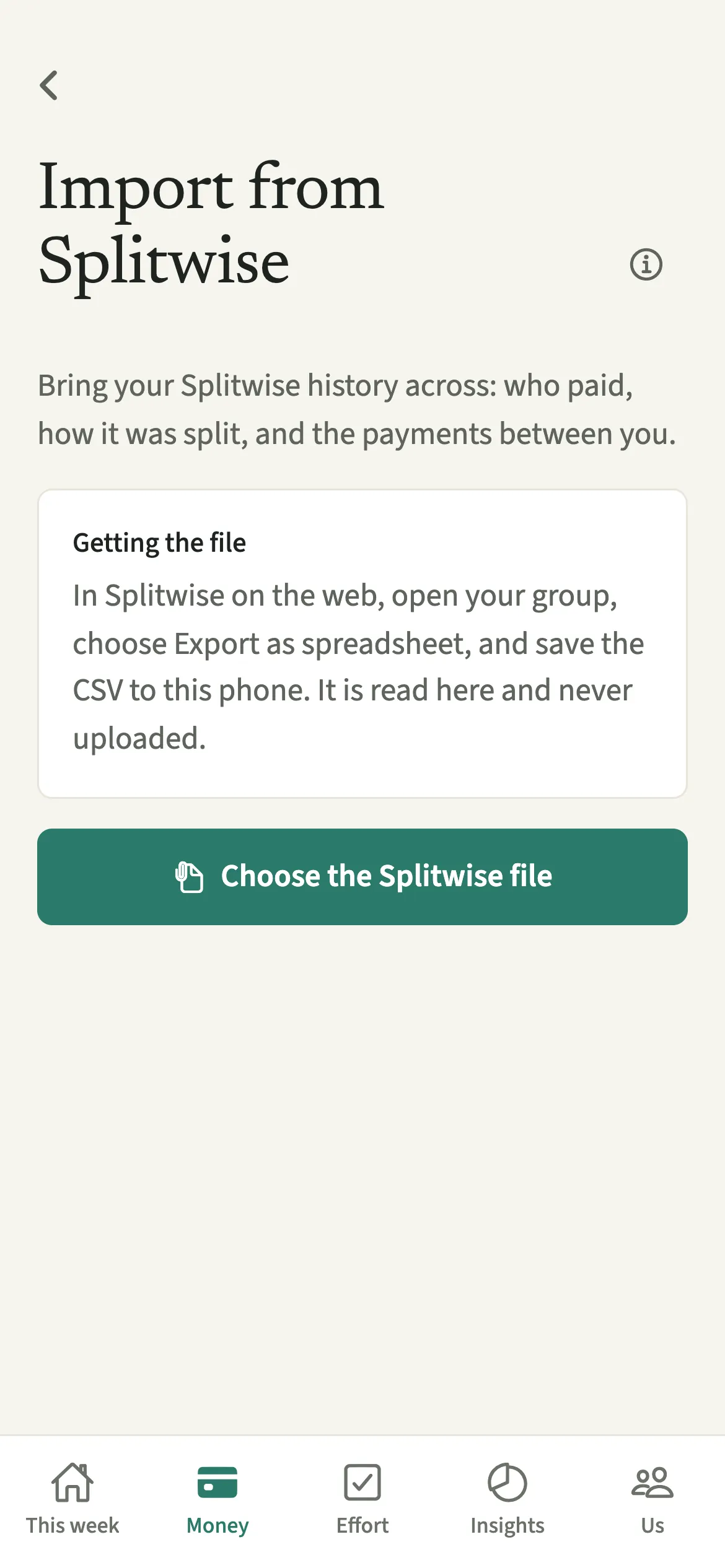
What does Import from Splitwise do?
It reads a Splitwise group export and turns each row into an EvenUS expense or settle-up, keeping who paid and how it was split. Bringing your existing record across keeps the money side continuous from day one.
EvenUS reads the CSV on your phone. Each cost becomes a shared expense with the same payer and the same shares: half each, split your own way, or all one person’s. Rows Splitwise marks as a Payment become settle-ups between you, so the history of evening up comes across too, and the Even up card starts from where you actually are.
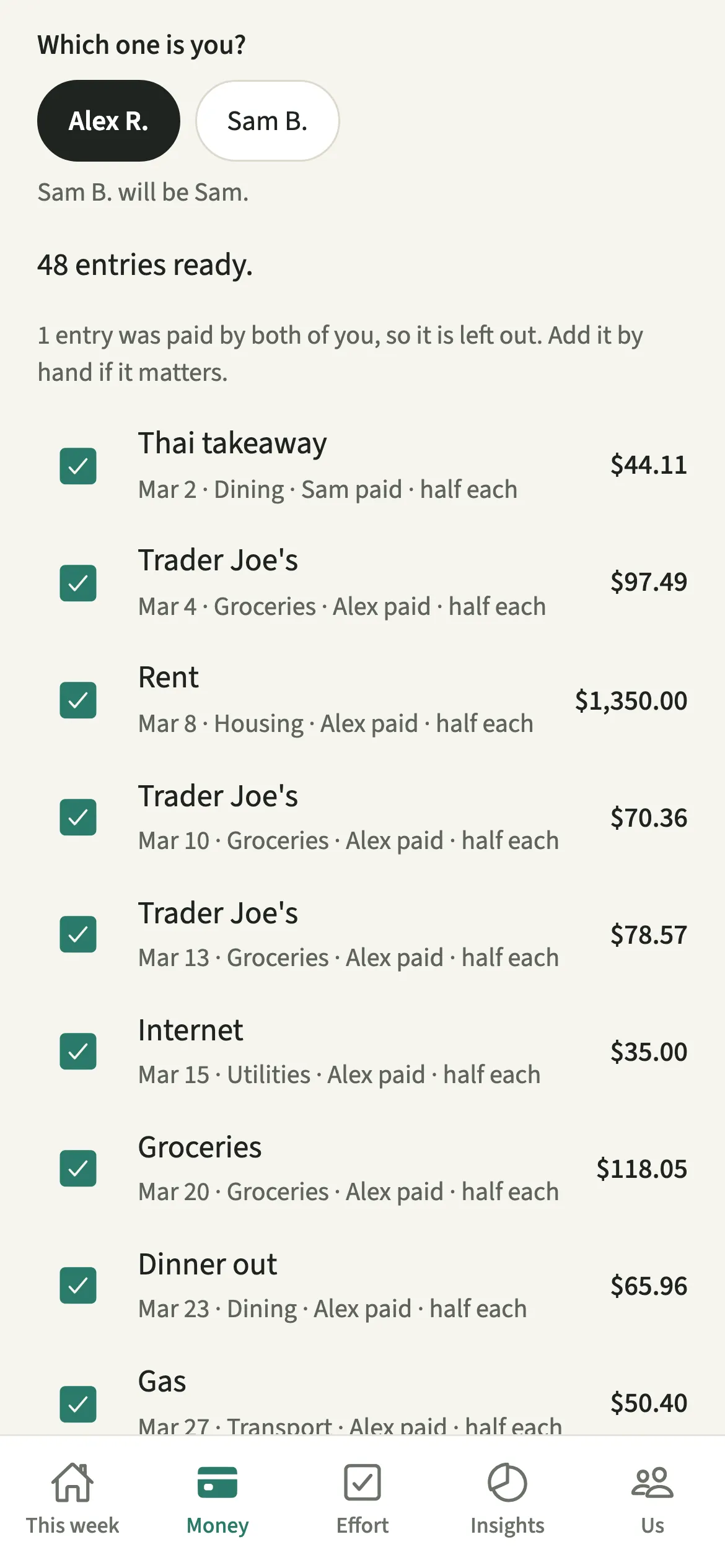
You see the whole list before anything is saved, and you can untick any row you would rather leave behind.
Who is Import from Splitwise for?
For couples moving over from Splitwise who want their shared spending in one place, alongside the chores and planning that EvenUS also measures. It is built for a group with just the two of you in it.
Your partner needs to have joined your EvenUS household first, because every imported row has to belong to one of two real people. Until then, the screen says “Once your partner has joined, you can bring your Splitwise history in.”
How do you import from Splitwise?
Export your two-person group as a spreadsheet on the Splitwise website, then in EvenUS open Money, tap “Import from Splitwise” under Track, choose the file, say which name is you and tap Import.
- Export the group from SplitwiseIn Splitwise on the web, open the group with just the two of you, choose Export as spreadsheet and save the CSV to this phone.
- Open the import screenIn EvenUS, open Money, scroll to Track and tap “Import from Splitwise”, then “Choose the Splitwise file”.
- Say which name is youUnder “Which one is you?”, choose your name. The other name becomes your partner, and the screen confirms it.
- Check the list and importLook through the list, untick anything you’d rather leave out, and tap Import.
What does your partner see?
Your partner sees the imported expenses and settle-ups, like any others, with one line in the activity feed for the import, not a notice for each. Each imported expense shows “Added from: Splitwise”.
They never see the file itself. EvenUS reads it on your phone, saves only the rows you leave ticked, and keeps nothing else.
Tips for a smooth move from Splitwise
- A cost paid by both of you at once is left out rather than guessed, and the screen says how many. Add it by hand if it matters.
- The file is read on this phone and never uploaded. An entry too small to record in your household’s currency is skipped and counted.
- Agree who runs the import before either of you starts, so the history is not brought in twice.
- One import adds up to 300 entries. For a longer history, import again for the rest.
Does it work with other currencies or bigger groups?
It imports rows in your household’s currency, from a group with just the two of you. Rows in any other currency are left out, and the screen says how many, for example “2 entries are not in GBP and are left out.” Nothing is converted.
A group with a third person in it can’t be imported, because EvenUS is for the two of you. Export a group with just you both. A former member whose amounts are zero throughout does not get in the way.
How far back does the history come?
That depends on who imports it. If you joined your partner’s household with an invite, entries dated before the week you joined are marked and left out, and the screen says how many: they stay in Splitwise, just not in your shared records here. The partner who set up the household can bring earlier history, so in most couples that partner is the one to run the import.
Once imported, the costs count towards the money half of the household balance (the fairness score) like anything typed in.
Is Import from Splitwise free?
Import from Splitwise keeps working after the 7-day free week, whether or not you subscribe. The computed views, such as the household balance and this week’s idea, are part of EvenUS Pro: $9.99 a month or $79.99 a year, with one subscription covering both partners. The free week needs no card, and nothing is charged when it ends.
Questions about Import from Splitwise
Does EvenUS connect to my Splitwise account?
No. EvenUS never signs in to Splitwise. You export your group as a spreadsheet on the Splitwise website and choose the CSV in EvenUS. It is read on your phone and never uploaded.
Can I import a Splitwise group with friends or flatmates in it?
No. A group with a third person in it can’t be imported, because EvenUS is for two partners. Export a group with just the two of you. Someone whose amounts are zero throughout is ignored.
What happens to Splitwise settle-up payments?
Rows marked as a Payment in Splitwise come in as settle-ups between you, showing who sent money to whom. That way the Even up figure in EvenUS reflects what you have already squared, not only what you spent.
Why were some Splitwise entries left out?
Three kinds are left out, and the screen says how many: costs paid by both of you at once, rows in a currency other than your household’s, and, for the partner who joined, entries dated before the week they joined.
Do I need EvenUS Pro to import from Splitwise?
No. Importing from Splitwise is a way of adding expenses, so it keeps working after the 7-day free week, with or without a subscription.
Related features
Other parts of EvenUS that work alongside Import from Splitwise.
Related reading
Articles on the questions behind this feature.